E-commerce Search Demo
AI Assisted Filters
Parameters
Query:
Category filters: All
AI Assist: ON
Page: 1
Products
Time taken: 2 Max score: 1000.000 Total hits: 100 Full time: 0.0 s
Showing 1-10 of 100 products
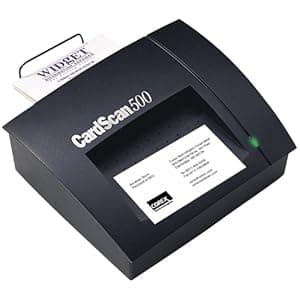 B00003Q090 Availability: Currently unavailable Score: 1000.000 Category: Office Rating: 3.3 Votes: 9 Find similar productsCorex CardScan Executive with Version 5.0 Software. Amazon.com The Corex CardScan Executive 500 is an ingenious device designed to help you organize all the business cards you acquire into an easy-to-use contact database. Simply stick a business card into the scanner, and the CardScan 500's OCR technology extracts such information as names, e-mail addresses, and company, placing them into your contact manager for easy reference. The CardScan 500 integrates nicely with ACT, GoldMine, Groupwise, Lotus Notes, Lotus Organizer, Microsoft Outlook, Microsoft Schedule, Sidekick, and other popular programs, while also providing one-touch synchronization with Windows CE and Palm handheld devices. A PC-only device, the CardScan connects to your computer via USB or parallel ports, and can even connect to your digital phone with separately sold Fonesync software and cable. The CardScan 500 comes backed with a one-year manufacturer's warranty. Review Users have long known that Corex Technologies' CardScan Executive is an ace at turning a pile of business cards into a PC database of contact information. Version 5 adds powerful connectivity and information management features. The CardScan 500 scanner, slightly smaller (and quieter) than the previous version, scans business cards slightly more slowly but more accurately. A new USB port will simplify making connections if you can't use your PC's parallel port or if your printer doesn't work on the scanner's pass-through parallel port. I liked the handy catcher: scanned cards don't fall off my desk. A scanner setup wizard simplifies configuring your CardScan or third-party scanners and helping you get the best scans possible with your equipment. CardScan 5's OCR software has gone international: besides being able to recognize information on USA and Canadian business cards, it can now handle cards for Australia, Belgium, Germany, France, Sweden, Switzerland, and the UK. (Note that all of these countries use alphabets identical with, or similar to, English.) Occasionally CardScan sticks a tricky company name (like Widgets USA) into an address field, but you can (and should) manually verify every card. The improved international support hasn't slowed down the scanning or OCR processing. In an informal test, 25 American business cards took only 130 seconds to scan and 95 seconds to process, with five errors for the 25 cards. To make life difficult, I tried feeding the cards in sideways. The same 25 cards took 195 seconds to scan and 150 seconds to process, with fourteen errors for the 25 cards. I also tried altering one card by circling a phone number on it before scanning. This caused many errors in the information near the area that I circled, but the rest of the card scanned perfectly. Moral: you can deliberately make your accuracy worse if you want, but if you leave CardScan alone it makes less errors than I do typing. One nice feature is that you can even scan the back of a card now. This is useful if, like me, you jot down notes about people, businesses, or products. CardScan can retain the notes I scrawled on the back. CardScan now syncs automatically with Psion palmtops, in addition to Windows CE and Palm-based handhelds. I found it easy to make the connection with a Psion, even though you have to use Psion's own somewhat quirky PsiWin software. The prospect of being able to instantly populate a new-out-of-the-box handheld with your complete CardScan contacts database will be popular with many. I never knew what to do with those vCard email attachments before, but CardScan 5 lets me drag and drop them into my contacts database. The Print Wizard is the simplest and most logical way to select data, page layout, and output format that I have ever seen in any product, period. CardScan Update lets you peruse Corex's web site for updated software or scanner firmware. Although I doubt I would use this frequently, it is very straightforward, and automatically gets you the most up-to-date versions available. If you handle business cards, contacts, or handhelds, you need to check out CardScan Executive version 5: for $299, it's an amazing deal. -- From Winmag®. | 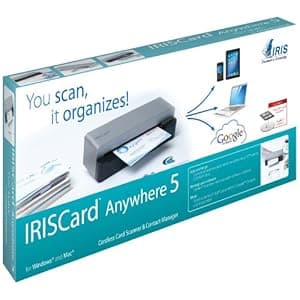 B00753G7KW Availability: Currently unavailable Score: 8.850 Category: Office Rating: 3.3 Votes: 54 Find similar productsIRISCard Anywhere 5 Portable Business Card Recognition Scanner. Scan your business cards, manage your contacts! The IRISCard Anywhere 5 enables on-the-go users to easily extract all the relevant information from business cards and make them available to use, store or share. Since the scanner runs on batteries, you can scan all your cards wherever you are. No need to be tied to a computer. Ideal for today’s mobile lifestyle, it turns contact management into a child’s play. IRISCard Anywhere 5 View larger View larger Here is how it works. Turn your scanner on. Zip your business cards through the cordless, battery-powered scanner. The scanned business cards are now stored in the built-in memory or an SD card. Once back in the office, insert the SD card into your computer, and all the scanned business cards are automatically imported into the Cardiris Pro software for processing and syncing with your contact manager. Export your contacts Export to Outlook, Address Book , Act!, Google Contacts, Microsoft Dynamics CRM, Sales Force and many more! In other words, whatever the contact manager you use, your contacts can be synced. A powerful scanner Whether you are in the office or travelling, a cordless scanner is ideal to capture all your business cards at up to 800 cards per hour. When storing images, the scanner has three possible memory types: USB flash drive, SD card, 512 MB Built-in memory(5000 cards capacity). Hardware specifications Resolution: 400 dpi. Output format: Jpeg. Max doc size: 4X6. Technology you can trust IRIS, maker of the IRISCard Anywhere 5 is now part of the Canon family and offers world class technologies. Worth knowing! iPad compatible with SD card adapter for iPad (not included in the box). iPad compatible with SD card adapter for iPad (not included in the box). Scanner compatible with Windows, Mac, Unix and Linux. Scanner compatible with Windows, Mac, Unix and Linux. Cardiris Pro business card manager included. Cardiris Pro business card manager included. Business cards from 218 different countries are recognized. Business cards from 218 different countries are recognized. Cardiris Pro comes with 19 user interface languages. Cardiris Pro comes with 19 user interface languages. |
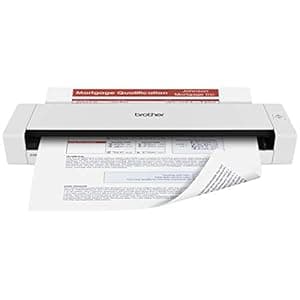 B00EKW8UEM Price: $298.99 Score: 7.463 Category: Office Rating: 4.2 Votes: 968 Find similar productsBrother DS-720D Mobile Color Page Scanner, White (DS720D). Lightweight Mobile Duplex Scanner is Ideal for Quickly Capturing Documents Receipts or Cards and Provides a Variety of Scan-to Destinations The Brother DSMobile 720D Scanner at just under 11 5” long and weighing just over 1 lb is perfect for the mobile professional who needs a powerful scanner that will slide right into a briefcase or business bag It’s ideal for capturing two-sided business documents as well as receipts business cards laminated identification cards invoices photographs and more It scans at up to 1200 x 1200 dpi resolution (interpolated) and 600 x 600 dpi (optical) with fast color and black scan speeds of up to 8ppm 5ppm duplex1 Its small size USB power and valuable suite of scanning software make it a great fit for home offices and desks with limited space too! Scan to a variety of local or shared destinations The DS-720D gives you the option to scan to a number of different destinations to help you manage your documents and workflow Using the included scanning software you can scan documents to a local file or image to a shared folder email FTP or printer making it easy to save distribute and share information2 Bundled with a valuable suite of scanning software to assist with organizing your documents The DS-720D includes a valuable package of scanning software to help you manage and distribute information as well as reduce the need to store and reference hard copy documents Nuance PaperPort 12 SE (Windows) and Presto! PageManager 9 (Mac) Manage all of your scanned documents as well as the other documents on your computer Scan to Microsoft Office formats as well as Microsoft SharePoint (Windows only) Scan convert organize repurpose and share PDF documents Quickly merge multiple files of differing formats from various folders into one multi-page PDF Scan to E-mail Folder OCR and searchable PDF Presto! BizCard (Windows/Mac) Scan and export contact information from business cards directly to Microsoft Outlook and other contact management systems Sort contacts by company group category and first or last name Button Manager V2 (Windows) and DSmobileCapture (Windows/Mac) Configure advanced scan settings for different scan-to destinations and store them for frequent use (ie dpi resolution file format duplex scanning) Includes BR-Receipts-Quicken and Quickbooks software compatible receipt management software The DS-720D includes BR-Receipts software that captures information from scanned receipts BR-Receipts also lets you export your receipt data into Quicken and Quickbooks software to help simplify bookkeeping and reporting3 Brother Scanners are compatible with the way you do business The DS-720D features industry-standard drivers including TWAIN and SANE4 to help enable easy integration for scanning documents into a wide variety of popular applications Plus it’s compatible with Windows Mac and Linux operating systems! Brother is at your side with outstanding customer support We offer a one-year limited on the DS-720D and stand behind your purchase with phone support for the life of your product Whether you have a product question or a technical issue Brother is always at your side. | 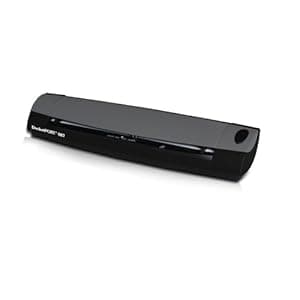 B00FZ2NC9Y Availability: Currently unavailable Score: 6.944 Category: Office Rating: 5 Votes: 1 Find similar productsDocketPORT 487 – Duplex (Double-Sided) Document & ID Card Scanner. The DocketPORT 487 combines a compact design with powerful, two-sided scanning power for a go-anywhere solution. DocketScan II software lets you convert your paper records to tidy digital PDF files with the press of a button. Capture everything from full-size documents to receipts to business cards in seconds. Ultra-Compact Footprint: At about the size of a three-hole punch, the DocketPORT 487 takes up far less space than flatbed scanners. USB-Powered Convenience: Because it's powered by your computer's USB port, you'll never search for an outlet or carry a bulky AC adapter again. Superior Media Handling Easily handles piles of paper documents and receipts, along with identification, insurance and business cards. Broad Compatibility: The included TWAIN compliant driver ensures compatibility with thousands of software applications and hardware systems. Professional-Grade Quality: Durable and reliable enough for high-volume environments like hospitals, banks and busy points of sale. Straight-to-PDF Scanning: With included DocketScan image acquisition software, users can scan directly to industry-standard PDF format. |
 B07DR7MLP7 Price: $318.09 Score: 6.667 Category: Office Rating: 1 Votes: 1 Find similar productsDocketPORT DP687 w/ABBYY Business Card Reading Software. DocketPORT DP687 with ABBYY Business Card Reading Software with compatibility for Microsoft Outlook and Salesforce contact importing also includes: AmbirScan capture software which scans PDF, TIF, or JPEG images to popular cloud services. |  B07VX9FP55 Availability: Currently unavailable Score: 6.494 Category: Office Rating: 4.1 Votes: 24 Find similar productsAmbir ImageScan Pro 667ix Simplex Card Scanner. . |
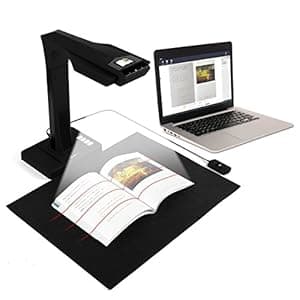 B0758VY4G7 Availability: Currently unavailable Score: 6.329 Category: Office Rating: 4.1 Votes: 35 Find similar productsCZUR Book & Document Scanner with Smart OCR for Mac and Windows. . |  B00CG5EI1O Availability: Currently unavailable Score: 6.329 Category: Office Rating: 2.6 Votes: 6 Find similar productsKodak ScanMate i940M Scanner for MAC. Product Description In your office or on the go, you need a scanner that combines super ease of use and portability. With the Kodak ScanMate i940 for the Mac, that's exactly what you get. Thanks to its light weight, small footprint, and USB-powered option, it's easy to collect, manage, and distribute information from anywhere - whether you're in the office, at the coffee shop, or attending a conference abroad. And when it comes to managing scanned information, nothing makes it easier. The i940 for Mac seamlessly integrates with the NewSoft Presto! PageManager document management and filing solution, so you'll be able to easily scan, OCR, create, view, edit, annotate, and append to PDF files. And because it combines new scans with your existing documents, you'll have everything at your fingertips. Take your business anywhere with the Kodak ScanMate i940 for Mac. From the Manufacturer The only thing worse than data trapped on paper is information trapped in your computer. With the compact Kodak Scanmate i940 Scanner , collecting, managing, and distributing information is simple and desktop-friendly. Kodak’s Smart Touch functionality replaces complicated multi-step scanning processes with one-touch simplicity. So, you get compact with a huge impact. Create email attachments, picture files, and searchable PDFs – and get your documents to the cloud, so they can be accessed wherever you are. With the i940, you can scan directly to cloud-based applications such as Sharepoint, Evernote, and gDocSCAN. And, the USB-powered capability lets you bring all this functionality with you, wherever you go. Capture, process, and send information effortlessly. Free your information and your base of operations with the Kodak Scanmate i940 Scanner. Features Check out all the great things you can do with the Kodak ScanMate i940 for Mac. Create email attachments, picture files, and searchable PDFs – and get your documents to the cloud, so they can be accessed wherever you are. With the i940M, you can scan directly to cloud-based applications such as Sharepoint, Evernote, and gDocSCAN. USB Powered - Scan It all, in the office, or on the road The power of a desktop scanner meets the flexibility of a mobile scanner. The i940’s compact, highly portable design takes up less space on your desk and can easily be brought with you on the road. Plus it can reliably handle a wide range of documents with the 20-sheet automatic document feeder, including extra-long documents, business cards, ID cards, and embossed hard cards. Make Great Images The Kodak ScanMate i940 for Mac utilizes Kodak's latest Perfect Page technology, which delivers bright colors and crisp text. Image enhancement includes iThresholding, automatic image straightening (deskew), auto cropping, image rotation, electronic color dropout, dual stream scanning, image merge, image edge fill, content-based blank page removal, automatic brightness and contrast. Stay in Contact NewSoft Presto! BizCard Xpress lets you easily edit and synchronize business card information with your contact applications. Save Space The i940 is perfect size for the desktop or to take on the road. At only 11.4 inches wide and 4.2 inches deep takes up little space on any desk. The combination of USB power and only weighing less than 3 lbs makes the i940 the perfect mobile scanner for people who need to be able to scan documents outside the office. Includes NewSoft Presto! PageManager software Allows operators to do multiple step scanning and organizing operations automatically. NewSoft Presto! PageManager software makes it easy to create, edit, and open PDF files. It also allows you to quickly scan to email, folders, OCR, PDF or just about any application. |
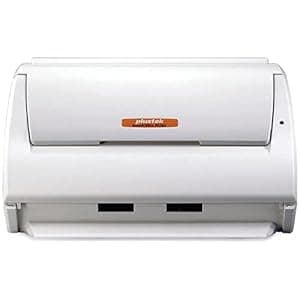 B00BRERBKU Price: $239 Score: 6.250 Category: Office Rating: 3.5 Votes: 11 Find similar productsPlustek SmartOffice PS283 Flexible Document Scanner, 25ppm, 50 Page ASF, Business Card to Legal Size Dcument Management. Scan your documents quickly and cost effectively The Plustek 25 ppm Smart Office PS283 offers you a flexible and productive way to scan and manage all of your paper based information. From business cards to legal size documents, they all can be scanned and saved as a searchable PDF at the touch of a button. It is suitable for any application requiring a small footprint, cost effective document scanner. Includes document management and business card scanning software. The Smart Office PS283 comes with a powerful software bundle including document management, business card reading, Optical Character Recognition (OCR), and imaging software. These applications simplify the tasks of scanning and managing your documents. Plustek’s DocAction makes scanning as simple as pressing a button. With the Plustek Smart Office PS283, you can scan directly to searchable PDF and other common images files formats and then send your scanned documents to email, printer, folder or FTP site. All you have to do is press a button on the scanner! The Smart Office PS283 also includes an industry standard TWAIN drivers, that allows the scanner to be used with thousands of document management and image enabled programs. |  B000PI2VTU Availability: Currently unavailable Score: 6.250 Category: Office Rating: 4 Votes: 2 Find similar productsCSSN ACT Addon - Business Card Scanner and reader to ACT!. . |