E-commerce Search Demo
AI Assisted Filters
Parameters
Query:
Category filters: All
AI Assist: ON
Page: 1
Products
Time taken: 4 Max score: 1000.000 Total hits: 100 Full time: 0.0 s
Showing 1-10 of 100 products
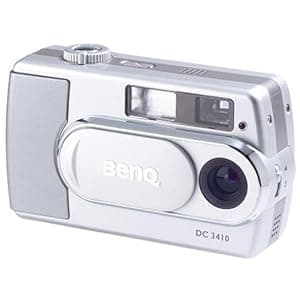 B00012OV98 Availability: Currently unavailable Score: 1000.000 Category: Electronics Rating: 3 Votes: 3 Find similar productsBenQ DC3410 2.1MP Digital Camera with 1x Optical Zoom. From the Manufacturer The BenQ DC3410 is a snap-and-shoot digital camera that is rich in style and performance. It provides more than two hours of power with the LCD on and boasts a 4x digital zoom and allows continuous AVI recording for extended footage. The DC3410 has several features and options, including 2.1 Megapixels of CCD resolution, 3.1 Megapixels of enhanced resolution, a 1.6-inch TFT color LCD with distinct preview/review images, dual storage modes and Histogram and Image Transformation (HIT) technology. Key Features 2 Megapixels CMOS sensor 2 Megapixels CMOS sensor 1.5 Hi-resolution color LCD, for clear image previews 1.5 Hi-resolution color LCD, for clear image previews 4X continuous zoom helps to keep your pictures in the center of the action 4X continuous zoom helps to keep your pictures in the center of the action 16MB built-in flash memory and SD expansion slot for 512MB+ of expandability 16MB built-in flash memory and SD expansion slot for 512MB+ of expandability Built-in Speaker & LCD for reviewing your movies in style Built-in Speaker & LCD for reviewing your movies in style Q-link Software makes it easy to manage your photographs Q-link Software makes it easy to manage your photographs Built-in Game to help you wait for that perfect shot Built-in Game to help you wait for that perfect shot Li-ion rechargeable battery provides long-lasting performance Li-ion rechargeable battery provides long-lasting performance. |  B004BF0MLC Availability: Currently unavailable Score: 11.236 Category: Electronics Rating: 3.9 Votes: 7 Find similar productsBenQ 14 Megapixel Digital Camera (C1450). The C1450 not only lets you replenish power anywhere simply by inserting new AA batteries, but its HDR image enhancement technology makes it easy to get great photos even in challenging high-contrast light conditions. BenQ HDR Image Enhancement Technology The C1450 not only lets you replenish power anywhere simply by inserting new AA batteries, but its HDR image enhancement technology makes it easy to get great photos even in challenging high-contrast light conditions. 14M High-Resolution Camera BenQ's HDR (High Dynamic Range) image enhancement technology is specially designed for photos of scenes where some areas are brightly lit and others much less so. Without HDR, most detail is lost in one or both areas. HDR, though, dramatically increases the ability of the C1450 to differentiate differences in levels of light, magically restoring intricate detail in both bright and dark areas of your photos. Make the Move to High-Definition Video The C1450 gives you a bountiful 14 megapixels to work with, along with a 3x zoom lens for crystal-clear photos. To preview your shots, there's a big 2.7 LCD screen. |
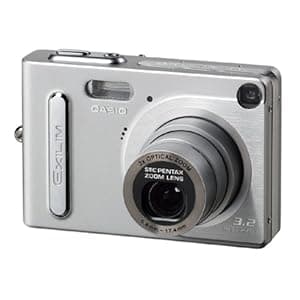 B000087L95 Availability: Currently unavailable Score: 10.870 Category: Electronics Rating: 3 Votes: 13 Find similar productsCasio Exilim EX-Z3 3.2MP Digital Camera w/ 3x Optical Zoom and Dock. Amazon.com Early Adopters Pick :May 2003 One the tiniest 3.2-megapixel digital cameras in the world, the 0.9 inches thick Casio Exilim boasts a 3x optical zoom, a release time lag of about 0.01 seconds and a 2-inch LCD screen. With a super-slim design and measuring the height and length of a credit card, the Casio Exilim EX-Z3 is sure to turn heads as you effortlessly snap high-quality digital photos. Don't let the size fool you, the EX-Z3 is equipped with a 3.2-megapixel sensor, 3x optical zoom, 10 MB of built-in memory, and full-motion movie recording. Optics and Resolution The 3.2-megapixel CCD sensor captures sharp and brilliant images of up to 2,048 x 1,536 pixels, which can printed at sizes of up to 11 by 14 inches. The lens of the EX-Z3 uses a new three-segment telescoping mechanism that makes it possible to provide 3x optical zoom capabilities in an amazingly thin camera configuration. The stylish card design of the camera is made possible by stacking chips to reduce space requirements by about 40 percent (as compared to the Exilim EX-S2 and EX-M2). The EX-Z3 also features a 4x digital zoom. Storage and Transfer Images are stored on 10 MB of internal memory, which stores about eight images with settings at 2,048 x 1,536. If you want more memory, the expansion slot is compatible with any MMC or SD memory card. You can quickly and easily transfer your files onto a PC or Mac using the USB port for computer editing and sharing with friends and family. Movie Mode In addition to taking still photos, the Exilim can also record AVI movie clips. The movie can be as long as 30 seconds at a resolution of 320 by 240 pixels. More Features The EX-Z3 is ready to shoot in less than 2 seconds after it is activated. A release time lag of only 0.01 seconds (from when the shutter release button is fully depressed with the monitor screen and built-in flash turned off, and focus locked) helps to ensure that the user is able to capture the image seen in the viewfinder when the shutter release is pressed. The big 2.0-inch TFT LCD monitor screen included on the EX-Z3 features a digital interface for a clearer display of images. Each date of the full-month calendar screen shows a thumbnail of the first image recorded on that date. This visual diary of images makes it possible for you to quickly search for and locate specific images. Many of the Exilim's settings can be modified, such as programmed exposure, white balance, and flash. When you shoot in the best shot mode you can select a stored photo that looks similar to the photo you want to take and the camera automatically configures to achieve that look. Power, Size, and Contents The Exilim comes with a rechargeable lithium-ion battery, which has an approximate battery life of 65 minutes. The camera itself measures 3.43 by 2.24 by 0.9 inches and weighs 4.44 ounces without the battery. Other standard accessories are a hand strap, CD-ROM with imaging software, USB cradle and cable, and AC adapter for cradle. |  B019UDIAI6 Price: $249.9 Score: 9.434 Category: Electronics Rating: 4.5 Votes: 1503 Find similar productsCanon PowerShot SX540 Digital Camera w/ 50x Optical Zoom - Wi-Fi & NFC Enabled (Black), 1-1067C001. Product Description Canon PowerShot SX540 Digital Camera w/ 50x Optical Zoom - Wi-Fi & NFC Enabled (Black). From the Manufacturer Powerful Zoom. Epic Close-ups. Unleash the power of high zoom, high performance and Canon's advanced technology. The PowerShot SX540 HS is a versatile and easy-to-use camera for virtually anyone who wants to capture their favorite subjects, from family get-togethers to amazing safaris, to school plays and the beautiful moments of life in between. Whether you're capturing something up close or in the distance, you'll be able to get the shot you want with its incredible 50x (24–1200mm) zoom power. Both still images and high-quality 1080p Full HD video are bound to impress even in low-light situations thanks to a new 20.3 Megapixel* High-Sensitivity CMOS sensor and the powerful DIGIC 6 Image Processor, which together create the Canon HS System. What's more, Canon's sophisticated wireless connectivity means you can share your favorite images and videos with whomever you like, as well as easily transfer them to other compatible devices. Improved Zoom Framing Assist makes capturing those faraway moments even easier with the new Lock feature, which helps ensure your subject is sharp and in the center of the frame. Working together with Face ID, the PowerShot SX540 HS's Auto Zoom has also been improved for better framing of your family and friends. Near or far, the amazing zoom and high power of the PowerShot SX540 HS is on hand to help capture the pictures you want. * Image processing may cause a decrease in the number of pixels. Powerful 50x Optical Zoom with Optical Image Stabilizer for outstanding optical performance 50x Optical Zoom (24–1200mm) Once you experience the reach and versatility of this camera's astonishing 50x Optical Zoom, you'll wonder how you ever did without it. From sporting events to travel highlights, wildlife to landscapes, the powerful zoom lets you capture the details that make your photography stand out. Not only will you have the ability to move in to the shot you want, but you'll also be able to capture those shots with incredible Canon quality. The camera's secure ergonomic grip makes steady handheld shooting easy and comfortable, while Intelligent IS analyzes the shooting situation and applies advanced stabilization technology to help keep images clear and virtually shake-free in a wide variety of conditions. Intelligent IS Intelligent IS analyzes camera movement and applies a suitable shake correction method for the shooting situation. For stills, the system selects from Normal IS, Panning IS, Macro (Hybrid) IS and Tripod modes. When shooting video, the system selects from Dynamic IS, Powered IS, Macro (Hybrid) IS and Active Tripod IS modes. With Intelligent IS, you can concentrate on image capture, letting the camera make effective IS settings to help capture a steady image. Still Image Shooting Normal IS Corrects for a wide range of camera movement when shooting stills. Panning IS Panning motion is detected so that IS does not interfere with desired camera movement. Macro (Hybrid) IS Corrects for shift-type camera shake, which typically occurs in macro (close-up) shooting. Tripod When tripod use is detected, the Image Stabilizer is stopped because it is not needed. Video Recording Dynamic IS Effective for video shooting at wide-angle focal lengths, eliminating the unwanted shaking that typically occurs while walking. Powered IS Compensates for hand movement when shooting video at the telephoto end of the zoom range, where camera shake is magnified. Macro (Hybrid) IS Corrects for motion blur that is likely to occur when shooting video while walking. Also compensates for the shift-type camera shake common in macro shooting. Active Tripod IS When shooting video while using a tripod, the Image Stabilizer is active to compensate for slight camera shake. 20.3 Megapixel* CMOS sensor with DIGIC 6 Image Processor helps deliver stunning image quality even in low light 20.3 Megapixel* High-Sensitivity CMOS Sensor The PowerShot SX540 HS camera employs a 20.3 Megapixel* High-Sensitivity CMOS sensor, which delivers powerful imaging performance and is optimized for use in compact cameras. Utilizing a sophisticated light-capturing design, it provides high sensitivity for high ISO capture with reduced noise. It's also incredibly fast, capable of rapidly capturing and moving image data to the processor, as well as enabling fast continuous shooting and fast autofocus. * Image processing may cause a decrease in the number of pixels. DIGIC 6 Image Processor The PowerShot SX540 HS camera is equipped with the DIGIC 6 Image Processor, which helps boost image quality in both stills and video. Improved light sensitivity allows for higher resolution with less noise when shooting in dark conditions, and Dynamic IS detects and compensates for tilt and parallel movement (shift blur) to help create video that's virtually free of distortion. The processor also enhances the performance capabilities of the PowerShot SX540 HS camera, enabling high-speed, high-quality continuous still image shooting at up to 6.0 frames per second. And video recording is impressive as ever, as the DIGIC 6 Image Processor enables Full HD at 60p, as well as MP4 recording. Highly compressed MP4 video not only preserves space on your memory card but also improves playback on compatible mobile devices. Plus, with MF Peaking possible thanks to the DIGIC 6 Image Processor, you'll have a pro-level focusing tool at your disposal. Built-in Wi-Fi and NFC allows for easy sharing and transferring of images and videos Built-in Wi-F Technology Makes Sharing Quick and Easy Built-in Wi-Fi technology allows for on-the-go convenience when you want to share your photos and videos with friends and family. Easily post your images to social networking and media sites – Facebook, Twitter, YouTube, Flickr, and Google Drive – through CANON iMAGE GATEWAY* directly from your PowerShot SX540 HS camera, or save them to the online photo album to share anytime, anywhere. The camera can also connect directly to both compatible iOS** and Android™ devices***, and upload images via the free Canon Camera Connect app** without a computer. You can control the destination of your uploads to share with everyone or to select groups, and even add comments. Sharing video is also easy with Wi-Fi equipped PowerShot cameras, which record video using the easy-to-share MP4 format. Wi-Fi capability makes posting in real time possible, so you can keep everyone up to date with photos and video even as events unfold. Wi-Fi technology also allows you to transfer images to other Wi-Fi equipped PowerShot cameras or print your photos directly to a PictBridge (Wireless LAN) certified printer. Thanks to the newly added Wi-Fi Button, you can now connect in both Shooting mode and Playback mode for quick and easy operation. You can even turn on the camera and connect at the same time with just one press of the button, helping you get right to sharing and managing your files when you like. Built-in NFC (Near Field Communication) Technology PowerShot digital cameras with built-in NFC (Near Field Communication) technology provide fast connectivity with a single tap. Simply touch the NFC icon on your camera to your compatible Android™ device***, and the Camera Connect app will launch automatically for quick, easy sharing of your images. Built-in NFC technology also makes it simpler to install the app. If the app hasn't been installed yet, once you touch the devices together for the first time, the download screen will display automatically. Simply touch the camera against an NFC-equipped device with the Canon Camera Connect app** installed, and a Wi-Fi connection is established – no camera operations required. Even if your camera is off, NFC turns the camera on and establishes the connection (confirming the camera's nickname and privacy settings before the first connection is required). Image Sync Function In addition to wirelessly transferring photos and videos through CANON iMAGE GATEWAY* to your computer, you can now view and download them from your compatible smartphone.**** Take them where you like, when you like, and use your familiar smartphone operations to view and share them. Remote Shooting with the Camera Connect App With the built-in Wi-Fi on the PowerShot SX540 HS camera, you can use your compatible smartphone or tablet** to remotely control the camera. Simply connect wirelessly to your device and access the free Canon Camera Connect app**. Your device will show a live image of the camera's capture – ideal for a commemorative group photo, wildlife shots and all kinds of situations. The camera's versatile 50x Optical Zoom, flash, self-timer and shutter are all under your control, with images being saved to your camera as usual. * One-time registration is required on CANON iMAGE GATEWAY online photo album. ** Compatible with iOS versions 7.1/8.4/9.0, Android smartphone and tablet versions 4.0/4.1/4.2/4.3/4.4/5.0/5.1. Data charges may apply with the download of the free Canon Camera Connect app. This app helps enable you to upload images to social media services. Please note that image files may contain personally identifiable information that may implicate privacy laws. Canon disclaims and has no responsibility for your use of such images. Canon does not obtain, collect or use such images or any information included in such images through this app. *** Compatible with Android smartphone and tablet versions 4.0/4.1/4.2/4.3/4.4/5.0/5.1. **** With the download of the free Canon Online Photo Album app. The images and videos utilizing Image Sync can be viewed and downloaded with your smartphone or tablet within 30 days. Capture spectacular 1080p Full HD video at 60p with stereo sound The PowerShot SX540 HS camera is designed to make beautiful, creative video capture easy and fun. Image quality is luminous and lifelike in 1080p Full HD, with selectable frame rates of 60p and 30p to match the situation and end use. MP4 format, ideal for sharing and mobile devices, is also available. Dynamic IS offers 5-axis image stabilization that corrects even the strong camera shake that happens when you shoot while running or walking backward. Zoom Framing Assist now features a lock button option for quick and accurate subject recognition With its 50x Optical Zoom lens, the PowerShot SX540 HS camera has the telephoto reach to capture subjects a long distance away. At maximum telephoto, however, it can be challenging to track a moving subject. The Zoom Framing Assist seek function makes it much easier to use the camera's powerful zoom lens. When you press and hold the Zoom Framing Assist button, the camera will automatically zoom out to include a wider angle of view, enabling you to more easily locate your moving subject. Once you find it, releasing the button will cause the lens to return to its original zoom position, intelligently keeping the subject in focus until you're ready to shoot and capture the perfect close-up moment. You can even make zoom adjustments while the button is pressed, with an animated assist frame that makes viewing easy. When the button is released, the lens will return to the adjusted zoom position. And with the Zoom Framing Assist Lock, the camera will use image stabilization techniques to lock onto and automatically track a subject, keeping them in the center of the frame until you're ready to capture the ideal close-up shot. Zoom Framing Assist can now be turned on and off with the simple press of a button, allowing for easy and automatic subject selection. Zoom Framing Assist offers a seek assist function that detects when you're panning (for instance, to search for the location of a soccer ball) and automatically zooms out to help; stop panning, and the zoom returns to its original position. Zoom Framing Assist keeps your subject's face the same size in your frame no matter how they move. Tap the Zoom Framing Assist function button to detect your subject's face. As your subject retreats and advances the camera automatically zooms in and out so their face remains the same size. It's especially useful for capturing the expressions of fast-moving children. The feature has been further enhanced by letting you choose the subject's size: choices include face, upper body, whole body, manual or off for superior assistance and control. And, for even more convenience, all Zoom Framing Assist functions are also available when shooting video. Large 3.0-inch LCD (approx. 461,000 dots) allows easy viewing even from a wide angle The large, 3.0-inch high-resolution LCD screen makes it easy to both frame and review your shots. A resolution of approximately 461,000 dots helps make even small details clear, and images are viewable even from a wide angle, so showing others what you've captured is easy, too. Hybrid Auto lets you record up to four seconds of video before each image you capture, then automatically combines each clip and still into a quick video recap of the day Hybrid Auto records up to four seconds of video every time you shoot a still image, then automatically joins the clips and pictures* into a video that captures the essence of special days: vacations, important occasions or any time you're shooting many shots in a day. In this mode, Hybrid Auto automatically recognizes the scene and optimizes camera settings for incredibly high image quality. The resulting 1080p HD video is properly exposed, crisp and steady, so your highlight reel is stunningly beautiful. * Pictures can be withheld from the resulting video via menu settings. Story Highlights enables the camera to automatically compile images and videos from a certain day or event into a mini highlight reel with music and effects View your still images and video* as a fun short story with the Story Highlights feature on the PowerShot SX540 HS camera. Improved for convenience, you can choose to have the camera create this reel automatically by using advanced algorithms to classify your images according to date, event or people, then compiling a short video of approximately three minutes** with suitable background music and color effects applied. You can also customize your Story Highlights reel for a fun, unique video. Story Highlights BGM lets you add background music (choose from three pre-loaded songs) to the clips that Story Highlights automatically generates, for a new level of emotive expression. It's all done in camera, without the need for any additional software. Easily access and enjoy your Story Highlights – simply press the Story Highlights button to start creating your highlight album. The Story Highlights album can be saved to the camera's memory card for quick replay and also shared with the PowerShot SX540 HS camera's built-in Wi-Fi technology. * Videos must be shot in Hybrid Auto or Short Clip. ** Length of highlight video varies according to the photos and videos added to the Story Highlights album. Manufacturer Contact Information > See more. |
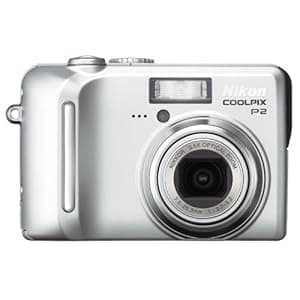 B000AXQVK0 Price: $93.49 Score: 9.346 Category: Electronics Rating: 3.1 Votes: 30 Find similar productsNikon Coolpix P2 5.1MP Digital Camera with 3.5x Optical Zoom (Wi-Fi Capable). Amazon.com Amazon.com Product Description As one of the smaller digital cameras on the market, the Coolpix P2 combines a high-quality optical zoom lens with a range of automatic and preset shooting modes that will satisfy the most discerning of point-and-shoot photographers. With an 5.1-megapixel CCD, and a high quality 3.5x optical zoom Nikkor 3x ED glass lens, plus a 4x digital zoom for a total zoom of 14x, the Coolpix P1 can produce stunning prints up to 16 x 20-inch prints simply and easily. All controls are designed for ease of use, right next to the large, 2.5-inch LCD display. A 3x optical zoom makes it easy to get close to the action. View larger . A hand grip doubles as the battery housing. View larger . The Coolpix P2 also features built-in WiFi connectivity, which means that you can communicate wirelessly to either your computer or, through the use of an optional Wireless PD-10 Printer Adapter (sold separately), directly to your printer. This unique WiFi image transfer ability not only make it more convenient to off-load your images, it also permits a unique live slide show capability that is great for parties, weddings, and any other special occasion. Weighing a mere 6.4 ounces with the battery and memory card loaded, the Coolpix P2 is truly a take anywhere camera. With over 16 automatic and preset shooting modes, you'll always be sure to get the precise shot you're looking for. Best of all, advanced scene modes are available for 11 of the 16 presets and allow the user to customize the final image by providing a 3-level selection for enhanced creativity and control. Not to be outdone, the Coolpix P2 can also record high-quality movies at a rate of up to 30 frames per second. There are a total of seven movie modes to choose from, including six with the capability to record sound as well as a time-lapse mode that enables the user to capture events occurring over an extended period of time. The camera also features a built-in flash with six modes, and a built-in mic and speaker for including sound in videos and playback from the camera. A large, incredibly bright, 2.5-inch color LCD display and user-friendly interface means that you don't have to take the extra effort to get up to speed with the camera's functionality. Just power it up, and you'll be ready to go in no time. Other advanced features include Nikon's Exclusive Feature System, which helps turns pictures into photographs. An In-Camera Red-Eye Fix takes red-eye reduction a step further by remove red-eye directly in the camera. Face Priority AF automatically focuses on faces for great portraits, and the D-Lighting feature offers in-camera repair of dark images. The included rechargeable battery gives you up to 180 images on a single charge. In short, the Coolpix P2 is perfect for novice users or anyone looking for a point-and-shoot camera that produces sharp, colorful photos with great ease of use. For advanced shooters, the P2 can server as a great take-anywhere snapshot camera. What's in the Box Nikon Coolpix P2, rechargeable Li-ion battery EN-EL8, battery charger MH-62, USB cable, audio-video cable, strap, and PictureProject CD-ROM. From the Manufacturer Nikon's Coolpix P2 combines 5.1 effective megapixels and a 3.5x optical Zoom-Nikkor lens for stunning prints. WiFi capability is built-in, so this high-performance camera can download or print images wirelessly. The incredible, bright 2.5 inch LCD makes for easy image composition and playback. A 10-step Aperture Priority mode provides versatility in difficult lighting situations, and Advanced Scene Modes offers enhanced control over the color intensity of the final image. Nikon's Exclusive Feature System includes many automated features that make it easy to take great pictures. New On-Screen Help eliminates the guesswork by providing explanations for all main menu functions. The Coolpix P2 is performance unplugged--no strings attached! Up to 8 Resolution Settings, Plus Small Pic 2592 x 1944 2048 x 1536 1600 x 1200 1280 x 960 1024 x 768 640 x 480 2592 x 1728 (3:2) Choose from a wide range of resolution settings. Small Pic button enables the user to instantly save a copy of an image at a resolution small enough for e-mail or web. Choose from four Small Pic sizes: 640 x 480, 320 x 240, 160 x 120, or 96 x 72. Customize your resolution to the final output, getting maximum resolution necessary while conserving valuable space on the SD card. In addition, with Small Pic, you can instantly save an image to the memory card that is an appropriate size for e-mail or for posting on the web. 6 Mode Built-in Flash Auto, Flash Cancel, Slow Sync, Anytime Flash, Red-Eye Reduction, Rear Curtain Sync There is an appropriate flash mode for almost any lighting situation. Get the shot you want with the light you need. Quick Review View images stored in internal memory or on inserted SD card at the press of a single button. Zoom in to see a detail view of the image. Zooming in allows you to check details in the image--for example, whether everyone's eyes are open. Voice Memo Function Record vital information regarding the image that was shot. Camera will record up to 20 seconds per image. This is a quick method for recording important shooting data or special information about an image. In-Camera Cropping Photo Trim Use zoom and four-position rocker buttons to select part of a picture; camera saves this as a new image without changing the original picture. Uses standard camera controls to trim an image to create a new image that is part of the original image. Full-Featured Bundled Software Nikon: PictureProject Nikon: Wireless Camera Setup Arcsoft: Panorama Maker The bundled software will enable you to set up a digital darkroom and your wireless Coolpix P2 without having to purchase additional, costly software packages. This easy-to-use image editing software allows the user to edit, e-mail, and print images. In addition, the Wireless Camera Setup provides a 7-step wizard for setting up a profile to transfer pictures wirelessly. Easy E-mailing With Nikon PictureProject software Select image(s) to send and click the Mail button. Choose to send pictures as individual prints or a single index print and select image size from the drop down menu. It's that easy! Small files are best for e-mailing, and PictureProject makes it easy to select and send small images, regardless of the size of the original image. Clicking the Send button opens a new e-mail with the pictures already attached. All you need to do is address the e-mail and add a message! Autofocus 99-Area Manual AF System Face-Priority AF Contrast detect Autofocus system. With Manual AF, use four-position rocker switch to move the focus point to the desired position. Face-Priority AF can be activated in Portrait Scene Mode and will set focus on the face when taking a picture of a human subject. Incredibly sharp images from close up to infinity. The 99-Area Manual AF System allows for precise focus on the desired subject. Face-Priority AF will assist in getting sharp, incredible portraits of people. AF Assist Lamp Provides extra light when focusing in low-light situations. Enables sharp focus even when the subject is not well lit. All New 10-Step Aperture Priority Mode with Live Histogram Display Adjust your aperture in 1/3 EV steps while viewing a Live Histogram. Use the Live Histogram to set the aperture for the optimal exposure in almost any shooting situation. D-Lighting Automatic compensation for insufficient flash or excessive backlight. User selectable in image playback mode; saves a copy of the picture with the correction made without affecting the original image. Incredible versatility for the end user. Enables them to adjust images taken in a low light situation when the flash is not strong enough, or when harsh backlight causes underexposed foreground detail--all done in camera (no computer). Nikon's Exclusive In-Camera Red-Eye Fix When the flash is set for red-eye reduction, the camera automatically removes most instances of red-eye from the subject(s) before writing the image to the card. Instances of red-eye are removed while the picture is being taken. Produces excellent pictures with no redeye! No extra steps necessary--just download and print! Best Shot Selector (BSS) Press and hold the shutter release; the camera will take a series of images, saving the one with the sharpest focus. Ensures sharp focus when shooting in situations where a slow shutter speed could result in motion blur. Five Color Options Standard Color, Vivid Color, Black and White, Cyanotype, Sepia Get creative by selecting one of five color options. Choose the mode that best suits the output: standard color for beautiful prints; vivid color for e-mail/Internet; black and white for dramatic shots; and sepia or cyanotype for brown or blue tones. Get creative easily. Create old style photos with the sepia option, or imitate an Ansel Adams shot with the black & white option. The only limit is your imagination! Date/Time Imprinting Prints indicate the date and time the picture was taken. A great archiving tool; know when an image was taken. PictBridge Compatible Connect the Coolpix P2 to a PictBridge compatible printer and print images stored on the camera, either in internal memory or on the SD memory card. Print images directly from the camera; no computer required! Five-Shot Buffer Mode In anticipation of a special moment, hold down the shutter release button. When the moment has occurred, let go and the last 5 pictures taken will be saved to the memory card. Requires the camera be put into five-shot buffer mode. Ensures a fleeting or unexpected moment won't be missed. Gets the shot, even though the photographer isn't sure exactly when the action is going to happen. One-Touch Upload Easily upload images from camera to computer at the press of a single button. Makes moving images from the camera to the computer fast and easy. TTL White Balance with Five-Mode Manual or Preset Incandescent, Daylight, Cloudy, Fluorescent, and Speedlight Select Automatic White Balance, choose one of five manual settings, or Preset to a white or gray card. Always get an accurate color balance, regardless of lighting conditions. Shutter Speed Range 8 seconds to 1/2,000 second Capture a wide range of exposures from low light (using slow shutter speeds) to action (using faster shutter speeds to freeze movement). Maintain creative control over your images with a wide range of shutter speeds--take long exposures or catch the action--it's your choice! Exposure Compensation +/- 2 EV in 1/3 EV increments Increase or decrease exposure when using Automatic mode. Ensures you get the exposure you want, giving you great pictures every time. User Selectable ISO 50, 100, 200, 400, and Auto Select from a variety of ISO/Sensitivity options. Using a higher ISO makes the camera more sensitive, so pictures can be taken in lower light without flash. A wide range of ISO options increases exposure options in a variety of lighting conditions. For example, in situations where using a flash is not appropriate. Saturation Mode +1 (max), 0, -1, -2 (min) Choose from a range of color saturation levels, from +1 to -2. For example, use more saturation for web images that need to really pop. User sets color saturation before the image is saved to the SD card or modified in image editing. This allows direct output without manipulation, saving time. 4-Mode TTL Metering System 256-Segment Matrix, Center Weighted, Spot, and Spot AF (user selectable) Choose the metering system to suit the particular lighting condition. Properly exposed images are achieved automatically. 16 Scene Modes 11 with new Advanced Scene Modes 4 with Scene Assist (first four listed) Portrait, Night Portrait, Sports, Landscape, Beach/Snow, Close-up, Copy, Backlit, Party/Indoor, Night Landscape, Panorama, Museum, Fireworks, Sunset, Dawn/Dusk, and Voice Recording Automatically sets the camera for optimum performance in most popular picture-taking situations. The Advanced Scene Modes let you get more creative and give you more control in 11 different Scene Modes. Scene Assist is available in 4 Scene Modes (portrait, night portrait, landscape, sports); these offer additional assistance for framing, focus and exposure. The Coolpix P2 makes taking great photographs easy. The ergonomic design is comfortable to hold and use. The controls are well marked, making it easy to access all the timesaving functions. The Voice Recording Scene Mode will allow you to record up to 5 hours of audio (with a 256 MB SD card). Turns snapshots into photographs! Macro Mode Close Up Take pictures as close as 1.6 inches from the subject using the Close-up Scene Mode. Take incredibly sharp macro images using the built-in Zoom-Nikkor lens--no attachments necessary! Movie Mode with Audio 30 frames per second Time-Lapse Movies Movie size is user selectable (TV 640 x 480; Small 320 x 240; Smaller 160 x 120). Movie length is determined by the amount of memory available. Your camera operates as a digital video camera to record a movie with sound. File is saved in QuickTime format, which makes it easy to share with others. Noise Reduction Mode Noise is minimized when using exposure times of 1/4 second and longer. This is automatically turned on in Dawn/Dusk and Night Landscape Scene Modes. Capture clear, sharp images, even when using longer shutter speeds. Wi-Fi-enabled 802.11b and 802.11g (Wireless LAN required) Transfer Images to a computer without a wired connection. Send images as they are taken, or batch send pictures on command. Do a Live Transfer of images directly into a PictureProject slide show! Wireless capability offers the freedom and convenience of moving images to a computer or printer that is within 100 feet of the camera without the need for cables. (Exact distance depends on the signal strength of the wireless LAN.) All New Wireless Print Adapter PD-10 (Optional Accessory) Print wirelessly to any PictBridge compatible USB inkjet printer. Camera prints directly to the printer without the need of a computer. Send images to a printer that is within 100 feet of the camera without the need of a computer or cable. (Exact distance depends on the signal strength of the wireless LAN.) The PD-10 print adapter is not included and must be purchased separately. 3.5x Zoom-Nikkor Lens 35mm equivalent: 36-126mm Made with world-renowned Nikkor optics, the lens features 7 elements in 6 groups and incorporates 2 aspherical elements, allowing for a lightweight, compact lens design. Excellent image quality. Capture a broad range of pictures, from wide angle to a longer telephoto to extreme close-ups, all at the press of the shutter button. Incredible, Bright 2.5-Inch LCD Frame and review your images with the big, 2.5-inch LCD. Compose and share your images easily with the big, easy-to-see LCD. Help Function The Coolpix P2 includes an in-camera help feature that explains the function of specific menu items. In-Camera instant tutor helps the user better understand different features of the camera. Selectable GUI (Graphical User Interface) The user can select how they want to see the menu options on the camera's LCD. Choose the traditional Menu Item View or the all new Icon View. Selecting Icon View displays all the menu options on one screen; no scrolling through a list of menu options. Menu Item View displays the name of each feature. LCD Gridlines Gridlines (composition lines) can be displayed on the LCD; these aid in composing, or framing, the shot. Helps user ensure horizon lines are level and architecture is vertical, resulting in better pictures. Compact Design, Silver Metal Body The ergonomic and compact design retains a traditional camera feel without the extra bulk. Comfortable to hold and use, the Coolpix P1 and P2 fit nicely into a jacket pocket or pocketbook. They're easy to carry and easy to use. Power New EN-EL8 slim design battery included Charges within 2 hours with the included MH-62 Battery Charger. Use the new slim design rechargeable battery to take as many as 200 images on a single charge. Included Li-ion Rechargeable Battery and Charger Comes with rechargeable battery and charger to charge the battery in 2 hours. Rechargeable battery minimizes the cost to power the cameras. 16 MB Internal Memory (Coolpix P2) SD Slot for optional memory card No memory card is required for taking pictures. Images can be copied between internal memory and SD cards. Camera is ready to go right out of the box! Plus, you can continue to take pictures when memory card is full. Accepts SD Memory Cards Compatible with any size Secure Digital (SD) Memory Card. | 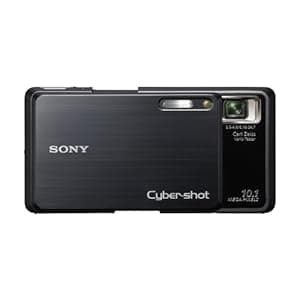 B001O9ARC2 Price: $375 Score: 9.346 Category: Electronics Rating: 4 Votes: 4 Find similar productsSony Cybershot DSC-G3 10MP Digital Camera with 4x Optical Zoom with Super Steady Shot Image Stabilization. From the Manufacturer Share the excitement of your experience! The slim, and stylish Wi-Fi Sony Cyber-shot DSC-G3 allows you to capture, upload, and share your memories directly from the camera. The G3 has Wi-Fi internet capabilities so you can connect from home, hotel, airport, restaurant, or any public hotspot, and can upload your pictures and movies to popular sharing sites including YouTube, Picasa Web Albums, Photobucket, Shutterfly and DailyMotion. With 10.1 megapixels, Optical SteadyShot image stabilization, and Intelligent Scene Recognition--you are sure to capture your memories with great quality. Also as a Digital Portable Photo Album, save hundreds of images in the 4GB internal memory, breeze through them easily with image management features and enjoy them on the dazzling 3.5-inch high-resolution, high contrast touch screen LCD. Cyber-shot DSC-G3 Highlights 10.1-megapixel Super HAD CCD Image Sensor A powerful 10.1 megapixel, 1/2.3-inch Super HAD CCD image sensor helps you capture gorgeous images with superb contrast and clarity down to the finest detail. With 10.1 megapixels, you can create stunning, photo-quality prints up to A3 size, or crop your images and still come away with high resolution shots. Carl Zeiss Vario-Tessar Lens with 4x Optical Zoom The newly developed Carl Zeiss Vario-Tessar lens enables close-up shooting up to just under 1/2-inch from the subject (in Magnifying Glass Mode), while the optical 4x telescopic zoom offers superior visual acuity for a compact digital camera. 3.5-inch Xtra Fine LCD Touch-Screen Display Compose images on a dazzling 3.5-inch LCD display and use the touch screen to navigate menus, specify focus points, and more. When you've finished shooting, show off your images with photo-like quality and spectacular clarity. Featuring 921K pixels, the ultra-bright, high-contrast LCD screen with a wide viewing angle is among the highest resolution screens available on a compact digital camera, and displays your images with astonishing visual clarity. BIONZ imaging processor The BIONZ Imaging Processor delivers the high resolution and fast performance you expect from a Sony digital camera. Slim design The DSC-G3 packs a lot of performance into a slim design. Measuring just over 3/4-inch (19.4mm), the DSC-G3 is slim enough to slip into a pocket, so you can take it with you wherever you go. Face Detection technology Face Detection technology detects up to eight individual faces and controls flash, focus, exposure, and white balance to deliver accurate, natural skin tones with reduced red-eye for beautiful images of family and friends. Face Detection can even distinguish between children and adults, so you can prioritize the camera’s focus on children in the scene for clear images of their memorable moments. Smile Shutter technology The popular Smile Shutter technology automatically detects and captures a smiling face. Simply choose the Smiley Face feature and the camera will capture a smile the moment it happens. You can also select subject priority (Adult or Child Priority or touch subject on screen) and indicate the degree of Smile Detection Sensitivity to high (small smile), medium (laugh) or low (grin). Double Anti-blur Solution The combination of Optical SteadyShot image stabilization and High ISO sensitivity helps compensate for shaky hands, minimizes blur and allows flash-free shooting to preserve the mood. Optical SteadyShot image stabilization Optical SteadyShot image stabilization uses a built-in gyro sensor to detect camera shake and automatically shifts the lens to help prevent blur without sacrificing image quality. High Sensitivity ISO 3200 High ISO allows for faster shutter speed, so you can take pictures indoors or in low light without the need for a flash. In addition to High Sensitivity Mode (ISO), you can select up to eight ISO settings (Auto, 80, 100, 200, 400, 800, 1600, 3200) when shooting in Program Auto Mode to adjust sensitivity to your shooting conditions. Intelligent Scene Recognition Intelligent Scene Recognition (iSCN) Mode automatically recognizes eight different types of scenes and selects the appropriate camera settings: Backlight, Backlight Portrait, Twilight, Twilight Portrait, Twilight using a Tripod, Portrait, Landscape and Macro. iSCN has 2 modes: Advanced and Auto. In Auto Mode, the camera takes a single shot using the optimal settings. In Advance Mode, the camera takes a picture with optimized settings and in Twilight or Backlight situations where light conditions are difficult the camera will take an another picture with advanced settings. Dynamic Range Optimizer Standard and Plus Dynamic Range Optimizer (DRO) Standard and Plus uses a sophisticated algorithm to determine the best exposure and contrast settings for almost any shooting environment. The result is more natural images with clearer details that more closely match what your naked eye sees. DRO is particularly effective when shooting backlit portraits or any scene with a dramatic contrast between background and foreground lighting. DRO Plus allows for even greater optimization by analyzing each region of an image and performing additional image processing. Anti-blink Function It's frustrating to think you've captured that perfect shot, only to review it later and discover one of your subjects blinked just as you pressed the shutter. The Anti-blink function works to help counter blinking and squinting. When the camera is set to Soft Snap Mode or Auto mode with iSCN Advanced, the Anti-blink function captures two images, recording only the photo with less squinting. If a blink is detected while in other shooting modes with Face Detection ON, a warning will be displayed after you take the shot. Red-eye Correction Reduces common red-eye problems. Convenient Photo Modes Choose from thirteen convenient photo modes to quickly adjust for specific shooting conditions. Photo modes include Auto, Program Auto, Easy Shooting, High Sensitivity, Landscape, Soft Snap, Twilight Portrait, Twilight, and scene selections such as Beach, Snow, Fireworks, High Speed Shutter and new Gourmet Mode. Gourmet Mode lets you capture mouth-watering culinary creations with all the color and clarity of images you see in gourmet magazines. MPEG Movie VX Fine Mode Capture VGA (640 x 480) audio/video clips at a high frame rate (up to 30 frames per second). The maximum length of time you can shoot continuously is approximately 10 minutes. Semi-manual focus Semi-manual focus lets you specify the camera's approximate focus distance, helping you capture your subject even in tricky conditions like through a fence or window. 9-Point Auto Focus Because an off-centered subject can make your shot more interesting, a 9-point auto focus system measures nine precision focus points, giving you greater creative freedom to compose your images. Burst Mode You can fire up to 100 shots at approximately .62 second intervals (at any resolution; VGA to high resolution mode). Function Guide This beginner-friendly optional function helps navigate through the various functions and settings displaying the description of chosen functions or settings on the LCD screen. Easy Shooting Mode With Easy Shooting Mode, even beginners can take great pictures. In Easy Shooting Mode, easy-to-understand basic instructions are displayed on the LCD screen. Intelligent Scene Recognition set by default further simplifies operation by selecting the optimum settings. 16:9 High Resolution Mode Using the 16:9 High Resolution Mode, you can record high resolution images in the 16:9 aspect ratio favored by HDTVs. This setting is ideal if you plan to view your images on a compatible HDTV and invite friends and family members over for a slideshow. 4GB internal memory The Cyber-shot DSC-G3 comes with 4GB of internal memory, which can store up to 950 high resolution images (10.1MP), or an astounding 40,000 VGA-sized images. Should you need more storage capacity, an additional slot can accept Memory Stick Duo Media (sold separately). Memory Stick Duo Media Convenience: A built-in slot accepts Memory Stick Duo media or Memory Stick PRO Duo media. Both sold separately. Stamina Battery Power Provides extended battery life and shooting capacity when using a fully-charged lithium-ion battery. The included battery supports up to 200 shots. Wi-Fi connectivity Built-in Wi-Fi 802.11b/g connectivity lets you connect your Cyber-shot DSC-G3 camera from home, hotel, airport, restaurant, or just about any accessible wireless hotspot and upload photos and videos directly from the camera. Easy Upload Home Page Direct from the camera, you can conveniently upload pictures and videos to popular sharing sites including YouTube, Picasa Web Albums, Photobucket, Shutterfly and DailyMotion. (YouTube and Picasa are trademarks of Google Inc., Photobucket is a trademark of Photobucket, Inc., Shutterfly is a trademark of Shutterfly Inc., Dailymotion is a trademark of Dailymotion SA.) Capture and share Do more with your pictures than just store them on your Memory Stick. Capture the moment and share the excitement of the experience right from the camera--without having to connect to the internet from a PC. You can even send e-mail notifications to friends and family with links they can follow to view your uploaded images. Portable Photo Album The DSC-G3 combines an ultra-bright, high resolution 3.5-inch LCD, 4GB internal memory capable of storing up to 950 high resolution (10.1MP) pictures, easy image management and password protection, all of which make it an exceptional portable photo album that you can take wherever you go and share with your friends and family. Easy Image Management Easy Image Management takes the hassle out of sorting through large volumes of image data, so you can quickly select and view your desired photos. Photos can be browsed in four convenient ways: by Standard Folder view, Date view, Event view and Favorites showing only user-selected images. You can also harness the power of Face Detection technology to filter by face type (choices include All People, Children, Infants, and Smiles). HDTV Compatibility View your photos in glorious high definition on a Sony BRAVIA or similar compatible HDTV using the included HD output adapter cable (VMC-MHC1) or optional Cyber-shot Station cradle (CSS-HD2). It's the perfect way to share your photos with friends and family. PhotoTV HD: Bring your photos to life and enjoy highly detailed, Full HD 1920x1080 images with PhotoTV HD-capable Sony BRAVIA HDTVs. PhotoTV HD fine tunes settings on your HDTV such as sharpness, gradation and color to display images that look more like actual printed photographs. Wide Zoom display To use the entire image area of the compatible HDTV screen (sold separately), Wide Zoom display automatically expands standard 4:3 and 3:2 images to 16:9. PHOTOMUSIC feature PHOTOMUSIC combines images with music to produce fun and entertaining slide shows. The five standard visual effects (Simple, Basic, Nostalgic, Active and Stylish) are supplemented with three face priority effects: Face1 (Basic), Face2 (Nostalgic) and Face3 (Stylish). Select from eight pre-loaded tracks on camera or transfer your own from your compatible PC (sold separately). In-Camera Retouching Tools Retouch and enhance your pictures on the go with 10 in-camera editing functions: Trimming, Red-Eye Correction, Soft Focus, Partial Color, Fisheye Lens, Cross Filter, Radio Blur, Retro, Happy Face and Unsharp Masking effects. Creative Painting Tools Let your imagination run wild with the built-in Paint Pen, as well as more than 30 stamps and 15 types of picture frames. Painted images are saved separately from the original images, so you can have fun without having to worry about permanently altering your original images. Multi-purpose Resize function The Multi-purpose Resize function lets you change the aspect ratio of an image right in the camera, so you can adjust images as necessary, whether you want to display them on a compatible HDTV6, email them or upload them to a blog. Password Lock Images stored in internal memory can be password protected, preventing others from viewing your images in the event that your camera is lost or stolen. Sharemark and Picture Motion Browser (PMB) Portable With Sharemark and built-in Picture Motion Browser (PMB) Portable, it’s easy to pre-select images and videos in the camera to later upload8 them from the camera to popular Internet sharing sites. Picture Motion Browser (PMB) v. 3.2 Sony Picture Motion Browser (PMB) software7 provides a simple, easy-to-use way to transfer video and still images to your PC, as well as sort, edit, and output to data disc and the Web. Additionally, the Easy Exporter function makes it easy to take your images with you by exporting smaller copies of your imported images back to your camera. The smaller file size means you can fit more pictures in your pocket, while the original, full-size image remains safe on your PC. Finding your images with PMB is easy with Calendar view and Face Search. Face Search allows you to filter by faces (one or many) and also a specific person’s face. Share images and videos on popular sharing sites with Media Services function. What's in the Box Rechargeable Battery Pack NP-BD1 Rechargeable Battery Pack NP-BD1 Battery Charger BC-CSD Battery Charger BC-CSD Multi Connector Cable USB/AV Multi Connector Cable USB/AV Wrist Strap Wrist Strap Paint Pen Paint Pen CD-ROM Software CD-ROM Software Station Plate F Station Plate F. |
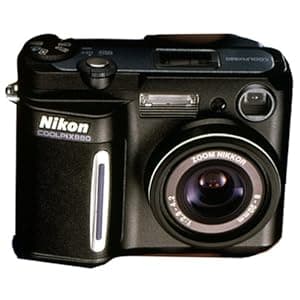 B00004YV85 Availability: Currently unavailable Score: 9.259 Category: Electronics Rating: 3.5 Votes: 32 Find similar productsNikon Coolpix 880 3.2MP Digital Camera w/ 2.5x Optical Zoom. Product description Excellent cosmetic condition, shows very little use. Battery door works fine as does the entire camera. Will ship with new, factory sealed battery, non-original case and starter CF card. Amazon.com With the Coolpix 880, Nikon has taken the 3.3-megapixel CCD and many of the advanced features from its semiprofessional 990 model and put them into a traditional compact point-and-shoot design simple enough for anyone to use. The Nikkor all-glass lens features a 2.5x optical zoom (equivalent to 38- 95mm on a 35mm camera) with a macro mode that focuses down to 1.6 inches. A 4x digital zoom further increases magnification at lower resolutions. Images are stored on a Type I CompactFlash card (8 MB card included). Maximum image resolution is 2,048 x 1,536 pixels, and an uncompressed TIFF mode is available (remember, however, that uncompressed images are so large that you'll need a bigger memory card to store even one full-resolution uncompressed image). Though the camera defaults to full-auto point-and-shoot mode, it has a host of manual features for advanced photographers. In addition, Nikon has included 11 special modes in which the camera is automatically programmed with the appropriate settings for specific situations like sunsets, beaches, night portraits, and extreme close-ups. For example, switch the camera to its party/indoor setting, and it will slow down the shutter and use a slow-synch flash with red-eye reduction. The 880 is Nikon's smallest digital camera, with overall dimensions of only 3.9 by 3 by 2.1 inches, and weighs only 9.7 ounces without a battery. Power is provided by either a disposable 2CR5 lithium battery (included) or an optional rechargeable lithium-ion battery. For environmental and economic reasons, we strongly recommend getting the rechargeable battery kit for anything more than occasional use. Image transfer is quick and easy with the included USB cable. If you have an older computer with only a serial port, the Coolpix 880 also supports serial image transfer (though you'll need to purchase the serial cable separately). The camera ships with an impressive software suite that includes Genuine Fractals 2.0 LE for file compression and scaling, Cumulus 5.0 demo for image management, and Great Photo! for image manipulation and correction. | 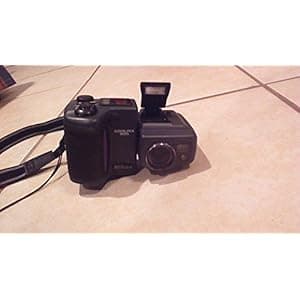 B00005MA9X Availability: Currently unavailable Score: 9.259 Category: Electronics Rating: 4 Votes: 63 Find similar productsNikon Coolpix 995 3.2MP Digital Camera with 4x Optical Zoom. Product description This Nikon CoolPix 995 3.3 mega pixel digital camera has a 4x optical zoom. it has been fully tested and inspected. There are a few very light scuff marks and a small scratch under the zoom in button. This camera does not come with batteries or a memory card. It does come with its original lens cap and strap. Amazon.com The Nikon Coolpix 995 builds on the versatile swivel design of the Coolpix 990 and 950, with features such as a new multimode pop-up flash that helps reduce red-eye considerably, and a handful of inventive creative controls, including white-balance bracketing, four-color saturation modes, and a 50-step manual focus mode. Its 3.34-megapixel CCD sensor captures high-resolution images (maximum of 2,048 x 1,536 pixels) for quality enlargements, and the 4x optical zoom Nikkor lens provides the 35mm photography equivalent of a 38-152mm zoom. This is currently the highest zoom range in the Coolpix line (as of July 2001). The Coolpix 995 also has a 4x stepless digital zoom, 256-element matrix metering, an advanced autofocus system, QuickTime movie mode for movies up to 40 seconds long, multiple automatic exposure modes, and a 1.8-inch LCD monitor with 6x zooming playback. One of the best reasons to choose the Coolpix 995 is for the quality Nikkor optics and the ability to add any (optional) Coolpix converter lenses and accessories. There is even a multiflash sync terminal for attaching up to five external Nikon Speedlights. The camera's 4x optical zoom lens incorporates two aspherical elements (10 elements in 8 groups overall) for optimal performance in a compact design, plus it features super-integrated coating (SIC) for incredible sharpness. In macro mode, you can focus as close as 0.8 inches from your subject. Other interesting features include the ability to shoot subjects in motion with a high-speed full-resolution image capture at three frames per second, an improved shutter speed of 1/2,300 per second, and a fast maximum ISO setting of 800. There is also a noise reduction mode on the 995 to minimize digital artifacts and help capture excellent images at long exposures. To sweeten the deal, the Coolpix 995 comes with rechargeable lithium-ion battery and charger, Lexar 16MB CompactFlash memory card, USB cable for high-speed connectivity, multiple software products (even a program that allows users to edit their QuickTime movies), lens cap, and neck strap. It is covered by a one-year warranty. |
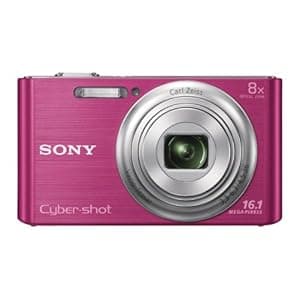 B00ARDJ5BU Availability: Currently unavailable Score: 9.091 Category: Electronics Rating: 4.2 Votes: 168 Find similar productsSony DSC-W730/P 16.1 MP Digital Camera with 2.7-Inch LCD (Pink). Product Description It's the amazingly easy-to-use camera that slips right in your pocket-with an 8x optical zoom, 16.1MP photos and beautifully-detailed HD videos. And pics stay clearer, even with shaky hands thanks to Optical SteadyShot image stabilization. You can also enhance your images with built-in effects that adjust skin tone and texture or even whiten teeth. From the Manufacturer Easy made easier. The amazingly easy-to-use camera that slips right in your pocket. With an 8x optical zoom, 16.1MP photos and beautifully-detailed HD videos, pics stay clearer, even with shaky hands thanks to Optical SteadyShot™ image stabilization. Enhance your images with built-in effects that adjust skin tone and texture, or even whiten teeth. 16.1 Megapixel Plus 8x Zoom Optical SteadyShot™ image Stabilization 720p MP4 HD Movie Mode A powerful 16.1 megapixel CCD sensor helps capture gorgeous images with superb contrast and clarity down to the finest detail. You can create stunning, photo-quality prints , or crop your images and still come away with high resolution shots. The 8x zoom Carl Zeiss® Vario Tessar lens helps you get much closer to your subjects. Sony's Active Mode image stabilization gives you the freedom to shoot movies even while walking or running. 2-way Active Mode corrects for both vertical and horizontal motion. Create high quality movies with full use of optical zoom in files small enough to transfer a computer. Once transferred to your computer, you can effortlessly upload your media to popular photo and video-sharing websites such as Photobucket® and YouTubeTM. Technology Pixel Power With a 16.1MP image sensor, capture high-resolution images with superb contrast and clarity down to the finest detail. More pixels means you can enlarge, zoom in and crop your pictures without jeopardizing quality. And with 8x zoom, you can capture crisp, clear close-ups – perfect for travel photos and sporting events. Make HD movie magic Shoot and share HD movies with ease (records in 29-minute segments). In 720p AVI movie mode, you can record 1280 x 720 HD movies at 30 fps for high-quality clips perfect for viewing and editing on your Mac® or PC, or uploading to sites like Facebook® and YouTube™ (internet-connected computer required). Effortless Effects Retouch images with Beauty Effects – enhance skin tones, remove shine and blemishes, whiten teeth, and more. If you like retro photographs, you’ll love Toy Camera . Transform ordinary photos into colorful works of art with Pop Color, or make your lfocal point pop with Partial Color effect. It’s easy to apply effects, and the results are simply stunning. Everything is illuminated Ever taken a photo of a friend in a dim room, and had the entire background come out as one blacked-out blur? The Cyber-shot W730 solves this with an advanced flash that works harder to light up the entire scene, not just the subjects closest to the camera. Perfect for large group shots, helping to ensure that everyone comes out light, bright and beautiful. Panoramic Photos up to 360° Use Sweep Panorama mode to get breathtaking panoramic shots of up to 360 degrees. Capture sprawling landscapes and captivating cityscapes by depressing the shutter and sweeping the camera in the desired direction. The camera handles the rest, shooting multiple images at high speeds then seamlessly stitching them together to create one continuous image. Goodbye Blurry Photos Don’t’ let a not-so-steady hand prevent you from capturing the moment. SteadyShot™ image stabilization compensates for camera shake and smooths out your videos. Get sharp, blur-free footage in otherwise unsteady situations, like shooting video while walking. Product description and full feature list 16.1 Megapixel Plus 8x Zoom A powerful 16.1 megapixel CCD image sensor helps you capture gorgeous images with superb contrast and clarity down to the finest detail. With 16.1 megapixels, you can create stunning, photo-quality prints up to A3+ (13x19”) size, or crop your images and still come away with high resolution shots. The 8x zoom Carl Zeiss® Vario Tessar lens helps you get much closer to your subjects. Optical SteadyShot™ image Stabilization with 2-way Active Mode Sony's Active Mode image stabilization gives you the freedom to shoot movies even while walking or running. 2-way Active Mode corrects for both vertical and horizontal motion. 720p MP4 HD Movie Mode In 720p MP4 movie mode the camera shoots 1280 x 720 high definition movies at 30 fps, a standard format when working with a PC.¹ Create high quality movies with full use of optical zoom in files small enough to transfer to compatible PC or Mac® computer. Once transferred to your computer and connected to the internet, you can effortlessly upload your media to popular photo and video-sharing websites such as Photobucket® and YouTubeTM. Creative shooting with Picture and Beauty effects Picture Effect adds a new level of expression to photos, making ordinary landscapes and portraits come to life by heightening mood and emphasizing certain attributes. Beauty Effects allows edits to skin tones, skin smoothing, shine removal, eye widening, and teeth whitening. Beauty Effects can be combined to further enhance the image. Advanced Flash illuminates distant subjects Advanced Flash allows you to shoot bright, beautifully lit photos. The built in flash reaches farther resulting in brighter subjects in dimly lit rooms or outdoors in the evening. Intelligent Auto Mode Unlike traditional auto mode, Intelligent Auto (iAuto) mode thinks for you, recognizing scenes, lighting conditions, faces, and adjusts settings resulting in clear images, faces with natural skin tone and less blur. Take advantage of all the technology without leaving Auto mode. Kids on the playground, landscape shots, a beautiful flower or an indoor birthday party; all result in clear images without leaving Sweep Panorama™ mode (up to 360°) Reach beyond the traditional wide angle lens, and capture more breathtaking shots with Sweep Panorama™ mode. Simply press the shutter button and sweep the camera in the desired direction and the camera continuously shoots at a high speed, then seamlessly stitches the images together with automatic position adjustment to create one stunning panoramic image. Available in wide and up to 360° full circle, the camera can take a variety of panoramic shots. Now capturing wide landscapes is as easy as press and sweep. Face Detection technology Face Detection technology detects up to eight individual faces and adjusts focus, exposure, and white balance to help deliver crisp, properly lit images of family and friends. Smile Shutter™ technology Smile Shutter™ technology captures a smile the moment it happens. Simply press the Smile Shutter™ button and the camera does the rest. You can also select adult and child priority and indicate the degree of Smile Detection sensitivity. Intelligent Scene Recognition can now be used together with Smile Shutter™ mode when the Intelligent Auto mode is on. This means that beautiful smiles can be captured with settings optimized for the particular scene, even in difficult conditions such as twilight and backlighting. 2.7” (230K dots) Clear Photo™ LCD display Generous 2.7” (230K dots) Clear Photo™ LCD display features sharp, natural color that makes it easy to compose shots, read menus, and view photos, even in bright sunlight. |  B0007CZ308 Availability: Currently unavailable Score: 9.091 Category: Electronics Rating: 3.9 Votes: 18 Find similar productsOlympus Camedia D425 4MP Digital Camera. From the Manufacturer Digital camera novices will love how easy it is to capture amazing photos with the Olympus D425 4 MP digital camera. The camera features large buttons for taking, reviewing, and deleting pictures, a convenient Help Guide that displays descriptions on features and shooting modes, a pocket-size design you can take anywhere, and 4 megapixels, 4x digital zoom, and other great benefits that make it the perfect introduction to digital. Photos That Shine Capture impressive details and rich, vibrant colors in images you can print up to 11 x 14 inches with this compact camera's 4.0 megapixel CCD. Zoom In When the distance is a bit longer than you'd like, use the 4x digital zoom to close in on your subject and capture the shot you want. Help Guide Get easy and immediate help capturing the best photos possible by using the Help Guide to receive descriptions on features and shooting modes. 10 Shooting Modes Keep it simple with 10 selectable shooting modes and get the best possible results for a particular shooting situation such as night scenes or landscapes. Features and Benefits One Touch design for easy operation including shooting, reviewing, and deleting pictures One Touch design for easy operation including shooting, reviewing, and deleting pictures 4.0 megapixel CCD 4.0 megapixel CCD 4x digital zoom (seamless) 4x digital zoom (seamless) 10 selectable shooting modes including QuickTime movie mode 10 selectable shooting modes including QuickTime movie mode TruePic TURBO Image Processor improves overall processing speed and enhances image quality TruePic TURBO Image Processor improves overall processing speed and enhances image quality Help Guide on LCD monitor provides brief descriptions of functions and shooting modes to help the user determine the best settings for desired results Help Guide on LCD monitor provides brief descriptions of functions and shooting modes to help the user determine the best settings for desired results Direct Print capability with PictBridge-enabled printers Direct Print capability with PictBridge-enabled printers xD-Picture Card compatible xD-Picture Card compatible Sleep Mode helps conserve battery power when camera is not in use Sleep Mode helps conserve battery power when camera is not in use Included Olympus Master software makes for simple editing, organizing, and viewing of images USB Auto-Connect provides direct connection to a computer via the included cable for quick and easy file transfers, no software installation necessary Included Olympus Master software makes for simple editing, organizing, and viewing of images USB Auto-Connect provides direct connection to a computer via the included cable for quick and easy file transfers, no software installation necessary. |