E-commerce Search Demo
AI Assisted Filters
Parameters
Query:
Category filters: All
AI Assist: ON
Page: 1
Products
Time taken: 6 Max score: 1000.000 Total hits: 100 Full time: 0.0 s
Showing 1-10 of 100 products
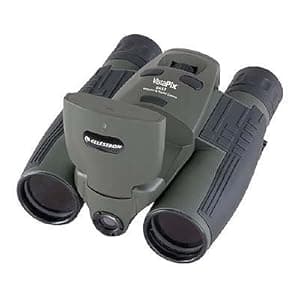 B0007UQNOU Availability: Currently unavailable Score: 1000.000 Category: Electronics Rating: 2 Votes: 3 Find similar productsCelestron VistaPix 8x32 3.1 Megapixel Binocular/Digital Camera w/LCD (Hunter Green). Product description VistaPix is all you need to view the world around you and save those memorable moments to share with others. VistaPix images can be stored using its internal mass storage until you're ready to download them to your PC. Once downloaded, the fun begins. With VistaPix Photo Express SE software, you can crop, re-size, manipulate color and much more. You can even record and play back videos! Amazon.com The Celestron 72215 VistaPix 8 x 32 3.1 megapixel binocular / digital camera with LCD (Hunter Green) gives you the best of both worlds. This latest in the line of high-quality Celestron's products combines a powerful binocular for clear, sharp, bright views of the outdoors with a versatile digital camera ready to capture all of your distant sightings. With a comfortable, rubber-coated textured body, the Celestron 72215 is a rugged, durable, and functional set of binoculars. The multi-coated lenses and high-quality roof prisms deliver images twice as bright as 22-millimeter binoculars. The binoculars feature an 8x magnification and an objective lens diameter of 32 millimeters, giving it a four-millimeter exit pupil. (The exit pupil size -- the diameter of the objective lens divided by the magnification--determines the amount of light available to your eye. The larger the exit pupil, the brighter the image obtained will be. A three-millimeter exit pupil is generally sufficient for daytime use, five-millimeters is suitable for daytime and twilight, and seven-millimeters is generally necessary for maximum nighttime or astronomy use.) The Celestron 72215 also sports a digital camera that delivers high-quality images as well as continuous video footage. So when you come across a herd of elk on the distant horizon, with a simple click you can bring them up close and personal for your friends and family back home. With 16 MB of Flash memory, the Celestron 72215 can hold up to 25 high-resolution, or 100 low-resolution, images. (The camera includes an SD slot for additional storage.) Once you download your images to a PC, Celestron's VistaPix Photo Express SE software will allow you to manipulate your images to your heart's content. Turn your favorites shots from your vacation into postcards that will make your colleagues back at work green with envy. Celestron VistaPix gives you all the tools you'll need to add that creative or personal touch to your still images or video footage. About Celestron VistaPix VistaPix is Celestron's newest line of binoculars with digital imaging capabilities. The VistaPix binocular / digital camera gives you a high-quality and powerful binocular, and a versatile digital camera--all in a single integrated design. VistaPix images can be stored using its internal mass storage, or on a separate SD card (not included) until you're ready to download them to your PC. Once downloaded, you can use the VistaPix Photo Express SE software to crop or re-size your images, create 360-degree panoramas, manipulate color and even play back videos. With VistaPix Photo Express, there is no need to install new drivers for most versions of Windows. All VistaPix models come with a two-year warranty. What's in the Box Celestron 72215 Binocular/Digital Camera and VistaPix Photo Express SE software. |  B00009MTNJ Availability: Currently unavailable Score: 15.152 Category: Electronics Rating: 2 Votes: 1 Find similar productsCelestron VistaPix 8x30 Digital Camera Binoculars. From the Manufacturer The Celestron VistaPix series consists of a high quality integrated binocular and a state-of-the-art digital camera in one compact, easy-to-use unit. VistaPix is perfect for all kinds of activities including sporting events, family gatherings, concerts, birding, surveillance, nature, to name a few. VistaPix comes complete with everything you need to see and store images, and view them on your personal computer or laptop. You simply aim and focus the binoculars, then press a button, and the digital camera automatically records the image you see into its internal memory. Once you download and save your images to your PC via the supplied USB cable, you can zoom in, crop, and manipulate them using the included VistaPix Photo Manager Software. Imagine photographing exactly what you see, and creating images that you can print or e-mail. All models have a two year limited warranty. Main features: Use as a fully functional binocular. Use as a fully functional binocular. Take up to two minutes of continuous video. Take up to two minutes of continuous video. Save single image as a JPG file and video captures as AVI file. Save single image as a JPG file and video captures as AVI file. With included Photo Manager software, you can transfer images or video onto your computer for viewing, editing and printing. With included Photo Manager software, you can transfer images or video onto your computer for viewing, editing and printing. Capture images at the same magnification as seen through binocular. Capture images at the same magnification as seen through binocular. An LCD screen that displays the mode and numbers of photographs. An LCD screen that displays the mode and numbers of photographs. Automatic White Balance for color correction in different lighting conditions. Automatic White Balance for color correction in different lighting conditions. Automatic (90 seconds) shut off mode to extend the battery life. Digital camera specifications: Resolution: 640 x 480 Megapixels: 0.3 Memory: 8 MB SDRAM Stored high-resolution images: 160 Stored low-resolution images: 580 Continuous video (approx): 2 minutes Automatic (90 seconds) shut off mode to extend the battery life. Digital camera specifications: Resolution: 640 x 480 Resolution: 640 x 480 Megapixels: 0.3 Megapixels: 0.3 Memory: 8 MB SDRAM Memory: 8 MB SDRAM Stored high-resolution images: 160 Stored high-resolution images: 160 Stored low-resolution images: 580 Stored low-resolution images: 580 Continuous video (approx): 2 minutes Continuous video (approx): 2 minutes. |
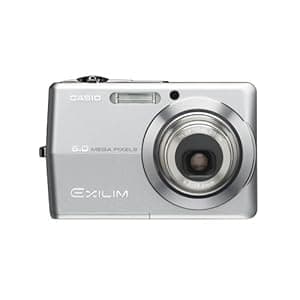 B000EIPE3Q Availability: Currently unavailable Score: 8.929 Category: Electronics Rating: 3.5 Votes: 44 Find similar productsCasio Exilim EX-Z600 6MP Digital Camera with 3x Optical Anti-Shake Zoom (Silver). From the Manufacturer The latest evolution in the popular Casio Exilim series offers 6.0-megapixel high-resolution photos in a stylish, compact, and pocket-sized package. The extra large 2.7-inch Super Bright LCD is approximately three times brighter than the previous EX-Z500 model, producing an impressive luminance of 1200 candelas per square meter. This significant advancement makes the LCD easier to see, especially when viewed in the sunny outdoors. In auto mode, the LCD automatically adjusts to the brightness of the surrounding environment. The EX-Z600's Super Life Battery now has an even longer battery life, supporting a staggering 550 shots per charge. New and exclusive to the Casio Exilim line of digital cameras in the U.S., is the eBay Best Shot mode. The 33rd Best Shot mode in the EX-Z600 zoom series model, eBay Best Shot is currently incorporated into three newly introduced Exilim digital cameras. eBay Best Shot takes photos at a size that is image optimized for display on eBay, allowing picture takers to more quickly and easily create photos for selling items on eBay. eBay Best Shot mode also includes Auto Macro, an ideal setting for capturing images of small items such as jewelry, tags, etc., thus automatically adjusting the focus from acquiring fine details in close up shots to capturing large items from a distance. eBay Best Shot mode allows users to capture optimized images at an ideal size for eBay. The Exilim line is a culmination of Casio's core technologies of miniaturization and digital technology resulting in a smaller, higher-resolution camera--the established trend leader in stylish, quick-responding, large-LCD, and long-battery-life digital cameras. The EX-Z600 includes the latest version of the Exilim Engine, featuring the Anti Shake DSP, which, along with the Auto Macro and Quick Shutter functions, considerably reduces the incidence of blurred photos due to moving subjects or shaky hands. New to the EX-Z600 is the Rapid Flash function, which enables three consecutive high speed flash photos in only one second, allowing you to completely capture the moment without losing precious seconds between shots. The EX-Z600 includes Old Photo Best Shot Mode, used to take still images of old photos for long-term preservation and enjoyment. Old Photo digitally revives faded colors and automatically adjusts for obliquity, even when photos are shot while still in the album. The EX-Z600 is equipped with a BEST SHOT Button, allowing convenient one-touch access to this popular feature that offers 33 different scene selections, including Anti Shake and Old Photo, for hassle-free photos every time. Casio Exilim Zoom EX-Z600 Main Features Highly Efficient, Advanced Performance 6.0-megapixel high resolution CCD and retracting 3x optical zoom 6.0-megapixel high resolution CCD and retracting 3x optical zoom Extra large 2.7-inch TFT LCD display now approximately 3x brighter (approximately 1200cd/m 2--compared to EX-Z500) Extra large 2.7-inch TFT LCD display now approximately 3x brighter (approximately 1200cd/m 2--compared to EX-Z500) Super Life battery allows up to approximately 550 still images per charge on CIPA standards Super Life battery allows up to approximately 550 still images per charge on CIPA standards High-quality images, high speed, and long-lasting battery in a miniaturized package with Exilim Engine image processing module High-quality images, high speed, and long-lasting battery in a miniaturized package with Exilim Engine image processing module The Anti Shake DSP (Digital Signal Processor) reduces blurring caused by shaky hands or moving subjects Numerous Ease-of-Use Functions Rapid Flash enables three consecutive flash photos in one second The Soft Flash function reduces flash brightness when taking close-up flash photos Old Photos refreshes faded colors of old album photos, bringing them back to life in digital format The 9-Point Multi AF clearly indicates areas in autofocus when photographing subjects with multiple focus points The Quick Shutter function reduces mistakes by enabling simple and easy high-speed focusing The Auto Macro mode allows for automatic switching between macro mode and autofocus mode The Flash Assist mode compensates for poorly illuminated areas of the shot The 33-scene BEST SHOT function enables selection of the appropriate camera setting for still photos via an easy-to-understand sample image menu The Angle Correction function corrects oblique shots to look as if they were taken from the front during image viewing Color Restoration enables digital enhancement of faded colors in old photos during image viewing The USB cradle functions as a charger as well as a simple way to connect the camera to personal computers and other AV equipment Enhanced Quick Responsiveness Once powered on, the camera is ready to take pictures in approximately 0.9 seconds After the shutter is snapped, pictures are taken almost instantly, with only an approximately 0.005-second release time lag High-speed image viewing at approximately 0.1-second intervals The Direct On buttons allow quick startup of both shooting and viewing modes A one-touch BEST SHOT button allows selection of the appropriate mode for any shot Movie Functions Movies recorded in VGA (640 x 480 pixels) at 30 frames per second (Motion JPEG) Using the Motion Print function, movies can be converted into a series of nine or one single image for printing Movies can be zoomed in during playback The Movie Editing function offers three options (beginning, middle, end) for cutting unwanted scenes from a movie The Anti Shake DSP (Digital Signal Processor) reduces blurring caused by shaky hands or moving subjects Numerous Ease-of-Use Functions Rapid Flash enables three consecutive flash photos in one second Rapid Flash enables three consecutive flash photos in one second The Soft Flash function reduces flash brightness when taking close-up flash photos The Soft Flash function reduces flash brightness when taking close-up flash photos Old Photos refreshes faded colors of old album photos, bringing them back to life in digital format Old Photos refreshes faded colors of old album photos, bringing them back to life in digital format The 9-Point Multi AF clearly indicates areas in autofocus when photographing subjects with multiple focus points The 9-Point Multi AF clearly indicates areas in autofocus when photographing subjects with multiple focus points The Quick Shutter function reduces mistakes by enabling simple and easy high-speed focusing The Quick Shutter function reduces mistakes by enabling simple and easy high-speed focusing The Auto Macro mode allows for automatic switching between macro mode and autofocus mode The Auto Macro mode allows for automatic switching between macro mode and autofocus mode The Flash Assist mode compensates for poorly illuminated areas of the shot The Flash Assist mode compensates for poorly illuminated areas of the shot The 33-scene BEST SHOT function enables selection of the appropriate camera setting for still photos via an easy-to-understand sample image menu The 33-scene BEST SHOT function enables selection of the appropriate camera setting for still photos via an easy-to-understand sample image menu The Angle Correction function corrects oblique shots to look as if they were taken from the front during image viewing The Angle Correction function corrects oblique shots to look as if they were taken from the front during image viewing Color Restoration enables digital enhancement of faded colors in old photos during image viewing Color Restoration enables digital enhancement of faded colors in old photos during image viewing The USB cradle functions as a charger as well as a simple way to connect the camera to personal computers and other AV equipment Enhanced Quick Responsiveness Once powered on, the camera is ready to take pictures in approximately 0.9 seconds After the shutter is snapped, pictures are taken almost instantly, with only an approximately 0.005-second release time lag High-speed image viewing at approximately 0.1-second intervals The Direct On buttons allow quick startup of both shooting and viewing modes A one-touch BEST SHOT button allows selection of the appropriate mode for any shot Movie Functions Movies recorded in VGA (640 x 480 pixels) at 30 frames per second (Motion JPEG) Using the Motion Print function, movies can be converted into a series of nine or one single image for printing Movies can be zoomed in during playback The Movie Editing function offers three options (beginning, middle, end) for cutting unwanted scenes from a movie The USB cradle functions as a charger as well as a simple way to connect the camera to personal computers and other AV equipment Enhanced Quick Responsiveness Once powered on, the camera is ready to take pictures in approximately 0.9 seconds Once powered on, the camera is ready to take pictures in approximately 0.9 seconds After the shutter is snapped, pictures are taken almost instantly, with only an approximately 0.005-second release time lag After the shutter is snapped, pictures are taken almost instantly, with only an approximately 0.005-second release time lag High-speed image viewing at approximately 0.1-second intervals High-speed image viewing at approximately 0.1-second intervals The Direct On buttons allow quick startup of both shooting and viewing modes The Direct On buttons allow quick startup of both shooting and viewing modes A one-touch BEST SHOT button allows selection of the appropriate mode for any shot Movie Functions Movies recorded in VGA (640 x 480 pixels) at 30 frames per second (Motion JPEG) Using the Motion Print function, movies can be converted into a series of nine or one single image for printing Movies can be zoomed in during playback The Movie Editing function offers three options (beginning, middle, end) for cutting unwanted scenes from a movie A one-touch BEST SHOT button allows selection of the appropriate mode for any shot Movie Functions Movies recorded in VGA (640 x 480 pixels) at 30 frames per second (Motion JPEG) Movies recorded in VGA (640 x 480 pixels) at 30 frames per second (Motion JPEG) Using the Motion Print function, movies can be converted into a series of nine or one single image for printing Using the Motion Print function, movies can be converted into a series of nine or one single image for printing Movies can be zoomed in during playback Movies can be zoomed in during playback The Movie Editing function offers three options (beginning, middle, end) for cutting unwanted scenes from a movie The Movie Editing function offers three options (beginning, middle, end) for cutting unwanted scenes from a movie. | 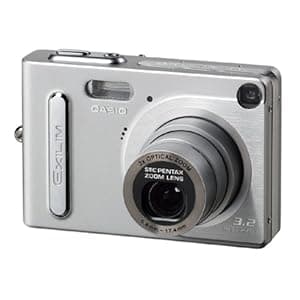 B000087L95 Availability: Currently unavailable Score: 8.333 Category: Electronics Rating: 3 Votes: 13 Find similar productsCasio Exilim EX-Z3 3.2MP Digital Camera w/ 3x Optical Zoom and Dock. Amazon.com Early Adopters Pick :May 2003 One the tiniest 3.2-megapixel digital cameras in the world, the 0.9 inches thick Casio Exilim boasts a 3x optical zoom, a release time lag of about 0.01 seconds and a 2-inch LCD screen. With a super-slim design and measuring the height and length of a credit card, the Casio Exilim EX-Z3 is sure to turn heads as you effortlessly snap high-quality digital photos. Don't let the size fool you, the EX-Z3 is equipped with a 3.2-megapixel sensor, 3x optical zoom, 10 MB of built-in memory, and full-motion movie recording. Optics and Resolution The 3.2-megapixel CCD sensor captures sharp and brilliant images of up to 2,048 x 1,536 pixels, which can printed at sizes of up to 11 by 14 inches. The lens of the EX-Z3 uses a new three-segment telescoping mechanism that makes it possible to provide 3x optical zoom capabilities in an amazingly thin camera configuration. The stylish card design of the camera is made possible by stacking chips to reduce space requirements by about 40 percent (as compared to the Exilim EX-S2 and EX-M2). The EX-Z3 also features a 4x digital zoom. Storage and Transfer Images are stored on 10 MB of internal memory, which stores about eight images with settings at 2,048 x 1,536. If you want more memory, the expansion slot is compatible with any MMC or SD memory card. You can quickly and easily transfer your files onto a PC or Mac using the USB port for computer editing and sharing with friends and family. Movie Mode In addition to taking still photos, the Exilim can also record AVI movie clips. The movie can be as long as 30 seconds at a resolution of 320 by 240 pixels. More Features The EX-Z3 is ready to shoot in less than 2 seconds after it is activated. A release time lag of only 0.01 seconds (from when the shutter release button is fully depressed with the monitor screen and built-in flash turned off, and focus locked) helps to ensure that the user is able to capture the image seen in the viewfinder when the shutter release is pressed. The big 2.0-inch TFT LCD monitor screen included on the EX-Z3 features a digital interface for a clearer display of images. Each date of the full-month calendar screen shows a thumbnail of the first image recorded on that date. This visual diary of images makes it possible for you to quickly search for and locate specific images. Many of the Exilim's settings can be modified, such as programmed exposure, white balance, and flash. When you shoot in the best shot mode you can select a stored photo that looks similar to the photo you want to take and the camera automatically configures to achieve that look. Power, Size, and Contents The Exilim comes with a rechargeable lithium-ion battery, which has an approximate battery life of 65 minutes. The camera itself measures 3.43 by 2.24 by 0.9 inches and weighs 4.44 ounces without the battery. Other standard accessories are a hand strap, CD-ROM with imaging software, USB cradle and cable, and AC adapter for cradle. |
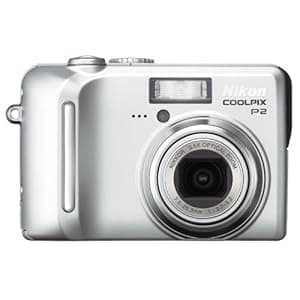 B000AXQVK0 Price: $93.49 Score: 8.130 Category: Electronics Rating: 3.1 Votes: 30 Find similar productsNikon Coolpix P2 5.1MP Digital Camera with 3.5x Optical Zoom (Wi-Fi Capable). Amazon.com Amazon.com Product Description As one of the smaller digital cameras on the market, the Coolpix P2 combines a high-quality optical zoom lens with a range of automatic and preset shooting modes that will satisfy the most discerning of point-and-shoot photographers. With an 5.1-megapixel CCD, and a high quality 3.5x optical zoom Nikkor 3x ED glass lens, plus a 4x digital zoom for a total zoom of 14x, the Coolpix P1 can produce stunning prints up to 16 x 20-inch prints simply and easily. All controls are designed for ease of use, right next to the large, 2.5-inch LCD display. A 3x optical zoom makes it easy to get close to the action. View larger . A hand grip doubles as the battery housing. View larger . The Coolpix P2 also features built-in WiFi connectivity, which means that you can communicate wirelessly to either your computer or, through the use of an optional Wireless PD-10 Printer Adapter (sold separately), directly to your printer. This unique WiFi image transfer ability not only make it more convenient to off-load your images, it also permits a unique live slide show capability that is great for parties, weddings, and any other special occasion. Weighing a mere 6.4 ounces with the battery and memory card loaded, the Coolpix P2 is truly a take anywhere camera. With over 16 automatic and preset shooting modes, you'll always be sure to get the precise shot you're looking for. Best of all, advanced scene modes are available for 11 of the 16 presets and allow the user to customize the final image by providing a 3-level selection for enhanced creativity and control. Not to be outdone, the Coolpix P2 can also record high-quality movies at a rate of up to 30 frames per second. There are a total of seven movie modes to choose from, including six with the capability to record sound as well as a time-lapse mode that enables the user to capture events occurring over an extended period of time. The camera also features a built-in flash with six modes, and a built-in mic and speaker for including sound in videos and playback from the camera. A large, incredibly bright, 2.5-inch color LCD display and user-friendly interface means that you don't have to take the extra effort to get up to speed with the camera's functionality. Just power it up, and you'll be ready to go in no time. Other advanced features include Nikon's Exclusive Feature System, which helps turns pictures into photographs. An In-Camera Red-Eye Fix takes red-eye reduction a step further by remove red-eye directly in the camera. Face Priority AF automatically focuses on faces for great portraits, and the D-Lighting feature offers in-camera repair of dark images. The included rechargeable battery gives you up to 180 images on a single charge. In short, the Coolpix P2 is perfect for novice users or anyone looking for a point-and-shoot camera that produces sharp, colorful photos with great ease of use. For advanced shooters, the P2 can server as a great take-anywhere snapshot camera. What's in the Box Nikon Coolpix P2, rechargeable Li-ion battery EN-EL8, battery charger MH-62, USB cable, audio-video cable, strap, and PictureProject CD-ROM. From the Manufacturer Nikon's Coolpix P2 combines 5.1 effective megapixels and a 3.5x optical Zoom-Nikkor lens for stunning prints. WiFi capability is built-in, so this high-performance camera can download or print images wirelessly. The incredible, bright 2.5 inch LCD makes for easy image composition and playback. A 10-step Aperture Priority mode provides versatility in difficult lighting situations, and Advanced Scene Modes offers enhanced control over the color intensity of the final image. Nikon's Exclusive Feature System includes many automated features that make it easy to take great pictures. New On-Screen Help eliminates the guesswork by providing explanations for all main menu functions. The Coolpix P2 is performance unplugged--no strings attached! Up to 8 Resolution Settings, Plus Small Pic 2592 x 1944 2048 x 1536 1600 x 1200 1280 x 960 1024 x 768 640 x 480 2592 x 1728 (3:2) Choose from a wide range of resolution settings. Small Pic button enables the user to instantly save a copy of an image at a resolution small enough for e-mail or web. Choose from four Small Pic sizes: 640 x 480, 320 x 240, 160 x 120, or 96 x 72. Customize your resolution to the final output, getting maximum resolution necessary while conserving valuable space on the SD card. In addition, with Small Pic, you can instantly save an image to the memory card that is an appropriate size for e-mail or for posting on the web. 6 Mode Built-in Flash Auto, Flash Cancel, Slow Sync, Anytime Flash, Red-Eye Reduction, Rear Curtain Sync There is an appropriate flash mode for almost any lighting situation. Get the shot you want with the light you need. Quick Review View images stored in internal memory or on inserted SD card at the press of a single button. Zoom in to see a detail view of the image. Zooming in allows you to check details in the image--for example, whether everyone's eyes are open. Voice Memo Function Record vital information regarding the image that was shot. Camera will record up to 20 seconds per image. This is a quick method for recording important shooting data or special information about an image. In-Camera Cropping Photo Trim Use zoom and four-position rocker buttons to select part of a picture; camera saves this as a new image without changing the original picture. Uses standard camera controls to trim an image to create a new image that is part of the original image. Full-Featured Bundled Software Nikon: PictureProject Nikon: Wireless Camera Setup Arcsoft: Panorama Maker The bundled software will enable you to set up a digital darkroom and your wireless Coolpix P2 without having to purchase additional, costly software packages. This easy-to-use image editing software allows the user to edit, e-mail, and print images. In addition, the Wireless Camera Setup provides a 7-step wizard for setting up a profile to transfer pictures wirelessly. Easy E-mailing With Nikon PictureProject software Select image(s) to send and click the Mail button. Choose to send pictures as individual prints or a single index print and select image size from the drop down menu. It's that easy! Small files are best for e-mailing, and PictureProject makes it easy to select and send small images, regardless of the size of the original image. Clicking the Send button opens a new e-mail with the pictures already attached. All you need to do is address the e-mail and add a message! Autofocus 99-Area Manual AF System Face-Priority AF Contrast detect Autofocus system. With Manual AF, use four-position rocker switch to move the focus point to the desired position. Face-Priority AF can be activated in Portrait Scene Mode and will set focus on the face when taking a picture of a human subject. Incredibly sharp images from close up to infinity. The 99-Area Manual AF System allows for precise focus on the desired subject. Face-Priority AF will assist in getting sharp, incredible portraits of people. AF Assist Lamp Provides extra light when focusing in low-light situations. Enables sharp focus even when the subject is not well lit. All New 10-Step Aperture Priority Mode with Live Histogram Display Adjust your aperture in 1/3 EV steps while viewing a Live Histogram. Use the Live Histogram to set the aperture for the optimal exposure in almost any shooting situation. D-Lighting Automatic compensation for insufficient flash or excessive backlight. User selectable in image playback mode; saves a copy of the picture with the correction made without affecting the original image. Incredible versatility for the end user. Enables them to adjust images taken in a low light situation when the flash is not strong enough, or when harsh backlight causes underexposed foreground detail--all done in camera (no computer). Nikon's Exclusive In-Camera Red-Eye Fix When the flash is set for red-eye reduction, the camera automatically removes most instances of red-eye from the subject(s) before writing the image to the card. Instances of red-eye are removed while the picture is being taken. Produces excellent pictures with no redeye! No extra steps necessary--just download and print! Best Shot Selector (BSS) Press and hold the shutter release; the camera will take a series of images, saving the one with the sharpest focus. Ensures sharp focus when shooting in situations where a slow shutter speed could result in motion blur. Five Color Options Standard Color, Vivid Color, Black and White, Cyanotype, Sepia Get creative by selecting one of five color options. Choose the mode that best suits the output: standard color for beautiful prints; vivid color for e-mail/Internet; black and white for dramatic shots; and sepia or cyanotype for brown or blue tones. Get creative easily. Create old style photos with the sepia option, or imitate an Ansel Adams shot with the black & white option. The only limit is your imagination! Date/Time Imprinting Prints indicate the date and time the picture was taken. A great archiving tool; know when an image was taken. PictBridge Compatible Connect the Coolpix P2 to a PictBridge compatible printer and print images stored on the camera, either in internal memory or on the SD memory card. Print images directly from the camera; no computer required! Five-Shot Buffer Mode In anticipation of a special moment, hold down the shutter release button. When the moment has occurred, let go and the last 5 pictures taken will be saved to the memory card. Requires the camera be put into five-shot buffer mode. Ensures a fleeting or unexpected moment won't be missed. Gets the shot, even though the photographer isn't sure exactly when the action is going to happen. One-Touch Upload Easily upload images from camera to computer at the press of a single button. Makes moving images from the camera to the computer fast and easy. TTL White Balance with Five-Mode Manual or Preset Incandescent, Daylight, Cloudy, Fluorescent, and Speedlight Select Automatic White Balance, choose one of five manual settings, or Preset to a white or gray card. Always get an accurate color balance, regardless of lighting conditions. Shutter Speed Range 8 seconds to 1/2,000 second Capture a wide range of exposures from low light (using slow shutter speeds) to action (using faster shutter speeds to freeze movement). Maintain creative control over your images with a wide range of shutter speeds--take long exposures or catch the action--it's your choice! Exposure Compensation +/- 2 EV in 1/3 EV increments Increase or decrease exposure when using Automatic mode. Ensures you get the exposure you want, giving you great pictures every time. User Selectable ISO 50, 100, 200, 400, and Auto Select from a variety of ISO/Sensitivity options. Using a higher ISO makes the camera more sensitive, so pictures can be taken in lower light without flash. A wide range of ISO options increases exposure options in a variety of lighting conditions. For example, in situations where using a flash is not appropriate. Saturation Mode +1 (max), 0, -1, -2 (min) Choose from a range of color saturation levels, from +1 to -2. For example, use more saturation for web images that need to really pop. User sets color saturation before the image is saved to the SD card or modified in image editing. This allows direct output without manipulation, saving time. 4-Mode TTL Metering System 256-Segment Matrix, Center Weighted, Spot, and Spot AF (user selectable) Choose the metering system to suit the particular lighting condition. Properly exposed images are achieved automatically. 16 Scene Modes 11 with new Advanced Scene Modes 4 with Scene Assist (first four listed) Portrait, Night Portrait, Sports, Landscape, Beach/Snow, Close-up, Copy, Backlit, Party/Indoor, Night Landscape, Panorama, Museum, Fireworks, Sunset, Dawn/Dusk, and Voice Recording Automatically sets the camera for optimum performance in most popular picture-taking situations. The Advanced Scene Modes let you get more creative and give you more control in 11 different Scene Modes. Scene Assist is available in 4 Scene Modes (portrait, night portrait, landscape, sports); these offer additional assistance for framing, focus and exposure. The Coolpix P2 makes taking great photographs easy. The ergonomic design is comfortable to hold and use. The controls are well marked, making it easy to access all the timesaving functions. The Voice Recording Scene Mode will allow you to record up to 5 hours of audio (with a 256 MB SD card). Turns snapshots into photographs! Macro Mode Close Up Take pictures as close as 1.6 inches from the subject using the Close-up Scene Mode. Take incredibly sharp macro images using the built-in Zoom-Nikkor lens--no attachments necessary! Movie Mode with Audio 30 frames per second Time-Lapse Movies Movie size is user selectable (TV 640 x 480; Small 320 x 240; Smaller 160 x 120). Movie length is determined by the amount of memory available. Your camera operates as a digital video camera to record a movie with sound. File is saved in QuickTime format, which makes it easy to share with others. Noise Reduction Mode Noise is minimized when using exposure times of 1/4 second and longer. This is automatically turned on in Dawn/Dusk and Night Landscape Scene Modes. Capture clear, sharp images, even when using longer shutter speeds. Wi-Fi-enabled 802.11b and 802.11g (Wireless LAN required) Transfer Images to a computer without a wired connection. Send images as they are taken, or batch send pictures on command. Do a Live Transfer of images directly into a PictureProject slide show! Wireless capability offers the freedom and convenience of moving images to a computer or printer that is within 100 feet of the camera without the need for cables. (Exact distance depends on the signal strength of the wireless LAN.) All New Wireless Print Adapter PD-10 (Optional Accessory) Print wirelessly to any PictBridge compatible USB inkjet printer. Camera prints directly to the printer without the need of a computer. Send images to a printer that is within 100 feet of the camera without the need of a computer or cable. (Exact distance depends on the signal strength of the wireless LAN.) The PD-10 print adapter is not included and must be purchased separately. 3.5x Zoom-Nikkor Lens 35mm equivalent: 36-126mm Made with world-renowned Nikkor optics, the lens features 7 elements in 6 groups and incorporates 2 aspherical elements, allowing for a lightweight, compact lens design. Excellent image quality. Capture a broad range of pictures, from wide angle to a longer telephoto to extreme close-ups, all at the press of the shutter button. Incredible, Bright 2.5-Inch LCD Frame and review your images with the big, 2.5-inch LCD. Compose and share your images easily with the big, easy-to-see LCD. Help Function The Coolpix P2 includes an in-camera help feature that explains the function of specific menu items. In-Camera instant tutor helps the user better understand different features of the camera. Selectable GUI (Graphical User Interface) The user can select how they want to see the menu options on the camera's LCD. Choose the traditional Menu Item View or the all new Icon View. Selecting Icon View displays all the menu options on one screen; no scrolling through a list of menu options. Menu Item View displays the name of each feature. LCD Gridlines Gridlines (composition lines) can be displayed on the LCD; these aid in composing, or framing, the shot. Helps user ensure horizon lines are level and architecture is vertical, resulting in better pictures. Compact Design, Silver Metal Body The ergonomic and compact design retains a traditional camera feel without the extra bulk. Comfortable to hold and use, the Coolpix P1 and P2 fit nicely into a jacket pocket or pocketbook. They're easy to carry and easy to use. Power New EN-EL8 slim design battery included Charges within 2 hours with the included MH-62 Battery Charger. Use the new slim design rechargeable battery to take as many as 200 images on a single charge. Included Li-ion Rechargeable Battery and Charger Comes with rechargeable battery and charger to charge the battery in 2 hours. Rechargeable battery minimizes the cost to power the cameras. 16 MB Internal Memory (Coolpix P2) SD Slot for optional memory card No memory card is required for taking pictures. Images can be copied between internal memory and SD cards. Camera is ready to go right out of the box! Plus, you can continue to take pictures when memory card is full. Accepts SD Memory Cards Compatible with any size Secure Digital (SD) Memory Card. |  B000AOBBDQ Availability: Currently unavailable Score: 8.130 Category: Electronics Rating: 3 Votes: 16 Find similar productsPentax Optio 60 6MP Digital Camera with 3x Optical Zoom. From the Manufacturer Easy to use. Hard to put down. With the satisfying imaging capability of 6.0 effective megapixels, a 3x Pentax optical zoom lens, and simple, comfortable ease of operation, the Pentax Optio60 allows even novice users to select a desired mode with just a simple turn. The new Simple Mode lets the camera automatically select the optimal settings for the scene at hand. Easy to understand and easy to use, the compact Optio60 is ideal for newcomers to digital photography and makes it easy for anyone to get the most out of the camera's capabilities. Features: Convenient mode dial, intuitive controls and Simple Mode combine for easy operation Convenient mode dial, intuitive controls and Simple Mode combine for easy operation The 6.0 megapixel CCD and primary color filter achieve high-resolution images with vivid color The 6.0 megapixel CCD and primary color filter achieve high-resolution images with vivid color Get close while maintaining image quality with a 3x optical zoom lens Get close while maintaining image quality with a 3x optical zoom lens Manual exposure settings plus aperture and shutter priority modes allow room to grow with photography Manual exposure settings plus aperture and shutter priority modes allow room to grow with photography Ready to use right out of the box with 12 MB internal memory and included AA batteries Ready to use right out of the box with 12 MB internal memory and included AA batteries Composition and focusing are made much simpler with the high-resolution 2.0-inch LCD monitor Composition and focusing are made much simpler with the high-resolution 2.0-inch LCD monitor. |
 B000NJO8A6 Availability: Currently unavailable Score: 7.937 Category: Electronics Rating: 3.9 Votes: 64 Find similar productsOlympus Stylus FE-210 7MP Digital Camera with Digital Image Stabilized 3x Optical Zoom. From the Manufacturer Digital photography made easy! Built-in help guides, one-touch operations, preset scene modes, and a large LCD are just a few of the features that make using the FE-210 simple and fun. Stylus FE-210 Highlights 7.1 megapixels The FE-210s high-resolution CCD delivers superior image quality for larger prints without sacrificing detail. Built-in help guides Learn as you go. A brief description of camera settings and features can be conveniently displayed on the LCD at the push of a button. Shooting guide Let the camera do it all! You just need to select the type of shot or effect you want and the shooting guide will automatically adjust the cameras settings for you. 16 shooting modes including Movie Getting the best shot has never been easier! Preset shooting modes optimize the cameras settings for any shooting situation to ensure you capture a great shot. Select Scene Modes such as Portrait, Landscape, Night Scene, Sports and more. Records TV-quality AVI movies (640 x 480 resolution at 15fps) up to the capacity of your xD card. Digital image stabilization Freeze the action! With high ISO sensitivity and faster shutter speeds, you can capture sharp, blur-free images, even if you or your subject is moving. 2.5-inch LCD The large, bright LCD (154,000 pixels) provides easy shooting and sharing of your images with friends and family. 3x optical zoom The precision-crafted Olympus lens delivers sharper, clearer images and brings you closer to the action without taking a step. My Favorites Always keep your favorite memories with you! This in-camera album allows you to store up to 9 of your favorite images to share with friends and family anytime -- using a minimal amount of memory. One-touch easy print Prints at the click of a button. Simply, connect your camera to any PictBridge-enabled printer. No computer necessary. |  B019UDIAI6 Price: $249.9 Score: 7.813 Category: Electronics Rating: 4.5 Votes: 1503 Find similar productsCanon PowerShot SX540 Digital Camera w/ 50x Optical Zoom - Wi-Fi & NFC Enabled (Black), 1-1067C001. Product Description Canon PowerShot SX540 Digital Camera w/ 50x Optical Zoom - Wi-Fi & NFC Enabled (Black). From the Manufacturer Powerful Zoom. Epic Close-ups. Unleash the power of high zoom, high performance and Canon's advanced technology. The PowerShot SX540 HS is a versatile and easy-to-use camera for virtually anyone who wants to capture their favorite subjects, from family get-togethers to amazing safaris, to school plays and the beautiful moments of life in between. Whether you're capturing something up close or in the distance, you'll be able to get the shot you want with its incredible 50x (24–1200mm) zoom power. Both still images and high-quality 1080p Full HD video are bound to impress even in low-light situations thanks to a new 20.3 Megapixel* High-Sensitivity CMOS sensor and the powerful DIGIC 6 Image Processor, which together create the Canon HS System. What's more, Canon's sophisticated wireless connectivity means you can share your favorite images and videos with whomever you like, as well as easily transfer them to other compatible devices. Improved Zoom Framing Assist makes capturing those faraway moments even easier with the new Lock feature, which helps ensure your subject is sharp and in the center of the frame. Working together with Face ID, the PowerShot SX540 HS's Auto Zoom has also been improved for better framing of your family and friends. Near or far, the amazing zoom and high power of the PowerShot SX540 HS is on hand to help capture the pictures you want. * Image processing may cause a decrease in the number of pixels. Powerful 50x Optical Zoom with Optical Image Stabilizer for outstanding optical performance 50x Optical Zoom (24–1200mm) Once you experience the reach and versatility of this camera's astonishing 50x Optical Zoom, you'll wonder how you ever did without it. From sporting events to travel highlights, wildlife to landscapes, the powerful zoom lets you capture the details that make your photography stand out. Not only will you have the ability to move in to the shot you want, but you'll also be able to capture those shots with incredible Canon quality. The camera's secure ergonomic grip makes steady handheld shooting easy and comfortable, while Intelligent IS analyzes the shooting situation and applies advanced stabilization technology to help keep images clear and virtually shake-free in a wide variety of conditions. Intelligent IS Intelligent IS analyzes camera movement and applies a suitable shake correction method for the shooting situation. For stills, the system selects from Normal IS, Panning IS, Macro (Hybrid) IS and Tripod modes. When shooting video, the system selects from Dynamic IS, Powered IS, Macro (Hybrid) IS and Active Tripod IS modes. With Intelligent IS, you can concentrate on image capture, letting the camera make effective IS settings to help capture a steady image. Still Image Shooting Normal IS Corrects for a wide range of camera movement when shooting stills. Panning IS Panning motion is detected so that IS does not interfere with desired camera movement. Macro (Hybrid) IS Corrects for shift-type camera shake, which typically occurs in macro (close-up) shooting. Tripod When tripod use is detected, the Image Stabilizer is stopped because it is not needed. Video Recording Dynamic IS Effective for video shooting at wide-angle focal lengths, eliminating the unwanted shaking that typically occurs while walking. Powered IS Compensates for hand movement when shooting video at the telephoto end of the zoom range, where camera shake is magnified. Macro (Hybrid) IS Corrects for motion blur that is likely to occur when shooting video while walking. Also compensates for the shift-type camera shake common in macro shooting. Active Tripod IS When shooting video while using a tripod, the Image Stabilizer is active to compensate for slight camera shake. 20.3 Megapixel* CMOS sensor with DIGIC 6 Image Processor helps deliver stunning image quality even in low light 20.3 Megapixel* High-Sensitivity CMOS Sensor The PowerShot SX540 HS camera employs a 20.3 Megapixel* High-Sensitivity CMOS sensor, which delivers powerful imaging performance and is optimized for use in compact cameras. Utilizing a sophisticated light-capturing design, it provides high sensitivity for high ISO capture with reduced noise. It's also incredibly fast, capable of rapidly capturing and moving image data to the processor, as well as enabling fast continuous shooting and fast autofocus. * Image processing may cause a decrease in the number of pixels. DIGIC 6 Image Processor The PowerShot SX540 HS camera is equipped with the DIGIC 6 Image Processor, which helps boost image quality in both stills and video. Improved light sensitivity allows for higher resolution with less noise when shooting in dark conditions, and Dynamic IS detects and compensates for tilt and parallel movement (shift blur) to help create video that's virtually free of distortion. The processor also enhances the performance capabilities of the PowerShot SX540 HS camera, enabling high-speed, high-quality continuous still image shooting at up to 6.0 frames per second. And video recording is impressive as ever, as the DIGIC 6 Image Processor enables Full HD at 60p, as well as MP4 recording. Highly compressed MP4 video not only preserves space on your memory card but also improves playback on compatible mobile devices. Plus, with MF Peaking possible thanks to the DIGIC 6 Image Processor, you'll have a pro-level focusing tool at your disposal. Built-in Wi-Fi and NFC allows for easy sharing and transferring of images and videos Built-in Wi-F Technology Makes Sharing Quick and Easy Built-in Wi-Fi technology allows for on-the-go convenience when you want to share your photos and videos with friends and family. Easily post your images to social networking and media sites – Facebook, Twitter, YouTube, Flickr, and Google Drive – through CANON iMAGE GATEWAY* directly from your PowerShot SX540 HS camera, or save them to the online photo album to share anytime, anywhere. The camera can also connect directly to both compatible iOS** and Android™ devices***, and upload images via the free Canon Camera Connect app** without a computer. You can control the destination of your uploads to share with everyone or to select groups, and even add comments. Sharing video is also easy with Wi-Fi equipped PowerShot cameras, which record video using the easy-to-share MP4 format. Wi-Fi capability makes posting in real time possible, so you can keep everyone up to date with photos and video even as events unfold. Wi-Fi technology also allows you to transfer images to other Wi-Fi equipped PowerShot cameras or print your photos directly to a PictBridge (Wireless LAN) certified printer. Thanks to the newly added Wi-Fi Button, you can now connect in both Shooting mode and Playback mode for quick and easy operation. You can even turn on the camera and connect at the same time with just one press of the button, helping you get right to sharing and managing your files when you like. Built-in NFC (Near Field Communication) Technology PowerShot digital cameras with built-in NFC (Near Field Communication) technology provide fast connectivity with a single tap. Simply touch the NFC icon on your camera to your compatible Android™ device***, and the Camera Connect app will launch automatically for quick, easy sharing of your images. Built-in NFC technology also makes it simpler to install the app. If the app hasn't been installed yet, once you touch the devices together for the first time, the download screen will display automatically. Simply touch the camera against an NFC-equipped device with the Canon Camera Connect app** installed, and a Wi-Fi connection is established – no camera operations required. Even if your camera is off, NFC turns the camera on and establishes the connection (confirming the camera's nickname and privacy settings before the first connection is required). Image Sync Function In addition to wirelessly transferring photos and videos through CANON iMAGE GATEWAY* to your computer, you can now view and download them from your compatible smartphone.**** Take them where you like, when you like, and use your familiar smartphone operations to view and share them. Remote Shooting with the Camera Connect App With the built-in Wi-Fi on the PowerShot SX540 HS camera, you can use your compatible smartphone or tablet** to remotely control the camera. Simply connect wirelessly to your device and access the free Canon Camera Connect app**. Your device will show a live image of the camera's capture – ideal for a commemorative group photo, wildlife shots and all kinds of situations. The camera's versatile 50x Optical Zoom, flash, self-timer and shutter are all under your control, with images being saved to your camera as usual. * One-time registration is required on CANON iMAGE GATEWAY online photo album. ** Compatible with iOS versions 7.1/8.4/9.0, Android smartphone and tablet versions 4.0/4.1/4.2/4.3/4.4/5.0/5.1. Data charges may apply with the download of the free Canon Camera Connect app. This app helps enable you to upload images to social media services. Please note that image files may contain personally identifiable information that may implicate privacy laws. Canon disclaims and has no responsibility for your use of such images. Canon does not obtain, collect or use such images or any information included in such images through this app. *** Compatible with Android smartphone and tablet versions 4.0/4.1/4.2/4.3/4.4/5.0/5.1. **** With the download of the free Canon Online Photo Album app. The images and videos utilizing Image Sync can be viewed and downloaded with your smartphone or tablet within 30 days. Capture spectacular 1080p Full HD video at 60p with stereo sound The PowerShot SX540 HS camera is designed to make beautiful, creative video capture easy and fun. Image quality is luminous and lifelike in 1080p Full HD, with selectable frame rates of 60p and 30p to match the situation and end use. MP4 format, ideal for sharing and mobile devices, is also available. Dynamic IS offers 5-axis image stabilization that corrects even the strong camera shake that happens when you shoot while running or walking backward. Zoom Framing Assist now features a lock button option for quick and accurate subject recognition With its 50x Optical Zoom lens, the PowerShot SX540 HS camera has the telephoto reach to capture subjects a long distance away. At maximum telephoto, however, it can be challenging to track a moving subject. The Zoom Framing Assist seek function makes it much easier to use the camera's powerful zoom lens. When you press and hold the Zoom Framing Assist button, the camera will automatically zoom out to include a wider angle of view, enabling you to more easily locate your moving subject. Once you find it, releasing the button will cause the lens to return to its original zoom position, intelligently keeping the subject in focus until you're ready to shoot and capture the perfect close-up moment. You can even make zoom adjustments while the button is pressed, with an animated assist frame that makes viewing easy. When the button is released, the lens will return to the adjusted zoom position. And with the Zoom Framing Assist Lock, the camera will use image stabilization techniques to lock onto and automatically track a subject, keeping them in the center of the frame until you're ready to capture the ideal close-up shot. Zoom Framing Assist can now be turned on and off with the simple press of a button, allowing for easy and automatic subject selection. Zoom Framing Assist offers a seek assist function that detects when you're panning (for instance, to search for the location of a soccer ball) and automatically zooms out to help; stop panning, and the zoom returns to its original position. Zoom Framing Assist keeps your subject's face the same size in your frame no matter how they move. Tap the Zoom Framing Assist function button to detect your subject's face. As your subject retreats and advances the camera automatically zooms in and out so their face remains the same size. It's especially useful for capturing the expressions of fast-moving children. The feature has been further enhanced by letting you choose the subject's size: choices include face, upper body, whole body, manual or off for superior assistance and control. And, for even more convenience, all Zoom Framing Assist functions are also available when shooting video. Large 3.0-inch LCD (approx. 461,000 dots) allows easy viewing even from a wide angle The large, 3.0-inch high-resolution LCD screen makes it easy to both frame and review your shots. A resolution of approximately 461,000 dots helps make even small details clear, and images are viewable even from a wide angle, so showing others what you've captured is easy, too. Hybrid Auto lets you record up to four seconds of video before each image you capture, then automatically combines each clip and still into a quick video recap of the day Hybrid Auto records up to four seconds of video every time you shoot a still image, then automatically joins the clips and pictures* into a video that captures the essence of special days: vacations, important occasions or any time you're shooting many shots in a day. In this mode, Hybrid Auto automatically recognizes the scene and optimizes camera settings for incredibly high image quality. The resulting 1080p HD video is properly exposed, crisp and steady, so your highlight reel is stunningly beautiful. * Pictures can be withheld from the resulting video via menu settings. Story Highlights enables the camera to automatically compile images and videos from a certain day or event into a mini highlight reel with music and effects View your still images and video* as a fun short story with the Story Highlights feature on the PowerShot SX540 HS camera. Improved for convenience, you can choose to have the camera create this reel automatically by using advanced algorithms to classify your images according to date, event or people, then compiling a short video of approximately three minutes** with suitable background music and color effects applied. You can also customize your Story Highlights reel for a fun, unique video. Story Highlights BGM lets you add background music (choose from three pre-loaded songs) to the clips that Story Highlights automatically generates, for a new level of emotive expression. It's all done in camera, without the need for any additional software. Easily access and enjoy your Story Highlights – simply press the Story Highlights button to start creating your highlight album. The Story Highlights album can be saved to the camera's memory card for quick replay and also shared with the PowerShot SX540 HS camera's built-in Wi-Fi technology. * Videos must be shot in Hybrid Auto or Short Clip. ** Length of highlight video varies according to the photos and videos added to the Story Highlights album. Manufacturer Contact Information > See more. |
 B000I1VJHO Availability: Currently unavailable Score: 7.752 Category: Electronics Rating: 3.4 Votes: 57 Find similar productsNikon Coolpix S10 6MP Digital Camera with 10x Vibration Reduction Zoom. From the Manufacturer Packing powerful imaging performance, 10x zoom capability and a stylish swivel design into compact dimensions, the Coolpix S10 makes it easy to take great-looking shots from more imaginative angles. With a distinctive wave-surface design and a high-quality finish, the Coolpix S10 is as attractive as the images it achieves. The camera body incorporates a swivel design for the lens, enabling users to take photos from dynamic angles, such as holding the camera overhead to capture action over the crowd or composing from down low to get a different perspective. The large, bright 2.5-inch LCD with a 170-degree viewing angle allows the user to accurately frame shots, while the VR (Vibration Reduction) function overcomes camera shake to take sharper, more stable pictures in a range of shooting situations. The camera offers increased light sensitivity up to an impressive ISO 800, so users can get great-looking results in lower light without the need for an extended exposure and select much faster shutter speeds when taking pictures of fast-moving subjects. The Coolpix S10 features a handy one-touch portrait button that provides direct access to three unique in-camera Nikon image innovations--Face Priority AF that automatically detects and achieves sharp focus on people's faces wherever they are in the frame, In-Camera Red-Eye Fix that can overcome the red-eye effect sometimes caused by flash, and Nikon's D-Lighting that can rescue underexposed images or shots with too much back-light. (Face recognition capability may be limited in some shooting conditions.) The Coolpix S10 also adds new entertainment to photography with Nikon's Pictmotion function that lets users combine images, movies, music, and visual styles for automatically produced in-camera audiovisual shows that can be enjoyed on the large built-in LCD with wide viewing angle of 170 degrees. Nikon prides itself on creating user-friendly cameras. PictBridge compatibility that means there's no need to use a computer at all when printing--just connect the Coolpix S10 straight to a PictBridge-compatible printer and print directly without delay, while the supplied lithium battery can conveniently take hundreds of shots on a single charge. The Coolpix S10 makes it simple to take high-quality photographs. The user simply has to select which one of 15 scene modes most resembles the conditions at hand, and the camera automatically selects the settings that will achieve the optimum results. Like all other cameras in the highly popular Coolpix range, the Coolpix S10 also comes complete with Nikon's exclusive PictureProject software. Powerful, yet exceptionally user-friendly, PictureProject makes it simple to transfer, organize, edit, and share photos with family and friends. The Nikon Coolpix S10 is a feature-rich and easy-to-use model, offering the user the chance to take pictures as flexible and dynamic as their own imaginations. What's in the box Nikon Coolpix S10 digital camera, neck strap, USB cable UC-E6, audio-video cable EG-CP14, rechargeable EN-EL5 Lithium-ion battery, battery charger MH-61, lens cap, PictureProject CD-ROM. | 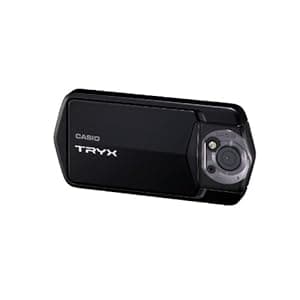 B004HYGDCY Availability: Currently unavailable Score: 7.752 Category: Electronics Rating: 3.5 Votes: 26 Find similar productsCasio TRYX Digital Camera with Full 1080p HD Video Capture and 3-Inch Touch Screen LCD (Black). Product Description Casio TRYX in Black is12 Megapixel Back Side Illuminated CMOS Still and Video Camera that Revolutionizes Style with HDR-Art and Network Connectivity From the Manufacturer TRYX STYLE Introducing the CASIO TRYX – an entirely new kind of camera for an entirely new way to capture your life. With a 3 touch-screen LCD, High-Speed Continuous Shooting technology, HDR-Art imaging and infinite configurations, the TRYX will make you rethink the compact camera. MOTION SHUTTER Featuring a clever little twist, the self-timer can be triggered using the camera's built-in motion sensor. With a simple wave of your hand the self-timer will be triggered so you can take pictures of you and your friends in just about any location, whether if you hang TRYX on a wall or set it on the table. TOUCH SHUTTER Using the touch-screen LCD you can activate TRYX's shutter just by touching the screen. TRYX's self-timer can also be activated using a simple stroke of your finger so you'll always be in the shot! HDR-ART An entirely new take on photographic expression Casio's exclusive HDR-Art creates a totally new artistic approach to photography. By taking a burst of CS images, slightly adjusting the relative strength of contrast, and then combining them into one image, HDR-Art transforms everyday moments into jaw-dropping works of art. HIGH-DYNAMIC RANGE (HDR) TECHNOLOGY Producing the perfect shot HDR (High-Dynamic Range) combines information from a burst of multiple images and unites the most detailed portions of each image (taken at different exposures) for a beautiful, never-before-possible wide dynamic range. SLIDE PANORAMA Capture the bigger picture Simply by panning the TRYX across the scene with the shutter button pressed, the Slide Panorama feature makes it easy to take 360° panoramic images. And while the camera pans, moving objects and faces are recognized and the images adapted such that distortions and blurring are kept to a minimum. HIGH-SPEED SR ZOOM Image precision beyond the optical zoom High-Speed Super Resolution Zoom, enables clear multiple-magnification zoom without the need for an optical zoom. High-Speed Continuous Shooting technology instantly captures a burst of images, and then combination technology precisely analyzes and positions each frame to piece together a clear, detailed, final image. |