E-commerce Search Demo
AI Assisted Filters
Parameters
Query:
Category filters: All
AI Assist: ON
Page: 1
Products
Time taken: 3 Max score: 1000.000 Total hits: 100 Full time: 0.0 s
Showing 1-10 of 100 products
 B00142A0GW Availability: Currently unavailable Score: 1000.000 Category: Office Rating: 1 Votes: 2 Find similar productsLexmark Print/SCAN/Copy: REFURB W/1YR Warranty; Print - BLK 15PPM, 1200X1200DPI, CLR 6PP. Wireless All-In-One!Experience the convenience of printing with the wireless Lexmark X4550 -- high quality printing from virtually anywhere in the home over a secure wireless network. With the X4550 Wireless All-in-One easily print, copy, scan and share memories. Print up to 26 ppm black and 18 ppm color. Copy photos, black and white or color documents with the touch of one button. Scan on the 48-bit flatbed scanner. From the proof sheet, easily select and print borderless photos from your digital memory cards. Enjoy direct photo printing from Memory Cards, USB drive, or with PictBridget. The X4550 printer designed to utilize your network's security (WEP, WPA, and WPA2) and broadcast range. Power Specifications: 100-240 VAC, 1.0A, 50-60 Hz; 30V, 0.83A output) Regulatory Approvals: Energy Star CSA cULus ICES Class B Executive Order 132221 CE CB IEC TUV Semko C-Tick V85 CCC BSMI METI (PSE) VCCI FCC UL CCIB. |  B000VKZFVS Availability: Currently unavailable Score: 11.494 Category: Office Rating: 2.3 Votes: 12 Find similar productsLexmark X2500 Color Copier Scanner All-in-One Multifunction Printer. Do it all with the Lexmark X2500 Multifunction Printer. Users can create one-touch borderless copying in popular photo sizes, and the flatbed scanner easily handles thick books, reports, and more. Lexmark Imaging Studio Software makes it simple to crop, rotate and resize photos, and you can also scan hard copy text documents into a soft copy format. Features Fast! Up to 22 ppm black and 16 ppm color printing Fast! Up to 22 ppm black and 16 ppm color printing Printing up to 4800x1200 dpi print resolution in photo mode on glossy media Printing up to 4800x1200 dpi print resolution in photo mode on glossy media 1-Touch PC-free copying (color or black) 1-Touch PC-free copying (color or black) Reduction/enlargement capacity from 25% - 400% Reduction/enlargement capacity from 25% - 400% One touch borderless copying in popular photo sizes (4x6, 10x15cm) One touch borderless copying in popular photo sizes (4x6, 10x15cm) Flatbed scanner easily handles thick books, reports, and more Flatbed scanner easily handles thick books, reports, and more Specifications Device Type: Printer / copier / scanner Device Type: Printer / copier / scanner Copier Type: Digital Copier Type: Digital Max Printing Resolution: Up to 1200 x 1200 dpi (mono) / up to 4800 x 1200 dpi (color) Max Printing Resolution: Up to 1200 x 1200 dpi (mono) / up to 4800 x 1200 dpi (color) Max Printing Speed: Up to 22 ppm (mono) / up to 16 ppm (color) Max Printing Speed: Up to 22 ppm (mono) / up to 16 ppm (color) Inkjet Technology: Lexmark Thermal Inkjet Inkjet Technology: Lexmark Thermal Inkjet Supported Media Type: Transparencies, envelopes, plain paper, cards, labels, iron-on transfers, photo paper, banner Supported Media Type: Transparencies, envelopes, plain paper, cards, labels, iron-on transfers, photo paper, banner PC Connection Availability: Yes PC Connection Availability: Yes PC Connection: USB PC Connection: USB Operating System Support: MS Windows XP, MS Windows 2000, Apple Mac OS X 10.3.x, MS Windows XP Professional x64 Edition, MS Windows Vista, Apple Mac OS X 10.4.4 or later Operating System Support: MS Windows XP, MS Windows 2000, Apple Mac OS X 10.3.x, MS Windows XP Professional x64 Edition, MS Windows Vista, Apple Mac OS X 10.4.4 or later Cartridge Compatibility:Black: 28(3), 28A, 34 High YieldColor: 29(3), 29A, 35 High Yield Photo: 31 Cartridge Compatibility: Black: 28(3), 28A, 34 High Yield Black: 28(3), 28A, 34 High Yield Color: 29(3), 29A, 35 High Yield Color: 29(3), 29A, 35 High Yield Photo: 31 Photo: 31 Product (L x W x H): 11.5 x 16.9 x Product (L x W x H): 11.5 x 16.9 x. |
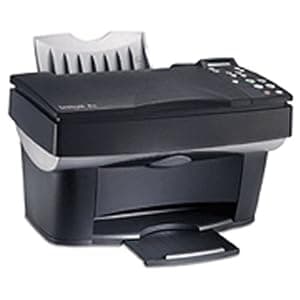 B00006SKKX Availability: Currently unavailable Score: 9.901 Category: Office Rating: 3 Votes: 13 Find similar productsLexmark X85 Inkjet All-in-One (10K0500). Amazon.com The Lexmark X85 all-in-one print center offers Lexmark's award-winning inkjet print technology coupled with a flatbed scanner, PC-free color copying, and scan-to-PC fax capabilities. The X85 is a sleek, compact solution for general printing needs, and for creating personalized cards, scanning traditional family photos, and printing digital images. Now you can achieve brilliant resolution of up to 4,800 x 1,200 dpi when printing on photo paper. The X85 also features up to 2,400 x 1,200 dpi in black and color on all paper types, offering the option of generating vibrant, photo-quality output on other media, such as card stock, transparencies, and iron-on transfers. The X85 prints up to 12 pages per minute (ppm) in black and up to 6 ppm in color, and supports both Windows and Macintosh platforms. Ready to handle traditional photographs and books of varied thickness, the X85's flatbed scanner (with removable lid) offers 600 x 1,200 dpi optical resolution, 48-bit color scan depth, and up to 19,200 dpi enhanced resolution. The X85 delivers up to 99 copies from one original and has a zoom range of 25% to 400% for reducing and enlarging images. The unit produces up to 10 copies per minute (cpm) in black and up to 3 cpm in color. Scan-to-PC fax capability offers fully functional black and color fax applications. Easy-to-use software lets you edit, store, send, and receive documents via fax through your computer's fax modem. Other Lexmark features include the exclusive Lexmark Accu-Feed paper-handling system, which virtually eliminates paper jams and misfeeds so you can use print media up to 150 pounds; convenient ink-level indicators; and a user-friendly interface that makes it easier than ever to set up and enjoy all of the unit's capabilities. | 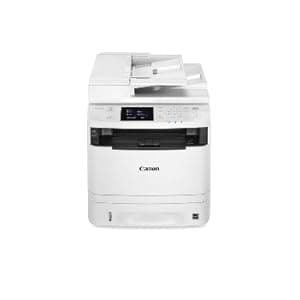 B01CSESSQS Availability: Currently unavailable Score: 9.174 Category: Office Rating: 3.9 Votes: 77 Find similar productsCanon Lasers imageCLASS MF414dw Wireless Monochrome Printer with Scanner, Copier & Fax. The all in one, Canon image class MF414dw has print, scan, copy and fax capabilities so you can accomplish all necessary tasks with just one machine. Your professional quality documents are printed at speeds of up to 35 pages per minute in black and white with a quick first print time of 6.3 seconds or less. Eco friendly, all mode duplexing right out of the box allows you to save on paper and related costs. With ID card copy, you can easily create copies of identification cards or other small documents on a single page. The MF414dw has wireless connectivity, increasing your productivity and allowing you to print from almost anywhere in your home or office. The device also has built in Wi-Fi direct capability, enabling easy connection to mobile devices without a router. The MF414dw is equipped with a variety of easy to use mobile capabilities for printing and scanning on- the-go using your compatible mobile device, such as apple Air print, Mopria print service and Google Cloud print. The Canon print business app allows users to print to and scan from the device to compatible iOS or Android devices. Password protected department ID management helps business owners manage device usage for up to 300 IDs. Secure print helps keep confidential documents safe. Using USB direct print, you can easily print from and scan to that USB in JPEG, tiff and PDF formats. The MF414dw also supports host-based UFR II and Pcl6 languages to provide printing versatility. The intuitive 3.5 touch LCD display allows users to navigate through the menu seamlessly. With the front-loading 250-sheet paper Cassette, 50-sheet ADF, 50-sheet multipurpose tray, and additional optional 500-sheet paper Cassette (pf-44), your paper handling requirements are covered. The MF414dw uses only 2.2 watts or less of energy in wireless, energy saver mode, helping you save money on energy costs. This machine uses Canon genuine toner, cartridge 119 and cartridge 119 II for higher volume printing. |
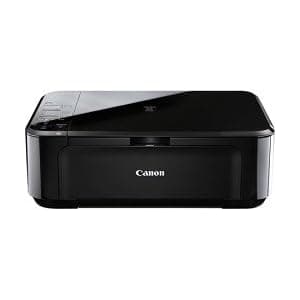 B005TI2Q8M Availability: Currently unavailable Score: 8.929 Category: Office Rating: 3.8 Votes: 187 Find similar productsCanon PIXMA 5289B019 Wireless Color Photo Printer with Scanner and Copier. Product Description Compact and stylish Wireless Photo All-In-One Printer From the Manufacturer The PIXMA MG3120 Wireless Inkjet Photo All-In-One delivers fantastic quality, versatility, and ease of use. Built-in Wi-Fi® 1 technology allows you to easily print and scan wirelessly virtually anywhere around your house. Print gorgeous, borderless 2 photos at home up to 8.5 x 11 size with a maximum print color resolution of 4800 x 1200 dpi 3 and the heralded FINE ink cartridges. Print documents and web pages with crisp, clear text and vibrant colors while built-in Auto Duplex Printing allows you to automatically print on both sides of the paper and can help reduce paper usage and cost by up to 50%. Speaking of web printing, Easy-WebPrint EX lets you easily collect and combine multiple web pages to create and print your own layout. 4 You can even turn your HD Movie clips into beautiful photos. 5 View beautiful, easy-to-view scans by advanced image analysis and area-by-area data correction, automatically. Plus, you can print and scan jpeg and pdf files wirelessly from compatible iPad, iPhone, iPod touch, and Android devices 6 while enjoying a new way to load your genuine Canon ink and paper. OVERVIEW For the 9th year in a row, Canon U.S.A. is proud to have received the 2012 Readers' Choice Award for Service & Reliability from PCMag.com for Printers.* *A trademark of Ziff Davis, Inc. Used under license. Reprinted with permission. Copyright. 2012 Ziff Davis, Inc. All rights reserved. Click here for a larger image PIXMA MG3120 W/PP-201 Wireless Inkjet Photo All-In-One Compact and stylish Wireless 1 Photo All-In-One Printer Full HD Movie Print software turns your favorite HD movie clips captured with your compatible Canon EOS Digital SLR or PowerShot cameras into beautiful prints5 Full HD Movie Print software turns your favorite HD movie clips captured with your compatible Canon EOS Digital SLR or PowerShot cameras into beautiful prints 5 Collect, combine and edit multiple web pages to print your own layout using Easy-WebPrint EX4 Collect, combine and edit multiple web pages to print your own layout using Easy-WebPrint EX 4 Print photos from your compatible iPad, iPhone, iPod touch and Android Devices with the free Easy-PhotoPrint printing app6 Print photos from your compatible iPad, iPhone, iPod touch and Android Devices with the free Easy-PhotoPrint printing app 6 Auto Photo Fix II Automatically adjusts and corrects your photos Auto Photo Fix II Automatically adjusts and corrects your photos Features Pigment Black Ink for crisp, sharp text Features Pigment Black Ink for crisp, sharp text FEATURES & BENEFITS SPEED & QUALITY Terrific Resolution: This level of quality is achieved by 4800 x 1200 maximum color dpi 3 thanks to Canon Full-photolithography Inkjet Nozzle Engineering (FINE) with a patented print head firing ink droplets as small as 2pl. This delivers superb quality and detail in both your business documents and photos. High Performance Ink Cartridges: These two genuine Canon ink cartridges contain specially formulated inks for great document and photo quality. One is a Black cartridge for crisp text and one is a multi-color cartridge for beautiful photos. Both are easy to use and replace. Print Beautiful, Borderless Photos, Fast: Print a borderless, 4 x 6 photo in approximately 44 seconds 7 . Print Documents and Web Pages, Fast : Print documents and web pages with fast speeds of 8.8 images per minute (ipm) for black and 5.0 images per minute (ipm) for color. 8 ChromaLife100: This system combines enhanced FINE print head technology with select genuine Canon inks and select genuine Canon photo papers for beautiful borderless photos that will last up to 100 years when stored in an archival-quality photo album. 9 EASE OF USE Full HD Movie Print: Full HD Movie Print software turns HD movie clips captured with your compatible Canon EOS Digital SLR or PowerShot cameras into beautiful photo prints. 5 Fun Filter Effects: Have all sorts of fun with your images by adding new effects such as: Fish Eye, Miniature, Toy Camera, Soft Focus and Blur Background before you print. Built-In Auto Duplex Printing: Automatically print on both sides of the page without the hassle of turning it over manually. This saves you time, helps the environment and can cut your paper usage by up to 50%. Fast Front: A new, convenient way to load your PIXMA printer with genuine Canon FINE ink cartridges and paper so you're ready to print as fast as ever. Easy-WebPrint EX: Easily collect and combine multiple web pages to create and print your own layout. 4 Auto Document Fix: Auto Document Fix delivers beautiful, easy-to-view scans by advanced image analysis and area-by-area data correction, automatically. So, your document text can be darkened with pronounced edges for clear, sharp text that's easy to read, and pictures will maintain color tone and contrast. CONNECTIVITY Built-In Wireless: Print and scan wirelessly 1 from any Wi-Fi® enabled computer around the house. Mobile Printing: Take full advantage of Canon's Wi-Fi® connectivity to unlock, print and share your stored images right on the spot. Print your photos wirelessly from compatible iPhone, iPod touch and Android devices. 6 ADDITIONAL FEATURES & BENEFITS Click here for a larger image COMPATIBILITY WHAT'S IN THE BOX Windows® 7, Windows Vista®, Windows XP10 Windows® 7, Windows Vista®, Windows XP 10 Mac OS® X v10.4.11 to 10.6.x10 Mac OS® X v10.4.11 to 10.6.x 10 PIXMA MG3120 Wireless Inkjet Photo All-In-One PIXMA MG3120 Wireless Inkjet Photo All-In-One Document Kit: Cross Sell Sheet, Getting Started, Important Information Sheet, Safety Environment Information, Setup Software & User's Guide CD-ROM, Warranty Card Document Kit: Cross Sell Sheet, Getting Started, Important Information Sheet, Safety Environment Information, Setup Software & User's Guide CD-ROM, Warranty Card Ink Tanks: PG-240 Pigment Black Cartridge, CL-241 Color Cartridge Ink Tanks: PG-240 Pigment Black Cartridge, CL-241 Color Cartridge Power Cord Power Cord PP-201 Photo Paper Glossy II (5 Sheets) PP-201 Photo Paper Glossy II (5 Sheets) COMPARE PIXMA MG2120Photo All-In-One PIXMA MG3120Wireless Photo All-In-One PIXMA MG4120Wireless Photo All-In-One Currently Viewing Functions Print, Copy, Scan, Photo Print, Copy, Scan, Photo Print, Copy, Scan, Photo Speed & Quality ISO Print Speed (up to) 8 / 4 x 6 Borderless Photo 7 Print Resolution (up to) 3 / Minimum Ink Droplet Size Ink Cartridges / Tanks Maximum Scan Resolution Ease of Use PIXMA Cloud Link - - Auto Duplex Print - LCD Display Fun Filter Effects Software Included Full HD Movie Print Software Included 5 Fast Front Fun Printing Projects 11 Connectivity Built-In Networking 1 - Direct Photo Printing 6 - GENUINE CANON INKS & PAPER PG-240XLBlack Cartridge PG-240XXLBlack Cartridge CL-241XLColor Cartridge Click Here forGenuine Canon Papers ADDITIONAL INFORMATION Disclaimers Wireless printing requires a working network with wireless 802.11b/g/n capability. Wireless performance may vary based on terrain and distance between the printer and wireless network clients. Wireless printing requires a working network with wireless 802.11b/g/n capability. Wireless performance may vary based on terrain and distance between the printer and wireless network clients. Supported paper types for borderless printing are as follows: Photo Paper Pro Platinum, Photo Paper Pro II, Photo Paper Plus Glossy II, Photo Paper Plus Semi-gloss, Photo Paper Glossy and Matte Photo Paper. Supported paper types for borderless printing are as follows: Photo Paper Pro Platinum, Photo Paper Pro II, Photo Paper Plus Glossy II, Photo Paper Plus Semi-gloss, Photo Paper Glossy and Matte Photo Paper. Resolution may vary based on printer driver setting. Color ink droplets can be placed with a horizontal pitch of 1/4800 inch at minimum. Resolution may vary based on printer driver setting. Color ink droplets can be placed with a horizontal pitch of 1/4800 inch at minimum. Easy-WebPrint EX requires Internet Explorer 7 or 8 for Windows, Internet Explorer 9 for Windows Vista SP2 (or later) or Windows 7, or Safari 4.0 – 5.0 for Mac OS X v.10.5 – 10.6.x Easy-WebPrint EX requires Internet Explorer 7 or 8 for Windows, Internet Explorer 9 for Windows Vista SP2 (or later) or Windows 7, or Safari 4.0 – 5.0 for Mac OS X v.10.5 – 10.6.x Full HD Movie Print allows printing from HD or Full HD MOV movie files created by Canon EOS Digital SLR or PowerShot digital cameras. From PC, or Mac with Intel® processor. Print quality is determined by video resolution. Function does not upscale video resolution. Requires Canon ZoomBrowser EX 6.5 or later, or Canon ImageBrowser 6.5 or later. Full HD Movie Print allows printing from HD or Full HD MOV movie files created by Canon EOS Digital SLR or PowerShot digital cameras. From PC, or Mac with Intel® processor. Print quality is determined by video resolution. Function does not upscale video resolution. Requires Canon ZoomBrowser EX 6.5 or later, or Canon ImageBrowser 6.5 or later. Requires Canon Easy-PhotoPrint for iPhone app, available for free on the App StoreSM, or Canon Easy-PhotoPrint for Android app available for free in the Android Market. Compatible with iPad, iPhone 3G, 3GS, 4, iPod touch and Android devices running Android OS 1.6 or later. Requires Canon Easy-PhotoPrint for iPhone app, available for free on the App Store SM , or Canon Easy-PhotoPrint for Android app available for free in the Android Market. Compatible with iPad, iPhone 3G, 3GS, 4, iPod touch and Android devices running Android OS 1.6 or later. Photo print speeds are based on the standard mode driver setting using photo test pattern(s) and select Canon Photo Paper. Print speed measured as soon as first page begins to feed into printer and will vary depending on system configuration, interface, software, document complexity, print mode, types of paper used and page coverage. See www.usa.canon.com/printspeed for additional details. Photo print speeds are based on the standard mode driver setting using photo test pattern(s) and select Canon Photo Paper. Print speed measured as soon as first page begins to feed into printer and will vary depending on system configuration, interface, software, document complexity, print mode, types of paper used and page coverage. See www.usa.canon.com/printspeed for additional details. ISO/IEC 24734, 24735 define the default print and copy speed measurement methods. Print speeds are the averages of ESAT in Office Category Test for the default simplex mode, ISO/IEC 24734, excluding time to print the first set. See www.usa.canon.com/ipm for additional details. ISO/IEC 24734, 24735 define the default print and copy speed measurement methods. Print speeds are the averages of ESAT in Office Category Test for the default simplex mode, ISO/IEC 24734, excluding time to print the first set. See www.usa.canon.com/ipm for additional details. Based on accelerated testing by Canon in dark storage under controlled temperature, humidity and gas conditions, simulating storage in an album with plastic sleeves. Canon cannot guarantee the longevity of prints; results may vary depending on printed image, drying time, display/storage conditions, and environmental factors. See www.usa.canon.com/chromalife100 for additional details. Based on accelerated testing by Canon in dark storage under controlled temperature, humidity and gas conditions, simulating storage in an album with plastic sleeves. Canon cannot guarantee the longevity of prints; results may vary depending on printed image, drying time, display/storage conditions, and environmental factors. See www.usa.canon.com/chromalife100 for additional details. System requirements vary by application. System requirements vary by application. To access CREATIVE PARK PREMIUM from a qualifying Canon printer, all of the software that came with the printer and the full set of compatible genuine Canon ink tanks must be properly installed. To access CREATIVE PARK PREMIUM from a qualifying Canon printer, all of the software that came with the printer and the full set of compatible genuine Canon ink tanks must be properly installed. Additional Disclaimers For network users, Auto Scan Mode is only available when scanning at a computer using MP Navigator EX software and selecting the 1-click feature then save to PC. For network users, Auto Scan Mode is only available when scanning at a computer using MP Navigator EX software and selecting the 1-click feature then save to PC. Warranty programs are subject to certain conditions and restrictions. See www.usa.canon.com/support for details. Warranty programs are subject to certain conditions and restrictions. See www.usa.canon.com/support for details. | 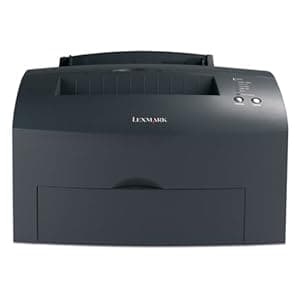 B00009APU1 Availability: Currently unavailable Score: 8.547 Category: Office Rating: 2 Votes: 1 Find similar productsLexmark E321 Laser Printer (21S0150). Product description Up to 20 ppmunder 10 seconds to first page Professional 1200 dpi resolution Manufacturers one-year limited warranty Small, space-saving design offers fast speed and great print quality on a wide range of media weights and types; ideal for small business applications and home offices. 150-sheet input tray. 100MHz processor. Maximum duty cycle: 10,000 pages per month. 8MB base memory, expandable to 72MB. Parallel and USB ports. Windows and Mac compatible. Includes starter print cartridge. Replacement Print Cartridges (LEX12A7305/LEX12A7400/LEX12A7405), sold separately. 15-3/8w x 14-3/16d x 8-11/16h. LEX21S0150 LEX-21S0150 734646155007 3464615500 Amazon.com A monochrome laser printer from Lexmark, the E321 is a high-performance printer with fast print times, high-quality output, and an affordable price tag. With its effective 1,200 dpi image quality, your prints are accurate and easy-to-read. Print speeds are as fast as 20 pages per minute, and the time-to-first-print is just 9.5 seconds, so your print jobs are done when you need them. The 100 MHz processor combines with 8 MB of standard memory (expandable up to 72 MB) to handle large jobs, while the 10,000-page per month duty cycle provides reliability even in heavy-use environments. The E321 connects via its standard USB or bidirectional parallel ports, while optional external Ethernet 10/100BaseTx, Ethernet 10BaseT/2, and Token-Ring interfaces provide network functionality and allow you to print from multiple computers (networking accessories sold separately). A wide variety of paper types and sizes are supported, including plain paper, transparencies, envelopes, card stock, labels, A4, A5, executive, legal, letter, and more. A 150-sheet input tray is provided (expandable up to 400 sheets), while a 100-sheet output tray and single sheet manual feed are standard. The E321 has a 15.4-by-14.2-inch footprint and weighs 19.75 pounds. PC and Mac compatible, the E321 also comes backed with a one-year limited warranty. What's in the Box Printer, paper tray, operator panel local language overlay, drivers, markVision and utilities CD, power cord, starter return program print cartridge, publications CD, online user's guide, setup guide, quick reference; printer cable not included. |
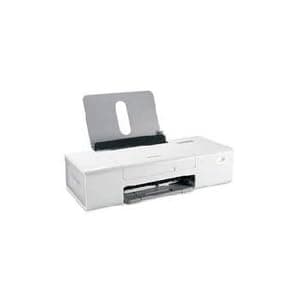 B000OSAUFS Availability: Currently unavailable Score: 8.264 Category: Office Rating: 4 Votes: 1 Find similar productsLexmark Z1420 Single Function Wireless Inkjet Prin. Enjoy a cord-free computer work space with this fantastic wireless package!. | 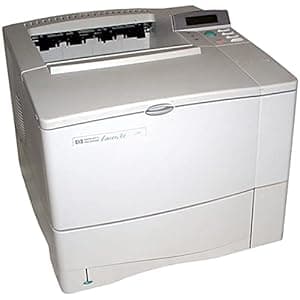 B00000JHYT Price: $455 Score: 8.065 Category: Office Rating: 2.7 Votes: 28 Find similar productsHP Laserjet 4050N Network Printer. Amazon.com Part of the LaserJet 4050 line of quality laser printers, the network model 4050N offers 16 MB RAM, HP JetDirect 600N internal print server (a 10/100 Base-TX fast Ethernet card), and a fast infrared receiver. The LaserJet 4050's standard 500-sheet paper tray slides into the front of the printer; paper follows an S-path through the printer and ejects face-down into a generous 250-sheet output bin on the top of the unit. Alternately, you can flip down a tray in the rear of the printer that handles 50 sheets. The printer's front also hosts a flip-down, multipurpose feed tray that can handle 100 sheets of ordinary paper as well as media ranging from 3-by-5-inch cards to legal-sized paper. The tray's adjustable guides automatically center the paper. Toner cartridges slide effortlessly into a large opening on top of the unit. This opening, along with well-marked access levers, also lets you access the entire paper path. Hewlett-Packard's TonerGauge tracks the number of printed toner dots and sends an accurate reading to the control panel and the management software. The menu structure is immediately understandable and the control panel easy to use. On the control panel, three LED indicators show the printer's online status, activity, and error conditions, while a series of buttons on the right allows you to maneuver through the printer's scrollable menus. The LaserJet 4050N's online help system allows you to scroll through troubleshooting solutions on the control panel. The LaserJet 4050N comes with interfaces for parallel, serial, and 10/100 Base TX as standard, but 10-T/10-2 LocalTalk interfacing is available as an option. The LaserJet 4050N's fast infrared receiver in the rear is handy if you have a compatible notebook and like the idea of printing wirelessly from across your office. In addition to font and macro storage, a hard disk enables the LaserJet 4050N to perform several types of jobs: Private Printing, Proof and Hold, Stored Jobs, and Quick Copies. Private Printing enables users to encode a print job with a PIN number and release the job at the printer by entering the code. Proof and Hold is a feature bound to save paper--it prints the first copy of a document and only prints the subsequent ones after you look at the proof and release the job at the printer. Quick Copying lets you print up to 999 additional copies of the last job without reloading the source application. Stored Jobs can live at the printer, and you can print them on demand from the control panel without any PC involvement. Given 4050N's impressive features, its fast 17-page-per-minute, jam-free printing, its network interfacing, and its strong manageability features, we think this is a fine business printer. Pros: Strong manageability features Strong manageability features Excellent control panel Excellent control panel Prints up to 17 pages per minute Prints up to 17 pages per minute Innovative workgroup options Cons: Printer cable not included Innovative workgroup options Cons: Printer cable not included Printer cable not included From the Manufacturer LaserJet 4050 Series the new replacement for the best-in-class HP LaserJet 4000 Series printers offering increased printing and networking performance, increased printer versatility, and lower total cost of ownership. Designed for small- to medium-size workgroups with general office and specialized-business printing needs. |
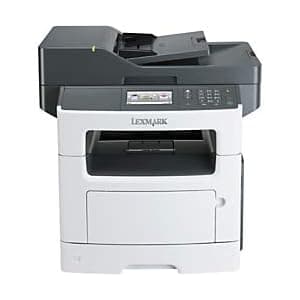 B009SM8GCA Price: $374.99 Score: 8.000 Category: Office Rating: 3.7 Votes: 33 Find similar productsLexmark MX511de Monochrome All-In One Laser Printer, Scan, Copy, Network Ready, Duplex Printing and Professional Features. Multifunction laser printer delivers smoother workflows and faster speeds to help propel your business forward. Improve your print, scan and copy speeds by taking advantage of 512MB upgradable memory, 800MHz dual-core processor and Gigabit Ethernet. Print without a PC using the convenient USB port that lets you walk up, preview and print PDF and many other file formats. With built-in, two-sided printing and the ability to print on diverse materials, you can do more for your business and use less paper. Print 45 pages per minute with 1200 x 1200 dpi. Print or copy your first page in as little as 6.5 seconds. You can also authenticate, authorize and audit employee usage as well as protect sensitive data using standard network security protocols. The MX511de MFP also features a 4.3 color touch screen, copy Scaling from 25 to 400 percent, flatbed scanner, 8-1/2 x 14 maximum scan area, 250-sheet input tray and 100-sheet multipurpose feeder. Energy Star qualified. | 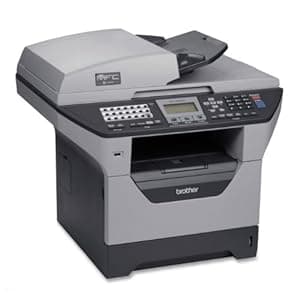 B000ET29Z6 Price: $355.99 Score: 8.000 Category: Office Rating: 3 Votes: 42 Find similar productsBrother MFC-8460N Network All-in-One Laser Printer. Product Description A 5-in-1 flatbed laser Multi-Function Center® that combines printing, copying, faxing, color scanning and PC Fax in one product and is ready to be installed on a (Ethernet) network right out of the box! Includes a 33.6K bps fax modem with ample fax features, up to 1200 x 1200 dpi professional quality laser printing and impressive print/copy speeds of up to 30 ppm. Fast and convenient walk-up copying either using the 50-page auto document feeder or the legal-size document glass. Easy flatbed color scanning with up to 19200 dpi (interpolated) resolution for scanning documents or images to email, a file or as an editable text document. Amazon.com Amazon.com Product Description The MFC-8460N has a convenient flatbed design that accommodates either single sheets or bound documents for copying, faxing, or scanning. With the ability to function as a digital copier, the unit supports reduction and enlargement of documents from 25 to 400 percent in one percent increments, makes up to 99 copies, and includes sorting functionality. Copies up to legal size can be made from both the glass and the automatic document feeder. Print and copy speeds up to 21 pages per minute keep up with busy offices, while outstanding resolution of up to 1,200 x 1,200 dpi gives each document exceptional legibility. Print, fax, scan, and copy -- all from one powerful unit. View larger . Send scans, copies, and faxes directly from the MFC-8460N to colleagues that are listed in your network address book. Choose the document feeder or the flatbed. As a full-function stand-alone fax machine, the MFC-8460N supports up to 340 total speed dial locations, and also incorporates dual access and broadcast faxing features. It stores up to 600 pages for Quick Scan faxing or out-of-paper fax reception. Stand-alone fax and copy operation is standard, so no computer is required. When operating as a scanner, the unit is capable of color scanning up to 9,600 dpi interpolated resolution (up to 600 x 2,400 dpi optical). For Windows and OS X 10.2.4 or greater based users, there is an easy-to-use scan to button for scanning directly to an FTP site, image application, OCR, E-mail application or file. Save time and reduce errors with instant direct access through your network connected MFC-8460N to a virtually infinite number of e-mail and fax addresses stored in your LDAP network address books. Simply use the large, clear 5-line LCD display on the MFC-8460N's control panel to view the contacts stored in your network address books and scroll to select the address you need. Then you can quickly send faxes and Internet faxes to your selection, and perform scan-to-e-mail-address functions. The MFC-8460N provides the ability for an administrator to set various levels of password protected access to certain features, for each of up to 25 different users per machine. Through this feature, you can restrict specific employees such as part-time workers or interns from access to scan-to-e-mail functions or other avenues for sending data outside your walls. The color scanner function comes bundled with document management and OCR software. ScanSoft PaperPort SE with OCR software is available for Windows and Presto! Page Manager is available for Mac users. The MFC-8860DN is also supplied with built-in wired Ethernet networking. The unit is compatible with both PC and Mac operating systems (Windows 98/NT4.0/2000/Me/2000/XP and Mac OS 9.1-9.2, OS X 10.2.4 or greater). Standard emulations of PCL6 and BR-Script3 (PostScript3) are included as well. Brother provides a one-year warranty, covering parts and service. What's in the Box Multifunction unit, paper tray, multipurpose tray, TN540 Standard Yield Toner Cartridge (3,500 Pages), DR510 Drum Unit (20,000 Pages) CD-ROM with drivers and utilities, printed user's guide, warranty information. |