E-commerce Search Demo
AI Assisted Filters
Parameters
Query:
Category filters: All
AI Assist: ON
Page: 1
Products
Time taken: 3 Max score: 1000.000 Total hits: 100 Full time: 0.0 s
Showing 1-10 of 100 products
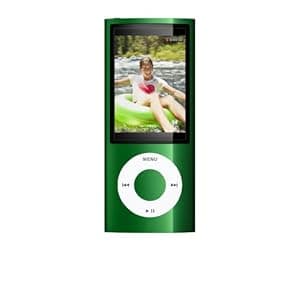 B002L6HE78 Availability: Currently unavailable Score: 1000.000 Category: Electronics Rating: 4.4 Votes: 111 Find similar productsApple iPod Nano 16 GB Green (5th Generation) Old Model. Product Description iPod nano has a dramatic, polished anodized aluminum finish and a larger screen. The new Genius Mixes feature acts as your personal DJ, automatically searching your iTunes library, then making mixes you'll love. iPod nano has a new Pedometer that counts your steps. It also has a built-in FM radio with two amazing features such as iTunes Tagging and Live Pause. So the world's most popular music player now has more to play with. Amazon.com iPod nano now has a built-in video camera that lets you spontaneously shoot video wherever you are. And that's just the beginning. It has a dramatic, polished anodized aluminum finish and a larger screen. The new Genius Mixes feature acts as your personal DJ, automatically searching your iTunes library, then making mixes you'll love. Take iPod nano anywhere and the new Pedometer counts your steps. Also making its debut: a built-in FM radio with two amazing features--iTunes Tagging and Live Pause. So the world's most popular music player now has more to play with. The world's most popular music player now has more to play with. Click to enlarge. nano Shoots Video Video a-Go-Go iPod nano now has a built-in video camera that lets you record fun as it happens. Then share it with friends on the Internet. It's the video camera that's small enough to take with you everywhere. Video Recording--a Whole New Way to nano A quick scroll through the menu takes you to the video camera. Then you're ready to record video in portrait or landscape--perfect for emailing or posting on Facebook or MobileMe. A built-in mic lets you capture audio, too. And when you play back your video on iPod nano, you'll hear the recorded audio with it. All of which means your indispensable music player is now your indispensable video camera. Special Effects Department Included Fifteen fun video effects let you add a little Hollywood to your video. Just scroll through, choose the effect you want--such as film grain or motion blur--and start recording. When you're done, sync iPod nano to your computer and iPhoto (or your favorite photo software) opens. Then email your miniblockbuster or post on YouTube or Facebook. Sync, Share, and Put More You in YouTube Connect iPod nano to your Mac, and iPhoto opens and syncs all the video you shot on iPod nano to your computer. It's just as easy on a PC when you use your favorite photo software. On a Mac, you can browse and edit your videos in iPhoto, too. The video file sizes are perfect for sharing on YouTube or emailing to friends. Design Makes Rock More Glam iPod nano now has a polished anodized aluminum finish in nine electrifying colors. And a larger 2.2-inch color display for your viewing pleasure. Up to 2,000 songs, 8 hours of video, or 7,000 photos in your pocket. Click to enlarge. Ultra-portable at 3.6 x 1.5 x 0.24 inches and just 1.28 ounces. Click to enlarge. Available in an array of electrifying colors. Click to enlarge. iPod nano now has a built-in video camera that lets you spontaneously shoot video wherever you are. Click to enlarge. This Is Genius Control your Genius. Or leave it to its own devices. Either way, Genius explores your library and finds songs that go great together. Genius Playlists Say you have one song you really love and want to hear other tracks that go great with it. A few clicks on iPod nano, and Genius uses that song to find other songs in your library and makes a Genius playlist for you. You can listen to the playlist right away, save it for later, or even refresh and give it another go. Count on Genius to create combinations you wouldn't have thought of yourself. Genius Mixes Now there's another great way to get a customized set of songs on iPod nano--have Genius do all the work. Introducing Genius Mixes. All you do is sync your iPod nano to iTunes, and Genius automatically searches your library and finds songs that sound great together to create up to 12 Genius Mixes. These mixes are like channels programmed entirely with your music. It's a great way to rediscover songs you haven't listened to in forever, and some you even forgot you had. Go with the Cover Flow View your album art in Cover Flow for a faster way to find the song you want to hear. Or just press and hold the center button to flip the album cover art over so you can see the songs. When you find the right song, press the center button to add it to your on-the-go playlist. Shake to Shuffle Your Music Hear songs in a totally random way. Just turn on Shake to Shuffle, then give iPod nano a shake and it shuffles to a different song in your music library. You never know what iPod nano will spin for you next. Don't Just Listen to the Radio, Pause it and Tag it, Too The new FM tuner lets you see the names of songs and artists. And two amazing features--iTunes Tagging and Live Pause--make listening to the radio nothing like listening to the radio. FM Radio--it Gives You Yet Another Way to Rock There's always something great on the FM dial. And now the FM tuner lets you hear your favorite morning shows on your commute and discover new music while you work out. It even shows you what and who you're listening to.1 With Live Pause, You'll Never Miss a Beat Say you need to take a quick break from listening to your favorite radio station. iPod nano lets you pause it with a click. Another click and you're listening to your station again. You can even rewind as far back as 15 minutes, then fast-forward to catch up to the live broadcast. iTunes Tagging--the New-Fashioned Way to Discover Music It's quite a dilemma: You're listening to the radio and you hear a song you like, but when you go to iTunes, you can't remember the name or even who sings it. Enter iTunes Tagging. Now, you can use the Click Wheel on iPod nano to tag the song. iTunes creates a list of all your tagged songs so you can easily preview or purchase them when you sync iPod nano to iTunes. VoiceOver--the Talk of the Music World VoiceOver tells you the title and artist of the songs you listen to. And does it so seamlessly, you'll be surprised at how brilliant it is. Let's Talk VoiceOver What if you're listening to a song and want to know the title or the artist? Just use the Click Wheel or the controls on the optional Apple Earphones with Remote and Mic and VoiceOver tells you the song name and who's performing it without interrupting your music. So you're never distracted from your ride or run by looking down at your screen. The nano now includes an FM radio with iTunes Tagging and Live Pause functions. Capture a thought, a reminder, a class lecture, or any audio recording you want with Voice Memos. The new Pedometer counts every step you take. Or add Nike+ shoes and a Nike + iPod Sport Kit for the perfect workout partner. How it Works You'll notice how smoothly and easily VoiceOver works. A lot of thought went into creating an iPod nano that not only talks, but says the right things. It all begins with iTunes and its seamless integration with iPod nano. First, iTunes reads your song information, then uses the VoiceOver Kit to generate the announcements for the songs, artists, and playlists. Just sync your iPod nano to your computer and it really speaks to you. It Speaks Multiple Languages Your music library has songs from all over the world--a love song from France, a bolero from Spain, a pop tune from Japan. Luckily, VoiceOver speaks fluent song. iTunes selects the language and best voice for your song titles and artist names. It looks at song data, like the title, artist, and album information, then applies intelligent algorithms to choose the right language. For example, iTunes recognizes the song Ya Viene el Sol� by Ozomatli as a Spanish song, so your iPod nano will automatically speak that song title and artist in Spanish. If you prefer to hear that information spoken in another language, you can change the designated VoiceOver language for that song in iTunes. Hit the Ground Running--Or Walking With the Nike + iPod Sport Kit (sold separately) and a built-in pedometer to help keep you motivated and track your fitness progress, iPod nano makes working out less routine. Step it up with the New Pedometer You take your iPod nano with you everywhere. Why not use it to stay fit? iPod nano now doubles as a Pedometer. It uses the built-in accelerometer to keep track of your steps and help you meet your fitness goals. You can create a daily step goal or set it to Always On so it counts all the steps you take, all the time. Which makes iPod nano the ideal exercise partner. Rock and Run Your shoes and your iPod nano team up to maximize your run. See the minutes tick by. Watch the miles unfold. Hear real-time voice feedback. All to your favorite music, including your chosen Power Song--that one song that always gets you through the home stretch. Rock the Gym Take Nike + iPod to the gym and minute by minute, mile by mile, you're motivated by more than music. Connect your iPod nano to a Nike + iPod compatible cardio machine. Record your pace, time, and distance as you work out. With iPod nano, every trip to the gym becomes a new challenge. Sync When you're finished, connect your iPod nano to your Mac or PC. iTunes automatically sends your workout data to nikeplus.com. Every workout and every run is there, ready for you to review. Get pumped for your next run with recommended challenges, custom training programs, and maps of new routes to try. Or share motivation with runners across the world. Note to Self: Voice Memos Are Here The built-in mic lets you capture a thought, a reminder, a class lecture, or any audio recording you want with Voice Memos. iTunes: Your Greatest Hits It's even easier to organize, browse, grow, and share your digital music and video collection with the new iTunes. And now you can save items with a wish list and enjoy iTunes extras--bonus features on select albums and movies--like lyrics, photos, interviews, and behind-the-scenes media. What's in the Box Apple iPod nano 16 GB Green (5th Generation), Earphones, USB 2.0 cable, Dock adapter, Quick Start guide. |  B004CZ2U20 Availability: Currently unavailable Score: 7.246 Category: Electronics Rating: 4.5 Votes: 651 Find similar productsApple iPod Touch (4th Generation) Old Model. Product description Reach out and touch some fun!Apple's iPod touch MC547LL/A sets the bar even higher for portable media devices with this 64 GB Wi-Fi enabled media player. Using the revolutionary 3.5-inch Multi-touch Retina display, this device lets you poke, prod, pinch, slide, spread, and touch your way through your contact list, photo album, and music or video playlists.With integrated Wi-Fi 802.11b/g/n wireless support, you get a whole new level of functionality; watch YouTube videos, browse the web, and plot directions with the included applications! Sample and purchase music and movies from the Apple iTunes store or choose from thousands of apps (applications) from the App Store. You think intergrated Wi-Fi is cool? With the Bluetooth v1.2 + EDR wireless you can connect a set of Bluetooth headphones, Bluetooth speakers and even print all without wires!Thanks to the Accelerometer motion detection technology, you can tilt and turn your iPod for life-like controlling. Turn a steering wheel, shake and roll a die, tilt the pinball machine, or simply change the 3.5-inch screen from portrait to landscape view -- it's all so easy...and fun! And, with the latest available firmware, this 4th Generation iPod Touch features functions not found in the last generation models like dual cameras, HD video recording, FaceTime, Retina display and Home Screen customizations like folders and wallpaper!With all these features, you'll be looking for any excuse you can to touch your iPod touch! Get in on the fun. Order yours today! Amazon.com The world's most popular portable gaming device is even more fun. Now available in black and white, iPod touch includes iOS 5 with over 200 new features, like iMessage, Notification Center, and Twitter integration. Send free, unlimited text messages over Wi-Fi with iMessage. Record HD video and make FaceTime calls. Visit the App Store to choose from over 500,000 apps. iPod touch also features iCloud, which stores your music, photos, apps, and moreÑand wirelessly pushes them to all your devices. On the front of iPod touch is a built-in camera perfect for making FaceTime video calls. FaceTime. Oh, I see what you're saying. Video calling on iPod touch means your friends can see what you're up to, when you're up to it. With a tap, you can call someone on an iPhone, iPad 2, iPod touch, or Mac over Wi-Fi. And come face-to-face with even more fun. Tap for a more instant, instant message. Take LOL to the next level and actually see friends laughing. Or bring XOXO to life when you blow someone a kiss from miles away. FaceTime on iPod touch makes it possible. FaceTime works right out of the box--just enter your Apple ID and email address. Or create a new email account just for FaceTime. Using FaceTime is as easy as it gets. Say you want to start a video call with your best friend over Wi-Fi. Just tap the FaceTime app and find her entry to start the call. An invitation pops up on her screen asking if she wants to join you. When she accepts, FaceTime begins. It's all perfectly seamless. And it works in both portrait and landscape. See how much fun you can have. Two cameras make either side its fun side. iPod touch has two built-in cameras, one on the front above the display and one on the back. The front camera has been tuned for FaceTime. It has just the right field of view and focal length to focus on your face at arm's length. So it always presents you in the best possible light. Which is especially handy when you're talking to someone who's more than just a friend. The back camera. See and share. So your friend is sick with a cold and can't make it to the concert. You can share the encore with a FaceTime call. As the band takes the stage and starts playing one of her all-time favorite songs, just tap a button. And before the lead singer can belt out his first note, iPod touch switches to the back camera and to the sure-to-be-legendary performance. Another tap switches to the front camera and to you. Simple, fast, and fun. Camera with HD Video Recording. Ready, and action. The next great Internet meme could be yours. iPod touch and its HD video camera go with you everywhere, so you can capture every What the? moment that comes your way. Trim a little off the ends. Or the middle. No need to wait until you're back at your computer to edit video. With basic editing built into iPod touch, you can get right down to business. Just drag to select start and end points on a filmstrip. Keep only the parts of the video you want, and turn it into something you and your friends will watch again and again. iPod touch features a second camera on the back, which lets you shoot amazing 720p HD video. Special guest star: iMovie. You're on an epic road trip, and you want to create a video postcard of everything you've seen and done. Just use the iMovie app--pick it up on the App Store for just $4.99. Built for Multi-Touch, iMovie lets you combine and edit video clips, give them that extra something with dynamic themes, add music and photos, and share your finished movies with the world. This is so going on YouTube. Maybe you're in the middle of texting a friend or browsing the web when you look up and suddenly see something that words just can't describe. Launch the camera and record on the fly. Then upload your HD movie directly to YouTube. Or select some video from the Camera Roll and attach it to a new email message, ready to send. Posting to your Facebook page or blog is also just a tap away. Two cameras. Countless photo ops. A really cool piece of graffiti art. A cupcake too cute to eat. Your cat camouflaged by stuffed animals. If you want to take a quick photo to post on Twitter, either camera on iPod touch can also capture stills. Use grid lines, pinch-to-zoom gestures, and single-tap exposure lock to compose the perfect shot. Then tap to tweet at will. Retina Display. Seeing is still not believing. Thanks to the Retina display, everything you see and do on iPod touch looks amazing. That's because the Retina display's pixel density is so high your eye is unable to distinguish individual pixels. Which means images in games, movies, and photos pop off the screen. Text in books, web pages, and email is crisp at any size. And everything is sharper. No wonder it's called cutting edge. When iPod came on the scene years ago, it was all about music--and it still is. Enjoy your favorite tunes, whether it's on headphones or wirelessly over AirPlay. More wow per inch. Behind the screen of iPod touch, there's some serious technology going on. By developing pixels a mere 78 micrometers wide, Apple engineers were able to pack four times the number of pixels into the same size screen found on earlier iPod touch models. This many pixels packed this close together--326 per inch--make graphics and text look smooth and continuous at any size. Prepare to be glued to the screen. LED backlighting. The Retina display includes LED backlighting and an ambient light sensor that automatically adjusts the brightness of the screen for the best viewing and battery life possible. So you can focus on more important things. Like destroying aliens. AirPlay. Broadcast live to your HDTV and speakers. With AirPlay, you can wirelessly stream what's on your iPhone, iPad, or iPod touch to your HDTV and speakers via Apple TV. That's gonna go over big. Give your photos and video the big-screen treatment. You have great photos on your iPhone, iPad, or iPod touch and some friends on your couch. Or you're in the middle of an epic action scene that could use a little more screen. Tap the AirPlay icon on your iOS 5 device from a specific app--Photos, Videos, or Safari, for example--and everything streams to your HDTV via your Apple TV.* Make sure both your device and Apple TV are connected to the same Wi-Fi network, and the AirPlay icon appears automatically. DJ wirelessly. AirPlay isn't just for photos, movies, and apps. It's for your music, too. A song, an album, a favorite playlist--if it's on your iPhone, iPad, or iPod touch, you can stream it to your home entertainment speakers via Apple TV. Because rocking out is always more fun in surround sound. Your speakers and AirPlay. Perfectly in tune. Conduct a symphony, chill with an indie band, or put on a rock concert--anywhere in the house. Connect any speaker you own to an AirPort Express. Or stream directly to AirPlay-enabled speakers from manufacturers like Denon, Marantz, B&W, JBL, and iHome. Your iOS device automatically detects your speakers: Just tap the ones you want to use. Since it all happens wirelessly, you have the freedom to cue the tunes from wherever you happen to be sitting, standing, or dancing. Music. The DNA of iPod touch. Your workouts, your cram sessions, your commute, your late-night dance party of one, your ever-present need to drown out the noise around you. It's your music that keeps you going. And you know what respects that? iPod touch. Turn iPod touch on its side and glide through your music by album art with the flick of your finger. A work of album art. What a song does for your ears, Cover Flow on iPod touch does for your eyes and fingers. Turn iPod touch on its side and glide through your music by album art with the flick of your finger. Tap an album cover to flip it over and display a track list. Tap again to start the music. From one great song comes an even greater playlist. Songs in your library get a newfound rhythm thanks to Genius. When you're listening to a track you love and want to hear others that go great with it, let Genius take over. It finds complementary songs you own and makes a Genius playlist for you. Listen to the playlist right away, save it for later, or even refresh it and give it another go. Count on Genius to create a playlist you wouldn't have thought of yourself. A genius of a mix. Genius acts as your personal DJ. All you do is sync iPod touch to iTunes, and Genius automatically searches your library to find songs that sound great together. Then it creates multiple mixes you'll love because it's entirely your music. Genius Mixes are like stations tuned precisely to your taste. They're a great way to rediscover songs you haven't heard in forever--and some you forgot you had. Shake it like you mean it. The next time you're listening to your tunes, turn on Shake to Shuffle, then give iPod touch a shake to shuffle to a different song in your music library. It's just another way iPod touch keeps your music feeling fresh. It's hard to be bored when you have instant access to over 500,000 apps, including the latest in gaming titles. If it's entertaining, it's on iTunes. Add songs and music videos to your iPod touch from iTunes on your computer. Or buy and download new music on your iPod touch over Wi-Fi with the iTunes app. When you do, iCloud automatically downloads it to all your devices over Wi-Fi or 3G. So everything new appears everywhere--on your iPad, iPhone, Mac, or PC. You can also browse your purchase history and choose specific songs or albums to download again at no additional cost. Sign up for iTunes Match and you can access all your other music from iCloud--including music you've imported from CDs or purchased somewhere other than iTunes. For just $24.99 a year. Games + Apps. What iPod touch was made for. It's hard to be bored when you have instant access to over 500,000 apps. Available in almost every category, they're just a tap away at the App Store. And when it comes to games and entertainment titles--over 100,000 and counting--no other platform comes close to iPod touch. Which probably explains why it's the world's most popular portable gaming device. iOS. The world's most advanced mobile operating system. Running the show on every iPod touch, iPhone, and iPad is iOS. It lets you browse, read, and see everything just by touching the screen. It also includes all the fun, powerful, and innovative built-in apps you use every day, many times a day. And the latest version, iOS 5, is packed with over 200 exciting new features that will make you say, Best. iPod. Ever. Here are a few of our favorite new features in iOS 5: iOS 5 is packed with over 200 exciting new features--such as iMessage, pictured above--that will make you say, Best. iPod. Ever. iMessageNow you can be all I was allÉ and She was allÉ all you want. Send unlimited text messages to any iOS 5 device free over Wi-Fi with iMessage. iMessage Now you can be all I was allÉ and She was allÉ all you want. Send unlimited text messages to any iOS 5 device free over Wi-Fi with iMessage. Notification CenterYou're about to beat the final boss. Now's not the time for an alert to get in the way. And it won't, thanks to Notification Center. Notification Center You're about to beat the final boss. Now's not the time for an alert to get in the way. And it won't, thanks to Notification Center. Game CenterGet ready to rumble. Game Center lets you play against friends and people you don't know. And it recommends new games and new opponents. Game Center Get ready to rumble. Game Center lets you play against friends and people you don't know. And it recommends new games and new opponents. Twitter IntegrationTwitter users rejoice. iOS 5 adds Twitter capabilities to Safari, Photos, Camera, YouTube, and Maps, so you can tweet directly from them. Twitter Integration Twitter users rejoice. iOS 5 adds Twitter capabilities to Safari, Photos, Camera, YouTube, and Maps, so you can tweet directly from them. RemindersForget much? Reminders can fix that for you. Create lists of things to do or remember, set a deadline, and Reminders sends you an alert. Reminders Forget much? Reminders can fix that for you. Create lists of things to do or remember, set a deadline, and Reminders sends you an alert. SafariWeb articles minus the ads. What bliss. Tap the Reader button in Safari and ads disappear. Add article links to Reading List and read them later. Safari Web articles minus the ads. What bliss. Tap the Reader button in Safari and ads disappear. Add article links to Reading List and read them later. PhotosPhoto Stream in iCloud stores all your latest photos and pushes them wirelessly to your other devices. So every pic is everywhere. Photos Photo Stream in iCloud stores all your latest photos and pushes them wirelessly to your other devices. So every pic is everywhere. PC FreeYou can activate and set up your iPod touch wirelessly, right out of the box. Without the need for a Mac or PC. PC Free You can activate and set up your iPod touch wirelessly, right out of the box. Without the need for a Mac or PC. NewsstandA magazine rack that's just for you. That's the idea behind Newsstand. Find all your publications here and even subscribe to new ones. Newsstand A magazine rack that's just for you. That's the idea behind Newsstand. Find all your publications here and even subscribe to new ones. iCloud. Your content. On all your devices. Thanks to iCloud, your iPod touch has an even tighter bond with your Mac or PC (and your iPhone or iPad). iCloud stores your music, apps, games, latest photos, and more and makes them accessible on your other devices. And it keeps your email, contacts, and calendars up to date across them, too. It's all automatic. There's no syncing required, no management required, no anything required. iCloud does the work for you. iTunes in the Cloud. Your music and TV shows. Wherever you want them. You never know when you'll suddenly be in the mood to listen to a favorite song or rewatch that hilarious sitcom episode. With iCloud, you can have iTunes automatically download new music purchases to all your devices the moment you tap Buy. You can also access past music and TV show purchases from any of your devices--wirelessly and without syncing. Photo Stream. Snap. And it's everywhere. With Photo Stream, you can take a photo on one iOS device and it automatically appears on all your other devices, including your Mac or PC. Import new pictures to your computer from a digital camera, and iCloud sends copies over Wi-Fi to your iPhone, iPad, and iPod touch. You can even view recent photos on your big-screen TV via Apple TV. There's no syncing, no email attachments, no file transfers. Your pictures are just there--on whichever device you happen to have handy. Buy a new book from the iBookstore, and iCloud makes sure it appears everywhere--your iPhone, iPad, and iPod touch. Documents in the Cloud. Start here. Finish there. You can create amazing documents and presentations on your iPhone, iPad, and iPod touch. And now with iCloud, you can keep your work up to date across all your iOS devices. You don't have to save your work or transfer any files. Your documents--with all your latest edits--automatically appear everywhere. iCloud is already built into Apple iOS apps like Keynote, Pages, and Numbers. It can also work with other iCloud-enabled apps. So you can do things like create a spreadsheet on your iPad and make edits to it on your iPhone. Or start sketching on your iPod touch and add the finishing touches on your iPad at home. Apps. All your apps. Always at hand. If you have an iPhone, iPad, or iPod touch, you have apps. And you probably download new ones all the time. iCloud lets you automatically download new app purchases to all your devices at once. So the app you need is always right where you need it. If an app you bought previously isn't on one of your devices, not to worry. You can download it again from your purchase history--at no additional charge. iBooks. All your devices are on the same page. Buy a new book from the iBookstore, and iCloud makes sure it appears everywhere--your iPhone, iPad, and iPod touch. So if you have to put it down, you can pick it back up on another device, in exactly the same place. In addition to the best seller you're glued to at the moment, the iBooks app keeps a list of titles you've read before. And just like with apps, you can download them again to any of your devices. Calendar, Mail, and Contacts. Up-to-date everything. iCloud stores all the stuff you can't live without--your contacts, calendars, and email--and keeps it up to date across all your devices. Say you delete an email, add a calendar event, or change some settings. iCloud makes all your changes everywhere. Same with your notes, reminders, and Safari bookmarks. Backup. iCloud saves the day. iCloud backs up your iOS device daily over Wi-Fi when it's connected to a power source. From your Camera Roll and messages to your device settings and ringtones, everything is backed up quickly and efficiently. And since iCloud is built into iPhone, iPad, and iPod touch, you can restore your personal data on a new iOS device or one you already have without using a single cable. iCloud does it all for you over Wi-Fi. Find My Friends. Friend-spotting. For finding your way to the party, keeping track of family at a crowded amusement park, or getting picked up at the airport, Find My Friends is your app. You can give friends and family permission to see your whereabouts. And vice versa. When you don't want to be found, a single switch takes you off the grid. Simple as that. Find My iPhone, iPad, iPod touch, and Mac. Lost. And found. If checking all the usual spots hasn't turned up your missing iOS device, Find My iPhone, iPad, iPod touch, and Mac can help.4 Just sign in at icloud.com or use the Find My iPhone app on another device to locate yours on a map, display a message on its screen, remotely set a passcode lock, or initiate a remote wipe to delete your data. AirPrint. Wireless printing, right from your iPod touch. Late for a concert? Quickly print your tickets from your iPod touch. Stumble upon a list of cheat codes for the RPG you've been struggling with? Print it and share it with your friends. A few taps is all it takes to go from onscreen to on paper. Hard copies made easy. AirPrint on iPod touch makes it simple to print your email, photos, web pages, and documents. There's no software to download, no drivers to install, and no cables to connect. With just a few taps on your iPod touch, you can go from viewing something onscreen to holding a printed copy. And because all the printing takes place in the background, there's no waiting around. Instead, you can start printing and then go back to flicking through photos, browsing the web, or doing whatever you were doing before. True wireless printing. No cables required means exactly that. AirPrint printing is 100 percent wireless. iPod touch automatically locates and connects to AirPrint-enabled printers on your wireless network. Whether you're on the other side of the house or on another floor from your printer--or you're walking from one room to the next--you can still print what you need, when you need it. In fact, it's all so easy and fast that by the time you finish reading this sentence, you could have printed it from your iPod touch. What you see is what you print. If you can open it on your iPod touch, chances are you can print it with AirPrint. AirPrint works with Safari, Mail, Photos, PDFs in iBooks, and third-party apps with built-in printing. Print that hilarious photo of your friend dressed up as an '80s rock star. Running late for a movie? AirPrint lets you quickly print your tickets as you're heading out the door, so you won't have to miss the previews. Game Center on iPod touch lets you add more players to your gaming network. Works with AirPrint-enabled printers. Many AirPrint-enabled printers are available. Just visit the Apple Online Store and find one that's right for you. Built-in apps. Fun from the get-go. iPod touch gives you serious game. But there are so many other things you can do with it that are just as entertaining. Make a FaceTime call to your best friend. Shoot HD video of your favorite band. Take and post plenty of planking photos. Check out your go-to celebrity gossip blogs. All this and you can check email, watch a movie, listen to music, and more. Impressed? That's just how iPod touch rolls. Messages with iMessage Your two-thumb typing skills are about to be put to some serious use. Say h-e-l-l-o to iMessage, the new text messaging service for all iOS 5 users. It's free over Wi-Fi, so you can say as much as you want, and then say more. iMessage also lets you send a picture, share a video, or text a location. This is definitely going to have people talking. FaceTime FaceTime on iPod touch lets you hang out, catch up, and goof off with friends when you can't be there in person. With just a tap, your iPod touch can make a FaceTime call to someone else's iPod touch, iPad 2, iPhone, or Mac over Wi-Fi.1 Witness a prank in action. Or watch your friend on the other side of the country crack up at your stories from last night. All you need to get started is an Apple ID and an email account. You can choose an email account you already have or, if you prefer, set up a new one. You'll never see fun the same way again. Game Center Game Center on iPod touch lets you add more players to your gaming network. Invite friends to join. Then totally dominate them. See how your score ranks against your friends and other players of each game. Compare achievements. Put together a select group of friends to play with or have Game Center suggest some new friends based on the games you play. You can even choose to go up against people you don't know in a multiplayer game. So get in the game. And get your friends in it, too. Camera with HD Video Recording You should have seen it! is a thing of the past. Because with iPod touch, you'll always have a great HD video camera with you. So when your dog does that thing where he sounds like he's talking, you're ready to capture it in all its glory. In high-definition 720p video. You can record video in low-light settings, thanks to the advanced backside illumination sensor. You can even edit and create your own mini blockbuster right on iPod touch using the iMovie app--with Apple-designed themes, titles, and transitions. It's available on the App Store for $4.99. App Store Tap App Store and you'll find over 500,000 apps--including over 100,000 game and entertainment titles. With more added every day. Thanks to iCloud, new apps you buy on your iPod touch automatically download to your iPad or iPhone. There are apps for anything and everything--from giving videos you shoot a vintage feel to letting you take on the role of a cunning secret agent. You can download them fast. Many of them are free. And all of them make your iPod touch that much more can't-live-without-able. Music + iTunes With iPod touch, you don't just play your music. You hear it, and see it, in entirely different ways. Let Genius create a mix or a playlist for you automatically with music you already own and love. Flick through albums in Cover Flow. Or give iPod touch a shake to shuffle your songs. Craving some new music? iTunes is only a tap away. Browse millions of songs you can buy and download right on the spot. And thanks to iCloud, your purchases automatically download over Wi-Fi to your iPhone, iPad, Mac, or PC, too. Videos Your favorite movies and TV shows are now playing on a subway train or plane near you. Because you can buy or rent movies and purchase your favorite TV shows right on iPod touch. Shop the iTunes Store and choose from thousands of must-see titles. Mail Whether you have one email address or five, iPod touch lets you manage it all. View and open attachments. Format text. Drag to rearrange names in address fields. Add or delete mailbox folders. Search the body of messages. And with iCloud, you get a free email account that stays up to date on your iOS 5 devices and Mac or PC. Tap App Store and you'll find over 500,000 apps--including over 100,000 game and entertainment titles. Safari Safari on iPod touch now includes Reader, a handy feature that removes annoying ads so you can read articles without distractions. Want to read a story but don't have time? Add it to Reading List and read it later. iCloud keeps your Reading List updated across all your devices, in case you want to check out the story on your Mac or iPad instead. Photos So many hilarious, unforgettable, I-can't-believe-you-just-did-that moments are in the photo library on your iPod touch. And new features in iOS 5 give you more control over the photos you take. Crop, rotate, enhance, and remove red-eye right on iPod touch. Even organize your photos in albums. With Photo Stream in iCloud, all the photos you shoot on iPod touch automatically appear on your other devices. Maps Maps on iPod touch shows you where you are and how to get to where you want to be. Or maybe you're craving something sweet. Type what you're looking for--ice cream, for example--and see what's nearby. Reminders A new feature called Reminders makes iPod touch seem like a sticky note come to life. Create a list for whatever you don't want to forget--homework assignments to finish, chores to do, concert tickets to buy. Set a deadline and Reminders will send you a notification to keep you on track. YouTube From tweens with incredible vocal skills to bizarre-but-real TV commercials, YouTube is a video wonderland. And with the YouTube app on iPod touch, you can keep yourself entertained for hours on end. Nike + iPod Get the most out of your workouts with the Nike + iPod Sensor (sold separately) and iPod touch. The sensor slips into your Nike+ shoe and wirelessly transmits data about your workout to your iPod touch. The Nike+ app even works with cardio equipment in many fitness centers. Voice Memos If you have something to say, say it. Voice Memos on iPod touch will record it. Whether it's a lecture on covalent bonds or your friend's goofy made-up song, you can keep it for posterity. Trim your memos on iPod touch, then sync them to iTunes to use in your podcast or share. Find My iPod touch You know your iPod touch is here somewhere because you had it like 10 minutes ago. Don't freak out. Find My iPod touch was made for situations like this. When you first get your iPod touch, set up Find My iPod touch. Then if you misplace it, you can find its approximate location on a map. Display a message or play a sound to help you find it. You can even remotely wipe it clean of your personal information, if you need to. More Built-in Apps Keep all your news and magazine apps in Newsstand. Write about anything and everything in Notes. Do quick math with Calculator. Check the weather. And watch your investments with Stocks. What's in the Box iPod touch (64GB, Black), Earphones, Dock Connector to USB Cable, Quick Start Guide. |
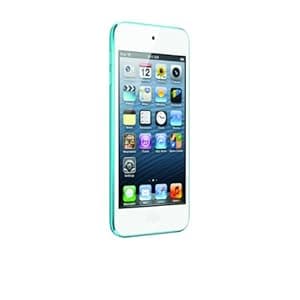 B0097BEF7M Availability: Currently unavailable Score: 6.897 Category: Electronics Rating: 4.4 Votes: 1167 Find similar productsApple iPod Touch 32GB Blue (5th Generation) Newest Model. Product description With an ultrathin design, a 4 Retina display, iTunes and the App Store, Siri, iMessage, FaceTime, Game Center, and more - it's the most fun iPod touch ever. This iPod touch features a 6mm ultrathin design and brilliant, 4 Retina display. The front-facing FaceTime HD camera lets you make video calls, record HD video, and capture self-portraits. Discover music, movies, and more from the iTunes Store, or browse apps and games from the App Store. And with iOS 6 - the world's most advanced mobile operating system - you get Siri, iMessage, Facebook integration, Game Center, and more. From the Manufacturer Engineered for maximum funness iPod touch features a 6-mm ultrathin design and brilliant, 4-inch Retina display. The 5-megapixel iSight camera lets you take stunning photos, even in panorama, or record 1080p video. Discover music, movies, and more from the iTunes Store, or browse apps and games from the App Store. And with iOS 6—the world’s most advanced mobile operating system—you get Siri, iMessage, Facebook integration, FaceTime, Game Center, and more. Now that sounds fun. Key Features Ultrathin design available in five gorgeous colors Ultrathin design available in five gorgeous colors 4-inch Retina display 4-inch Retina display Apple A5 chip Apple A5 chip 5-megapixel iSight camera with 1080p HD video recording 5-megapixel iSight camera with 1080p HD video recording FaceTime camera with 1.2-megapixel photos and 720p HD video recording FaceTime camera with 1.2-megapixel photos and 720p HD video recording iOS 6 with features like Siri, Passbook, and Facebook integration iOS 6 with features like Siri, Passbook, and Facebook integration iTunes Store with millions of songs, and thousands of movies and TV shows iTunes Store with millions of songs, and thousands of movies and TV shows App Store with more than 700,000 apps, including over 100,000 games1 App Store with more than 700,000 apps, including over 100,000 games 1 Game Center with millions of gamers Game Center with millions of gamers Free text messaging over Wi-Fi with iMessage Free text messaging over Wi-Fi with iMessage Rich HTML email and Safari web browser Rich HTML email and Safari web browser AirPlay and AirPlay Mirroring AirPlay and AirPlay Mirroring 40 hours of music playback, 8 hours of video playback2 40 hours of music playback, 8 hours of video playback 2 iPod touch loop included iPod touch loop included Apple EarPods Apple EarPods 32GB and 64GB capacities3 32GB and 64GB capacities 3 1. App count refers to the total number of apps worldwide. Not all content is available in all countries. 2. Rechargeable batteries have a limited number of charge cycles and may eventually need to be replaced. Battery life and number of charge cycles vary by use and settings. See www.apple.com/batteries for more information. 3. 1GB = 1 billion bytes; actual formatted capacity less. iPod touch 5th Generation iPod touch 4th Generation With an all-new design, 4-inch Retina display, A5 chip, 5MP iSight camera, and Siri, it’s the most fun iPod touch ever. Have fun with FaceTime HD video recording, Game Center, and iMessage all on the Retina display. Capability 5MP iSight camera, 1080p HD video recording, Siri, AirPlay Mirroring, apps, games, music, widescreen video, iMessage, FaceTime, Game Center, email, Safari web browser, Facebook and Twitter integration, Passbook, Maps 720p HD video recording, apps, games, music, video, FaceTime, Game Center, email, Safari web browser, Facebook and Twitter integration, Passbook, Maps Battery Life Audio playback: Up to 40 hoursVideo playback: Up to 8 hours Audio playback: Up to 40 hoursVideo playback: Up to 7 hours Color Black, White, Pink, Yellow, Blue White, Black In the Box Apple EarPods, Lightning to USB Cable, iPod touch loop Apple Earphones, USB Cable Capacity 32GB, 64GB 16GB, 32GB Size 4.86 x 2.31 x 0.24 inches 4.4 x 2.32 x 0.28 inches Weight 3.10 ounces 3.56 ounces Display 4-inch (diagonal) Multi-Touch Retina display 3.5-inch (diagonal) Multi-Touch Retina display AppleCare Protection Plan Every iPod comes with complimentary single-incident telephone technical support within 90 days from the date of purchase and one year of hardware service coverage. The AppleCare Protection Plan for iPod touch and iPod classic extends your service and support coverage for your iPod, its included accessories, and iTunes to two years from the original purchase date of your iPod. With this plan, you get direct access to Apple experts for answers by phone and anytime access to web-based resources. Should your iPod or the included accessories need service, Apple-authorized technicians will repair it or provide a replacement using genuine Apple parts. (For iPod nano or iPod shuffle, see this AppleCare Protection Plan .) Complimentary Coverage with the AppleCare Protection Plan Hardware Coverage 1 Year 2 Years Telephone Support 90 Days 2 Years Optional Accessories and Related Products EarPods Apple EarPods with remote and microphone are designed to rest comfortably inside, and stay inside, a variety of ear types. The audio quality is so superior, they rival high-end headphones that cost hundreds of dollars more. And you can use the improved remote to adjust volume, control music and video playback, and answer or end calls on your iPhone. Lightning to USB Cable The Apple Lightning to USB 2.0 cable connects your iPhone or iPod with Lightning connector to your computer's USB port for syncing and charging or to the Apple USB Power Adapter for convenient charging from a wall outlet. Lightning to 30-Pin Adapter The Apple Lightning to 30-pin adapter lets you connect devices with a Lightning connector to many of your 30-pin accessories.* It supports analog audio output, USB audio, syncing, and charging. Lightning to 30-Pin Adapter(.2M) The Apple Lightning to 30-pin adapter(.2M) lets you connect devices with a Lightning connector to many of your 30-pin accessories.* It supports analog audio output, USB audio, syncing, and charging. What’s in the box: Apple 32GB iPod touch (Blue) (5th Generation), Apple EarPods, iPod touch Loop, Quick Start Guide, Lightning to USB Cable and 1-Year Limited Warranty. *Some 30-pin accessories are not supported. |  B0097BEDVA Availability: Currently unavailable Score: 6.897 Category: Electronics Rating: 4.5 Votes: 5398 Find similar productsApple iPod Nano 16GB Yellow (7th Generation). From the Manufacturer The redesigned, ultraportable iPod nano now has a larger, 2.5-inch Multi-Touch display. Play your favorite songs, browse music by genre, or listen to Genius playlists and FM radio. Or watch movies and widescreen videos on the bigger screen. A perfect workout partner, iPod nano tracks your steps, your runs, and burned calories and syncs to the Nike+ website to challenge friends. And with built-in Bluetooth technology, you can wirelessly connect to speakers, headphones, or car stereos. Key Features 2.5-inch Multi-Touch color display with 240-by-432 pixel resolution 2.5-inch Multi-Touch color display with 240-by-432 pixel resolution Only 5.4-mm thin—the thinnest iPod ever Only 5.4-mm thin—the thinnest iPod ever Easy-to-use controls to quickly adjust volume, or play, pause, and change songs Easy-to-use controls to quickly adjust volume, or play, pause, and change songs Bluetooth 4.0 Bluetooth 4.0 Widescreen video Widescreen video FM radio with Live Pause FM radio with Live Pause Built-in pedometer for fitness Built-in pedometer for fitness Built-in Nike+ support for voice feedback and syncing to nikeplus.com Built-in Nike+ support for voice feedback and syncing to nikeplus.com Anodized aluminum in seven gorgeous colors Anodized aluminum in seven gorgeous colors 16GB capacity1 16GB capacity 1 Up to 30 hours of music playback2 Up to 30 hours of music playback 2 Apple EarPods Apple EarPods Works with Mac and PC Works with Mac and PC 1. GB = 1 billion bytes; actual formatted capacity less. 2. Rechargeable batteries have a limited number of charge cycles and may eventually need to be replaced. Battery life and number of charge cycles vary by use and settings. See www.apple.com/batteries for more information. AppleCare Protection Plan Every iPod comes with complimentary single-incident telephone technical support within 90 days from the date of purchase and one year of hardware service coverage. The AppleCare Protection Plan for iPod nano and iPod shuffle extends your service and support coverage for your iPod, its included accessories, and iTunes to two years from the original purchase date of your iPod. With this plan, you get direct access to Apple experts for answers by phone and anytime access to web-based resources. Should your iPod or the included accessories need service, Apple-authorized technicians will repair it or provide a replacement using genuine Apple parts. (For iPod touch or iPod classic, see this AppleCare Protection Plan .) Complimentary Coverage with the AppleCare Protection Plan Hardware Coverage 1 Year 2 Years Telephone Support 90 Days 2 Years Optional Accessories and Related Products EarPods Apple EarPods with remote and microphone are designed to rest comfortably inside, and stay inside, a variety of ear types. The audio quality is so superior, they rival high-end headphones that cost hundreds of dollars more. And you can use the improved remote to adjust volume, control music and video playback, and answer or end calls on your iPhone. Lightning to USB Cable The Apple Lightning to USB 2.0 cable connects your iPhone or iPod with Lightning connector to your computer's USB port for syncing and charging or to the Apple USB Power Adapter for convenient charging from a wall outlet. Lightning to 30-Pin Adapter The Apple Lightning to 30-pin adapter lets you connect devices with a Lightning connector to many of your 30-pin accessories.* It supports analog audio output, USB audio, syncing, and charging. Lightning to 30-Pin Adapter(.2M) The Apple Lightning to 30-pin adapter(.2M) lets you connect devices with a Lightning connector to many of your 30-pin accessories.* It supports analog audio output, USB audio, syncing, and charging. *Some 30-pin accessories are not supported. |
 B002M3SOMY Availability: Currently unavailable Score: 6.452 Category: Electronics Rating: 3.5 Votes: 33 Find similar productsApple iPod shuffle 4 GB Silver (3rd Generation) (Discontinued by Manufacturer). Amazon.com iPod shuffle is jaw-droppingly small and enormously colorful in black, silver, pink, blue, and green. And even more brilliant, the VoiceOver feature tells you what song is playing and who's performing it. It can even tell you the names of your playlists, giving you a new way to navigate your music with the controls located on the earphone cord. Clip a 2 GB or 4 GB iPod shuffle to your sleeve, running shorts, or backpack and take up to 1,000 songs wherever you go. Clip a 4 GB iPod shuffle to your sleeve, running shorts, or backpack and take up to 1000 songs wherever you go. Click to enlarge. Smaller than ever at just 1.8 x 0.7 x 0.3 inches. Click to enlarge. Set to shuffle or play in order, then control from the headphones. Click to enlarge. Even more colorful in gleaming pink, blue, green, black, or silver. Click to enlarge. iPod shuffle: The First Music Player that Talks to You The World's Smallest Music Player To create the world's smallest music player, we moved the controls from iPod shuffle to the earphone cord. This makes iPod shuffle smaller than ever, and the controls are right where you can reach them. So when you want to play, pause, or skip to the next tune, you don't have to fumble for your iPod shuffle--just follow the cord and press a button. The First Music Player that Talks to You VoiceOver will surely be the next big hit on your iPod shuffle. Say you're listening to a song and want to know the title or the artist. Just press a button, and VoiceOver tells you. You can even hear the names of your playlists. And when your battery needs charging, VoiceOver tells you that, too. Easy-Access Controls The controls are located on the right earphone cord. With command central strategically placed in this more convenient location, you can navigate your music--and activate the VoiceOver feature--without taking your eyes off your run, your ride, or whatever you're doing. iPod shuffle includes these easy-access controls, but you can also use headphones with similar controls from manufacturers like Scosche, Klipsch, V-MODA, and Belkin. Your Music Library ... to Go iPod shuffle is now available in both 2 GB and 4 GB capacities. So you have plenty of room to store hours and hours of music--up to 1,000 songs with the 4 GB model.2 That's a load of essentials for your workout or commute. And there's room for multiple playlists and audiobooks, too. Multiple Playlists You've probably made multiple playlists in iTunes. One for your commute. One for the gym. One for just chilling out. Now you can sync playlists on your computer with iPod shuffle, and play the perfect mix for your activity or mood. VoiceOver tells you the name of each playlist, so it's easy to switch between them and find the one you want without looking. Let's Talk Color The anodized aluminum enclosure makes iPod shuffle sleek and durable. It's even more colorful in gleaming pink, blue, green, black, or silver. And making its debut: the special edition iPod shuffle in polished stainless steel (Talk about rock star treatment). Even the iPod shuffle clip rocks. It attaches securely to your shirt, jacket, workout gear, and backpack, making iPod shuffle the perfect fashion tech-cessory. And yes, there's still room for personalized engraving. Multiple Languages A French love song. A Spanish bolero. An Italian cantata. Your music library has songs from all over the world. That's why VoiceOver speaks 20 different languages. So it can tell you song titles and artists in the correct languages. To Shuffle or Not to Shuffle The shuffle switch has three positions. Flip it to the left, and you'll hear your music in a refreshingly random way. Flip it to the middle, and your songs play in order. Or flip to the right to turn iPod shuffle off. What's in the Box Apple iPod shuffle 4 GB Silver (4th Generation), Earphones with Remote, iPod shuffle USB Cable (1.8 inches/45 mm), Quick Start guide. | 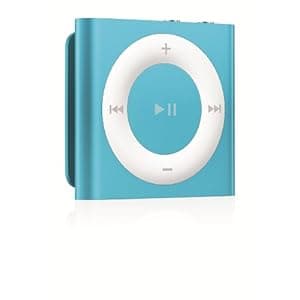 B0097BEEIW Availability: Currently unavailable Score: 6.211 Category: Electronics Rating: 4.5 Votes: 3065 Find similar productsApple iPod shuffle 2GB Blue (4th Generation). From the Manufacturer The colorful, clip-and-go iPod shuffle is perfect for every wardrobe. With built-in buttons and VoiceOver, you have access to your favorite songs, playlists, and Genius Mixes wherever you go. Beautiful and Wearable Design Sleek, anodized aluminum looks and feels solid and durable Sleek, anodized aluminum looks and feels solid and durable Eight gorgeous new colors for iPod shuffle make it the perfect fashion accessory Eight gorgeous new colors for iPod shuffle make it the perfect fashion accessory Clip it to your backpack, shirt, jacket, workout gear, or purse strap, and your music is just a tap away no matter where you go Clip it to your backpack, shirt, jacket, workout gear, or purse strap, and your music is just a tap away no matter where you go Easy-access Controls Big, clickable control pad on the front of iPod shuffle makes it easy to see and use the music controls Big, clickable control pad on the front of iPod shuffle makes it easy to see and use the music controls Flip the shuffle switch to mix it up: to the left for a random mix, to the middle to play in order, or to the right to turn iPod shuffle off Flip the shuffle switch to mix it up: to the left for a random mix, to the middle to play in order, or to the right to turn iPod shuffle off Music Library to Go With up to 15 hours of battery life and 2 GB of storage, you can have hundreds of songs at your fingertips With up to 15 hours of battery life and 2 GB of storage, you can have hundreds of songs at your fingertips VoiceOver VoiceOver can tell you the title, artist, playlist name, and battery status VoiceOver can tell you the title, artist, playlist name, and battery status Supports 29 languages and can tell you song titles and artists in their native tongue Supports 29 languages and can tell you song titles and artists in their native tongue AppleCare Protection Plan Every iPod comes with complimentary single-incident telephone technical support within 90 days from the date of purchase and one year of hardware service coverage. The AppleCare Protection Plan for iPod nano and iPod shuffle extends your service and support coverage for your iPod, its included accessories, and iTunes to two years from the original purchase date of your iPod. With this plan, you get direct access to Apple experts for answers by phone and anytime access to web-based resources. Should your iPod or the included accessories need service, Apple-authorized technicians will repair it or provide a replacement using genuine Apple parts. (For iPod touch or iPod classic, see this AppleCare Protection Plan .) Complimentary Coverage with the AppleCare Protection Plan Hardware Coverage 1 Year 2 Years Telephone Support 90 Days 2 Years Optional Accessories and Related Products EarPods Apple EarPods with remote and microphone are designed to rest comfortably inside, and stay inside, a variety of ear types. The audio quality is so superior, they rival high-end headphones that cost hundreds of dollars more. And you can use the improved remote to adjust volume, control music and video playback, and answer or end calls on your iPhone. Lightning to USB Cable The Apple Lightning to USB 2.0 cable connects your iPhone or iPod with Lightning connector to your computer's USB port for syncing and charging or to the Apple USB Power Adapter for convenient charging from a wall outlet. Lightning to 30-Pin Adapter The Apple Lightning to 30-pin adapter lets you connect devices with a Lightning connector to many of your 30-pin accessories.* It supports analog audio output, USB audio, syncing, and charging. Lightning to 30-Pin Adapter(.2M) The Apple Lightning to 30-pin adapter(.2M) lets you connect devices with a Lightning connector to many of your 30-pin accessories.* It supports analog audio output, USB audio, syncing, and charging. What’s in the box: iPod shuffle Apple Earphones USB Cable Quick Start guide *Some 30-pin accessories are not supported. |
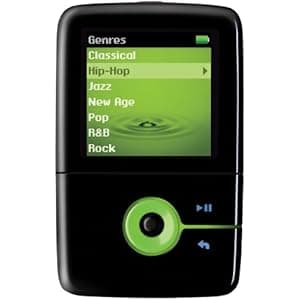 B00XIC082M Availability: Currently unavailable Score: 6.061 Category: Electronics Rating: 3.7 Votes: 238 Find similar productsCreative Zen V Plus 2 GB Portable Media Player (Black/Green). Product Description The ZEN V Plus player was designed for people like youthose who walk a step or two ahead of the pack. So do not be surprised when people take notice of your cool, colorful music, photo and video player. Tell them you carry up to 2,000 songs with you. Tell them you can watch video on the go. Show them just a handful of the photos youve stored on the pocket sized powerhouse. And tell them there is even more but they will have to get their own. Amazon.com Amazon.com Product Description With a tiny, eye-catching design, smooth contours, and a discreet size, the Creative Zen V Plus 2 GB Portable Media Player fits perfectly in your palm and slides effortlessly into your smallest pocket. With 2 GB of storage space, A 1.5-inch OLED screen displays rich and vibrant photos, as well as the easy-to-use Creative interface. View all Zen V Plus features . Not much bigger than a pair of earbuds! (black and orange model shown) See the Zen V Plus in 3D . the Zen V Plus holds up to 1,000 songs, and the 1.5-inch OLED screen displays rich and vibrant photos, full-color menus, and album art at any viewing angle. Another great feature built right into the Zen V Plus is the tiny device's ability to support subscription services and pay-per-download music. Plus, you'll never sweat formats--the Zen V Plus plays the broadest selection of MP3 and WMA music. And browsing your music collection has never been easier with Creative's innovative interface that enables effective and intuitive navigation and track selection. The Plus has an extra feature that it's predecessor lacked: the ability to play short video clips. With the Zen V Plus you can watch short clips in transcoded video format and impress your friends with the latest tidbits from the web or a brief glimpse of a home video. Another great features is the Direct CD Recording function that allows you to record songs directly from a CD player or other audio source without using a PC as an intermediary. You no longer need to burn CDs to your PC then download to your MP3 player. Just connect an audio device directly to your Zen V Plus, and record your favorite CDs, records, beats and more, directly from the source. Meanwhile, automatic track detection separates each song for you--a handy feature when you're converting analog (records and cassette tapes) to digital. If organization is a high priority, the Zen V Plus's Personal Organizer will help you stay connected and in-sync with your Microsoft Outlook information. Just connect the Zen V Plus to your PC, sync your Outlook information, and you'll be ready to carry around your contacts, calendar, and to-do lists right in your pocket. Plus, the Zen V Plus uses a handy built-in microphone to double as a voice recorder, so you can capture notes, record lectures, and more. No matter how you hold it, the Zen V Plus is just the right size. Creative knows that sporty is sexy, and this player is ideal for any workout junkie. The skip-free playback is perfect on your morning jog or your most rigorous workout at the gym. The optional armband and case fit comfortably on your arm and keep your Zen V Plus safe and secure while running or lifting. The Zen V Plus player was designed for people who appreciate style and function. Don't be surprised when people take notice of your cool, colorful music and photo player. You can proudly announce that your device carries up to 1,000 songs, and you can show off your favorite photos and video clips that you've stored on this pocket-sized powerhouse. What's in the Box Creative Zen V Plus, earphones, drawstring pouch, lanyard, USB 2.0 cable, line-in cable, neck strap, installation CD including user manual, and quick start guide. | 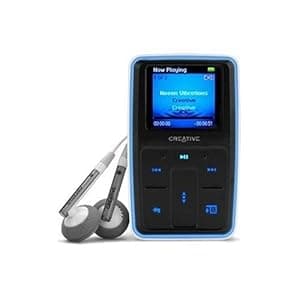 B000BM6Z60 Availability: Currently unavailable Score: 5.848 Category: Electronics Rating: 3 Votes: 31 Find similar productsCreative Zen Micro Photo 8 GB MP3 Player Black. Product description Includes: high fidelity Creative earphones with dynamic bass response, USB 2.0 cable, removable rechargeable lithium ion battery, pouch, & more. Creative Labs Zen Micro Photo 8GB - The Zen Micro Photo is an extremely portable digital audio device, with the ability to display photos and slide shows. The photos and audio information are viewed on a 1.5, first-of-its-kind, OLED display. OLED technology provides you with a host of benefits when compared to basic LCD displays. OLED can be viewed easily from any angle and in sunlight. It also supports an impressive 262,144 colors - 4 times as many as the current iPod Photo!! Giving you menus in wild and bright colors, and photos that are incredibly sharp, detailed and extraordinarily clear! Photo Album & Slide Show Modes Supports MP3 & WMA Audio Formats Supports the JPG Photo Format Zen Blue Glow - the controls illuminate with a vivid blue every time you use it Vertical Touch Pad makes navigation extremely easy Micro-sized and curved to fit into your hand more comfortably Removable and Rechargeable 15-Hour Battery FM Radio & Recorder 32 Preset Stations Integrated Voice Recorder Organizer Syncs with Microsoft Outlook Contacts, Calendar, & Tasks 8 Preset EQ Settings Color - Black Amazon.com The micro-sized, coolly styled Zen Micro Photo digital audio player/photo viewer enables you to watch slide shows of your favorite digital images on its stunning, high-intensity 1.5-inch OLED screen while listening to an MP3 or WMA soundtrack. This 8 GB player in black can hold up to 10,000 JPEG images or 4,000 songs. It's also nicely compact, measuring just 3.25 x 2 x 0.7 inches (HxWxD) and weighing under 4 ounces. The Zen Micro Photo's vibrant, cutting edge OLED (Organic Light Emitting Diode) screen looks terrific and draws less power than conventional LCD displays. It displays 262,144 vivid colors, ensuring every picture is sharply detailed and extraordinarily clear. Using revolutionary display technology, you can now view photos from any angle. The vertical touch pad makes navigation easy, and the micro-sized player is offers a curved design to fit ergonomically in your hand. The intuitive menus in wild, bright colors makes navigating through those 4000 songs and tons of photos easy and fun. It's compatible with MP3, WMA, Janus, WAV, IMA ADPCM digital audio files (including DRM protected Plays For Sure WMA files from online stores and subscriber services) as well as JPEG image files. Its 8 GB capacity will store up to 4,000 (266 hours) of WMA files (encoded at 64 kbps) or 2,000 (133 hours) of MP3 songs (encoded at 128 kbps). This player also features a built-in FM radio with 32 preset stations and the ability to record directly off the radio, enabling you to capture your favorite songs and live radio interviews. The integrated microphone and voice recorder feature enables you to record short notes to yourself as well as important meetings and lectures. Choose from the Zen Micro Photo's custom EQ or eight pre-loaded EQ settings: Acoustic, Classical, Disco, New Age, Vocal, Pop, Rock, and Jazz. Working perfectly with Microsoft Outlook, you can now organize appointments, business contacts, or even wake up to your favorite song. Additionally, the Zen Micro Photo can be used as a USB mass storage unit, allowing you to safely store your important presentations and documents and transfer them to another PC. The included removable, rechargeable Li-ion battery provides up to 15 hours of continuous playback time, and it can be charged via a USB connection to your computer or the included USB travel charger. The Zen Micro Photo works with many online subscription and pay-per-download music services such as Yahoo! Music Unlimited and Napster To Go. The PlaysForSure designation ensures compatibility with Windows Media Player 10 and Windows XP. What's in the Box 8 GB Zen Micro Photo (black), high-fidelity earphones with dynamic bass response, removable rechargeable Li-ion battery, USB 2.0 cable, pouch, installation CD-ROM, printed Quick Start Guide. |
 B0885VR6XY Price: $142 Score: 5.747 Category: Electronics Rating: 3.4 Votes: 71 Find similar productsM-Player iPod Nano 3rd Generation (8GB, RED). Mp3 Player with internal storage capacity. | 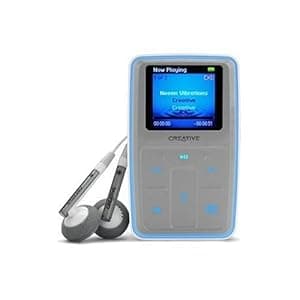 B000BM6Z56 Availability: Currently unavailable Score: 5.650 Category: Electronics Rating: 3.3 Votes: 185 Find similar productsCreative Labs 70PF165000000 Zen MicroPhoto 8 GB MP3 Player (Titanium Gray). Product description Creative Labs (70PF165000000) Zen Micro Photo 8GB Grey Amazon.com The micro-sized, coolly styled Zen MicroPhoto digital audio player/photo viewer enables you to watch slide shows of your favorite digital images on its stunning, high-intensity 1.5-inch OLED screen while listening to an MP3 or WMA soundtrack. This 8 GB player in titanium gray can hold up to 10,000 JPEG images or 4,000 songs. It's also nicely compact, measuring just 2 x 3.25 x 0.7 inches (WxHxD) and weighing under four ounces. View the stunning, high-intensity 1.5-inch OLED screen from any angle. The MicroPhoto 8 GB player holds up to 10,000 images or 4,000 songs. View larger . See the Zen MicroPhoto in 3D . The Zen MicroPhoto's vibrant, cutting edge OLED (Organic Light Emitting Diode) screen looks terrific and draws less power than conventional LCD displays. It displays 262,144 vivid colors, ensuring every picture is sharply detailed and extraordinarily clear. Using revolutionary display technology, you can now view photos from any angle. The vertical touch pad makes navigation easy, and the micro-sized player is offers a curved design to fit ergonomically in your hand. The intuitive menus in wild, bright colors makes navigating through those 4000 songs and tons of photos easy and fun. It's compatible with MP3, WMA, Janus, WAV, IMA ADPCM digital audio files (including DRM protected Plays For Sure WMA files from online stores and subscriber services) as well as JPEG image files. Its 8 GB capacity will store up to 4,000 (266 hours) of WMA files (encoded at 64 kbps) or 2,000 (133 hours) of MP3 songs (encoded at 128 kbps). This player also features a built-in FM radio with 32 preset stations and the ability to record directly off the radio, enabling you to capture your favorite songs and live radio interviews. The integrated microphone and voice recorder feature enables you to record short notes to yourself as well as important meetings and lectures. Choose from the Zen MicroPhoto's custom EQ or eight pre-loaded EQ settings: Acoustic, Classical, Disco, New Age, Vocal, Pop, Rock, and Jazz. Working perfectly with Microsoft Outlook, you can now organize appointments, business contacts, or even wake up to your favorite song. Additionally, the Zen MicroPhoto can be used as a USB mass storage unit, allowing you to safely store your important presentations and documents and transfer them to another PC. The included removable, rechargeable Li-ion battery provides up to 15 hours of continuous playback time, and it can be charged via a USB connection to your computer or the included USB travel charger. Take a closer look at all the Zen MicroPhoto features . The Zen MicroPhoto uses PlaysForSure technology. Look for the PlaysForSure logo if you're shopping for a portable music or video device and you want to make sure the digital music and video you purchase will play back on it every time. Match the PlaysForSure logo on a large selection of leading devices and online music stores. If you see the logo, you'll know your digital music will play for sure. Choose from a large number of digital music and video stores, including MTV's Urge, Rhapsody, Yahoo!, MSN Music, MusicMatch, MusicNow, Napster, Wal-Mart Music Downloads, and many more. What's in the Box 8 GB Zen MicroPhoto (titanium gray), high-fidelity earphones with dynamic bass response, removable rechargeable Li-ion battery, USB 2.0 cable, pouch, installation CD-ROM, and printed Quick Start Guide. |