E-commerce Search Demo
AI Assisted Filters
Parameters
Query:
Category filters: All
AI Assist: ON
Page: 1
Products
Time taken: 3 Max score: 1000.000 Total hits: 100 Full time: 0.0 s
Showing 1-10 of 100 products
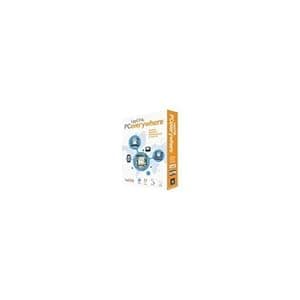 B003JLQL6Y Availability: Currently unavailable Score: 1000.000 Category: Electronics Rating: 1 Votes: 1 Find similar productsLAPLINK EVERYWHERE (WIN XPVISTAWIN 7). Stay connected anytime anywhere! Enjoy fast simple and secure remote access to your PC from anywhere using a web browser on any web-enabled device. Access your PC from another PC Smartphone iPhone Mac or a Wii ! If you can access the inter you can access your PC using Laplink PCeverywhere .Use the Laplink Toolbar for instant one-click access to your remote PC use your Smartphone to search your remote PCs and send files and email or us a web browser to securely connect to any of your PCs using the same technology. That s Laplink PCeverywhere!Format: WIN XPVISTAWIN 7 Genre: UTILITIES Age: 048296308233 UPC: 048296308233 Manufacturer No: PAFGLLE105000P0RTP. | 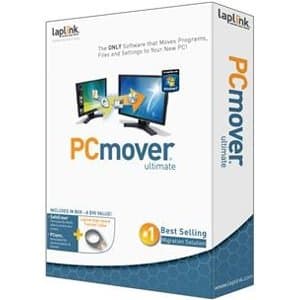 B004KZJ2VE Availability: Currently unavailable Score: 5.587 Category: Electronics Rating: 2.7 Votes: 4 Find similar productsLaplink PCMover Ultimate Software. The ONLY software that moves programs, files, and settings to your new pc. |
 B002URQ3HU Availability: Currently unavailable Score: 5.348 Category: Electronics Rating: 3 Votes: 3 Find similar productsDelorme Street Atlas USA 2010 Map Software. Ideal for Laptops, Netbooks, Phones and GPSProduct InformationStreet Atlas USA 2010 DVD puts you in complete control, unlike online mapping sites and other mapping software. Plan perfect trips by generating automatic routes, selecting precisely the roads you want to take along the way. See time and mileage differences selecting among alternate routes. Add your own new local roads to planned developments and include in your routes and directions. Select from four million places of interest (no Web connection needed). Plan the perfect trip every time and navigate worry-free with Street Atlas USA 2010.Product HighlightsDetailed highway and street detail for the U.S. and Canada, highway detail for Mexico.Always have the map you need as you travel. NoWi-Fi? No phone service? No problem! View high-resolution aerial imageryUse draw tools to add customized detailPre-plan your trips with automatic routing and access to over 4 million places of interest User controls let you plan side trips, avoid congested areas, choose back roads, more Locate restaurants, lodgings, attractions, truck stops, and businesses of all kindsCalculate your fuel usage and costsPrint a variety of map package, including turn details, auto-club-style strip maps, and more.MapShare - send maps, routes, directions, and notes to others via a secure Web linkGPS Ready! Connect a DeLorme Earthmate or other GPS to your laptop and: Hear spoken directions, issue voice commands, get large on-screen directionsTrack your travels in NavMode, with large, easily accessible user controls and optional 3-D perspectiveUse intelligent new E-Z Nav wizard to streamline your routing while on the goNew FeaturesE-Z Nav Route WizardIt makes on-the-go searching and GPS routing quicker and significantly streamlines the process. Users choose from among common travel categories and drill down to select the location they want from an easy-to-read icon-b. |  B0067STH1C Availability: Currently unavailable Score: 5.000 Category: Electronics Rating: 3.2 Votes: 6 Find similar productsABBYY SCREENSHOT READER (WIN 2000XPVISTAWIN 7). ABBYY Screenshot Reader creates copies of images which you can easily cut and paste from your clipboard to Microsoft Word Excel PowerPoint or graphic files. You can use Screenshot Reader to select and copy pieces of text from images flash files PDFs and other image-based files and convert them into true text which you can edit or insert into another document.Key Features: Capture a part of the screen and save or share Send a screenshot of an error message Insert a screen image in a presentation report etc. Use screenshots to pile instructions and guides Insert information into a report Easily print driving directions Save lists from a website into an Excel file Cut out a piece of text from a graphic fileSystem Requirements: Win XP SP2/Vista/7/2000 SP4/Server 2003/Server 2008/Server 2008 R2 1GHz processor or better 512 MB free disk space up to 512 MB RAM Format: WIN 2000XPVISTAWIN 7 Genre: PRODUCTIVITY Age: 694976015009 UPC: 694976015009 Manufacturer No: FRLSSRFWB. |
 B07L3DT86R Availability: Currently unavailable Score: 4.902 Category: Electronics Rating: 4.1 Votes: 28 Find similar productsWINGONEER Compatible Atmel at AVR ISP MK2 MKII ATMEL AVR Programmer USB AVRISP XPII in-System Programmer Supports AVR Studio 4/5/6/7. Compatible Atmel AT AVR ISP MK2 MKII ATMEL AVR Programmer USB AVRISP XPII In-System Programmer Supports AVR Studio 4/5/6/7 Support WIN10, but when you use WIN10, please download AVR Studio >7 1. Supports all AVR devices with ISP or PDI interface, and certain 51 Devices2. Programs both Flash and EEPROM3. Supports Fuses and Lock Bit Programming4. Based on AT AVRISP mkII firmware5. Upgradable to support future devices6. Adjustable ISP programming speed up to 8M frequency7. USB 2.0 compliant (full speed, 12Mbps)8. 3 optional cables to target board9. Powered from USB bus, does not require external power supply Supported software 1. AVR Studio 6 or WINAVR(GCC) is used as front-end software2. Supports the program files generated by IAR, ICCAVR, CVAVR Supported Device 1. USB AVRISP MKII supports all AVR devices with ISP and PDI Interface. Support for new devices will be added with new versions of AVR Studio.2. Supports AT86RF401/AT89S51/AT89S52 Package Contains: 1x Programmer1x USB Cable1x Adapter 6-pin to 10-pin. | 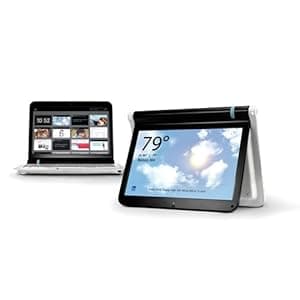 B002QALZ9W Availability: Currently unavailable Score: 4.902 Category: Electronics Rating: 3.3 Votes: 7 Find similar productsLitl Webbook |Internet Computer for the Home. The litl webbook gets you online and more. It's an internet computer that works great with your favorite websites. But, the litl also flips over to create a new view of the web. Our intuitive interface and no-maintenance approach make it simple and carefree. Easy to use The litl is made for everyone in the family. Just point and click. We've removed all the computery stuff between you and the web - no tabs, menus, icons, or folders. The litl maintains itself. It handles updates, patches, plug-ins, and fixes, automatically. You get maintenance-free computing and new features for the life of your computer at no additional cost. Big fun Photos The litl is designed to stream photos and display them on the kitchen counter, the bookshelf, the nightstand…you get the picture. When the litl is in easel mode it bends over backward like an easel and takes up little space. HDMI-equipped Here's a screen that everyone can view at once by connecting conveniently to the big TV screen in front of your couch. Enjoy larger than life photos and videos. Use the optional remote to flip through your favorite channels. Channels We take content from your favorite sites such as ESPN, Weather .com, and Facebook and deliver channels that watch like TV. Use the litl's convenient wheel design or remote control to quickly flip through your litl channels. Buzz about the litl webbook Litl rejects three decades of convention and makes the web, not the computer and all its software and operating-system encrustations, into the real show. - Xconomy The Litl netbook rethinks interface design, and boasts pitch-perfect design details. - Fast Company Makes computing easy for the whole family-including the grandparents. - Trendhunter. |
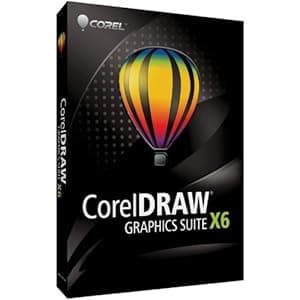 B007OWXC5W Availability: Currently unavailable Score: 4.878 Category: Electronics Rating: 4.6 Votes: 5 Find similar productsCORELDRAW GRAPHICS SUITE X6 EN MB (WIN XPVISTAWIN 7). Whether you re an aspiring or experienced designer CorelDRAW Graphics Suite X6 is your trusted graphic design software solution. With its content-rich environment and professional graphic design photo editing and website design software you have everything you need to express your style and creativity with endless possibilities. Quickly feel at home with built-in help training videos and professionally designed templates. Then create with confidence everything from distinctive logos and signs to custom websites web graphics billboards car wraps and flyers! This latest version offers a powerful new typography engine intuitive website design software advanced OpenType support new document styles and much more. Show your true design style!Key Features and Benefits: Set up and start smoothly - Easily find all the learning tools you need to start smoothly and design with confidence. Sharpen your design knowledge with valuable video tutorials a hints docker with videos and tips insights from experts and an inspiring guidebook. Corel CONNECTTM now features multiple trays to help you sort and organize your design assets more efficiently. Instantly find content on your puter or local work and selected websites using Corel CONNECT. Choose from a wealth of professional digital content that gives you a head start on all types of creative deliverables from business cards to flyers. Work faster and more efficiently - Quickly identify available formatting options or remove unwanted areas in photos utilizing several workflow innovations that help you bee more efficient and productive. Take advantage of the new 64-bit and multi-core support to quickly process larger files and images and enjoy a more responsive puter system. Use Styles to give a consistent appearance to your drawings documents and text. Edit your Styles once and have changes automatically applied throughout your document. The new Object Styles docker centralizes style creation and management putting all. | 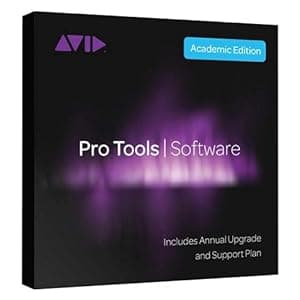 B07L9J7LHJ Availability: Currently unavailable Score: 4.854 Category: Electronics Rating: 1 Votes: 3 Find similar productsPro Tools Annual Subscription - Activation Card. Pro Tools, Sibelius, and reason are now available as downloadable codes through the virtual music software Vault dealer program. These industry leading programs, along with dozens of other items, can you give you an instant boost in business. Offer your customers This convenient option. Sign up Now to access codes and start getting that part of the recording sale. All upgrades that happen in the 12 months after registration come at no additional charge. Here are the upgrades from the first 6 months - with more to come. 12. 0: improved I/O setup and monitoring/auto down-mixing, unlimited busses, in-app plug-in purchases and rentals, stability improvements. 12. 1: increased track count (128 audio, 512 instrument), track input monitoring, AFL/PFL solo modes, copy to send, Pro Tools | Control support, support for Pro Tools | S3 VCA spill. 12. 2: VCA masters, disk Cache, advanced metering, gain reduction metering, and new all access plans, including bonus plug-ins (see sidebar) 12. 3: track commit and track bounce workflows, clip transparency, batch fade enhancements and shortcuts, audio suite pitch II. Recently a 12. 4 upgrade was announced that includes the highly anticipated track freeze function which compliments the track commit workflows from 12. 3. |
 B0039L6FO2 Availability: Currently unavailable Score: 4.831 Category: Electronics Rating: 3.2 Votes: 9 Find similar productsMicrosoft PowerPoint Home and Student 2010 3PC. Product description PowerPoint Home and Stud 2010 Amazon.com Microsoft PowerPoint 2010 gives you more ways to create and share dynamic presentations with your audience than ever before. Exciting new audio and visual capabilities help you tell a crisp, cinematic story that's as easy to create as it is powerful to watch. In addition, PowerPoint 2010 enables you to work simultaneously with other people or post your presentation online and access it from virtually anywhere using the Web or your smartphone. 1 Create extraordinary presentations PowerPoint 2010 delivers new and improved tools to add power to your presentations. Embed and edit video from within PowerPoint. Now you can add fades, formatting effects, bookmark scenes, and trim videos to give your presentations a professional multimedia experience. And since the embedded videos become part of your PowerPoint presentation, you don't have to manage additional files when sharing with others. Use new and improved picture editing tools--including versatile artistic effects and advanced correction, color, and cropping tools--to fine-tune every picture in your presentation to look its absolute best. Add dynamic 3-D slide transitions and more realistic animation effects to grab your audience's attention. Manage presentations with tools that save time and simplify your work It's much easier to create and manage presentations when you can work the way you want. Compress video and audio in your presentation to reduce file size for easy sharing and improved playback performance. The option to compress media is just one of many new features available from the new Microsoft Office Backstage view. Backstage view replaces the traditional File menu in all Office 2010 applications to provide a centralized, organized space for all of your presentation management tasks. Easily customize the improved Ribbon to make the commands you need most accessible. Create custom tabs or even customize built-in tabs. With PowerPoint 2010, you're in control. Work together more successfully If you are one of the many people who work with others on presentations and projects, PowerPoint 2010 is the perfect tool for you. Broadcast your slide show to people in other locations, whether or not they have PowerPoint installed.2 Create a video of your presentation--including your transitions, animations, narration, and timings--to share with virtually anyone, any time after your live broadcast. Use new co-authoring capabilities to edit the same presentation, at the same time, with people in different locations. You can even communicate as you work, directly from PowerPoint.3,4If you work in a company running Microsoft SharePoint Foundation 2010, this functionality can be used within the firewall. With Office Communicator now integrated throughout several Office 2010 applications, you can view presence information to see the availability of other authors and initiate instant message or voice calls directly within PowerPoint. If you're in a small company or using PowerPoint for home or school work, you can take advantage of co-authoring features through Windows Live. All you need is a free Windows Live account to simultaneously edit presentations with others. An instant messenger account (such as the free Windows Live Messenger) is required to view presence of authors and start an instant messaging conversation. Access and share your content from more places Your ideas, deadlines, projects, and work emergencies don't always occur conveniently when you are at your desk. Fortunately, you now have the power to get things done when and where you need to, from the Web or even from your smartphone.1Microsoft PowerPoint Web App is an online companion to Microsoft PowerPoint which enables you to extend your PowerPoint experience to the browser. View a high fidelity version of your presentations, make light edits, or view your presentation slide show. Use the familiar PowerPoint interface and some of the same formatting and editing tools, from almost any computer with a Web browser.3Microsoft PowerPoint Mobile 2010 enables you to do light editing for your presentations and is especially designed for easy use on your Windows phone. You can even run your slide show right on your phone.5 Whether you're creating the pitch of your career, working with a team on an important presentation, or getting work done on the run, PowerPoint 2010 gives you the power to work more easily and with more flexibility to accomplish your goals. 1 Web and smartphone access require an appropriate device and some functionality requires an Internet connection. Web functionality uses Office Web Apps, which require a supported Internet Explorer, Firefox, or Safari browser and either SharePoint Foundation 2010 or a Windows Live ID. Some mobile functionality requires Office Mobile 2010 which is not included in Office 2010 applications, suites, or Office Web Apps. There are some differences between the features of the Office Web Apps, Office Mobile 2010 and the Office 2010 applications. 2 Requires Microsoft SharePoint Foundation 2010 or a Windows Live ID. To broadcast via SharePoint 2010, Office Web Apps must be installed. 3 Requires Microsoft SharePoint Foundation 2010 or a Windows Live ID. 4 Instant messaging and presence requires one of the following: Microsoft Office Communications Server 2007 R2 with Microsoft Office Communicator 2007 R2; Windows Live Messenger, or another instant messaging application that supports IMessenger. Voice calls require Office Communications Server 2007 R2 with Office Communicator 2007 R2 or later or an instant messaging application that supports IMessengerAdvanced. 5 PowerPoint Mobile 2010 is not included in the Office 2010 applications or suites. Embed and edit video from within PowerPoint. Now you can add fades, formatting effects, bookmark scenes, and trim videos to give your presentations a professional multimedia experience. And since the embedded videos become part of your PowerPoint presentation, you don't have to manage additional files when sharing with others. Use new and improved picture editing tools--including versatile artistic effects and advanced correction, color, and cropping tools--to fine-tune every picture in your presentation to look its absolute best. Use new and improved picture editing tools--including versatile artistic effects and advanced correction, color, and cropping tools--to fine-tune every picture in your presentation to look its absolute best. Add dynamic 3-D slide transitions and more realistic animation effects to grab your audience's attention. Manage presentations with tools that save time and simplify your work It's much easier to create and manage presentations when you can work the way you want. Compress video and audio in your presentation to reduce file size for easy sharing and improved playback performance. The option to compress media is just one of many new features available from the new Microsoft Office Backstage view. Backstage view replaces the traditional File menu in all Office 2010 applications to provide a centralized, organized space for all of your presentation management tasks. Easily customize the improved Ribbon to make the commands you need most accessible. Create custom tabs or even customize built-in tabs. With PowerPoint 2010, you're in control. Work together more successfully If you are one of the many people who work with others on presentations and projects, PowerPoint 2010 is the perfect tool for you. Broadcast your slide show to people in other locations, whether or not they have PowerPoint installed.2 Create a video of your presentation--including your transitions, animations, narration, and timings--to share with virtually anyone, any time after your live broadcast. Use new co-authoring capabilities to edit the same presentation, at the same time, with people in different locations. You can even communicate as you work, directly from PowerPoint.3,4If you work in a company running Microsoft SharePoint Foundation 2010, this functionality can be used within the firewall. With Office Communicator now integrated throughout several Office 2010 applications, you can view presence information to see the availability of other authors and initiate instant message or voice calls directly within PowerPoint. If you're in a small company or using PowerPoint for home or school work, you can take advantage of co-authoring features through Windows Live. All you need is a free Windows Live account to simultaneously edit presentations with others. An instant messenger account (such as the free Windows Live Messenger) is required to view presence of authors and start an instant messaging conversation. Access and share your content from more places Your ideas, deadlines, projects, and work emergencies don't always occur conveniently when you are at your desk. Fortunately, you now have the power to get things done when and where you need to, from the Web or even from your smartphone.1Microsoft PowerPoint Web App is an online companion to Microsoft PowerPoint which enables you to extend your PowerPoint experience to the browser. View a high fidelity version of your presentations, make light edits, or view your presentation slide show. Use the familiar PowerPoint interface and some of the same formatting and editing tools, from almost any computer with a Web browser.3Microsoft PowerPoint Mobile 2010 enables you to do light editing for your presentations and is especially designed for easy use on your Windows phone. You can even run your slide show right on your phone.5 Whether you're creating the pitch of your career, working with a team on an important presentation, or getting work done on the run, PowerPoint 2010 gives you the power to work more easily and with more flexibility to accomplish your goals. 1 Web and smartphone access require an appropriate device and some functionality requires an Internet connection. Web functionality uses Office Web Apps, which require a supported Internet Explorer, Firefox, or Safari browser and either SharePoint Foundation 2010 or a Windows Live ID. Some mobile functionality requires Office Mobile 2010 which is not included in Office 2010 applications, suites, or Office Web Apps. There are some differences between the features of the Office Web Apps, Office Mobile 2010 and the Office 2010 applications. 2 Requires Microsoft SharePoint Foundation 2010 or a Windows Live ID. To broadcast via SharePoint 2010, Office Web Apps must be installed. 3 Requires Microsoft SharePoint Foundation 2010 or a Windows Live ID. 4 Instant messaging and presence requires one of the following: Microsoft Office Communications Server 2007 R2 with Microsoft Office Communicator 2007 R2; Windows Live Messenger, or another instant messaging application that supports IMessenger. Voice calls require Office Communications Server 2007 R2 with Office Communicator 2007 R2 or later or an instant messaging application that supports IMessengerAdvanced. 5 PowerPoint Mobile 2010 is not included in the Office 2010 applications or suites. Add dynamic 3-D slide transitions and more realistic animation effects to grab your audience's attention. Manage presentations with tools that save time and simplify your work It's much easier to create and manage presentations when you can work the way you want. Compress video and audio in your presentation to reduce file size for easy sharing and improved playback performance. The option to compress media is just one of many new features available from the new Microsoft Office Backstage view. Backstage view replaces the traditional File menu in all Office 2010 applications to provide a centralized, organized space for all of your presentation management tasks. Easily customize the improved Ribbon to make the commands you need most accessible. Create custom tabs or even customize built-in tabs. With PowerPoint 2010, you're in control. Work together more successfully If you are one of the many people who work with others on presentations and projects, PowerPoint 2010 is the perfect tool for you. Broadcast your slide show to people in other locations, whether or not they have PowerPoint installed.2 Create a video of your presentation--including your transitions, animations, narration, and timings--to share with virtually anyone, any time after your live broadcast. Use new co-authoring capabilities to edit the same presentation, at the same time, with people in different locations. You can even communicate as you work, directly from PowerPoint.3,4If you work in a company running Microsoft SharePoint Foundation 2010, this functionality can be used within the firewall. With Office Communicator now integrated throughout several Office 2010 applications, you can view presence information to see the availability of other authors and initiate instant message or voice calls directly within PowerPoint. If you're in a small company or using PowerPoint for home or school work, you can take advantage of co-authoring features through Windows Live. All you need is a free Windows Live account to simultaneously edit presentations with others. An instant messenger account (such as the free Windows Live Messenger) is required to view presence of authors and start an instant messaging conversation. Access and share your content from more places Your ideas, deadlines, projects, and work emergencies don't always occur conveniently when you are at your desk. Fortunately, you now have the power to get things done when and where you need to, from the Web or even from your smartphone.1Microsoft PowerPoint Web App is an online companion to Microsoft PowerPoint which enables you to extend your PowerPoint experience to the browser. View a high fidelity version of your presentations, make light edits, or view your presentation slide show. Use the familiar PowerPoint interface and some of the same formatting and editing tools, from almost any computer with a Web browser.3Microsoft PowerPoint Mobile 2010 enables you to do light editing for your presentations and is especially designed for easy use on your Windows phone. You can even run your slide show right on your phone.5 Whether you're creating the pitch of your career, working with a team on an important presentation, or getting work done on the run, PowerPoint 2010 gives you the power to work more easily and with more flexibility to accomplish your goals. 1 Web and smartphone access require an appropriate device and some functionality requires an Internet connection. Web functionality uses Office Web Apps, which require a supported Internet Explorer, Firefox, or Safari browser and either SharePoint Foundation 2010 or a Windows Live ID. Some mobile functionality requires Office Mobile 2010 which is not included in Office 2010 applications, suites, or Office Web Apps. There are some differences between the features of the Office Web Apps, Office Mobile 2010 and the Office 2010 applications. 2 Requires Microsoft SharePoint Foundation 2010 or a Windows Live ID. To broadcast via SharePoint 2010, Office Web Apps must be installed. 3 Requires Microsoft SharePoint Foundation 2010 or a Windows Live ID. 4 Instant messaging and presence requires one of the following: Microsoft Office Communications Server 2007 R2 with Microsoft Office Communicator 2007 R2; Windows Live Messenger, or another instant messaging application that supports IMessenger. Voice calls require Office Communications Server 2007 R2 with Office Communicator 2007 R2 or later or an instant messaging application that supports IMessengerAdvanced. 5 PowerPoint Mobile 2010 is not included in the Office 2010 applications or suites. Compress video and audio in your presentation to reduce file size for easy sharing and improved playback performance. The option to compress media is just one of many new features available from the new Microsoft Office Backstage view. Backstage view replaces the traditional File menu in all Office 2010 applications to provide a centralized, organized space for all of your presentation management tasks. Easily customize the improved Ribbon to make the commands you need most accessible. Create custom tabs or even customize built-in tabs. With PowerPoint 2010, you're in control. Work together more successfully If you are one of the many people who work with others on presentations and projects, PowerPoint 2010 is the perfect tool for you. Broadcast your slide show to people in other locations, whether or not they have PowerPoint installed.2 Create a video of your presentation--including your transitions, animations, narration, and timings--to share with virtually anyone, any time after your live broadcast. Use new co-authoring capabilities to edit the same presentation, at the same time, with people in different locations. You can even communicate as you work, directly from PowerPoint.3,4If you work in a company running Microsoft SharePoint Foundation 2010, this functionality can be used within the firewall. With Office Communicator now integrated throughout several Office 2010 applications, you can view presence information to see the availability of other authors and initiate instant message or voice calls directly within PowerPoint. If you're in a small company or using PowerPoint for home or school work, you can take advantage of co-authoring features through Windows Live. All you need is a free Windows Live account to simultaneously edit presentations with others. An instant messenger account (such as the free Windows Live Messenger) is required to view presence of authors and start an instant messaging conversation. Access and share your content from more places Your ideas, deadlines, projects, and work emergencies don't always occur conveniently when you are at your desk. Fortunately, you now have the power to get things done when and where you need to, from the Web or even from your smartphone.1Microsoft PowerPoint Web App is an online companion to Microsoft PowerPoint which enables you to extend your PowerPoint experience to the browser. View a high fidelity version of your presentations, make light edits, or view your presentation slide show. Use the familiar PowerPoint interface and some of the same formatting and editing tools, from almost any computer with a Web browser.3Microsoft PowerPoint Mobile 2010 enables you to do light editing for your presentations and is especially designed for easy use on your Windows phone. You can even run your slide show right on your phone.5 Whether you're creating the pitch of your career, working with a team on an important presentation, or getting work done on the run, PowerPoint 2010 gives you the power to work more easily and with more flexibility to accomplish your goals. 1 Web and smartphone access require an appropriate device and some functionality requires an Internet connection. Web functionality uses Office Web Apps, which require a supported Internet Explorer, Firefox, or Safari browser and either SharePoint Foundation 2010 or a Windows Live ID. Some mobile functionality requires Office Mobile 2010 which is not included in Office 2010 applications, suites, or Office Web Apps. There are some differences between the features of the Office Web Apps, Office Mobile 2010 and the Office 2010 applications. 2 Requires Microsoft SharePoint Foundation 2010 or a Windows Live ID. To broadcast via SharePoint 2010, Office Web Apps must be installed. 3 Requires Microsoft SharePoint Foundation 2010 or a Windows Live ID. 4 Instant messaging and presence requires one of the following: Microsoft Office Communications Server 2007 R2 with Microsoft Office Communicator 2007 R2; Windows Live Messenger, or another instant messaging application that supports IMessenger. Voice calls require Office Communications Server 2007 R2 with Office Communicator 2007 R2 or later or an instant messaging application that supports IMessengerAdvanced. 5 PowerPoint Mobile 2010 is not included in the Office 2010 applications or suites. Easily customize the improved Ribbon to make the commands you need most accessible. Create custom tabs or even customize built-in tabs. With PowerPoint 2010, you're in control. Work together more successfully If you are one of the many people who work with others on presentations and projects, PowerPoint 2010 is the perfect tool for you. Broadcast your slide show to people in other locations, whether or not they have PowerPoint installed.2 Create a video of your presentation--including your transitions, animations, narration, and timings--to share with virtually anyone, any time after your live broadcast. Use new co-authoring capabilities to edit the same presentation, at the same time, with people in different locations. You can even communicate as you work, directly from PowerPoint.3,4If you work in a company running Microsoft SharePoint Foundation 2010, this functionality can be used within the firewall. With Office Communicator now integrated throughout several Office 2010 applications, you can view presence information to see the availability of other authors and initiate instant message or voice calls directly within PowerPoint. If you're in a small company or using PowerPoint for home or school work, you can take advantage of co-authoring features through Windows Live. All you need is a free Windows Live account to simultaneously edit presentations with others. An instant messenger account (such as the free Windows Live Messenger) is required to view presence of authors and start an instant messaging conversation. Access and share your content from more places Your ideas, deadlines, projects, and work emergencies don't always occur conveniently when you are at your desk. Fortunately, you now have the power to get things done when and where you need to, from the Web or even from your smartphone.1Microsoft PowerPoint Web App is an online companion to Microsoft PowerPoint which enables you to extend your PowerPoint experience to the browser. View a high fidelity version of your presentations, make light edits, or view your presentation slide show. Use the familiar PowerPoint interface and some of the same formatting and editing tools, from almost any computer with a Web browser.3Microsoft PowerPoint Mobile 2010 enables you to do light editing for your presentations and is especially designed for easy use on your Windows phone. You can even run your slide show right on your phone.5 Whether you're creating the pitch of your career, working with a team on an important presentation, or getting work done on the run, PowerPoint 2010 gives you the power to work more easily and with more flexibility to accomplish your goals. 1 Web and smartphone access require an appropriate device and some functionality requires an Internet connection. Web functionality uses Office Web Apps, which require a supported Internet Explorer, Firefox, or Safari browser and either SharePoint Foundation 2010 or a Windows Live ID. Some mobile functionality requires Office Mobile 2010 which is not included in Office 2010 applications, suites, or Office Web Apps. There are some differences between the features of the Office Web Apps, Office Mobile 2010 and the Office 2010 applications. 2 Requires Microsoft SharePoint Foundation 2010 or a Windows Live ID. To broadcast via SharePoint 2010, Office Web Apps must be installed. 3 Requires Microsoft SharePoint Foundation 2010 or a Windows Live ID. 4 Instant messaging and presence requires one of the following: Microsoft Office Communications Server 2007 R2 with Microsoft Office Communicator 2007 R2; Windows Live Messenger, or another instant messaging application that supports IMessenger. Voice calls require Office Communications Server 2007 R2 with Office Communicator 2007 R2 or later or an instant messaging application that supports IMessengerAdvanced. 5 PowerPoint Mobile 2010 is not included in the Office 2010 applications or suites. Broadcast your slide show to people in other locations, whether or not they have PowerPoint installed. 2 Create a video of your presentation--including your transitions, animations, narration, and timings--to share with virtually anyone, any time after your live broadcast. Use new co-authoring capabilities to edit the same presentation, at the same time, with people in different locations. You can even communicate as you work, directly from PowerPoint.3,4 Use new co-authoring capabilities to edit the same presentation, at the same time, with people in different locations. You can even communicate as you work, directly from PowerPoint. 3,4 If you work in a company running Microsoft SharePoint Foundation 2010, this functionality can be used within the firewall. With Office Communicator now integrated throughout several Office 2010 applications, you can view presence information to see the availability of other authors and initiate instant message or voice calls directly within PowerPoint. If you work in a company running Microsoft SharePoint Foundation 2010, this functionality can be used within the firewall. With Office Communicator now integrated throughout several Office 2010 applications, you can view presence information to see the availability of other authors and initiate instant message or voice calls directly within PowerPoint. If you're in a small company or using PowerPoint for home or school work, you can take advantage of co-authoring features through Windows Live. All you need is a free Windows Live account to simultaneously edit presentations with others. An instant messenger account (such as the free Windows Live Messenger) is required to view presence of authors and start an instant messaging conversation. Access and share your content from more places Your ideas, deadlines, projects, and work emergencies don't always occur conveniently when you are at your desk. Fortunately, you now have the power to get things done when and where you need to, from the Web or even from your smartphone.1Microsoft PowerPoint Web App is an online companion to Microsoft PowerPoint which enables you to extend your PowerPoint experience to the browser. View a high fidelity version of your presentations, make light edits, or view your presentation slide show. Use the familiar PowerPoint interface and some of the same formatting and editing tools, from almost any computer with a Web browser.3Microsoft PowerPoint Mobile 2010 enables you to do light editing for your presentations and is especially designed for easy use on your Windows phone. You can even run your slide show right on your phone.5 Whether you're creating the pitch of your career, working with a team on an important presentation, or getting work done on the run, PowerPoint 2010 gives you the power to work more easily and with more flexibility to accomplish your goals. 1 Web and smartphone access require an appropriate device and some functionality requires an Internet connection. Web functionality uses Office Web Apps, which require a supported Internet Explorer, Firefox, or Safari browser and either SharePoint Foundation 2010 or a Windows Live ID. Some mobile functionality requires Office Mobile 2010 which is not included in Office 2010 applications, suites, or Office Web Apps. There are some differences between the features of the Office Web Apps, Office Mobile 2010 and the Office 2010 applications. 2 Requires Microsoft SharePoint Foundation 2010 or a Windows Live ID. To broadcast via SharePoint 2010, Office Web Apps must be installed. 3 Requires Microsoft SharePoint Foundation 2010 or a Windows Live ID. 4 Instant messaging and presence requires one of the following: Microsoft Office Communications Server 2007 R2 with Microsoft Office Communicator 2007 R2; Windows Live Messenger, or another instant messaging application that supports IMessenger. Voice calls require Office Communications Server 2007 R2 with Office Communicator 2007 R2 or later or an instant messaging application that supports IMessengerAdvanced. 5 PowerPoint Mobile 2010 is not included in the Office 2010 applications or suites. If you're in a small company or using PowerPoint for home or school work, you can take advantage of co-authoring features through Windows Live. All you need is a free Windows Live account to simultaneously edit presentations with others. An instant messenger account (such as the free Windows Live Messenger) is required to view presence of authors and start an instant messaging conversation. Access and share your content from more places Your ideas, deadlines, projects, and work emergencies don't always occur conveniently when you are at your desk. Fortunately, you now have the power to get things done when and where you need to, from the Web or even from your smartphone. 1 Microsoft PowerPoint Web App is an online companion to Microsoft PowerPoint which enables you to extend your PowerPoint experience to the browser. View a high fidelity version of your presentations, make light edits, or view your presentation slide show. Use the familiar PowerPoint interface and some of the same formatting and editing tools, from almost any computer with a Web browser.3 Microsoft PowerPoint Web App is an online companion to Microsoft PowerPoint which enables you to extend your PowerPoint experience to the browser. View a high fidelity version of your presentations, make light edits, or view your presentation slide show. Use the familiar PowerPoint interface and some of the same formatting and editing tools, from almost any computer with a Web browser. 3 Microsoft PowerPoint Mobile 2010 enables you to do light editing for your presentations and is especially designed for easy use on your Windows phone. You can even run your slide show right on your phone.5 Whether you're creating the pitch of your career, working with a team on an important presentation, or getting work done on the run, PowerPoint 2010 gives you the power to work more easily and with more flexibility to accomplish your goals. 1 Web and smartphone access require an appropriate device and some functionality requires an Internet connection. Web functionality uses Office Web Apps, which require a supported Internet Explorer, Firefox, or Safari browser and either SharePoint Foundation 2010 or a Windows Live ID. Some mobile functionality requires Office Mobile 2010 which is not included in Office 2010 applications, suites, or Office Web Apps. There are some differences between the features of the Office Web Apps, Office Mobile 2010 and the Office 2010 applications. 2 Requires Microsoft SharePoint Foundation 2010 or a Windows Live ID. To broadcast via SharePoint 2010, Office Web Apps must be installed. 3 Requires Microsoft SharePoint Foundation 2010 or a Windows Live ID. 4 Instant messaging and presence requires one of the following: Microsoft Office Communications Server 2007 R2 with Microsoft Office Communicator 2007 R2; Windows Live Messenger, or another instant messaging application that supports IMessenger. Voice calls require Office Communications Server 2007 R2 with Office Communicator 2007 R2 or later or an instant messaging application that supports IMessengerAdvanced. 5 PowerPoint Mobile 2010 is not included in the Office 2010 applications or suites. Microsoft PowerPoint Mobile 2010 enables you to do light editing for your presentations and is especially designed for easy use on your Windows phone. You can even run your slide show right on your phone. 5 Whether you're creating the pitch of your career, working with a team on an important presentation, or getting work done on the run, PowerPoint 2010 gives you the power to work more easily and with more flexibility to accomplish your goals. 1 Web and smartphone access require an appropriate device and some functionality requires an Internet connection. Web functionality uses Office Web Apps, which require a supported Internet Explorer, Firefox, or Safari browser and either SharePoint Foundation 2010 or a Windows Live ID. Some mobile functionality requires Office Mobile 2010 which is not included in Office 2010 applications, suites, or Office Web Apps. There are some differences between the features of the Office Web Apps, Office Mobile 2010 and the Office 2010 applications. 2 Requires Microsoft SharePoint Foundation 2010 or a Windows Live ID. To broadcast via SharePoint 2010, Office Web Apps must be installed. 3 Requires Microsoft SharePoint Foundation 2010 or a Windows Live ID. 4 Instant messaging and presence requires one of the following: Microsoft Office Communications Server 2007 R2 with Microsoft Office Communicator 2007 R2; Windows Live Messenger, or another instant messaging application that supports IMessenger. Voice calls require Office Communications Server 2007 R2 with Office Communicator 2007 R2 or later or an instant messaging application that supports IMessengerAdvanced. 5 PowerPoint Mobile 2010 is not included in the Office 2010 applications or suites. | 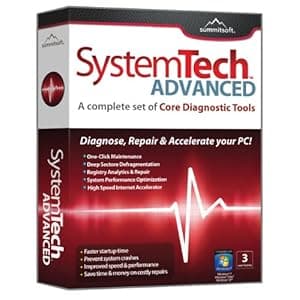 B003S9XBQ0 Availability: Currently unavailable Score: 4.762 Category: Electronics Rating: 3 Votes: 1 Find similar productsSummitsoft SystemTech Advanced Software. Diagnose Repair and Accelerate your PCProduct Information3 User License - Allows for installation of up to five putersNote: Does not require a renewal or subscription fee for each user of the softwareSystemTech Advanced allows any puter user to quickly and easily repair mon errors that occur in Windows XP Windows Vista or Windows 7. Whether you are experiencing system errors system lockups or if your puter just seems to be running slowly SystemTech Advanced useful tools will help revive your PC without having to pay hundreds of dollars to a puter tech. It’s simple enough for beginners and also powerful enough for experts.SystemTech Advanced can drastically improve the performance of your puter. Its powerful utilities reduce subsystem bottlenecks increase application and boot speeds and ultimately increase the stability of your system. It is a simple and straightforward way to tweak your system to peak performance. With just the click of a button you can quickly restore your puter back to its like-new condition.Product FeaturesA Complete set of Core Diagnostic Tools:One-Click Maintenance: Tune up your PC in minutes with Oneclick. The easy One-Click maintenance quickly finds minor and major system hazards and offers solutions to fix them so you can get back to work.Deep Sector Defragmentation: Over time your hard drive fragments as you open close and save documents and files on your puter. This causes your PC to slow down dramatically. Defrag reorganizes your hard drive to increase overall speed and stability. Watch your system performance more than double with enhanced defragmentation technology.Registry Analytics & Repair: Your Windows Registry file bees cluttered and causes serious system instability errors and slow performance as the heart of your operating system bees damaged. Registry Cleaner cleans invalid registry entries to keep your PC running smooth.System Performance Optimizer: Everything running on your PC uses valuable memory t. |