E-commerce Search Demo
AI Assisted Filters
Parameters
Query:
Category filters: All
AI Assist: ON
Page: 1
Products
Time taken: 2 Max score: 1000.000 Total hits: 100 Full time: 0.0 s
Showing 1-10 of 100 products
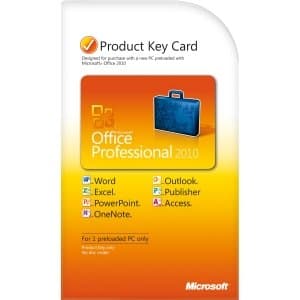 B004ZXNK0A Availability: Currently unavailable Score: 1000.000 Category: Electronics Rating: 3 Votes: 3 Find similar productsMicrosoft Office 2010 Professional Product Key Card - 1PC. Organize projects, manage finances and build a better way to do business with tools from Microsoft Office Professional 2010. Exchange ideas with customers and business partners remotely with Web Apps — it's another way you can stay connected to your business wherever you are. Plus, build professional databases and marketing materials with dynamic do-it-yourself tools in Access 2010 and Publisher 2010 available ONLY with Office Professional 2010. |  B07J4L19JV Price: $164.08 Score: 5.319 Category: Electronics Rating: 3.5 Votes: 19 Find similar productsMicrosoft 365 Business Standard - 1 PC/MAC, 1 Year - DE - Box. Microsoft 365 Business Standard - 1 PC/MAC, 1 Year - DE - Box. |
 B0046SOZ4E Availability: Currently unavailable Score: 5.000 Category: Electronics Rating: 5 Votes: 5 Find similar productsASA 5505 50-to-Unlimited User upgrade software license. . | 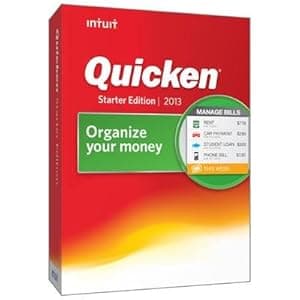 B00B6MR4SM Availability: Currently unavailable Score: 4.950 Category: Electronics Rating: 3.6 Votes: 4 Find similar productsQuicken 2013 Starter Edition. Quicken 2013 Starter Edition Win CD Retail Small Package. |
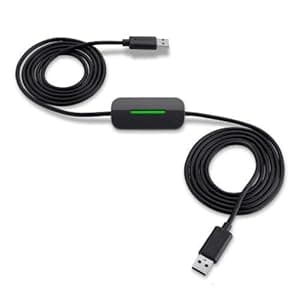 B00FNV31V6 Price: $39.58 Score: 4.785 Category: Electronics Rating: 3.6 Votes: 607 Find similar productsBelkin Easy Transfer Cable for Windows 8 /Windows 7/XP/Vista (F4U060). Product Description The Belkin Easy Transfer Cable for Windows 8 will help you seamlessly and confidently migrate your content from a PC running an older version of Windows to a new computer running Windows 8. With the Easy Transfer Cable, you'll be able to quickly migrate your personalized settings, important files, music and treasured family photos in a fast, easy, and user-friendly way. *Due to possible incompatibility and licensing issues, some programs and applications may not be transferred to the new computer. From the Manufacturer The Belkin Easy Transfer Cable for Windows 8 offers a seamless way to transfer content from a computer running Windows 7, XP, or Vista to your new computer running Windows 8. With the Easy Transfer Cable, you'll be able to quickly and confidently transfer all of your personalized settings, important files, music, and photos. Transfer files from older Windows computers to a Windows 8 machine with this cable. View larger . Windows Easy Transfer software simplifies the migration of user accounts, settings, emails, and contacts. View larger . Transfer Settings and Files to Your Windows 8 PC with Ease The Belkin Easy Transfer Cable for Windows 8 and Microsoft Windows Easy Transfer software work together to simplify the transfer process to three easy steps. Simply insert the software CD into your old computer running Windows XP or Windows Vista (Installation not required on computers running Windows 7). Connect the transfer cable to an available USB port on both computers. The Windows Easy Transfer installer automatically appears with a file explorer that lets you easily select which files to copy to your new computer. With three easy steps, your documents, photos, music, and settings, automatically transfer without requiring you to set up a network or burn dozens of CDs to copy data. Easily Transfer User Accounts, Computer Settings, Files, and More You will be able to transfer your user accounts, Windows settings, program settings and data, email messages, and contacts. Thanks to the Map User Accounts feature, you can easily complete your transfer even if the destination computer doesn't have matching user accounts. Full Report Informs You of Transfer Confirmation Once the transfer is completed, a post-migration report is generated, providing a comprehensive view of everything that was transferred to your new computer. You can rest assured knowing you did everything correctly and quickly identify any issues. Because of possible incompatibility and licensing issues, some programs and applications may not be transferred to the new computer. The utility provides a list of all programs and applications installed on the old computer along with links to latest versions of the programs (if provided by the software developer). In addition, if there is a corrupt file or setting, your transfer won't hang up--it will simply finish and provide a full report of anything that didn't transfer. USB 2.0 Cable with LED Indicators The included USB 2.0 high-speed cable provides transfer speeds of up to 480 Mbps and is backward compatible with USB 1.1. It is eight feet long (2.4 meters) so you'll have ample length to connect two computers. LED lights on the cable let you know that the transfer is in progress. Compatibility Information The Belkin Easy Transfer Cable for Windows 8 requires one source computer running Windows XP (32-bit), Windows Vista (32-bit), or Windows 7 (32-bit), and one destination computer running Windows 8 (32- or 64-bit). The source computer must have 40 MB of hard-disk space and a CD-ROM drive. Both computers must have an available USB port. Migration from 32- to 64-bit and 32-bit to 32-bit is supported. Migration from 64- to 32-bit and 64-bit to 64-bit is not supported. What's in the Box Easy Transfer Cable for Windows 8, installation CD, and quick install guide. Belkin Easy Transfer Cable for Windows 8 At a Glance: Transfer files from older Windows computer to Windows 8 machine Transfer files from older Windows computer to Windows 8 machine Transfer user accounts, personalized settings, emails, and contacts Transfer user accounts, personalized settings, emails, and contacts Included Windows Easy Transfer software walks you through the process Included Windows Easy Transfer software walks you through the process Automated report shows what's been transferred and links to software updates Automated report shows what's been transferred and links to software updates LEDs lights on cable show when a transfer is in progress LEDs lights on cable show when a transfer is in progress The cable and software simplify the transfer process to three easy steps. View larger . | 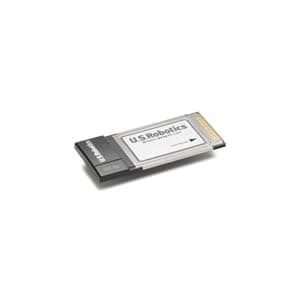 B00094OWK6 Availability: Currently unavailable Score: 4.739 Category: Electronics Rating: 5 Votes: 4 Find similar productsU.S. Robotics Wireless MAXg PC Card (USR5411). Amazon.com From the Manufacturer Wireless connectivity for your home or small business MAXg Technology MAXimum Range 50% greater than standard 802.11g MAXimum Range 50% greater than standard 802.11g MAXimum Speed 125 Mbps performance MAXimum Speed 125 Mbps performance MAXimum Security industry leading security protects your network from hackers and unauthorized access from the Internet and from wireless interlopers Complete Suite of Security MeasuresWi-Fi Protected Access (WPA) and WPA2/802.11i 802.1x Authentication 64/128-bit WEP encryption MAXimum simplicity In one seamless operation the SureStart installation wizard helps you easily install the PC Card, and if appropriate your USRobotics MAXg Router, validates your wireless connection and makes your security set up nearly effortless. Power Efficient Designed for low power consumption, extending the life of your battery. Excellent Compatibility Complete compatibility with standard 802.11b, 802.11g and accelerated wireless technologies wireless networking. MAXimum Security industry leading security protects your network from hackers and unauthorized access from the Internet and from wireless interlopers Complete Suite of Security Measures Wi-Fi Protected Access (WPA) and WPA2/802.11i Wi-Fi Protected Access (WPA) and WPA2/802.11i 802.1x Authentication 802.1x Authentication 64/128-bit WEP encryption MAXimum simplicity In one seamless operation the SureStart installation wizard helps you easily install the PC Card, and if appropriate your USRobotics MAXg Router, validates your wireless connection and makes your security set up nearly effortless. Power Efficient Designed for low power consumption, extending the life of your battery. Excellent Compatibility Complete compatibility with standard 802.11b, 802.11g and accelerated wireless technologies wireless networking. 64/128-bit WEP encryption MAXimum simplicity In one seamless operation the SureStart installation wizard helps you easily install the PC Card, and if appropriate your USRobotics MAXg Router, validates your wireless connection and makes your security set up nearly effortless. Power Efficient Designed for low power consumption, extending the life of your battery. Excellent Compatibility Complete compatibility with standard 802.11b, 802.11g and accelerated wireless technologies wireless networking. |
 B000Q7TPLW Availability: Currently unavailable Score: 4.695 Category: Electronics Rating: 4.1 Votes: 20 Find similar productsStarTech.com 2 Port ExpressCard Laptop USB 2.0 Adapter Card - USB Adapter - ExpressCard - USB, Hi-Speed USB - 2 Ports. This USB ExpressCard lets you add two USB 2.0 ports to your laptop computer, with support for high-speed USB transfer rates of up to 480Mbps. Compliant with the ExpressCard Type II standard, the USB ExpressCard can be installed in any 34mm or 54mm ExpressCard slot, and offers broad operating system compatibility supporting Windows 2000/XP/XP 64-bit/Server 2003/Vista. | 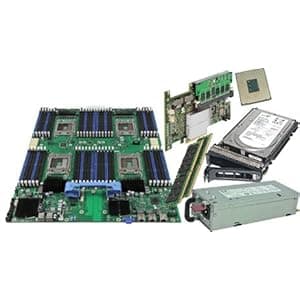 B000NGAIIA Availability: Currently unavailable Score: 4.695 Category: Electronics Rating: 5 Votes: 3 Find similar productsHP J2550 Internal Ethernet Print Server HP Jet Direct. HEWLETT PACKARD J2550-60013 JETDIRECT INTERNAL PRINTER PRINT SERVER CARD B473297. |
 B0039L6FO2 Availability: Currently unavailable Score: 4.673 Category: Electronics Rating: 3.2 Votes: 9 Find similar productsMicrosoft PowerPoint Home and Student 2010 3PC. Product description PowerPoint Home and Stud 2010 Amazon.com Microsoft PowerPoint 2010 gives you more ways to create and share dynamic presentations with your audience than ever before. Exciting new audio and visual capabilities help you tell a crisp, cinematic story that's as easy to create as it is powerful to watch. In addition, PowerPoint 2010 enables you to work simultaneously with other people or post your presentation online and access it from virtually anywhere using the Web or your smartphone. 1 Create extraordinary presentations PowerPoint 2010 delivers new and improved tools to add power to your presentations. Embed and edit video from within PowerPoint. Now you can add fades, formatting effects, bookmark scenes, and trim videos to give your presentations a professional multimedia experience. And since the embedded videos become part of your PowerPoint presentation, you don't have to manage additional files when sharing with others. Use new and improved picture editing tools--including versatile artistic effects and advanced correction, color, and cropping tools--to fine-tune every picture in your presentation to look its absolute best. Add dynamic 3-D slide transitions and more realistic animation effects to grab your audience's attention. Manage presentations with tools that save time and simplify your work It's much easier to create and manage presentations when you can work the way you want. Compress video and audio in your presentation to reduce file size for easy sharing and improved playback performance. The option to compress media is just one of many new features available from the new Microsoft Office Backstage view. Backstage view replaces the traditional File menu in all Office 2010 applications to provide a centralized, organized space for all of your presentation management tasks. Easily customize the improved Ribbon to make the commands you need most accessible. Create custom tabs or even customize built-in tabs. With PowerPoint 2010, you're in control. Work together more successfully If you are one of the many people who work with others on presentations and projects, PowerPoint 2010 is the perfect tool for you. Broadcast your slide show to people in other locations, whether or not they have PowerPoint installed.2 Create a video of your presentation--including your transitions, animations, narration, and timings--to share with virtually anyone, any time after your live broadcast. Use new co-authoring capabilities to edit the same presentation, at the same time, with people in different locations. You can even communicate as you work, directly from PowerPoint.3,4If you work in a company running Microsoft SharePoint Foundation 2010, this functionality can be used within the firewall. With Office Communicator now integrated throughout several Office 2010 applications, you can view presence information to see the availability of other authors and initiate instant message or voice calls directly within PowerPoint. If you're in a small company or using PowerPoint for home or school work, you can take advantage of co-authoring features through Windows Live. All you need is a free Windows Live account to simultaneously edit presentations with others. An instant messenger account (such as the free Windows Live Messenger) is required to view presence of authors and start an instant messaging conversation. Access and share your content from more places Your ideas, deadlines, projects, and work emergencies don't always occur conveniently when you are at your desk. Fortunately, you now have the power to get things done when and where you need to, from the Web or even from your smartphone.1Microsoft PowerPoint Web App is an online companion to Microsoft PowerPoint which enables you to extend your PowerPoint experience to the browser. View a high fidelity version of your presentations, make light edits, or view your presentation slide show. Use the familiar PowerPoint interface and some of the same formatting and editing tools, from almost any computer with a Web browser.3Microsoft PowerPoint Mobile 2010 enables you to do light editing for your presentations and is especially designed for easy use on your Windows phone. You can even run your slide show right on your phone.5 Whether you're creating the pitch of your career, working with a team on an important presentation, or getting work done on the run, PowerPoint 2010 gives you the power to work more easily and with more flexibility to accomplish your goals. 1 Web and smartphone access require an appropriate device and some functionality requires an Internet connection. Web functionality uses Office Web Apps, which require a supported Internet Explorer, Firefox, or Safari browser and either SharePoint Foundation 2010 or a Windows Live ID. Some mobile functionality requires Office Mobile 2010 which is not included in Office 2010 applications, suites, or Office Web Apps. There are some differences between the features of the Office Web Apps, Office Mobile 2010 and the Office 2010 applications. 2 Requires Microsoft SharePoint Foundation 2010 or a Windows Live ID. To broadcast via SharePoint 2010, Office Web Apps must be installed. 3 Requires Microsoft SharePoint Foundation 2010 or a Windows Live ID. 4 Instant messaging and presence requires one of the following: Microsoft Office Communications Server 2007 R2 with Microsoft Office Communicator 2007 R2; Windows Live Messenger, or another instant messaging application that supports IMessenger. Voice calls require Office Communications Server 2007 R2 with Office Communicator 2007 R2 or later or an instant messaging application that supports IMessengerAdvanced. 5 PowerPoint Mobile 2010 is not included in the Office 2010 applications or suites. Embed and edit video from within PowerPoint. Now you can add fades, formatting effects, bookmark scenes, and trim videos to give your presentations a professional multimedia experience. And since the embedded videos become part of your PowerPoint presentation, you don't have to manage additional files when sharing with others. Use new and improved picture editing tools--including versatile artistic effects and advanced correction, color, and cropping tools--to fine-tune every picture in your presentation to look its absolute best. Use new and improved picture editing tools--including versatile artistic effects and advanced correction, color, and cropping tools--to fine-tune every picture in your presentation to look its absolute best. Add dynamic 3-D slide transitions and more realistic animation effects to grab your audience's attention. Manage presentations with tools that save time and simplify your work It's much easier to create and manage presentations when you can work the way you want. Compress video and audio in your presentation to reduce file size for easy sharing and improved playback performance. The option to compress media is just one of many new features available from the new Microsoft Office Backstage view. Backstage view replaces the traditional File menu in all Office 2010 applications to provide a centralized, organized space for all of your presentation management tasks. Easily customize the improved Ribbon to make the commands you need most accessible. Create custom tabs or even customize built-in tabs. With PowerPoint 2010, you're in control. Work together more successfully If you are one of the many people who work with others on presentations and projects, PowerPoint 2010 is the perfect tool for you. Broadcast your slide show to people in other locations, whether or not they have PowerPoint installed.2 Create a video of your presentation--including your transitions, animations, narration, and timings--to share with virtually anyone, any time after your live broadcast. Use new co-authoring capabilities to edit the same presentation, at the same time, with people in different locations. You can even communicate as you work, directly from PowerPoint.3,4If you work in a company running Microsoft SharePoint Foundation 2010, this functionality can be used within the firewall. With Office Communicator now integrated throughout several Office 2010 applications, you can view presence information to see the availability of other authors and initiate instant message or voice calls directly within PowerPoint. If you're in a small company or using PowerPoint for home or school work, you can take advantage of co-authoring features through Windows Live. All you need is a free Windows Live account to simultaneously edit presentations with others. An instant messenger account (such as the free Windows Live Messenger) is required to view presence of authors and start an instant messaging conversation. Access and share your content from more places Your ideas, deadlines, projects, and work emergencies don't always occur conveniently when you are at your desk. Fortunately, you now have the power to get things done when and where you need to, from the Web or even from your smartphone.1Microsoft PowerPoint Web App is an online companion to Microsoft PowerPoint which enables you to extend your PowerPoint experience to the browser. View a high fidelity version of your presentations, make light edits, or view your presentation slide show. Use the familiar PowerPoint interface and some of the same formatting and editing tools, from almost any computer with a Web browser.3Microsoft PowerPoint Mobile 2010 enables you to do light editing for your presentations and is especially designed for easy use on your Windows phone. You can even run your slide show right on your phone.5 Whether you're creating the pitch of your career, working with a team on an important presentation, or getting work done on the run, PowerPoint 2010 gives you the power to work more easily and with more flexibility to accomplish your goals. 1 Web and smartphone access require an appropriate device and some functionality requires an Internet connection. Web functionality uses Office Web Apps, which require a supported Internet Explorer, Firefox, or Safari browser and either SharePoint Foundation 2010 or a Windows Live ID. Some mobile functionality requires Office Mobile 2010 which is not included in Office 2010 applications, suites, or Office Web Apps. There are some differences between the features of the Office Web Apps, Office Mobile 2010 and the Office 2010 applications. 2 Requires Microsoft SharePoint Foundation 2010 or a Windows Live ID. To broadcast via SharePoint 2010, Office Web Apps must be installed. 3 Requires Microsoft SharePoint Foundation 2010 or a Windows Live ID. 4 Instant messaging and presence requires one of the following: Microsoft Office Communications Server 2007 R2 with Microsoft Office Communicator 2007 R2; Windows Live Messenger, or another instant messaging application that supports IMessenger. Voice calls require Office Communications Server 2007 R2 with Office Communicator 2007 R2 or later or an instant messaging application that supports IMessengerAdvanced. 5 PowerPoint Mobile 2010 is not included in the Office 2010 applications or suites. Add dynamic 3-D slide transitions and more realistic animation effects to grab your audience's attention. Manage presentations with tools that save time and simplify your work It's much easier to create and manage presentations when you can work the way you want. Compress video and audio in your presentation to reduce file size for easy sharing and improved playback performance. The option to compress media is just one of many new features available from the new Microsoft Office Backstage view. Backstage view replaces the traditional File menu in all Office 2010 applications to provide a centralized, organized space for all of your presentation management tasks. Easily customize the improved Ribbon to make the commands you need most accessible. Create custom tabs or even customize built-in tabs. With PowerPoint 2010, you're in control. Work together more successfully If you are one of the many people who work with others on presentations and projects, PowerPoint 2010 is the perfect tool for you. Broadcast your slide show to people in other locations, whether or not they have PowerPoint installed.2 Create a video of your presentation--including your transitions, animations, narration, and timings--to share with virtually anyone, any time after your live broadcast. Use new co-authoring capabilities to edit the same presentation, at the same time, with people in different locations. You can even communicate as you work, directly from PowerPoint.3,4If you work in a company running Microsoft SharePoint Foundation 2010, this functionality can be used within the firewall. With Office Communicator now integrated throughout several Office 2010 applications, you can view presence information to see the availability of other authors and initiate instant message or voice calls directly within PowerPoint. If you're in a small company or using PowerPoint for home or school work, you can take advantage of co-authoring features through Windows Live. All you need is a free Windows Live account to simultaneously edit presentations with others. An instant messenger account (such as the free Windows Live Messenger) is required to view presence of authors and start an instant messaging conversation. Access and share your content from more places Your ideas, deadlines, projects, and work emergencies don't always occur conveniently when you are at your desk. Fortunately, you now have the power to get things done when and where you need to, from the Web or even from your smartphone.1Microsoft PowerPoint Web App is an online companion to Microsoft PowerPoint which enables you to extend your PowerPoint experience to the browser. View a high fidelity version of your presentations, make light edits, or view your presentation slide show. Use the familiar PowerPoint interface and some of the same formatting and editing tools, from almost any computer with a Web browser.3Microsoft PowerPoint Mobile 2010 enables you to do light editing for your presentations and is especially designed for easy use on your Windows phone. You can even run your slide show right on your phone.5 Whether you're creating the pitch of your career, working with a team on an important presentation, or getting work done on the run, PowerPoint 2010 gives you the power to work more easily and with more flexibility to accomplish your goals. 1 Web and smartphone access require an appropriate device and some functionality requires an Internet connection. Web functionality uses Office Web Apps, which require a supported Internet Explorer, Firefox, or Safari browser and either SharePoint Foundation 2010 or a Windows Live ID. Some mobile functionality requires Office Mobile 2010 which is not included in Office 2010 applications, suites, or Office Web Apps. There are some differences between the features of the Office Web Apps, Office Mobile 2010 and the Office 2010 applications. 2 Requires Microsoft SharePoint Foundation 2010 or a Windows Live ID. To broadcast via SharePoint 2010, Office Web Apps must be installed. 3 Requires Microsoft SharePoint Foundation 2010 or a Windows Live ID. 4 Instant messaging and presence requires one of the following: Microsoft Office Communications Server 2007 R2 with Microsoft Office Communicator 2007 R2; Windows Live Messenger, or another instant messaging application that supports IMessenger. Voice calls require Office Communications Server 2007 R2 with Office Communicator 2007 R2 or later or an instant messaging application that supports IMessengerAdvanced. 5 PowerPoint Mobile 2010 is not included in the Office 2010 applications or suites. Compress video and audio in your presentation to reduce file size for easy sharing and improved playback performance. The option to compress media is just one of many new features available from the new Microsoft Office Backstage view. Backstage view replaces the traditional File menu in all Office 2010 applications to provide a centralized, organized space for all of your presentation management tasks. Easily customize the improved Ribbon to make the commands you need most accessible. Create custom tabs or even customize built-in tabs. With PowerPoint 2010, you're in control. Work together more successfully If you are one of the many people who work with others on presentations and projects, PowerPoint 2010 is the perfect tool for you. Broadcast your slide show to people in other locations, whether or not they have PowerPoint installed.2 Create a video of your presentation--including your transitions, animations, narration, and timings--to share with virtually anyone, any time after your live broadcast. Use new co-authoring capabilities to edit the same presentation, at the same time, with people in different locations. You can even communicate as you work, directly from PowerPoint.3,4If you work in a company running Microsoft SharePoint Foundation 2010, this functionality can be used within the firewall. With Office Communicator now integrated throughout several Office 2010 applications, you can view presence information to see the availability of other authors and initiate instant message or voice calls directly within PowerPoint. If you're in a small company or using PowerPoint for home or school work, you can take advantage of co-authoring features through Windows Live. All you need is a free Windows Live account to simultaneously edit presentations with others. An instant messenger account (such as the free Windows Live Messenger) is required to view presence of authors and start an instant messaging conversation. Access and share your content from more places Your ideas, deadlines, projects, and work emergencies don't always occur conveniently when you are at your desk. Fortunately, you now have the power to get things done when and where you need to, from the Web or even from your smartphone.1Microsoft PowerPoint Web App is an online companion to Microsoft PowerPoint which enables you to extend your PowerPoint experience to the browser. View a high fidelity version of your presentations, make light edits, or view your presentation slide show. Use the familiar PowerPoint interface and some of the same formatting and editing tools, from almost any computer with a Web browser.3Microsoft PowerPoint Mobile 2010 enables you to do light editing for your presentations and is especially designed for easy use on your Windows phone. You can even run your slide show right on your phone.5 Whether you're creating the pitch of your career, working with a team on an important presentation, or getting work done on the run, PowerPoint 2010 gives you the power to work more easily and with more flexibility to accomplish your goals. 1 Web and smartphone access require an appropriate device and some functionality requires an Internet connection. Web functionality uses Office Web Apps, which require a supported Internet Explorer, Firefox, or Safari browser and either SharePoint Foundation 2010 or a Windows Live ID. Some mobile functionality requires Office Mobile 2010 which is not included in Office 2010 applications, suites, or Office Web Apps. There are some differences between the features of the Office Web Apps, Office Mobile 2010 and the Office 2010 applications. 2 Requires Microsoft SharePoint Foundation 2010 or a Windows Live ID. To broadcast via SharePoint 2010, Office Web Apps must be installed. 3 Requires Microsoft SharePoint Foundation 2010 or a Windows Live ID. 4 Instant messaging and presence requires one of the following: Microsoft Office Communications Server 2007 R2 with Microsoft Office Communicator 2007 R2; Windows Live Messenger, or another instant messaging application that supports IMessenger. Voice calls require Office Communications Server 2007 R2 with Office Communicator 2007 R2 or later or an instant messaging application that supports IMessengerAdvanced. 5 PowerPoint Mobile 2010 is not included in the Office 2010 applications or suites. Easily customize the improved Ribbon to make the commands you need most accessible. Create custom tabs or even customize built-in tabs. With PowerPoint 2010, you're in control. Work together more successfully If you are one of the many people who work with others on presentations and projects, PowerPoint 2010 is the perfect tool for you. Broadcast your slide show to people in other locations, whether or not they have PowerPoint installed.2 Create a video of your presentation--including your transitions, animations, narration, and timings--to share with virtually anyone, any time after your live broadcast. Use new co-authoring capabilities to edit the same presentation, at the same time, with people in different locations. You can even communicate as you work, directly from PowerPoint.3,4If you work in a company running Microsoft SharePoint Foundation 2010, this functionality can be used within the firewall. With Office Communicator now integrated throughout several Office 2010 applications, you can view presence information to see the availability of other authors and initiate instant message or voice calls directly within PowerPoint. If you're in a small company or using PowerPoint for home or school work, you can take advantage of co-authoring features through Windows Live. All you need is a free Windows Live account to simultaneously edit presentations with others. An instant messenger account (such as the free Windows Live Messenger) is required to view presence of authors and start an instant messaging conversation. Access and share your content from more places Your ideas, deadlines, projects, and work emergencies don't always occur conveniently when you are at your desk. Fortunately, you now have the power to get things done when and where you need to, from the Web or even from your smartphone.1Microsoft PowerPoint Web App is an online companion to Microsoft PowerPoint which enables you to extend your PowerPoint experience to the browser. View a high fidelity version of your presentations, make light edits, or view your presentation slide show. Use the familiar PowerPoint interface and some of the same formatting and editing tools, from almost any computer with a Web browser.3Microsoft PowerPoint Mobile 2010 enables you to do light editing for your presentations and is especially designed for easy use on your Windows phone. You can even run your slide show right on your phone.5 Whether you're creating the pitch of your career, working with a team on an important presentation, or getting work done on the run, PowerPoint 2010 gives you the power to work more easily and with more flexibility to accomplish your goals. 1 Web and smartphone access require an appropriate device and some functionality requires an Internet connection. Web functionality uses Office Web Apps, which require a supported Internet Explorer, Firefox, or Safari browser and either SharePoint Foundation 2010 or a Windows Live ID. Some mobile functionality requires Office Mobile 2010 which is not included in Office 2010 applications, suites, or Office Web Apps. There are some differences between the features of the Office Web Apps, Office Mobile 2010 and the Office 2010 applications. 2 Requires Microsoft SharePoint Foundation 2010 or a Windows Live ID. To broadcast via SharePoint 2010, Office Web Apps must be installed. 3 Requires Microsoft SharePoint Foundation 2010 or a Windows Live ID. 4 Instant messaging and presence requires one of the following: Microsoft Office Communications Server 2007 R2 with Microsoft Office Communicator 2007 R2; Windows Live Messenger, or another instant messaging application that supports IMessenger. Voice calls require Office Communications Server 2007 R2 with Office Communicator 2007 R2 or later or an instant messaging application that supports IMessengerAdvanced. 5 PowerPoint Mobile 2010 is not included in the Office 2010 applications or suites. Broadcast your slide show to people in other locations, whether or not they have PowerPoint installed. 2 Create a video of your presentation--including your transitions, animations, narration, and timings--to share with virtually anyone, any time after your live broadcast. Use new co-authoring capabilities to edit the same presentation, at the same time, with people in different locations. You can even communicate as you work, directly from PowerPoint.3,4 Use new co-authoring capabilities to edit the same presentation, at the same time, with people in different locations. You can even communicate as you work, directly from PowerPoint. 3,4 If you work in a company running Microsoft SharePoint Foundation 2010, this functionality can be used within the firewall. With Office Communicator now integrated throughout several Office 2010 applications, you can view presence information to see the availability of other authors and initiate instant message or voice calls directly within PowerPoint. If you work in a company running Microsoft SharePoint Foundation 2010, this functionality can be used within the firewall. With Office Communicator now integrated throughout several Office 2010 applications, you can view presence information to see the availability of other authors and initiate instant message or voice calls directly within PowerPoint. If you're in a small company or using PowerPoint for home or school work, you can take advantage of co-authoring features through Windows Live. All you need is a free Windows Live account to simultaneously edit presentations with others. An instant messenger account (such as the free Windows Live Messenger) is required to view presence of authors and start an instant messaging conversation. Access and share your content from more places Your ideas, deadlines, projects, and work emergencies don't always occur conveniently when you are at your desk. Fortunately, you now have the power to get things done when and where you need to, from the Web or even from your smartphone.1Microsoft PowerPoint Web App is an online companion to Microsoft PowerPoint which enables you to extend your PowerPoint experience to the browser. View a high fidelity version of your presentations, make light edits, or view your presentation slide show. Use the familiar PowerPoint interface and some of the same formatting and editing tools, from almost any computer with a Web browser.3Microsoft PowerPoint Mobile 2010 enables you to do light editing for your presentations and is especially designed for easy use on your Windows phone. You can even run your slide show right on your phone.5 Whether you're creating the pitch of your career, working with a team on an important presentation, or getting work done on the run, PowerPoint 2010 gives you the power to work more easily and with more flexibility to accomplish your goals. 1 Web and smartphone access require an appropriate device and some functionality requires an Internet connection. Web functionality uses Office Web Apps, which require a supported Internet Explorer, Firefox, or Safari browser and either SharePoint Foundation 2010 or a Windows Live ID. Some mobile functionality requires Office Mobile 2010 which is not included in Office 2010 applications, suites, or Office Web Apps. There are some differences between the features of the Office Web Apps, Office Mobile 2010 and the Office 2010 applications. 2 Requires Microsoft SharePoint Foundation 2010 or a Windows Live ID. To broadcast via SharePoint 2010, Office Web Apps must be installed. 3 Requires Microsoft SharePoint Foundation 2010 or a Windows Live ID. 4 Instant messaging and presence requires one of the following: Microsoft Office Communications Server 2007 R2 with Microsoft Office Communicator 2007 R2; Windows Live Messenger, or another instant messaging application that supports IMessenger. Voice calls require Office Communications Server 2007 R2 with Office Communicator 2007 R2 or later or an instant messaging application that supports IMessengerAdvanced. 5 PowerPoint Mobile 2010 is not included in the Office 2010 applications or suites. If you're in a small company or using PowerPoint for home or school work, you can take advantage of co-authoring features through Windows Live. All you need is a free Windows Live account to simultaneously edit presentations with others. An instant messenger account (such as the free Windows Live Messenger) is required to view presence of authors and start an instant messaging conversation. Access and share your content from more places Your ideas, deadlines, projects, and work emergencies don't always occur conveniently when you are at your desk. Fortunately, you now have the power to get things done when and where you need to, from the Web or even from your smartphone. 1 Microsoft PowerPoint Web App is an online companion to Microsoft PowerPoint which enables you to extend your PowerPoint experience to the browser. View a high fidelity version of your presentations, make light edits, or view your presentation slide show. Use the familiar PowerPoint interface and some of the same formatting and editing tools, from almost any computer with a Web browser.3 Microsoft PowerPoint Web App is an online companion to Microsoft PowerPoint which enables you to extend your PowerPoint experience to the browser. View a high fidelity version of your presentations, make light edits, or view your presentation slide show. Use the familiar PowerPoint interface and some of the same formatting and editing tools, from almost any computer with a Web browser. 3 Microsoft PowerPoint Mobile 2010 enables you to do light editing for your presentations and is especially designed for easy use on your Windows phone. You can even run your slide show right on your phone.5 Whether you're creating the pitch of your career, working with a team on an important presentation, or getting work done on the run, PowerPoint 2010 gives you the power to work more easily and with more flexibility to accomplish your goals. 1 Web and smartphone access require an appropriate device and some functionality requires an Internet connection. Web functionality uses Office Web Apps, which require a supported Internet Explorer, Firefox, or Safari browser and either SharePoint Foundation 2010 or a Windows Live ID. Some mobile functionality requires Office Mobile 2010 which is not included in Office 2010 applications, suites, or Office Web Apps. There are some differences between the features of the Office Web Apps, Office Mobile 2010 and the Office 2010 applications. 2 Requires Microsoft SharePoint Foundation 2010 or a Windows Live ID. To broadcast via SharePoint 2010, Office Web Apps must be installed. 3 Requires Microsoft SharePoint Foundation 2010 or a Windows Live ID. 4 Instant messaging and presence requires one of the following: Microsoft Office Communications Server 2007 R2 with Microsoft Office Communicator 2007 R2; Windows Live Messenger, or another instant messaging application that supports IMessenger. Voice calls require Office Communications Server 2007 R2 with Office Communicator 2007 R2 or later or an instant messaging application that supports IMessengerAdvanced. 5 PowerPoint Mobile 2010 is not included in the Office 2010 applications or suites. Microsoft PowerPoint Mobile 2010 enables you to do light editing for your presentations and is especially designed for easy use on your Windows phone. You can even run your slide show right on your phone. 5 Whether you're creating the pitch of your career, working with a team on an important presentation, or getting work done on the run, PowerPoint 2010 gives you the power to work more easily and with more flexibility to accomplish your goals. 1 Web and smartphone access require an appropriate device and some functionality requires an Internet connection. Web functionality uses Office Web Apps, which require a supported Internet Explorer, Firefox, or Safari browser and either SharePoint Foundation 2010 or a Windows Live ID. Some mobile functionality requires Office Mobile 2010 which is not included in Office 2010 applications, suites, or Office Web Apps. There are some differences between the features of the Office Web Apps, Office Mobile 2010 and the Office 2010 applications. 2 Requires Microsoft SharePoint Foundation 2010 or a Windows Live ID. To broadcast via SharePoint 2010, Office Web Apps must be installed. 3 Requires Microsoft SharePoint Foundation 2010 or a Windows Live ID. 4 Instant messaging and presence requires one of the following: Microsoft Office Communications Server 2007 R2 with Microsoft Office Communicator 2007 R2; Windows Live Messenger, or another instant messaging application that supports IMessenger. Voice calls require Office Communications Server 2007 R2 with Office Communicator 2007 R2 or later or an instant messaging application that supports IMessengerAdvanced. 5 PowerPoint Mobile 2010 is not included in the Office 2010 applications or suites. |  B0043SCZ4O Availability: Currently unavailable Score: 4.608 Category: Electronics Rating: 4.8 Votes: 10 Find similar productsHP Pavilion DV6325US PCI mini wireless network card 459339-003. HP Pavilion DV6325US PCI mini wireless network card 459339-001; 459339-003. |