E-commerce Search Demo
AI Assisted Filters
Parameters
Query:
Category filters: All
AI Assist: ON
Page: 1
Products
Time taken: 6 Max score: 1000.000 Total hits: 100 Full time: 0.0 s
Showing 1-10 of 100 products
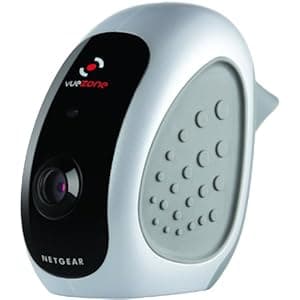 B00IF0PU84 Price: $32.5 Score: 1000.000 Category: Electronics Rating: 2.9 Votes: 35 Find similar productsNETGEAR VueZone Add-on Day Camera (VZCB2010-200NAS). NETGEAR VueZone Add-on Camera is an additional indoor camera for your existing VueZone System. The camera is 100% wire free and can be easily placed without the inconvenience of power cords. Up to 15* VueZone cameras can be added to any VueZone base Station and combined with other VueZone camera models. | 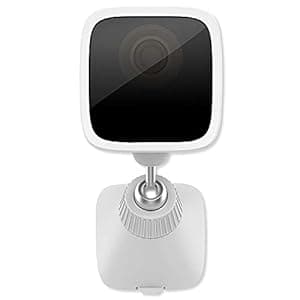 B07289TSYV Availability: Currently unavailable Score: 7.463 Category: Electronics Rating: 3.1 Votes: 6 Find similar productsVera Control VistaCam 1101 Weatherproof Outdoor Full HD Camera. FULL HD WEATHERPROOF OUTDOOR CAMERA WITH POWER OVER ETHERNET (POE). An outdoor camera enhances home and small business security, and keeps an eye on kids (or pets) in the yard. VistaCam 1101 is a rugged outdoor camera delivering full-HD 1080p video to clearly see faces, cars, and other fine details. Sets up quickly with simple, one-cable hookup to the nearest indoor power outlet. Place VistaCam 1101 at an entrance, or garage, deck, porch, parking area or other location at your home or business. Infrared night vision plus day/night sensor lets you see in total darkness. View anywhere on phone, tablet or browser. Simple Outdoor Power Solution. Getting power to an outdoor camera can be tricky. Batteries would require changing every day or two. Power over Ethernet (PoE) brings power to the camera over the same cable that connects it to the supplied Wi-Fi adapter. Plug the Wi-Fi/PoE adapter into any outlet and run one single, standard Ethernet cable from the adapter to the camera. Watch your kids while they’re playing. See who is knocking on the door. See when cars pull up. Put several around your home or small business to keep an eye on everything. VistaCam 1101 is the versatile, weather-resistant camera that works anywhere you need to watch what’s going on outdoors. Built-in Microphone for clear Audio with Video. Built-in Backup Memory (8 Gb) records video even when internet service goes out. |
 B08DV7832V Availability: Currently unavailable Score: 7.042 Category: Electronics Rating: 3.5 Votes: 27 Find similar productsZOSI Add-on Camera 1080p Rechargeable Battery Powered Security Cameras,80ft Night Vision,PIR Motion Detection,2-Way Audio, Only Compatible for ZOSI C301 NVR System (NVR Model:1NR-04DR32-US). . | 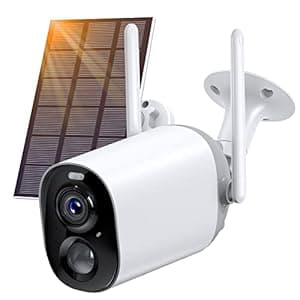 B09V2H78PD Price: $69.99 Score: 6.993 Category: Electronics Rating: 4.3 Votes: 372 Find similar productsNETVUE Wireless Security Camera Outdoor, Rechargeable Battery Powered Surveillance Cameras for Home Security, Smart AI Detection, IP66 Waterproof, 2-Way Audio, 1080P Night Vision Cloud/SD Storage. . |
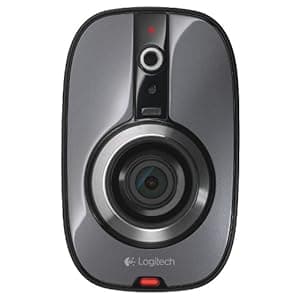 B007WPHY64 Availability: Currently unavailable Score: 6.944 Category: Electronics Rating: 3.1 Votes: 101 Find similar productsLogitech Alert 700n Indoor Add-On Camera with Wide-Angle Night Vision. Product Description The Logitech Alert 700n Indoor Add-On Camera expands your existing Logitech Alert Master System (sold separately), so you can see what's going on in other rooms or locations. From the Manufacturer View larger Logitech Alert 700n Indoor Add-on Camera with Night Vision Expand your Logitech Alert security coverage—now with night vision. See more, in more places. This add-on camera expands your Logitech Alert Master System (sold separately), so you can see what's going on in other rooms or locations—even in complete darkness. Simply plug in the camera to add it to your existing system. You can easily expand your system to as many as six cameras, indoors and out. Learn more View larger Easily customize your complete surveillance system With your choice of an indoor or outdoor master system, plus indoor and outdoor add-on cameras, you can easily set up your perfect surveillance system and watch live video feeds from your computer, smartphone, iPad or tablet. 1. Start with an Indoor or Outdoor Master System Choose the Logitech Alert 750n Indoor Master System or Logitech Alert 750e Outdoor Master System . 2. Then increase your coverage with more cameras Add the Logitech Alert 700n Indoor Add-On Camera or weatherproof Logitech Alert 700e Outdoor Add-On Camera . Features View larger Minimize wires and networking hassles Simply plug the camera into a wall power outlet to connect the camera to your Alert Master System Simply plug the camera into a wall power outlet to connect the camera to your Alert Master System HomePlug networking uses your home's electrical wiring and outlets to transmit video from the camera to your computer. Learn more about HomePlug Technology > HomePlug networking uses your home's electrical wiring and outlets to transmit video from the camera to your computer. Learn more about HomePlug Technology > No professional installer, excessive wires, IP address setting or router resetting needed No professional installer, excessive wires, IP address setting or router resetting needed View larger See up to 50 ft. in complete darkness HD 720p video with high-powered night vision illumination makes it easier to recognize important details—day or night HD 720p video with high-powered night vision illumination makes it easier to recognize important details—day or night 130-degree wide-angle lens gives you up to twice the viewing area compared to standard cameras2 130-degree wide-angle lens gives you up to twice the viewing area compared to standard cameras 2 2. Standard cameras based on retail availability as of March 2012 and a 40- to 60-degree field of vision. View larger Keep informed with motion alerts You can set up your camera to send motion-triggered alerts to your e-mail address and mobile phone—so you can know in an instant if there is motion on your property. You can set up your camera to send motion-triggered alerts to your e-mail address and mobile phone—so you can know in an instant if there is motion on your property. Set up your alert notifications on a schedule for when you want to be notified or not Set up your alert notifications on a schedule for when you want to be notified or not Target vulnerable areas like doors and windows by specifying up to 16 motion-detection zones. Target vulnerable areas like doors and windows by specifying up to 16 motion-detection zones. View larger Watch from anywhere—for free 1 You can add new cameras to your free remote viewing account You can add new cameras to your free remote viewing account Watch live video from any of your Logitech Alert cameras Watch live video from any of your Logitech Alert cameras Easy to see—just log in to Logitech's secure site from an Internet-connected computer or use free Logitech apps for your iPhone, iPad, Android or Blackberry devices Easy to see—just log in to Logitech's secure site from an Internet-connected computer or use free Logitech apps for your iPhone, iPad, Android or Blackberry devices View larger Built-in DVR Included 2 GB microSD card stores up to a week of recorded video3 Included 2 GB microSD card stores up to a week of recorded video 3 Record video, even when your computer is turned off Record video, even when your computer is turned off Recordings are automatically backed up to your computer when it is connected to your network Recordings are automatically backed up to your computer when it is connected to your network Only records motion-triggered events—store months of audio and video with as little as 20GB of hard drive space Only records motion-triggered events—store months of audio and video with as little as 20GB of hard drive space Swap in a larger microSD card (up to 32 GB, sold separately) for even more on-camera recording time Swap in a larger microSD card (up to 32 GB, sold separately) for even more on-camera recording time 3. One week of storage on 2 GB card is based on the amount of motion and audio captured/recorded for typical home location (front door, back door, etc.). Digital Pan-Tilt-Zoom View larger Works with Indoor or Outdoor Master System (sold separately) Powerful Logitech Alert Commander master system software lets you easily set-up and configure your video security system and watch/record/back up video with your Windows or Mac computer Powerful Logitech Alert Commander master system software lets you easily set-up and configure your video security system and watch/record/back up video with your Windows or Mac computer Tilt the camera, zoom in or pan around digitally to zero in on what's happening Tilt the camera, zoom in or pan around digitally to zero in on what's happening See live video feeds and review what's been recorded on all of your cameras See live video feeds and review what's been recorded on all of your cameras View larger Indoor and outdoor expandability Versatile mounting options Versatile mounting options Place your camera where you want—on a ceiling, desk, shelf or a window looking in Place your camera where you want—on a ceiling, desk, shelf or a window looking in Easy installation with mounts and hardware included Easy installation with mounts and hardware included Install up to 6 indoor or outdoor cameras4, in any combination or location Install up to 6 indoor or outdoor cameras 4 , in any combination or location 4. All Logitech Alert cameras are 48V PoE (Power-over-Ethernet) compatible. View larger Watch what’s happening while you work Pop-out windows (on Mac only) make it easy to monitor one or more cameras while you surf the web, respond to email or check your Facebook page. 1. Delivery of live video from your cameras to the Web or a mobile device is a free service provided by Logitech. To view live video from the Web, you need a computer with high-speed Internet service and a compatible web browser. To view live video from a mobile device, a compatible BlackBerry, iPhone, iPad or Android device is required in addition to the appropriate Logitech Alert Web or Mobile Viewer App. Wi-Fi, 3G or 4G data access is required. Data charges from your provider may apply. Compatibility What's in the box Logitech Alert indoor camera (not designed for outdoor use) Logitech Alert indoor camera (not designed for outdoor use) Camera power supply Camera power supply Mounting kit with installation hardware Mounting kit with installation hardware 10-foot (3-meter) Ethernet cable 10-foot (3-meter) Ethernet cable 2 GB microSD card (expandable up to 32 GB) 2 GB microSD card (expandable up to 32 GB) User documentation User documentation What you need A Windows or Mac based computer is required for installation Windows XP SP3, Windows Vista, Windows 7, Windows 8 Windows XP SP3, Windows Vista, Windows 7, Windows 8 Mac OS X v10.6.8 or higher Mac OS X v10.6.8 or higher Minimum: 2 GHz processor with 1 GB RAM Minimum: 2 GHz processor with 1 GB RAM Recommended: 2.4 GHz Intel Core 2 Duo or faster processor with at least 2 GB RAM Recommended: 2.4 GHz Intel Core 2 Duo or faster processor with at least 2 GB RAM 1 Mbps or greater Internet upload speed (2 Mbps is recommended) 1 Mbps or greater Internet upload speed (2 Mbps is recommended) Available Ethernet port on your home network Available Ethernet port on your home network Existing Logitech Alert Master System Existing Logitech Alert Master System Setup requires a high-speed Internet connection. Remote viewing requires an Internet browser that supports Adobe Flash Player v10.2 or later (free download) Compare Build your perfect Logitech Alert Video Security System Start with an indoor or outdoor master system. Then add any combination of up to 5 more cameras to create a complete indoor, outdoor or indoor/outdoor video security system. Outdoor Master System Logitech Alert 750e Outdoor Add-On Camera Logitech Alert 700e Indoor Master System Logitech Alert 750n Indoor Add-On Camera Logitech Alert 700n What do you get? 1 outdoor master camera included (add up to 5 cameras for more coverage) Outdoor camera (works with indoor or outdoor master system) 1 indoor master camera included (add up to 5 cameras for more coverage) Indoor camera (works with indoor or outdoor master system) Commander software for security system viewing, recording and control on your Windows or Mac computer Free mobile viewer apps for iPad, iPhone, iPod Touch, Android and Blackberry Weatherproof camera HD 720p camera with wide-angle lens Night vision camera Motion-triggered recording and alerts sent to email/mobile devices Built-in microphone 2 GB microSD card for in-camera video storage Automatic PC or Mac backup of recorded videos. | 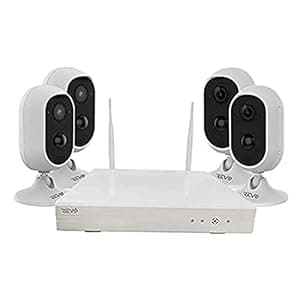 B08H1RDMLM Availability: Currently unavailable Score: 6.623 Category: Electronics Rating: 4 Votes: 2 Find similar productsREVO America 4CH Wireless NVR Security System with 1TB HDD & 4X 1080p Battery Operated Cameras with 2-Way Audio, (RW41CU4X-1T). With incredible video quality, ease of use, and powerful networking tools, The Revo Wireless unique design complements any home or business.The Revo Wireless superb video quality is based on IP Wi-Fi technology which brings the power and beauty of digital high definition video and wireless right to the heart of your surveillance. Installation is quick and easy. Wireless video transmission eliminates the hassle of running cables. Plug the 4 CH Wireless Network Video Recorder into a power outlet and turn on the battery operated cameras. The “Auto Pair” technology will seamlessly pair the camera(s) to the recorder to start streaming HD Video. The cameras will record video to the pre-installed 1TB HDD.The Indoor/Outdoor battery operated wireless cameras feature 2.1 Megapixel Sensors, double the resolution of standard 720p HD. The high end rechargeable lithium batteries provide power to the camera. IR arrays illuminate the scene up to an unprecedented 50' in total darkness. The camera feature a built-in Microphone and Speaker for 2-way audio communication. The camera comes with built-in PIR which limits false detection and reduce storage and bandwidth. View your Revo Wireless cameras from anywhere. Using the “Revo Wireless” Smart Phone/Tablet app simply scan your NVRs QR code to begin mobile viewing. Access your Wireless NVR via the web using “.revowireless”. View multiple units at once with the help of Revo Wireless CMS. Note: The maximum range of Wi-Fi connections will depend upon site-specific environmental obstacles including but not limited to rain, foliage, metal, concrete, and other materials. The proximity and number of neighboring Wi-Fi devices may also decrease Wi-Fi range. |
 B07864VLS1 Availability: Currently unavailable Score: 6.579 Category: Electronics Rating: 3.5 Votes: 17 Find similar productsEZVIZ Vault Plus 8 Channel Wi-Fi Network Video Recorder, 24/7 Recording on 1TB Hard Drive, Motion Detection Zones, Mix and Match with EZVIZ Wi-Fi Cameras. EZVAULTPLS - 8 Channel Wi-Fi Network Video Recorder - Storage and Advanced Confiruration Options Only - No HDMI Access - Live View From EZVIZ APP or EZVIZ Studio Save more video with EZVIZ Vault Plus, which records 24/7 footage from up to 8 EZVIZ Wi-Fi cameras at the same time. Featuring a dedicated extended-range Wi-Fi network, Vault Plus connects all of your EZVIZ Wi-Fi cameras and begins recording and storing video from each device using password-protected AES encryption. Even with videos saved to local storage, you can access and watch them anywhere you have internet through the EZVIZ APP. WI-Fi Relay Place the Vault Plus in a central location between all of your EZVIZ cameras for the most reliable connection and then connect the Vault Plus to your home router through Wi-Fi. Advanced Configuration Options and Motion Detetion Zones Once Vault Plus is setup to your network, open a browser on a device connected to your home network and enter the IP Address listed in the Quick Start Guide to access these options. Compatibility Mix and Match up to 8 EZVIZ Wi-Fi Cameras, indoor and outdoor. *Mini Trooper currently not supported Connecting your NVR to your Home Network through Wi-Fi (Wi-Fi Relay) (1) Power up the Vault Plus. Connect the power cord to the Vault Plus and plugin the power supply to a power outlet. Wait for 2 minutes to complete the system start-up. (2) Connect a PC or mobile device to the Vault Plus Wi-Fi network (named as ‘ezviz_xxxxxx’) to access the Vault Plus user interface. You also can find Vault Plus Wi-Fi network name (SSID) on device bottom label. (3) If the Vault Plus user interface did not automatically pop-up, open an internet browser (IE8/higher or Chrome) and enter IP Address listed in the Quick Start Guide to access the Vault Plus user interface. (4) Click “Start” button then follow the steps to setup the Vault Plus Internet settings. Choose “Wi-Fi Relay Internet Access” as the Internet connection mode. (5) Search for and connect your Vault Plus to the uplink router (5GHz Wi-Fi) Wi-Fi network, typically your home Wi-fi Network. Linking EZVIZ Cameras to Vault Plus (1) Power on the camera. Wait until camera status light blinks alternating Blue and Red. *For existing cameras, use a pin to press reset button on camera until status light turns solid Red, then start at step 1. Do not remove cameras from EZVIZ App Account. (2) Click the “Ready” button in Vault Plus Menu to start detecting your camera(s). Once detected, camera status light will start flashing blue. (3) Link the camera(s) to the Vault Plus by clicking the “Link Camera(s)” button. then “Next” then “Enter the Homepage”. Logout Adding to EZVIZ Account (1) For first time users, download the EZVIZ App in your Android phone or iPhone. Register an EZVIZ account.For existing users, open the EZVIZ App and login. (2) Add the camera by tapping the (+) sign in the HOME screen then scan the QRcode on the camera or type in its serial number. (3) Add the Vault Plus by tapping the (+) sign in the HOME screen then scan the QRcode on the Vault Plus or type in its serial number. (4) Once added to the EZVIZ account, tap the Vault Plus in the EZVIZ App Home screen to verify the camera(s) linked to it. *All cameras must be added to EZVIZ Account individually for Live View. **EZVIZ is constantly improving performance and adding new features. Please ensure to update your device firmware from the user interface or the EZVIZ APP. NVR Specifications Video/Audio - Supports up to 8 EZVIZ Wi-Fi Cameras Network Interface - RJ-45 10/100Mbps Self-adaptive Wi-Fi - Dual Band (2.4GHz and 5GHz) Hard Drive - Built-in 1TB Security Grade Power - DC 12V 1.5A Working Temperature - 32 °F to 104 °F Packaging Contents EZVAULTPLS - 8 Channel Wi-Fi NVR 1x Vault Plus NVR 1x Quick Start Guide 1x Power Adapter . |  B099J539XK Availability: Currently unavailable Score: 6.579 Category: Electronics Rating: 3.6 Votes: 18 Find similar productsVAV Home Cam 1080P HD Vision Indoor Security Camera Wireless Smart Home Camera with Home Security Camera System, Night Vision, 2-Way Audio,White,VA-HS007,3.19*3.19*3.19 inches. . |
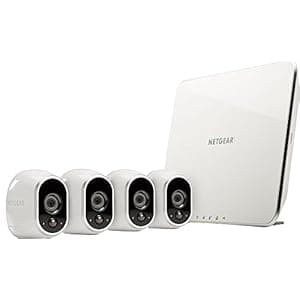 B075LBTCP2 Availability: Currently unavailable Score: 6.536 Category: Electronics Rating: 3.9 Votes: 527 Find similar productsNetgear Security System - 4 Wire-Free HD Cameras | Indoor/Outdoor | Night Vision (VMS3430) (Renewed). NETGEAR Security System (NETGEAR Renewed) - 4 Wire-Free HD Cameras | Indoor/Outdoor | Night Vision (VMS3430). | 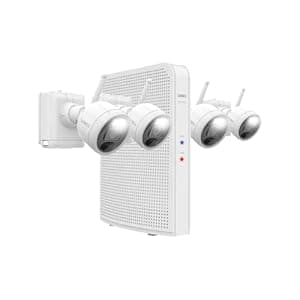 B0BYKDSM6H Price: $299.99 Score: 6.494 Category: Electronics Rating: 3.5 Votes: 15 Find similar productsLorex 2K Wire-Free Security Camera System with 4 Battery-Operated Active Deterrence and Person Detection Indoor/Outdoor Cameras (32GB). Our wire-free security systems are a promise of flexibility and DIY simplicity. With its battery-operated wireless connection and weatherproof rating, you can install the Lorex 2K wire-free security camera indoors or outdoors, without unsightly cables ruining the aesthetics of your home! Security features of the cameras include Person Detection and Active Deterrence. Enhance your security with the Lorex 2K NVR that offers you ample video storage for your wire-free cameras. The 2K wire-free bundle ensures easy installation and efficient monitoring; day and night. |