E-commerce Search Demo
AI Assisted Filters
Parameters
Query:
Category filters: All
AI Assist: ON
Page: 1
Products
Time taken: 2 Max score: 1000.000 Total hits: 100 Full time: 0.0 s
Showing 1-10 of 100 products
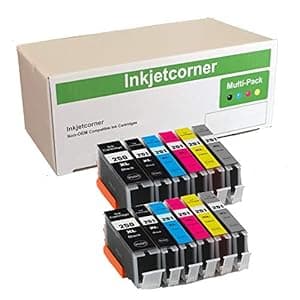 B07GXG9YQY Price: $12.99 Score: 1000.000 Category: Office Rating: 4.2 Votes: 36 Find similar productsInkjetcorner Compatible Ink Cartridges Replacement for PGI-250XL CLI-251XL 250XL 251XL for use with iP8720 MG7120 MG7520 MG6320 (12 Pack). Inkjetcorner inkjet cartridges for your printers are built to meet the same original specifications and performance standards as the OEM cartridges. Compatible with the following printers: MG6320 MG7120 MG7520 iP8720 How to install / Replace new ink cartridge: Step 1: Pull off tape (if any) the yellow/clear sealing tape on top of the cartridge. If there are no tape on the top, proceed to Step 2Step 2: Turn cartridge upside down and remove the orange cap/bracket off the cartridge Step 3: Insert the cartridge into the corresponding slot and push down on the cartridge until you hear a click sound Step 4: This Step is optional. Run a Printhead clean on the cartridge. this will flush out residue leftover from previous use. | 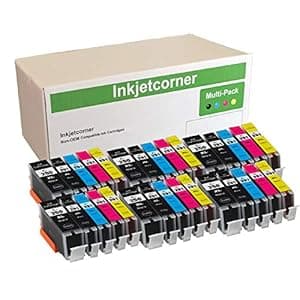 B00EFBBYAU Price: $25.99 Score: 19.608 Category: Office Rating: 4.5 Votes: 282 Find similar productsInkjetcorner Compatible Ink Cartridges Replacement for PGI-250XL CLI-251XL PGI 250 CLI 251 for use with MX922 MG5520 MG5522 MG5620 MG5420 MX722 MG6420 (30 Pack). Inkjetcorner inkjet cartridges for your printers are built to meet the same original specifications and performance standards as the OEM cartridges. Compatible with : Pixma MX722 MX922 MG5520 MG5522 MG6420 MG5420 MG5422 How to install / Replace new ink cartridge: Step 1: Pull off tape (if any) the yellow/clear sealing tape on top of the cartridge. If there are no tape on the top, proceed to Step 2Step 2: Turn cartridge upside down and remove the orange cap/bracket off the cartridge Step 3: Insert the cartridge into the corresponding slot and push down on the cartridge until you hear a click sound Step 4: This Step is optional. Run a Printhead clean on the cartridge. this will flush out residue leftover from previous use. |
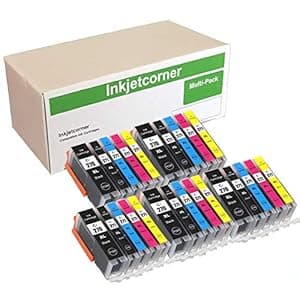 B0776T8Z57 Price: $20.99 Score: 12.987 Category: Office Rating: 4.5 Votes: 24 Find similar productsInkjetcorner Compatible Ink Cartridges Replacement for PGI-270XL CLI-271XL for use with TS5020 TS6020 MG6820 MG6821 MG5721 (5 Big Black, 5 Small Black,5 Cyan, 5 Magenta, 5 Yellow, 25-Pack). Inkjetcorner inkjet cartridges for your printers are built to meet the same original specifications and performance standards as the OEM cartridges. Compatible with the following printers: MG5700 MG6800 TS5020 TS6020. | 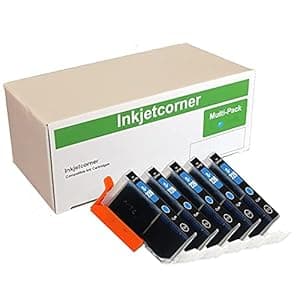 B00DVTU1D8 Price: $9.75 Score: 12.821 Category: Office Rating: 4.4 Votes: 135 Find similar productsInkjetcorner Compatible Ink Cartridges Replacement for CLI-226 CLI-226C for use with MG5120 MG5220 MG5320 MX882 MX892 MG6120 MG8120 (Cyan, 5-Pack). Inkjetcorner inkjet cartridges for your printers are built to meet the same original specifications and performance standards as the OEM cartridges Compatible with: iX6520 MG5120 MG5220 MG5320 MX882 MX892. |
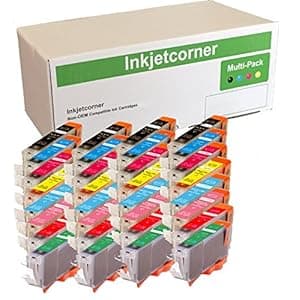 B07DC1XTGT Price: $31.99 Score: 12.195 Category: Office Rating: 4.2 Votes: 244 Find similar productsInkjetcorner Compatible Ink Cartridges Replacement for CLI-8 for use with Pro9000 Mark II (32-Pack). Inkjetcorner inkjet cartridges for your printers are built to meet the same original specifications and performance standards as the OEM cartridges. Compatible with the following printers: Pro9000, Pro9000 Mark II How to install / Replace new ink cartridge: Step 1: Pull off tape (if any) the yellow/clear sealing tape on top of the cartridge. If there are no tape on the top, proceed to Step 2Step 2: Turn cartridge upside down and remove the orange cap/bracket off the cartridge Step 3: Insert the cartridge into the corresponding slot and push down on the cartridge until you hear a click sound Step 4: This Step is optional. Run a Printhead clean on the cartridge. this will flush out residue leftover from previous use NOTE: The cartridges may not light up due to latest driver update. However, you will be able to continue to print and the ink levels will display. | 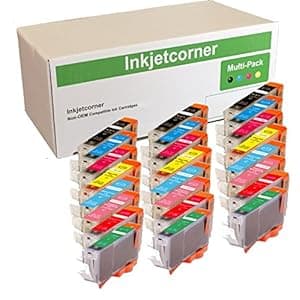 B00BWBU1U0 Price: $26.99 Score: 11.765 Category: Office Rating: 4.1 Votes: 126 Find similar productsInkjetcorner Compatible Ink Cartridges Replacement for CLI-8 for use with Pro9000 Mark II (24-Pack). Inkjetcorner inkjet cartridges for your printers are built to meet the same original specifications and performance standards as the OEM cartridges. Compatible with the following printers: Pro9000 Mark IIHow to install / replace new ink cartridge: Step 1: Pull off tape (if any) the yellow/clear sealing tape on top of the cartridge. If there are no tape on the top, proceed to Step 2Step 2: Turn cartridge upside down and remove the orange cap/bracket off the cartridge Step 3: Insert the cartridge into the corresponding slot and push down on the cartridge until you hear a click sound Step 4: This Step is optional. Run a Printhead clean on the cartridge. this will flush out residue leftover from previous use NOTE: Due to printer drivers update, the LED lights may or may not light up for the compatible cartridges. however, you will be able to continue to print and the ink levels will display. |
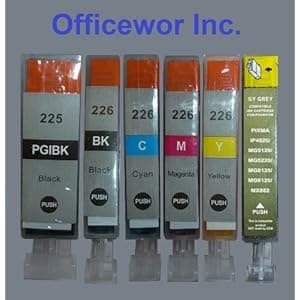 B007A78594 Availability: Currently unavailable Score: 10.204 Category: Office Rating: 5 Votes: 1 Find similar productsCompatible Canon Pgi-225 & Cli-226 Ink Cartridges W/chip: 6 Pack Use for : Canon Pixma Ix6520 Mx882 Ip4820 Mg5120 Mg5220 Mg8120 Mg6120. Compatible Canon PGI-225 & CLI-226 Ink Cartridges w/Chip: 6 pack This set contains the following ink cartridges: 1x PGI-225 Black Ink Cartridge 1x CLI-226 Black Ink Cartridge 1x CLI-226 Cyan Ink Cartridge 1x CLI-226 Magenta Ink Cartridge 1x CLI-226 Yellow Ink Cartridge 1x CLI-226 Gray Ink Cartridge Condition : Brand New (non-OEM) MFG Process: Compatible Shelf Life : 2 Years Guarantee: 12 Month Warranty Use for : CANON PIXMA iX6520 MX882 iP4820 MG5120 MG5220 MG8120 MG6120 printers. | 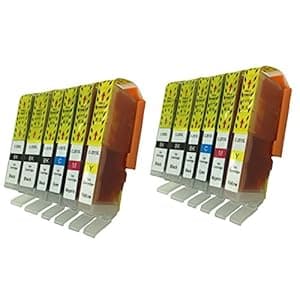 B00IGQCCB0 Availability: Currently unavailable Score: 9.901 Category: Office Rating: 4.2 Votes: 3 Find similar productsINKTONER 12 Pack PGI-250 & CLI-251 New Compatible Ink Cartridges (2xLB/2xSB/2xC/2xM/2xY/2xG) Replacement For Cannon PIXMA MG5420, PIXMA MG5450, PIXMA MG6320, PIXMA MG6350, PIXMA MX722, PIXMA MX922, PIXMA iP7220, PIXMA iP7250 Printers. Canon PGI-250XL & CLI-251XL Compatible Ink Cartridges - Listing includes : 2 pcs of PGI-250PGBK XL Black, 2 pcs of CLI-251BK XL Small Black, 2 pcs of CLI-251C XL Cyan, 2 pcs of CLI-251M XL Magenta, 2 pcs of CLI-251Y XL Yellow, 2 pcs of CLI-251Y XL Grey - Compatible with the following printers: HP OfficeJet Pro K-5400, K-5400-dn, K-5400-dtn, K-550, K-550-dtn, K-8600, K-8600-dn, L-7480, L-7500, L-7550, L-7555, L-7580, L-7590, L-7600, L-7650, L-7680, L-7700, L-7750, L-7780 Printers. |
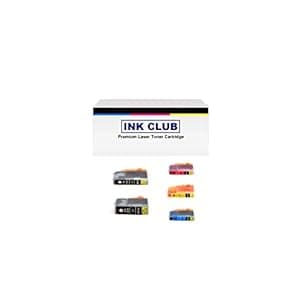 B00CHFQABE Availability: Currently unavailable Score: 9.901 Category: Office Rating: 3.1 Votes: 16 Find similar productsInkcool 30 (6 each) Pack Non-OEM Ink for pgi-225 CLI-226 Pixma ip4820 iP4920 MG5120 MG5220 MG5320 MG6120 MG6220 MG8120 MG8220 MX882 Printer (6LB/6SB/6C/6Y/6M). 30 Pack Non-OEM Ink for pgi-225 CLI-226 Pixma ip4820 iP4920 MG5120 MG5220 MG5320 MG6120 MG6220 MG8120 MG8220 MX882 Printer. | 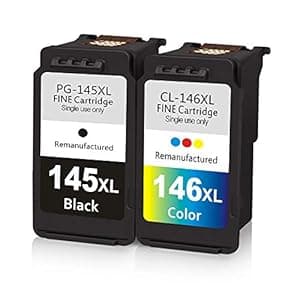 B08NPP72JL Price: $47.99 Score: 9.709 Category: Office Rating: 3.4 Votes: 25 Find similar productsReplacement PG-145XL Black CL-146XL Color Ink Cartridge PG 145XL CL 146XL Remanufactured Ink Cartridges for Canon Pixma iP2810 MG2410 MG2910 MG3010 Printers. Remanufactured ink cartridge for canon 145xl 146xl black and tri-color combo pack What You Get 1 Black PG-145XL & 1 Tri-color CL-146XL Ink Cartridges Page Yield Up to 300 pages per cartridge at 5% coverageActual yield varies considerably based on the content of printed pages and other factors Compatible Printers For Canon Pixma iP2810 MG2410 MG2910 MG3010 Show Accurate Ink Level This items are equipped with intelligent chip that allows you to track ink level anytime Green Material We source only the high quality of green materials and fill the ink cartridges to high capacity to ensure smoothly use Multiple Protection This product is protected by strong package to reduce the damage cost by transportation and to make sure transport safety Test Each cartridge undergoes a strict quality testing procedure to ensure compatibility with your printer and quality printout. |