E-commerce Search Demo
AI Assisted Filters
Parameters
Query:
Category filters: All
AI Assist: ON
Page: 1
Products
Time taken: 2 Max score: 1000.000 Total hits: 100 Full time: 0.0 s
Showing 1-10 of 100 products
 B07MV8VSFS Availability: Currently unavailable Score: 1000.000 Category: Office Rating: 4.2 Votes: 15 Find similar productsSunnyscopa Waterslide Decal Paper for LASER Printer - CLEAR, US LEGAL SIZE 17x11, 10 SHEETS, STANDARD - Personalized Water Slide Transfer - DIY Custom Printable Water-Slide Decals. . |  B08PD458R5 Availability: Currently unavailable Score: 13.699 Category: Office Rating: 4.3 Votes: 54 Find similar productsMECOLOUR Waterslide Decal Paper LASER CLEAR 5 Sheets for Any LASER Printer US LETTER SIZE 8.5X11,Premium Water-Slide Transfer Transparent Printable Water Slide Decals A4 Size. . |
 B0BQMT3V67 Price: $16.5 Score: 12.658 Category: Office Rating: 4.6 Votes: 14899 Find similar productsSunnyscopa Waterslide Decal Paper for LASER Printer - CLEAR, US LETTER SIZE 8.5X11, 20 SHEETS, Personalized Water Slide Transfer Transparent Printable paper - DIY Custom for Tumblers, Glasses, Mug. . | 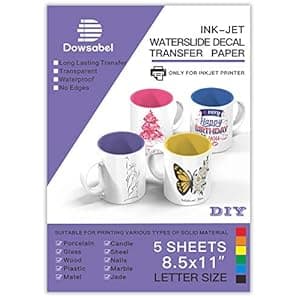 B08DS2WNV2 Availability: Currently unavailable Score: 8.621 Category: Office Rating: 4.5 Votes: 1012 Find similar productsWater Slide Decal Paper for Inkjet Printer, Premium Clear Transparent Printable Waterslide Transfer Paper for Tumblers, Mugs, Glasses DIY, 8.5 x 11 inches, 5 Sheets. . |
 B0B8H8WB8V Price: $6.99 Score: 7.752 Category: Office Rating: 4.1 Votes: 423 Find similar productsKOALA Matte Waterslide Decal Paper for INKJET & LASER Printers, No Need Spray Coating, White 8.5x11 Inch Water Slide Paper for DIY Tumbler, Mug, Nail Crafts, 5 Sheets. . | 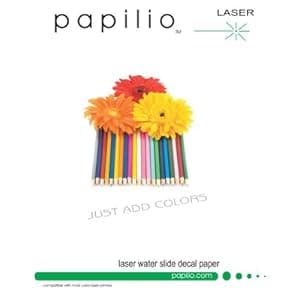 B005DFMFB4 Availability: Currently unavailable Score: 7.692 Category: Office Rating: 3.6 Votes: 7 Find similar productsPapilio Laser Clear Waterslide Decal Paper 5 Sheets. Laser decal paper is suitable for high resolution needs and for covering either flat or curved surfaces. Water-slide decal paper may used on large to small objects like candles and scale models. You only need a computer program to work with images, a laser printer (or copier), clear spray and decal paper. Be sure your laser printer can accept decal paper, as some cannot. Complete with instructions. Recommend top coat of clear for protection. |
 B00IQZ343G Availability: Currently unavailable Score: 7.463 Category: Office Rating: 3.4 Votes: 6 Find similar productsLaser Premium Waterslide Clear Decal Paper, 3 Sheets. Type II decal paper is suitable for high resolution needs and for covering either flat or curved surfaces. Water-slide decal paper may used on large to small objects like candles and scale models. You only need a computer program to work with images, a laser printer, clear spray and decal paper. Clear paper goes over light backgrounds. Be sure your laser printer can accept decal paper. Complete with instructions. Recommend top coat of clear for protection. |  B08H2F6SSL Price: $17.97 Score: 7.463 Category: Office Rating: 4.6 Votes: 93 Find similar productsPremium Printable Vinyl Sticker Paper for Your Inkjet and Laser Printer - 15 Matte & 15x Glossy White Waterproof Decal Paper Sheets - Dries Quickly and Holds Ink Beautifully. The Zicoto sticker paper for inkjet printers: 15 matte white sheets + 15 glossy white sheets for endless possibilities The printable vinyl sheets make it easy to add a special and personal touch to a variety of hard-surfaced objects (NOT suitable for t-shirts). Live your creative dreams and use the self-adhesive vinyl paper to print stickers for coffee tumblers, water bottle label sickers, notebooks, bumpers or car windows. You can also print drawings of your kids as unique wall murals. Additionally, the vinyl sticker paper set does an amazing job when it comes to office or professional use. Label small business products or organize your filing systems. The 8.5x11” paper sheets are compatible with most inkjet printers (instructions incl.) and even laser + cricut printers. Easy printing & application: Print a test copy using the suggested printer settings and if necessary, adjust and reprint until you receive the desired final print. Make sure to select “matte”/glossy + “best” at media & quality settings, as well as the correct size: 8.5x11 inch Insert your vinyl sheet into the printer to print the draft onto the bright white matte/glossy side; Please always insert only 1 sheet at a time to avoid paper jams Print and let the results dry for 5 minutes Cut your designed print and round out any corners for a quicker and easier peel off Clean and dry your chosen surface before applying the vinyl sticker afterwards Tip: To increase durability and achieve full waterproofness, especially when using outdoors, we recommend to print the stickers with UV ink, allow the ink to dry for 24 hrs and apply a clear UV resistant sealer spray. Boost your creativity & organizing skills with the Zicoto Vinyl sticker paper and add it to your cart now!. |
 B07481DXYS Price: $54.95 Score: 7.353 Category: Office Rating: 5 Votes: 5 Find similar products50-200 Sheets Inkjet WaterSlide Decal Paper Transparent Clear DIY for Inkjet PrintersLetter Size (50 Sh.). Waterslide Inkjet Paper Clear 8.5 x 11 HOW IT WORKS Clear Waterslide Decal Paper You will need: Hair Dryer, Ruler, Scissors, Tissues/Towel STEP 1: Edit the size and shape of your image. STEP 2: Print the image on the glossy coated side of the paper. STEP 3: Next, cut out the image with a pair of scissors or a craft knife. *If you are using the white paper, cut out very carefully around the image, if you leave any border around the image they will appear later. *If you are using the clear paper, you can leave a small boarder around the image since it's clear, you won't be able to see it. STEP 4: Once the decal has been cut out, place the decal into a bowl of water leave for up to 30 seconds. *In cold weather use warm water. *Before you place the decal onto your project, wet the surface of your project with water. This will allow you to move the image easily so you can position it in the right place. STEP 5: If you have soaked the decal for long enough, you will be able o feel the backing paper and decal transfer easily slipping. (Do not remove at this stage) Take the decal out of the water and place it facing up onto your project. Then carefully slip the decal paper slightly and attach the lip of the decal on the surface. STEP 6: Then gently pull the backing of the paper away leaving the decal transfer to stick to the surface while supporting the decal at the same time with your other hand. STEP 7: Once the decal has been attached to the surface, move it around to the desired position. Once you have positioned the decal, use a rubber scraper to remove any water or air bubbles underneath the decal transfer. | 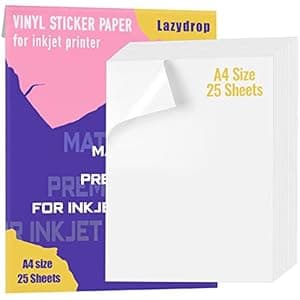 B07VLFRJ6R Price: $7.99 Score: 7.299 Category: Office Rating: 4.5 Votes: 3838 Find similar productsPremium Printable Vinyl Sticker Paper for Inkjet Printer - 25 Matte White Waterproof Decal Paper Sheets - Dries Quickly and Holds Ink Beautifully. Easy printing & application: Print a test copy using the suggested printer settings and if necessary, adjust and reprint until you receive the desired final print. Make sure to select “matte” + “best” at media & quality settings, as well as the correct size: 8.3x11.7 inch Insert your vinyl sheet into the printer to print the draft onto the bright white matte side; Please always insert only 1 sheet at a time to avoid paper jams Print and let the results dry for 5 minutes Cut your designed print and round out any corners for a quicker and easier peel off Clean and dry your chosen surface before applying the vinyl sticker afterwards NOTE: When the product is opened for use, it can not encounter wind, which will cause the product to curl !Print settings and instructions for use:Please choose the “BEST” print mode + “PHOTO PAPER” print.” Do not select “File printing mode” and Regular printing mode . You will get brightly colored sticker paper. |