E-commerce Search Demo
AI Assisted Filters
Parameters
Query:
Category filters: All
AI Assist: ON
Page: 1
Products
Time taken: 2 Max score: 1000.000 Total hits: 100 Full time: 0.0 s
Showing 1-10 of 100 products
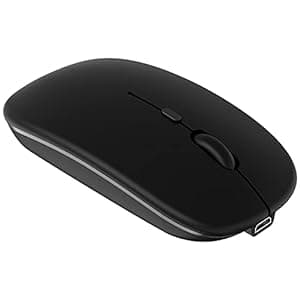 B098QL5NTT Price: $8.48 Score: 1000.000 Category: Electronics Rating: 4.3 Votes: 486 Find similar productsBluetooth Mouse Rechargeable Wireless Mouse for iPad Tablet Cell Phone Smartphone iPhone MacBook Pro Air Laptop PC Computer Mac iMac Desktop Windows Android Portable Silent 2.4G Cordless Mice (Black). Specifications: Bluetooth Mouse Version: Bluetooth 5.2 Mouse Dimensions: 4.33 x 2.36 x 0.98 inch Weight: 2.13 ounce Mouse Buttons: 4 keys Charging port: Micro USB Working Range: Up to 8 meters Note: The Bluetooth mouse only compatible with Mac OS 10.8 or above, iPadOS 13 or later, iOS 13 or later. So update your system to iPad OS 13 or later, iOS 13 or later, Turn on the “Assistive Touch” on the iPad or iPhone: Setting - Accessibility - Assistive Touch. Broad Compatibility: The mouse perfect for Android Windows notebook PC desktop computer smartphone tablet laptop, Mac OS Mac iMac, Samsung galaxy tab s7 plus a7 s6 lite, surface book pro x go 4 5 6 7, MacBook Air, MacBook Pro, iOS iPhone, iPad mini 6 5 generation 7.9, iPad 5th 6th 7th 8th 9th 10th gen 9.7in 10.2 in 10.9 inch, iPad Air 3rd 4th 5th generation 10.5 10.9 inch, iPad Pro 2nd 3rd 4th 5th 6th 2021 2022 generation 11 12.9 inch. Package Include: 1* Dual Mode Mouse 1* Charging Cable 1* USB Receiver 1* User Manual. |  B08DKB5TKX Availability: Currently unavailable Score: 14.286 Category: Electronics Rating: 4 Votes: 39 Find similar productsRechargeable Bluetooth Mouse for Mac Laptop iPad Pro Air Wireless Bluetooth Mouse for MacBook Pro MacBook Air Windows Notebook MacBook Chromebook (Blue). ✅Best compatible bluetooth 5.1chip :Compatible with more than 99.8% Bluetooth devices. Connect to PC, Macbook MacBook pro / MacBook air / iOS13 iPad pro Air or iPhone, notebook, Mac iOS; Support Win7-10 Linux or Android tablet. ✅Packaging list: instruction x1, rechargeable Bluetooth mouse x1, USB cable x1, packaging carton x1.✅How to use bluetooth mouse:✅first, open the mouse switch, open the computer system preference settings, open the Bluetooth function, when the computer Bluetooth display is searching for the nearby Bluetooth device, you will need the black button at the bottom of the mouse ‘🔘’, while holding down for 3-6 seconds, then your computer Bluetooth display search device will appear Bluetooth mouse, then click to connect it, and then Successful connection✅OS13/iOS14 iPad/ iPad pro/ iPad Air/ mini /iphone connection method: Open iPad settings > Accessibility > Touch > AssistiveTouch > Devices > (Open the mouse switch and long press the black button at the bottom of the mouse for 3-5 seconds.) > Bluetooth Devices > Bluetooth 5.1 Mouse > PIN: 0000 >Pair. |
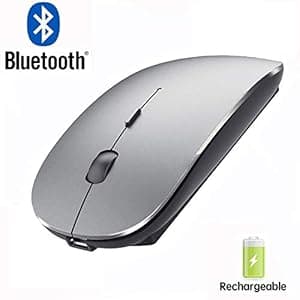 B07J29FJ5W Availability: Currently unavailable Score: 13.158 Category: Electronics Rating: 3.9 Votes: 43 Find similar productsBluetooth Mouse for iPad and iPhone (iPadOS 13 / iOS 13 and Above) Rechargeable Wireless Bluetooth Mouse for MacBook pro Air Laptop MacBook Mac Windows(Grey). . | 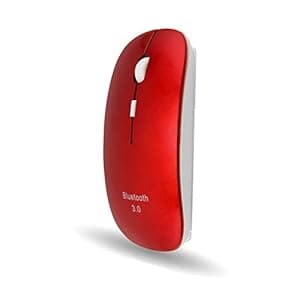 B07YCDR8RY Availability: Currently unavailable Score: 11.494 Category: Electronics Rating: 4 Votes: 9 Find similar productsFLY WAY Bluetooth 3.0 Wireless Mouse,Slim Cordless Mouse 3 Adjustable DPI Mice Compatible with Laptop, PC, Windows Mac Android OS Tablet(Red). How to use: 1.There is no pairing button. Insert 2*AAA battery, turn on the power switch, the optical sensor flashes red light. 2. Turn on the Bluetooth on your device and let it search for nearby Bluetooth devices. 3.Press the 3 buttons (left button, right button, scroll wheel) simultaneously for about 3-5 seconds.The mouse is in Bluetooth pairing mode. Wait for a while, Bluetooth Mouse will be displayed on the device. Specification: 1.Type:Bluetooth 3.0 Wireless Mouse. 2.Power supply: powered by 2*AAA battery (not included). 3.Size:5.66*2.32*0.98 in/114*59*25mm. 4.Net weight :38g. 5.DPI:800-1200-1600. 6.Application:PC,Laptop,Desktop,Notebook,Computer. Package included: 1 * Bluetooth wireless mouse. |
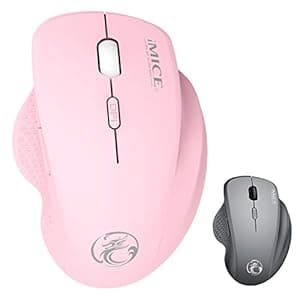 B08B69Z9G9 Availability: Currently unavailable Score: 11.364 Category: Electronics Rating: 4.1 Votes: 108 Find similar productsBluetooth Wireless Mouse for Laptop iPad MacBook Pro MacBook Air Mac PC Chromebook Win8/10 Bluetooth Mouse (Pink). 👍🎁 Best compatible with bluetooth 5.1 chip: compatible with more than 99.8% bluetooth devices. This bluetooth mouse works on all bluetooth-enabled laptops or iOS13 ipad pro/ ipad /Air mini /iPhone/Mac/MacBook pro/ Air/ iMac(2009-2021),win7/8/10/Mac/ Windows 👍 ☑️ How do I connect this bluetooth mouse on my laptop: put a AA battery into the mouse > and then open the Laptop/pc/computer bluetooth > search bluetooth device > open the bluetooth mouse switch > your computer bluetooth will search to “WBZ BT5.1 mouse” > And then I'll click on the link, ⚠️ ☑️ How to use the (IOS13 / iPad Pro /iPad Air/ Mini ) : > put a AA battery into the mouse > open the switch at the bottom of the mouse (1) open ipad Settings >Accessibility > Touch > AssistiveTouch > Click to open (An auxiliary dot will appear on the screen), (2) Go back to Settings > Click on the bluetooth > Click to open > “WBZ BT5.1 mouse”> connect and Pair. |  B09X2VFX9T Price: $15.99 Score: 11.364 Category: Electronics Rating: 4 Votes: 256 Find similar productsUciefy U30 Bluetooth Mouse, Ultra Slim Triple Mode (BT5.1+BT5.1+USB) Rechargeable Wireless Bluetooth Mouse Compatible with iPad, Laptop, MacBook (Black). . |
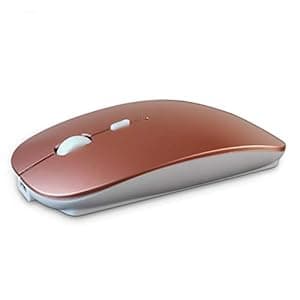 B091PLXZFR Availability: Currently unavailable Score: 11.364 Category: Electronics Rating: 4.1 Votes: 21 Find similar productsSUNGI Bluetooth Mouse,Rechargeable Wireless Mice for MacBook Pro/MacBook Air,Bluetooth Wireless Mouse for Laptop/PC/Mac/iPad pro/Computer. support system: Windows Vista, Windows XP, Windows 7 / 8 / 10, Linux, Android, Mac OS X (compatible with IMAC one machine / MacBook / MacBook Air / Mac Mini / macbook pro / ipad / iphone) * Bluetooth version: Bluetooth 4.0 * Photoelectric resolution: 3 adjustable DPI level (1000 / 1200 / 1600DPI) * Built in rechargeable battery: 1000mAh (lithium polymer battery, long cycle life) * Tracking system: optics * Number of keys: 4 (key) * Operating distance: 15 m * Size: 4.4 x 2.3 x 0.8 inches How to charge the mouse: 1.Set up the power before first charge,and then turn off the mouse.Charge it with USB cable. 2.When charging,the blue light is on.When fully charged,there is no light.It take 2-3hours to fully charge. | 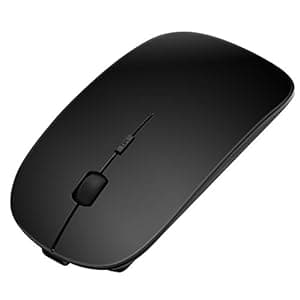 B079BC61CP Availability: Currently unavailable Score: 11.111 Category: Electronics Rating: 3 Votes: 11 Find similar productsSanhoton Slim Rechargeable Bluetooth Mouse, Noiseless Wireless Mice, Compatible with PC, Windows, Mac and Android Tablet. Sanhoton Bluetooth Mouse(W013) Characteristics: Silent mouse clicks will not affect others.No wires and compact appearance make a more smart and tidy desktop. Long time of inactivity will automatically enter the sleep mode, click mouse to wake up.It has a built-in rechargeable battery and you can recharge the mouse by using the USB connection line.Connect directly to desktop, laptop, android tablet or other devices with a Bluetooth receiver. Charge the mouse: Run out battery before first charge.①Turn off the power switch at bottom of the mouse.②Connect with USB cable for charging, charge for 1-2 hours.③Red light will turn on to indicates charging. After fully charge, light should turn to green. NOTE: If your device doesn't have Bluetooth function, you need to install a Bluetooth dongle first. You need to turn off and turn on the power switch to wake the mouse if your computer restarts after a long time sleep. Can't the computer search for mouse Bluetooth? Remove the battery and turn off the power switch. After a few seconds, reinstall the battery and turn on the power switch. Then press the Bluetooth connection button on the back of the mouse. Bluetooth connection is unstable during use, often dropped? Please follow the steps below to easily solve the Bluetooth disconnection problem. Open:Console→Device/Hardware and Sound→Device Manager→Bluetooth→Find Bluetooth Driver.Right click on Properties→Properties in Power Management.Click √ to cancel Allow the computer to turn off this device to save power→OK. |
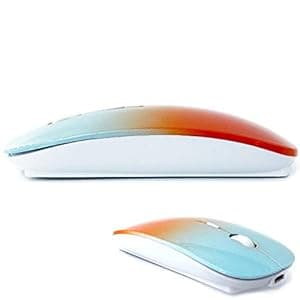 B09XXBFLDL Price: $11.99 Score: 10.204 Category: Electronics Rating: 4.2 Votes: 16933 Find similar productsKLO Bluetooth Mouse for MacBook/MacBook air/Pro/iPad, Wireless Mouse for Laptop/Notebook/pc/iPad/Chromebook (BT/A Blue-Orange). Adopt bluetooth 3.0/5.2 technology, built-in 500mAH A product lithium battery, configuration charging line, like a mobile phone, easy to charge, more scientific, charge and discharge of more than 500 times, the mouse no longer need to buy a battery. size: 113mm x 58mm x23mm weight : 3.2 oz package: Bluetooth mouse x1, USB Charging Cable x1 How to use Bluetooth wireless mouse:Apple Mac MacBook/pro/Air 2012/2013/2014/2015/2016/2017/2018/2019: first, open the mouse switch, open the computer system preferences, open the bluetooth, when the computer Bluetooth display is searching for nearby Bluetooth devices, hold down the mouse button (at the bottom of the mouse small black button) and keep 3 to 8 seconds, and then your computer display the search bluetooth mouse, bluetooth device click on the link, and then the connection is successful Win7/8/10/XP series notebook computer usage instructions: First, open the mouse switch, open the computer settings, open the device Bluetooth function, open add Bluetooth, open Bluetooth, when the computer Bluetooth display is searching for nearby Bluetooth devices, hold down the mouse button (at the bottom of the mouse small black button) and keep 3 to 8 seconds, and then your computer display the search bluetooth mouse, bluetooth device click on the link, and then the connection is successful. | 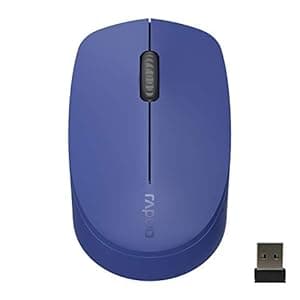 B09CGGNRBW Price: $11.99 Score: 9.901 Category: Electronics Rating: 4 Votes: 776 Find similar productsRapoo Bluetooth 2.4G Wireless Mouse, 2 Bluetooth Channels with 1 USB Receiver Noiseless Mouse, Connect up to 3 Devices, Portable Computer Mice for PC, Tablet, Laptop-Blue. . |