E-commerce Search Demo
AI Assisted Filters
Parameters
Query:
Category filters: All
AI Assist: ON
Page: 1
Products
Time taken: 3 Max score: 1000.000 Total hits: 100 Full time: 0.0 s
Showing 1-10 of 100 products
 B099R24GZ9 Price: $6.99 Score: 1000.000 Category: Office Rating: 3.9 Votes: 6 Find similar productsSonilcoⓇ QC1-1146-000 Nylon Motor Drive Gear Wheel LF Double Gear Compatible with Canon PIXUS 50i 80i i70 i80 iP90 iP90v CF-PL90 PL95 PL90W PL95W. Product name: Nylon Drive Wheel Motor LF Double Gear Compatible with: Canon PIXUS Color Bubble Jet 50i 80i i70 i80 iP90 iP90v CF-PL90 PL95 PL90W PL95W OEM code: QC1-1146 QC1-1146-000. | 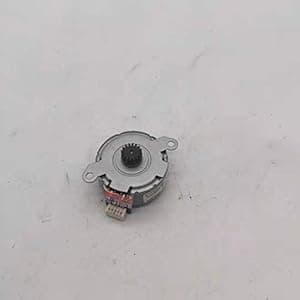 B08NFZFMG2 Availability: Currently unavailable Score: 5.102 Category: Office Rating: 5 Votes: 1 Find similar productsReplacement Parts for Printer PRTA26327 Scanner Stepping Ccd Motor Q3948-60186 for HP M2727nf M1522nf 3055 3052 3390 Printer Parts. Item Description: Scanner Stepping Ccd Motor Q3948-60186 for HP M2727nf M1522nf 3055 3052 3390 package included :1pcs Item Specification: Origin: CN(Origin). |
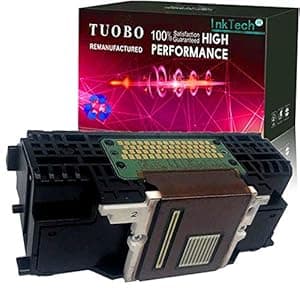 B094XKH38T Price: $95.99 Score: 5.102 Category: Office Rating: 3.4 Votes: 20 Find similar productsTuobo 1 Pack QY6-0086 Printhead Replacement for Canon mx922 printhead QY6-0086 Printhead Use in MX922 MX928 MX728 IX6780 IX6880 MX721 MX722 MX725 MX726 MX727 Printers. Compatible with the following Printer Models: iX6840, iX6850 series, Pixma MX720, MX721, MX722, MX725, Pixma MX920, MX924, MX925, MX926, MX927 Printers Note: Problems that should be paid attention to when installing the nozzle 1. The head surface of the sprinkler is very fragile, it must not be bumped, and it must be protected. Its surface layer is an aluminum sheet, and the inner layer is coated with a crystal oscillator and a very small ink tube. Once touched, it will be concave, deformed, or even broken, and the nozzle will be scrapped 2. Be careful when installing the nozzle, be sure to cut off the power first and install it in place. After installation, gently push the trolley with your hands to move it left and right to check whether it is smooth. Don’t turn on the power after it is installed, because if the head is not in place, the trolley will easily break the head when it moves. , Strong controllability 3. When connecting the plug and cable, do not bring ink, and make sure that it is in good contact with the socket and does not touch the feet, otherwise it will cause the print head to be short-circuited and burned 4. The steel shaft should also be clean and smooth. You can wipe it with a paper towel with some lubricating oil. Do not directly add oil to the shaft. The excess oil will flow to the nozzle and cause damage 5. After the machinery and circuit are all correct, check the water circuit. First, check that the amount of water in the ink cartridge is insufficient second, check whether the small cleaning blade and the ink suction pump are dirty. |  B08ZDC3BBR Price: $7.99 Score: 4.975 Category: Office Rating: 5 Votes: 1 Find similar productsSonilcoⓇ Replacement for Epson Feed Spur Clutch Gear (1718065) L3110 1110 4160 3150 4150 5190. Product: Feed Spur Clutch Gear Compitable with: L3100 L3105 L3106 L3107 L3108 L3110 L3115 L3116 L3117 L3118 L3119 L3150 L3156 L3158 L4150 L4160 L4165 Colour: White Material: Plastic Alternative Part Numbers: 1718065, 1801344. |
 B08JNM6FY2 Price: $15.99 Score: 4.878 Category: Office Rating: 4.4 Votes: 15 Find similar productsNew 105934-059 Roller Bearings and Gear Compatible for Zebra GK420D GX420D GK430D GX430D ZP450 ZP500 ZP505 ZP550 105934-034 Platen Roller Buckle (1 Set). 105934-059 Roller Bearings and Gear Compatible for Zebra GK420D GX420D GK430D GX430D ZP450 ZP500 ZP505 ZP550 105934-034 Platen RollersPart number: 105934-059. | 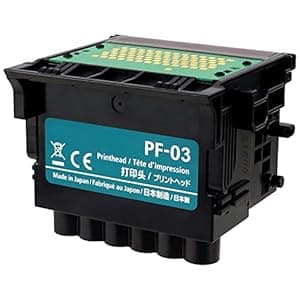 B09VNR4JSH Availability: Currently unavailable Score: 4.831 Category: Office Rating: 2 Votes: 2 Find similar productsPF-03 Printhead for Canon IPF500, IPF510,IPF605,IPF610, IPF700,IPF710,IPF810,IPF815,IPF5000,IPF6000s,IPF6100,IPF8000s,IPF8010s,IPF8100,IPF9000 Print Head. . |
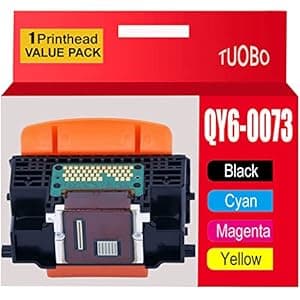 B08ZCY6H1K Price: $27.99 Score: 4.808 Category: Office Rating: 3.6 Votes: 6 Find similar productsTuobo Remanufactured QY6-0073 Printhead Compatible with Canon QY6-0073 Printhead for Canon IP3600 MP560 MP620 MX860 MX870 MG5140 iP3680 MP540 MP568 MX868 MG5180 Printer. Compatible with the following Printer Models: IP3600 MP560 MP620 MX860 MX870 MG5140 iP3680 MP540 MP568 MX868 MG5180 Printers Note: Problems that should be paid attention to when installing the nozzle 1. The head surface of the sprinkler is very fragile, it must not be bumped, and it must be protected. Its surface layer is an aluminum sheet, and the inner layer is coated with a crystal oscillator and a very small ink tube. Once touched, it will be concave, deformed, or even broken, and the nozzle will be scrapped; 2. Be careful when installing the nozzle, be sure to cut off the power first and install it in place. After installation, gently push the trolley with your hands to move it left and right to check whether it is smooth. Don’t turn on the power after it is installed, because if the head is not in place, the trolley will easily break the head when it moves. , Strong controllability; 3. When connecting the plug and cable, do not bring ink, and make sure that it is in good contact with the socket and does not touch the feet, otherwise it will cause the print head to be short-circuited and burned; 4. The steel shaft should also be clean and smooth. You can wipe it with a paper towel with some lubricating oil. Do not directly add oil to the shaft. The excess oil will flow to the nozzle and cause damage; 5. After the machinery and circuit are all correct, check the water circuit. First, check that the amount of water in the ink cartridge is insufficient; second, check whether the small cleaning blade and the ink suction pump are dirty; 6. There will be air in the newly installed print head, so it will not print normally immediately. Only after the air in the head is completely exhausted can the lines appear normally; first, intermittent cleaning can be used (only two cleanings at a time, then stop for 30 minutes Clean 2 times afterwards). | 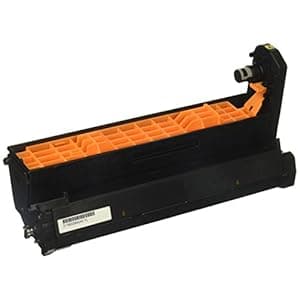 B01N68LCW5 Price: $118.44 Score: 4.739 Category: Office Rating: 1 Votes: 1 Find similar productsOkidata 46507401 30k Yellow Image Drum for C712. 30K YELLOW IMAGE DRUM FOR C712. |
 B09NNQTWM2 Availability: Currently unavailable Score: 4.651 Category: Office Rating: 2.7 Votes: 18 Find similar products070 Printheads Replacement, QY6-0086 Printhead Print Head Compatible with Canon iX6840, iX6850 Series, MX720, MX721, MX722, MX725, MX920, MX922, MX924, MX925 Printers. Specification: Item Type: Printhead Replacement Material: ABS Model: QY6-0086 Color: Black and Yellow Function: For Printer Print Head Compatible Models: For iX6840, for iX6850 series, for Pixma MX720, for MX721, for MX722, for MX725, for Pixma MX920, for MX922, for MX924, for MX925, for MX926, for MX927 Package List: 1 x Printhead Replacement. | 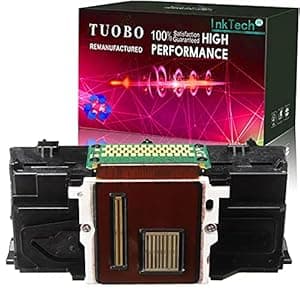 B09T3D3B17 Price: $45.99 Score: 4.651 Category: Office Rating: 4.4 Votes: 4 Find similar productsTuobo Remanufactured QY6-0090 Print Head Compatible with Canon TS9120 TS8020 TS9020 TS8050 TS8070 TS8080 TS9050 TS9080 TS8040 TS8080 TS9050 TS9080 Printer. Compatible with the following Printer Models: Pixma TS8010 TS9010 TS8020 TS9020 TS8030 TS9030 TS8040 printer Suitable for Pixma TS9040 TS8050 TS9050 TS8060 TS9060 TS8070 TS9070 printer Suitable for Pixma TS8080 TS9080 TS8090 TS9090 TS9055 TS8051 TS8052 TS8053 printer Note: Problems that should be paid attention to when installing the nozzle 1. The head surface of the sprinkler is very fragile, it must not be bumped, and it must be protected. Its surface layer is an aluminum sheet, and the inner layer is coated with a crystal oscillator and a very small ink tube. Once touched, it will be concave, deformed, or even broken, and the nozzle will be scrapped; 2. Be careful when installing the nozzle, be sure to cut off the power first and install it in place. After installation, gently push the trolley with your hands to move it left and right to check whether it is smooth. Don’t turn on the power after it is installed, because if the head is not in place, the trolley will easily break the head when it moves. , Strong controllability; 3. When connecting the plug and cable, do not bring ink, and make sure that it is in good contact with the socket and does not touch the feet, otherwise it will cause the print head to be short-circuited and burned; 4. The steel shaft should also be clean and smooth. You can wipe it with a paper towel with some lubricating oil. Do not directly add oil to the shaft. The excess oil will flow to the nozzle and cause damage; 5. After the machinery and circuit are all correct, check the water circuit. First, check that the amount of water in the ink cartridge is insufficient; second, check whether the small cleaning blade and the ink suction pump are dirty. |