E-commerce Search Demo
AI Assisted Filters
Parameters
Query:
Category filters: All
AI Assist: ON
Page: 1
Products
Time taken: 3 Max score: 1000.000 Total hits: 100 Full time: 0.0 s
Showing 1-10 of 100 products
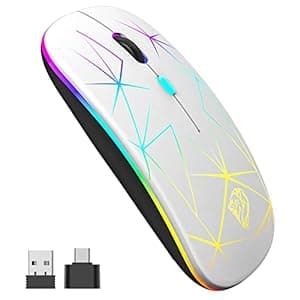 B09SFNVBZY Availability: Currently unavailable Score: 1000.000 Category: Electronics Rating: 4.5 Votes: 1010 Find similar productsWireless Bluetooth Mouse for Laptop,Led Slim Dual Mode Mouse(Bluetooth 5.1+ USB)Silent Rechargeable Mouse with Type C Adapter,3 Adjustable DPI Computer Mice for MacBook/iPad OS13 Above(Silver). . |  B09X2VFX9T Price: $15.99 Score: 12.987 Category: Electronics Rating: 4 Votes: 256 Find similar productsUciefy U30 Bluetooth Mouse, Ultra Slim Triple Mode (BT5.1+BT5.1+USB) Rechargeable Wireless Bluetooth Mouse Compatible with iPad, Laptop, MacBook (Black). . |
 B09LRD6F2X Price: $13.98 Score: 12.048 Category: Electronics Rating: 4.5 Votes: 24 Find similar productsBluetooth Wireless Mouse,Bluetooth Mouse BT 5.0/3.0 Wireless Mouse for Laptop 2.4G Computer Mouse Silent Mouse Optical Cordless Mouse 3 DPI for Laptop MacBook Laptop Notebook PC Tablet (Black). . | 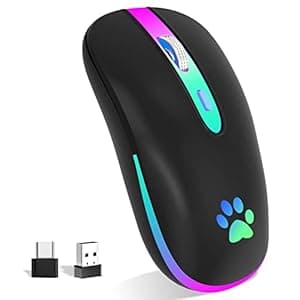 B0BLK5L3V3 Price: $10.99 Score: 11.494 Category: Electronics Rating: 4.2 Votes: 964 Find similar productsFUWANG Wireless Mouse,Rechargeable LED Wireless Bluetooth Mouse,Portable USB Optical 2.4G Wireless Bluetooth Two Mode Computer Mice with USB & Type-c Receiver(Black). . |
 B08DKB5TKX Availability: Currently unavailable Score: 11.494 Category: Electronics Rating: 4 Votes: 39 Find similar productsRechargeable Bluetooth Mouse for Mac Laptop iPad Pro Air Wireless Bluetooth Mouse for MacBook Pro MacBook Air Windows Notebook MacBook Chromebook (Blue). ✅Best compatible bluetooth 5.1chip :Compatible with more than 99.8% Bluetooth devices. Connect to PC, Macbook MacBook pro / MacBook air / iOS13 iPad pro Air or iPhone, notebook, Mac iOS; Support Win7-10 Linux or Android tablet. ✅Packaging list: instruction x1, rechargeable Bluetooth mouse x1, USB cable x1, packaging carton x1.✅How to use bluetooth mouse:✅first, open the mouse switch, open the computer system preference settings, open the Bluetooth function, when the computer Bluetooth display is searching for the nearby Bluetooth device, you will need the black button at the bottom of the mouse ‘🔘’, while holding down for 3-6 seconds, then your computer Bluetooth display search device will appear Bluetooth mouse, then click to connect it, and then Successful connection✅OS13/iOS14 iPad/ iPad pro/ iPad Air/ mini /iphone connection method: Open iPad settings > Accessibility > Touch > AssistiveTouch > Devices > (Open the mouse switch and long press the black button at the bottom of the mouse for 3-5 seconds.) > Bluetooth Devices > Bluetooth 5.1 Mouse > PIN: 0000 >Pair. | 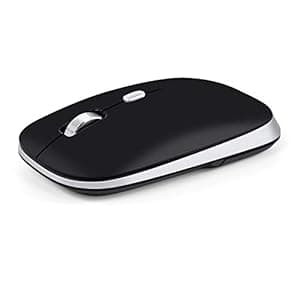 B0BLXYDTR1 Price: $9.99 Score: 10.989 Category: Electronics Rating: 4.1 Votes: 780 Find similar productsPINKCAT Bluetooth Mouse, Slim Silent Bluetooth 5.0 & 4.0 Wireless Mouse, 3 Adjustable DPI Portable Optical Wireless Computer Mice for Laptop, PC, Notebook, Computer, Deskbtop, MacBook - (Black). . |
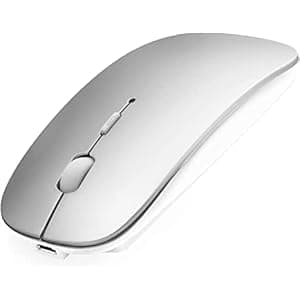 B0C5R31Q7W Availability: Currently unavailable Score: 10.753 Category: Electronics Rating: 5 Votes: 3 Find similar productsDUODUOGO Rechargeable Bluetooth Wireless Mouse with USB Receiver for Laptop/Notebook/PC Comfortable Design 2.4Ghz. DUODUOGO Rechargeable Bluetooth Wireless Mouse with USB Receiver for Laptop/Notebook/PC Comfortable Design 2.4Ghz. | 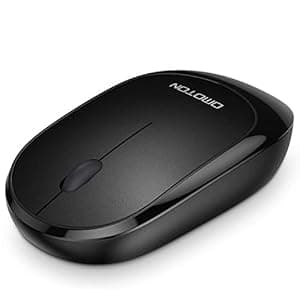 B09Y536SLJ Price: $9.99 Score: 10.638 Category: Electronics Rating: 4.4 Votes: 4290 Find similar productsOMOTON Bluetooth Mouse for Mac, Wireless Mouse for MacBook Air/Pro, Silent Mouse for MacBook, iPad, iPad Pro, and Bluetooth Enabled Laptop, Computer, PC, Notebook, Black. . |
 B08TBJFTTF Availability: Currently unavailable Score: 10.526 Category: Electronics Rating: 4.6 Votes: 328 Find similar productsWireless Mouse, 2.4G 2400DPI Ergonomics Cordless Mouse with USB Receiver, 5 Adjustable DPI Levels, Mobile USB Mice for Chromebook Notebook MacBook Laptop Computer (Black). . | 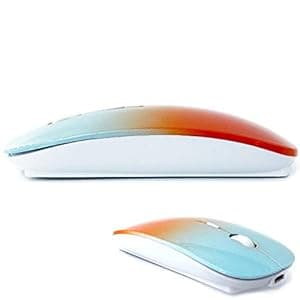 B09XXBFLDL Price: $11.99 Score: 10.526 Category: Electronics Rating: 4.2 Votes: 16933 Find similar productsKLO Bluetooth Mouse for MacBook/MacBook air/Pro/iPad, Wireless Mouse for Laptop/Notebook/pc/iPad/Chromebook (BT/A Blue-Orange). Adopt bluetooth 3.0/5.2 technology, built-in 500mAH A product lithium battery, configuration charging line, like a mobile phone, easy to charge, more scientific, charge and discharge of more than 500 times, the mouse no longer need to buy a battery. size: 113mm x 58mm x23mm weight : 3.2 oz package: Bluetooth mouse x1, USB Charging Cable x1 How to use Bluetooth wireless mouse:Apple Mac MacBook/pro/Air 2012/2013/2014/2015/2016/2017/2018/2019: first, open the mouse switch, open the computer system preferences, open the bluetooth, when the computer Bluetooth display is searching for nearby Bluetooth devices, hold down the mouse button (at the bottom of the mouse small black button) and keep 3 to 8 seconds, and then your computer display the search bluetooth mouse, bluetooth device click on the link, and then the connection is successful Win7/8/10/XP series notebook computer usage instructions: First, open the mouse switch, open the computer settings, open the device Bluetooth function, open add Bluetooth, open Bluetooth, when the computer Bluetooth display is searching for nearby Bluetooth devices, hold down the mouse button (at the bottom of the mouse small black button) and keep 3 to 8 seconds, and then your computer display the search bluetooth mouse, bluetooth device click on the link, and then the connection is successful. |