E-commerce Search Demo
AI Assisted Filters
Parameters
Query:
Category filters: All
AI Assist: ON
Page: 1
Products
Time taken: 2 Max score: 1000.000 Total hits: 100 Full time: 0.0 s
Showing 1-10 of 100 products
 B09ZDTDTLB Price: $15.99 Score: 1000.000 Category: Electronics Rating: 3 Votes: 2 Find similar productsUSICOOR [2 Pack] Anti-blue Light Screen Protector for Laptop 13.3 in Computer Screen filter (13.3 Inch (Diagonal) - 16:9 Aspect Ratio). . | 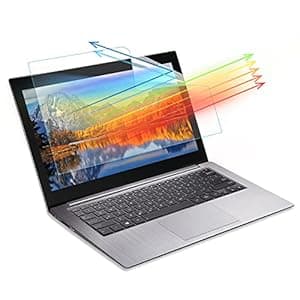 B0B2LVW3H5 Price: $9.89 Score: 15.152 Category: Electronics Rating: 3 Votes: 10 Find similar products2 Pack 13.3 Inch Anti Blue Light Laptop Screen Protector, PET Film Blue Light Filter Screen Protector (not Glass), Block Harmful Blue Light, For 13.3” Laptop With 16:9 Aspect Ratio, Width: 11.6 ” Height: 6.5”. . |
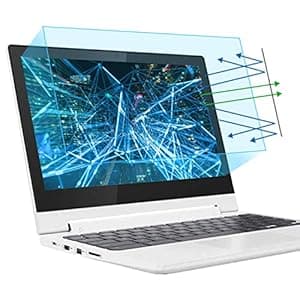 B07D48D5QR Availability: Currently unavailable Score: 12.987 Category: Electronics Rating: 4.2 Votes: 367 Find similar products2 Pack 11.6 Laptop Screen Protector -Blue Light Filter, Eye Protection Blue Light Blocking Anti Glare Screen Protector for All 11.6 16:9 Laptop (!!!Not Include the Screen Bezel). . |  B082MJ3MSD Availability: Currently unavailable Score: 11.236 Category: Electronics Rating: 3.8 Votes: 115 Find similar productsLapogy 2 PCS 17.3 Inch Anti Blue Light and Anti Glare Filter Laptop Screen Protector, for HP Envy 17/Pavilion 17/Dell Inspiron 17.3/Acer Aspire17.3 Laptop etc,Laptop Accessories Display 16:9. . |
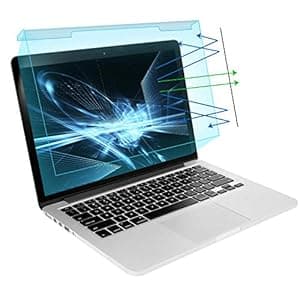 B083GNT1CN Price: $23.99 Score: 11.111 Category: Electronics Rating: 4.1 Votes: 145 Find similar productsMOSISO 13-13.5 inch Laptop Blue Light Blocking Screen Protector Anti-UV Eye Protection Filter Film for Diagonal 13, 13.3, 13.5 inch 16:9 Widescreen Notebook LED Monitor Panel(11.89 x 7.83 inch/L x W). . |  B08H8BQD82 Availability: Currently unavailable Score: 11.111 Category: Electronics Rating: 3.9 Votes: 20 Find similar products2-Pack 15.6 inch Laptop Matte Screen Protector -Blue Light and Anti Glare Filter, Eye Protection Blue Light Blocking for 15.6 with 16:9 Aspect Ratio Laptop Accessories HP/Asus/Lenovo/samsang etc. . |
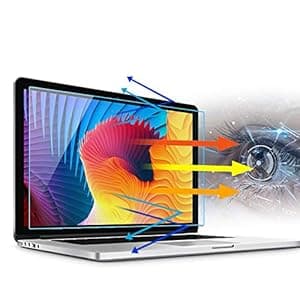 B08BHWKQYB Availability: Currently unavailable Score: 10.753 Category: Electronics Rating: 4.2 Votes: 224 Find similar products2 Pack MZaxam 14 Inch Anti Blue Light Glare Laptop Screen Protector,Screen Protector for Dell Inspiron 14/HP/Asus/Acer/Sony/Samsung/Lenovo/Toshiba Chromebook etc 16:9(310x174mm). . | 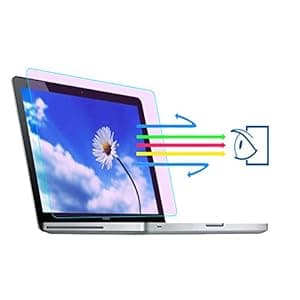 B08H7XC8CN Availability: Currently unavailable Score: 10.417 Category: Electronics Rating: 4.2 Votes: 84 Find similar productsAnti Blue Light Screen Protector for MacBook Pro 15 (2016-2019) (A1707, A1990)- Upgrade MacBook Screen Protector Filter Out Blue Light Relief - Reduce Eye Fatigue Strain (2 Pack). COMFORTABLE VISUAL EXPERIENCE The anti blue light screen filter can bring you a new eye protection experience, and can make the computer screen soft and not dazzling. Start your healthy life. Do you have these problems? - Work Eye Fatigue-Staring at the computer for a long time at work causes dry eyes, astringent eyes, tearing and other related symptoms. - Children's Eyes Myopia-Children play with computers for a long time in life, which causes the eyes to be out of focus, and seeing things blurred produces myopia. - Playing games for a long time-For gamers, playing games for a long time will cause problems such as sore eyes and decreased vision. Filming steps 1. Compare the protective film with the size of the screen to confirm that the size is appropriate. 2. Clean the screen with a cleaning cloth to remove dust and oil stains. 3. Then use the dust remover to clean the small dust on the screen to ensure that there is no dust. 4. Align the screen, first tear off a small part, and slowly paste it on. 5. While tearing the protective film, push forward with a scratch card to wipe out the air bubbles on both sides. 6. After the filming is completed, use the scratch card to slowly squeeze out the small bubbles to complete the filming. |
 B07QH1K7ZS Availability: Currently unavailable Score: 10.101 Category: Electronics Rating: 4 Votes: 2 Find similar products2-PACK Screen Protector Blue Light Filter, Eye Protection Blue Light Blocking MacBook Screen Cover for 2018 2017 2016 Release MacBook Pro 13 A1706 A1708 A1989 & MacBook Air 13 2018 A1932 Screen Filter. . | 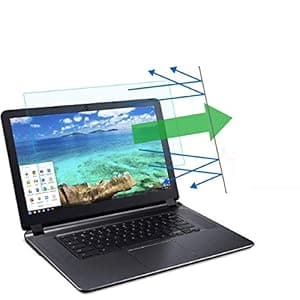 B07M5TC24G Availability: Currently unavailable Score: 10.000 Category: Electronics Rating: 4.3 Votes: 128 Find similar products(2 Pack) 15.6 Inch Laptop Anti Blue Light Screen Protector, Eye Protection Blue Light Filter Blocks Reduce Eye Fatigue and Eye Strain for 15.6 inches with 16:9 Aspect Ratio Laptop. Features -Filter out Blue Light and relieve computer eye strain to help you sleep better -Anti-fingerprint and grease dirt, extra sensitive touch screen.Excellent character recognition. -Block 99% of UV and block 65% of harmful blue light between 380nm-490nm . -Reduce-Glare, help minimize annoying surface glare under bright lights. -High transmittance,The thickness of screen and the touch feeling have little change after installation. -Uniform thickness, smooth surface.The picture can be showed incisively and vividly. -Easy to install, also allows for easy removal. No bubbles, no fuzz. How to install Step 1.Use alcohol swab or microfiber cloth to clear the LCD screen before installation. Step 2.Peel the protector layer off the adhesive side. Step 3.Carefully align the glass to the screen and slowly apply it onto the screen. Step 4.Lightly press the center of the glass then adhesive part will spread over all parts smoothly. Step 5.Use the clean cloth or finger to remove any visible bubbles from the screen. Specifications Material: PET Color: Blue Light Thickness: 0.24mm Package Included 1Pc X Anti-Blue Light Screen Protector 1Set X Install tool Diagonal Length: 15.6 inch (39.6cm) Width: 13.6 inches (34.5cm) Height: 7.6 inches (19.4cm) Screen Aspect Ratio: 16:9 Please allow the protector size with a tiny difference How to install Step 1.Use alcohol swab or microfiber cloth to clear the LCD screen before installation. Step 2.Peel the protector layer off the adhesive side. Step 3.Carefully align the glass to the screen and slowly apply it onto the screen. Step 4.Lightly press the center of the glass then adhesive part will spread over all parts smoothly. Step 5.Use the clean cloth or finger to remove any visible bubbles from the screen. |