E-commerce Search Demo
AI Assisted Filters
Parameters
Query:
Category filters: All
AI Assist: ON
Page: 1
Products
Time taken: 3 Max score: 1000.000 Total hits: 100 Full time: 0.0 s
Showing 1-10 of 100 products
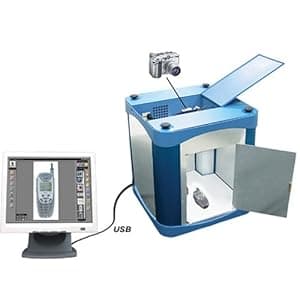 B000ALEW1W Availability: Currently unavailable Score: 1000.000 Category: Electronics Rating: 5 Votes: 3 Find similar productsPhotosimile 100 - PC-controlled Digital Photography Studio - Take Professional Quality Images In-house in Just Seconds with Photosimile!. . |  B002SEUX7Q Availability: Currently unavailable Score: 6.667 Category: Electronics Rating: 4.2 Votes: 87 Find similar productsWestcott Green Screen Digital Photography Kit (Discontinued by Manufacturer). Green Screen is now beyond easy! Using the included SIMPLE software and just one click, import your photo and watch as the green screen is automatically removed! Then, place your subject anywhere by choosing one of the included 100 digital-photo quality backgrounds or your own! Background Categories include: Holiday, Sports, Music, Birthday, Whimsical, Baby, Retro, Futuristic and more! Perfect your images using the included software editing tools such as adjusting brightness, contrast, saturation and blur. Size to perfection utilizing the crop, flip and position tools. Control your subject and background independently for maximum results. |
 B003BT6B7I Availability: Currently unavailable Score: 5.848 Category: Electronics Rating: 1 Votes: 1 Find similar productsPIXXO COMOS 1.3.M Pixels, USB 2.0, Auto-Face-Tracking, Digital Zoom, Black_Retail. Model : PXO-WC1130B, Spec. Interface : USB 2.0, Image Sensor : 1/5-Inch CMOS, Max. Image Resolution : 5.0 M Pixels ( Software interpolation ), Effective Pixels : 1.3M Pixels, Video Capture : 1280 x 1024., Focus Setting : 30mm to Infinity Frame Rate : 30 fps at 640x480, 15fps at 1280 x 1024, Still Image Capture : Up to 2560 x 1920 Pixels. Image Format : 24 bits Real color ( RGB 24 ), Image Process : Auto white balance, Auto exposure control, Operating System Supports : Windows XP/Vista / 7. | 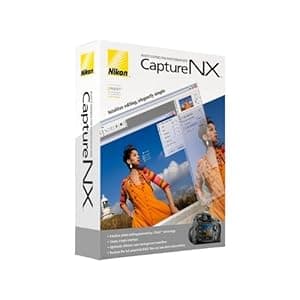 B000GEQ0HW Availability: Currently unavailable Score: 5.848 Category: Electronics Rating: 3.2 Votes: 64 Find similar productsNikon Capture NX Software for Windows and Mac. From the Manufacturer Supercharge your workflow with the next generation of high-quality image editing and processing. Utilizing U Point technology, Advanced Nikon Capture 4 delivers you powerful tools to help you fully realize the potential of your photographic imagination. The new Capture NX software releases not only the power of Nikon's Electronic Format (NEF) files; for the first time it makes JPEG and TIFF processing and editing elegant and easy enough for any photographer to implement. There are no complicated procedures - Nikon's new interface provides intuitive access to all of the tools you need. Make you photographic possibilities endless and realize the power of your imagination with Capture NX. U Point technology Capture NX image editing utilizes Nik Software's patented U Point technology. This new innovation in photo image processing and editing can be applied to Nikon's NEF files, as well as any camera's JPEG and TIFF files (some Capture NX functions apply to NEF files only). Capture NX features powerful tools that enhance images without complicated processes. Simply select a control point and adjust it's slider until you see the image as you like it. It's a highly visual, intuitive technique. Color Control Points Color Control Points let you directly select and isolate an entire image or an area within it for enhancement quickly. Within moments, you can choose and use any Color Control Point to modify any aspect of a selected area including: Size, Hue, Brightness, Saturation, Contrast, Red, Green, Blue, and Warmth. Capture NX also learns to distinguish multiple control points. This feature eliminates complexity and saves you time when you are making a series of enhancements to your photograph. This lets you create your professional quality image in a matter of seconds! Show Selection for accurate control Use the show selection feature for each Color Control Point to see which area of the image is affected by the Color Control Point. This process reverses the image into a black and white view and clearly shows the image areas under adjustment. Black, White, Neutral Control Points Black, White and Neutral Control Points can be used to set the dynamic range and correct color casts in your images. Neutral Control Points can also be used to set color balance in an image. Each Control Point appears on the image and can be easily dragged from point to point, for precise movement and positioning to achieve the desired effect. The Control Points' sliders let you adjust their effect for the respective Control Point areas. Neutral Control Points can be used to set a targeted color to any color available within the color picker. This is useful for removing color casts and toning, even without a neutral object in the scene. Use of multiple Neutral Control Points helps reduce multiple color casts and enhance selected colors in images. The drag, point and slider control is very easy to use, yet very powerful and creative in its effect! Red-eye reduction Thanks to U Point technology, red-eye can be easily removed. Just place a Red-Eye Reduction Control Point on each of the offending eyes, and away it goes! With just a few slider adjustments, you can use a color Control Point to make blue (or any other eye color) eyes brighter, darker or more radiant. With a mere Ctrl-D click, you can duplicate your Color Control Point, so you can rest assured that the effect to each eye will be the same. Photo Quality Non-destructive image editing Capture NX applies non-destructive image processing to NEF files, which means that you'll never compromise your original image. Every enhancement made is saved in an edit list with the original data and thumbnail. When changes are made to a JPEG or TIFF, however, it will affect the quality of the original image. To avoid compromising the quality of your images, Capture NX allows you to save the image under a different file name, or simply covert the file into Nikon's NEF format. No modifications made to NEF files Parameters set on any Nikon camera-produced NEF file (White Balance, Sharpening, Color Mode, Saturation, etc.) are applied to the image you transfer to Capture NX for editing. So your creative photographic decisions are preserved, and there's less to do later when you're finishing the photo on your computer. Versatility Enjoy the sheer power and convenience of intuitive photo editing. Selective tools With Capture NX, you get additional tools that allow you to apply over 25 enhancement styles. Batching By automatically applying one or more enhancements to a series of images, the new, improved batch processing of Capture NX is simple, and saves photographer's time. Edit List For easier, more intuitive photo editing, the Capture NX Edit List helps you to track, cancel or add new modifications. Browser The completely redesigned Capture NX Browser lets you sort, organize, compare, tag and improve images. Use it to select an image to enhance, rename a series of photographs, or quickly and easily apply a batch process to a group of images. |
 B07C9WVR8Y Availability: Currently unavailable Score: 5.682 Category: Electronics Rating: 4.3 Votes: 261 Find similar productsLifeprint 2x3 Portable Photo and Video Printer for iPhone and Android. Make Your Photos Come to Life w/Augmented Reality - Red. Lifeprint is an Android and iPhone photo and video printer. Named “Best ZINK Printer” by Digital Trends magazine, here’s some of the fun stuff you can do with Lifeprint: Augmented Reality - Lifeprint uses Augmented Reality to make your photos come to life like magic in your hands. We call this Hyperphoto. Hyperphotos add your username watermarked on the image so you remember which images come to life many years from now. Share Photos – All of Lifeprint’s printers are connected in one giant worldwide printer network. This means we have a “Following and Follower” system just like Instagram or Twitter. Now you can send photos directly to your friends’ and family’s Lifeprint printers all over the world through the network. Now sharing real photos is just as simple as sending a text. Privacy/Security - Lifeprint is a social network for physical photos. This means you’ll need to create an account when you sign up and your Lifeprint images will be stored securely online with multiple privacy settings for you to pick from. We take privacy very seriously. But if you have major issues with storing images in the cloud or just don’t like joining social networks, please note before you purchase. Get Social – Lifeprint connects with your saved Snaps, recent Instagrams, Facebook, and more to easily print photos, videos, GIFs, Boomerangs, Apple Live Photos, and more. All your content is in one place and super easy to access. Small and Portable – The Lifeprint photo and video printer is small and super portable. Easily fits in your pocket and the perfect accessory for parties and concerts. Customize and Edit – The Lifeprint photo printer for iPhone and Android comes with a free, fully customizable photo editing suite that allows you to edit, filter, and customize your photos before printing. 2X3 Sticky Photos – Lifeprint photos are small and sticky easily letting you customize your personal space with photos and stickers of your favorite memories. Easy to Use – Easily load the Lifeprint photo and video printer for iPhone and Android and get printing with just a click. iPhone/Android Compatibility - Lifeprint is an instant photo and video printer for iPhone and Android and works with iPhones 5s and above (iOS 10.2) and Android phones Version 4.4 (KitKat) and above. If your Android phone is not running at least KitKat or above, it may not work. See full list of ‘Optimized’ devices in the section above. | 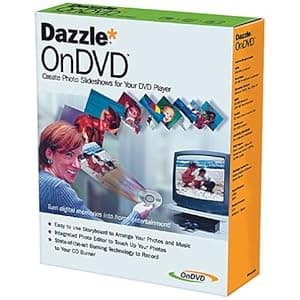 B000068D9G Availability: Currently unavailable Score: 5.650 Category: Electronics Rating: 2.3 Votes: 7 Find similar productsDAZZLE DM11000 OnDVD Software. Amazon.com With OnDVD you can take digital pictures and turn them into photo albums on CDs that play in your DVD player. Simply select and arrange your photos like an old-fashioned slide show and burn them to a CD. With OnDVD, you can arrange up to 200 digital pictures in simple storyboard format, then add an audio track. Should some of your photos require cropping, rotation, or even red-eye removal, you can use Dazzle Photo Editor to perfect them. Advanced algorithms tackle tough but common problems such as bad lighting and color imbalance. When you're done, preview the slide show in OnDVD to see how it will look and sound on your TV. OnDVD's state-of-the-art burning engine works with your CD-R or CD-RW burner to create Video CDs (VCDs) that play on DVD players. And just like saving the original negatives of your photographic prints, OnDVD keeps a copy of each original, high-quality digital photograph on the CD itself. Favorite photos can easily be turned into photographic prints ready to be framed. |
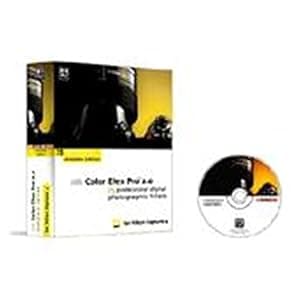 B000B7KYRG Availability: Currently unavailable Score: 5.650 Category: Electronics Rating: 4 Votes: 2 Find similar productsNik Software Color Efex Pro 2.0 Complete Edition for Nikon Capture 4, Plug-in Software, for Macintosh & Windows. . |  B01LFQC6HC Availability: Currently unavailable Score: 5.650 Category: Electronics Rating: 5 Votes: 1 Find similar products2MP 8LED USB 40X-1000X Microscope Endoscope Magnifier Digital Video Camera. Specifications: Image Sensor: 2.0 Mega Pixels (interpolated to 2M) Focus Range: Manual Focus from 0~200mm Magnification Ratio: 40X-1000 X (Manual) Still Image Capture Resolution: 1600x1200 ( 2M Pixel), 1280x960(1.3M Pixel), 800x600, 640x480 Controller: High Speed DSP Lens: Micro-Scope Lens Snap Shot: Software and Hardware Video Capture Resolution: 640x480 Frame Rate: Max. 30f/s Under 600 Lux Brightness Flicker Control: 50Hz / 60Hz Option Video Format: AVI Snap Shot Format: JEPG Light Source: 8 White Light LED (with controller on USB cable) Power Supply: USB Port (5V DC) Software: Driver and Measurement System Requirement: Pentium Computer with 700MHz & Above, 20M HD Space CD ROM Driver, 128MB RAM, Direct X VGA Card PC Interface: USB2.0 USB1.1 Operation System: Windows 7 32 bit /Vista/XP, Windows7 64bit, Windows8 Package included: 1 x 2MP 1000X Microscope 1 x Metal stand 1 x Software CD 1 x User manual 1 x Calibration Ruler. |
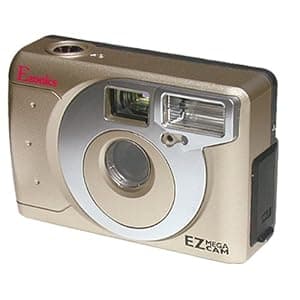 B000068MQI Availability: Currently unavailable Score: 5.464 Category: Electronics Rating: 2.7 Votes: 3 Find similar productsEzonics EZ-802 EZMega Cam Dual-Mode PC Camera (USB). From the Manufacturer It's a video camera. It's a digital damera. It's the EZMega Cam. Plug the EZMega Cam into your PC and you have a top of the line SVGA PC digital video camera. Unplug the EZMega Cam and you have a full featured mega pixel digital camera with flash. The Ezonics EZMega Cam will change the way you communicate. It will allow you to capture full motion video, capture still pictures, and video conference the EZ way. Imagine sending your friends, family, or business associates video e-mail instead of just a regular e-mail. With your EZMega Cam system and included software you can attach an executable file to the normal e-mails you send everyday. Now when the recipient of your e-mail downloads the file you have attached, a simple double click of the mouse will bring you right there to them--in full motion and audio. | 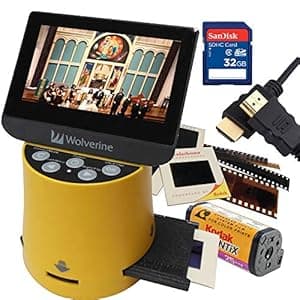 B07YSVV25K Price: $159.95 Score: 5.435 Category: Electronics Rating: 4.2 Votes: 421 Find similar productsWolverine Titan 8-in-1 20MP High Resolution Film to Digital Converter with 4.3 Screen and HDMI Output, Worldwide Voltage 110V/240V AC Adapter, 32GB SD Card & 6ft HDMI Cable Bundle (Yellow). New 4.3 LCD screen, HDMI output & adding aps film. Now you can take all those stacks of 35mm (photo film & archive), 127, 126, 110, aps slides & negatives, regular 8mm & super 8 movies & convert them into digital JPEG images to share & preserve them forever. Wolverine has created a simple to use device to convert all your film into 20 megapixels digital images in seconds. It only requires a push of a button. Use it right out of the box to convert all your film by plugging it into an AC outlet or any USB port. 8-in-1 Film to Digital Converter with 4.3 Screen and HDMI Now you can take all those stacks of 35mm, 127, 126, 110, APS Slides & Negatives Film and convert them into digital JPEG images to share & preserve them forever. Only Takes 3 Seconds to Scan a Slide! With the unique Fast-Loading Slide Adapter you simply push the Slides through the machine and press couple of buttons and in three seconds the Titan convert your slides into digital images. With Fast-Loading Negatives Adapter you simply push Negative Strips or Rolls into the machine. Wolverine has created a very simple to use device to convert all your film into 20 megapixels digital images in seconds. So simple to use, it only requires a push of a button. With the unique Fast-Loading Slide Adapter you simply push the Slides through the machine and press couple of buttons & in three seconds the Titan convert your slides into digital images. No computer or software is needed. What's Included: - Wolverine F2D Titan 8-in-1 High Resolution Film to Digital Converter - 135 mm Negative Film Adapter - 135 mm Slide Adapter - 110/APS Negative Film Insert - 110 Slide Insert - Multi-Voltage 110V/240V AC Adapter USB Power Adapter and Cable (Simply add your countries type plug adapter! Not Included) - Cleaning Brush - English User Manual - Sandisk 32GB SD Memory Card - 6 Ft High-Speed HDMI Cable. |