E-commerce Search Demo
AI Assisted Filters
Parameters
Query:
Category filters: All
AI Assist: ON
Page: 1
Products
Time taken: 4 Max score: 1000.000 Total hits: 100 Full time: 0.0 s
Showing 1-10 of 100 products
 B000K8QWUE Availability: Currently unavailable Score: 1000.000 Category: Electronics Rating: 5 Votes: 1 Find similar productsPreclick Silver Photo Organizer. The easy way to view, print, and share yourphotos!Product Information Preclick Silver Photo Organizer provides all the features needed to easily organize and use your digital photographs - no complicated manuals or long tutorials - Preclick Silver will have you up and running in minutes with its simple design and straight forward features. It's plain and simple....search, share, organize, and print digital photos!Product Features Fast Search using keywords - any words used in folders or placed into the PhotoBack SmartPhotos - All the information that you enter on the PhotoBack (caption, subjects, event, place, and date) is embedded in the photo Download photos from a camera, memory card or CD Batch labeling your photos by event and place on import Batch labeling of photos already on your computer Fast, intuitive interface that allows you to scroll through hundreds of photos in secondsAdditional FeaturesContains a 20 day trial version of PreClick Lifetime PremiumTrial Version Editing Features include: One-click red eye removal Instant crop, both free formed and constrained to 3x5, 4x6, 5x7, 8x10, and wallet size Conversion to black and white Conversion to sepia Sort the Filmstrip by timeline, roll, location, rating, folder and name Make a photo your desktop wallpaper with just one click Create Albums Slideshows Upload for professional printing One-click emailing (photo size compressed in the process!) PicFix - Automatically adjust color balance and brightness Undo and revert to original Rotate System Requirements Windows 98, ME, 2000, XP PC with 486 or higher processor Minimum 64 MB RAM 10 MB free hard drive space for installation CD-ROM Drive. |  B00G15OTBY Availability: Currently unavailable Score: 6.024 Category: Electronics Rating: 3.5 Votes: 2 Find similar productsClickfree Automatic Backup/backup Your Digital Photos. NEW* EXCELLENT CONDITION. |
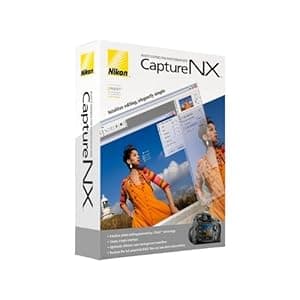 B000GEQ0HW Availability: Currently unavailable Score: 5.814 Category: Electronics Rating: 3.2 Votes: 64 Find similar productsNikon Capture NX Software for Windows and Mac. From the Manufacturer Supercharge your workflow with the next generation of high-quality image editing and processing. Utilizing U Point technology, Advanced Nikon Capture 4 delivers you powerful tools to help you fully realize the potential of your photographic imagination. The new Capture NX software releases not only the power of Nikon's Electronic Format (NEF) files; for the first time it makes JPEG and TIFF processing and editing elegant and easy enough for any photographer to implement. There are no complicated procedures - Nikon's new interface provides intuitive access to all of the tools you need. Make you photographic possibilities endless and realize the power of your imagination with Capture NX. U Point technology Capture NX image editing utilizes Nik Software's patented U Point technology. This new innovation in photo image processing and editing can be applied to Nikon's NEF files, as well as any camera's JPEG and TIFF files (some Capture NX functions apply to NEF files only). Capture NX features powerful tools that enhance images without complicated processes. Simply select a control point and adjust it's slider until you see the image as you like it. It's a highly visual, intuitive technique. Color Control Points Color Control Points let you directly select and isolate an entire image or an area within it for enhancement quickly. Within moments, you can choose and use any Color Control Point to modify any aspect of a selected area including: Size, Hue, Brightness, Saturation, Contrast, Red, Green, Blue, and Warmth. Capture NX also learns to distinguish multiple control points. This feature eliminates complexity and saves you time when you are making a series of enhancements to your photograph. This lets you create your professional quality image in a matter of seconds! Show Selection for accurate control Use the show selection feature for each Color Control Point to see which area of the image is affected by the Color Control Point. This process reverses the image into a black and white view and clearly shows the image areas under adjustment. Black, White, Neutral Control Points Black, White and Neutral Control Points can be used to set the dynamic range and correct color casts in your images. Neutral Control Points can also be used to set color balance in an image. Each Control Point appears on the image and can be easily dragged from point to point, for precise movement and positioning to achieve the desired effect. The Control Points' sliders let you adjust their effect for the respective Control Point areas. Neutral Control Points can be used to set a targeted color to any color available within the color picker. This is useful for removing color casts and toning, even without a neutral object in the scene. Use of multiple Neutral Control Points helps reduce multiple color casts and enhance selected colors in images. The drag, point and slider control is very easy to use, yet very powerful and creative in its effect! Red-eye reduction Thanks to U Point technology, red-eye can be easily removed. Just place a Red-Eye Reduction Control Point on each of the offending eyes, and away it goes! With just a few slider adjustments, you can use a color Control Point to make blue (or any other eye color) eyes brighter, darker or more radiant. With a mere Ctrl-D click, you can duplicate your Color Control Point, so you can rest assured that the effect to each eye will be the same. Photo Quality Non-destructive image editing Capture NX applies non-destructive image processing to NEF files, which means that you'll never compromise your original image. Every enhancement made is saved in an edit list with the original data and thumbnail. When changes are made to a JPEG or TIFF, however, it will affect the quality of the original image. To avoid compromising the quality of your images, Capture NX allows you to save the image under a different file name, or simply covert the file into Nikon's NEF format. No modifications made to NEF files Parameters set on any Nikon camera-produced NEF file (White Balance, Sharpening, Color Mode, Saturation, etc.) are applied to the image you transfer to Capture NX for editing. So your creative photographic decisions are preserved, and there's less to do later when you're finishing the photo on your computer. Versatility Enjoy the sheer power and convenience of intuitive photo editing. Selective tools With Capture NX, you get additional tools that allow you to apply over 25 enhancement styles. Batching By automatically applying one or more enhancements to a series of images, the new, improved batch processing of Capture NX is simple, and saves photographer's time. Edit List For easier, more intuitive photo editing, the Capture NX Edit List helps you to track, cancel or add new modifications. Browser The completely redesigned Capture NX Browser lets you sort, organize, compare, tag and improve images. Use it to select an image to enhance, rename a series of photographs, or quickly and easily apply a batch process to a group of images. |  B08PDVV88W Availability: Currently unavailable Score: 5.650 Category: Electronics Rating: 3.3 Votes: 161 Find similar productsAlbumSaver Smart Photo Stick (64 GB) - Smart Software, Back Up All of Your Images | Compatible w/ Most Mac & Windows. AlbumSaver is a simple USB stick with a smart software that automatically identifies all your photos and videos and saves them on the stick. It is compatible with Windows and Mac computers. The software is very easy to use, the user only needs to click START and everything happens automatically. It automatically detects the duplicates and excludes them from the backup. It also preserves the original folder from the computer. |
 B000VEPC4O Price: $54 Score: 5.263 Category: Electronics Rating: 3.3 Votes: 43 Find similar productsPhilips 5.6-Inch Digital Photo Frame (White). Product Description The 5FFCMI photo frame with 5.6 high resolution digital image. Display your digital photos with the same rich color and quality of professional prints. The high pixel density give you sharp detailed photo display in a 4:3 aspect ration for optimal icture viewing. The Auto Fit feature will automatically size your digtal photo to fill the display screen. The photo manager will allow you play slide shows, display single photos or show thumbnails of a group fo pictures. Easily create photo albums, cut and size your photos, rotate or mask to customize the image. Fast and easy photo transfers from you PC via USB 2.0 connection. Memory card slots will allow you to transer, copy or use as additional memory for the photo frame. Has a built in memory of 32 MB and displays images up to 640 x 480 resolution for sharp clear pictures. AC power cord. From the Manufacturer Every picture tells your story. Display your digital photos with the same quality and rich color of professional prints! The easiest way to display digital photos without a PC, the Philips 5FF2CMI PhotoFrame complements your home decor with its sleek and stylish design. High pixel density for sharp and detailed photo display The very best high density screen in the industry displays 88 percent more pixels per square inch than even a high-end 17-inch LCD monitor--showing off your treasured photos with the same 'real life' rich detail and vibrant colors as high quality prints. Perfect digital colors for rich and stunning photo display Full color display brings out the best in your photos with vibrant, real life colors by displaying the same full range of colors found in professionally printed photos. 4:3 aspect ratio for optimal distortion-free display Philips digital PhotoFrame ensures your photo to be displayed in 4:3 ratio for the best viewing experience. Auto photo orientation to fit portrait or landscape modes Automatic landscape/portrait recognition employs a sensor that recognizes PhotoFrame orientation and displays each photo in its proper mode. Play slideshows, single photo, thumbnails, or show clock Flexible display modes give you the freedom to display your photos one image at a time, in thumbnail mode for quick, easy searches, or to create a slideshow of your most treasured photos. Create albums, slideshows, and manage your photos Smart Album allows you to create and manage albums, as well as to set up and adjust transition effects to your photo slideshows. Rotate, zoom, crop, mask, and add effects to your photos The PhotoEffect Wizard is an easy-to-use feature that allows you to rotate, zoom in, crop, and even adjust photo color tones to black and white or sepia right within PhotoFrame. Collage effect for random multiple-photo display in one view It's a slideshow effect to show photos in collage form that automatically and randomly compiles different photos together to avoid unattractive borders that may result from photos which are smaller than screen size. Copy photos among memory cards for extra storage Philips PhotoFrame can read two memory cards at the same time via its internal memory card readers, and SmartCopy software helps you to copy your digital pictures from one memory card to the other one. The software automatically resizes and compresses the copied photos to maximize the amount of photos you can store internally or externally. Fast and easy photo transfers from your PC via USB 2.0 The USB 2.0 connector is built into the device for quick and easy transfer of photos from PC to PhotoFrame. Display and manage photos on memory cards or internal memory Memory-Card Manager is a set of two built-in memory card readers and featured software for displaying, editing, storing, and organizing your memory card photos directly in one, hassle-free step--all without a PC. It accepts two memory card slots: The first slot accepts Compact Flash 1 (CF), while the second slot accepts Secure Digital Card (SD), SDHC Card, Multimedia Card (MMC), xD card, Memory Stick (MS), MS pro, MS Duo, and MS Pro Duo (via adapter), Micro SD card and Mini SD Card (via adapter). They all work as extended memory space--just like PhotoFrame's internal memory. What's in the Box: Philips 5-Inch Digital Photo Frame, AC-DC adapter, quick start guide, stand, USB cable, PC/Mac software CD, user manual. |  B0067STH1C Availability: Currently unavailable Score: 5.181 Category: Electronics Rating: 3.2 Votes: 6 Find similar productsABBYY SCREENSHOT READER (WIN 2000XPVISTAWIN 7). ABBYY Screenshot Reader creates copies of images which you can easily cut and paste from your clipboard to Microsoft Word Excel PowerPoint or graphic files. You can use Screenshot Reader to select and copy pieces of text from images flash files PDFs and other image-based files and convert them into true text which you can edit or insert into another document.Key Features: Capture a part of the screen and save or share Send a screenshot of an error message Insert a screen image in a presentation report etc. Use screenshots to pile instructions and guides Insert information into a report Easily print driving directions Save lists from a website into an Excel file Cut out a piece of text from a graphic fileSystem Requirements: Win XP SP2/Vista/7/2000 SP4/Server 2003/Server 2008/Server 2008 R2 1GHz processor or better 512 MB free disk space up to 512 MB RAM Format: WIN 2000XPVISTAWIN 7 Genre: PRODUCTIVITY Age: 694976015009 UPC: 694976015009 Manufacturer No: FRLSSRFWB. |
 B0039L6FO2 Availability: Currently unavailable Score: 4.902 Category: Electronics Rating: 3.2 Votes: 9 Find similar productsMicrosoft PowerPoint Home and Student 2010 3PC. Product description PowerPoint Home and Stud 2010 Amazon.com Microsoft PowerPoint 2010 gives you more ways to create and share dynamic presentations with your audience than ever before. Exciting new audio and visual capabilities help you tell a crisp, cinematic story that's as easy to create as it is powerful to watch. In addition, PowerPoint 2010 enables you to work simultaneously with other people or post your presentation online and access it from virtually anywhere using the Web or your smartphone. 1 Create extraordinary presentations PowerPoint 2010 delivers new and improved tools to add power to your presentations. Embed and edit video from within PowerPoint. Now you can add fades, formatting effects, bookmark scenes, and trim videos to give your presentations a professional multimedia experience. And since the embedded videos become part of your PowerPoint presentation, you don't have to manage additional files when sharing with others. Use new and improved picture editing tools--including versatile artistic effects and advanced correction, color, and cropping tools--to fine-tune every picture in your presentation to look its absolute best. Add dynamic 3-D slide transitions and more realistic animation effects to grab your audience's attention. Manage presentations with tools that save time and simplify your work It's much easier to create and manage presentations when you can work the way you want. Compress video and audio in your presentation to reduce file size for easy sharing and improved playback performance. The option to compress media is just one of many new features available from the new Microsoft Office Backstage view. Backstage view replaces the traditional File menu in all Office 2010 applications to provide a centralized, organized space for all of your presentation management tasks. Easily customize the improved Ribbon to make the commands you need most accessible. Create custom tabs or even customize built-in tabs. With PowerPoint 2010, you're in control. Work together more successfully If you are one of the many people who work with others on presentations and projects, PowerPoint 2010 is the perfect tool for you. Broadcast your slide show to people in other locations, whether or not they have PowerPoint installed.2 Create a video of your presentation--including your transitions, animations, narration, and timings--to share with virtually anyone, any time after your live broadcast. Use new co-authoring capabilities to edit the same presentation, at the same time, with people in different locations. You can even communicate as you work, directly from PowerPoint.3,4If you work in a company running Microsoft SharePoint Foundation 2010, this functionality can be used within the firewall. With Office Communicator now integrated throughout several Office 2010 applications, you can view presence information to see the availability of other authors and initiate instant message or voice calls directly within PowerPoint. If you're in a small company or using PowerPoint for home or school work, you can take advantage of co-authoring features through Windows Live. All you need is a free Windows Live account to simultaneously edit presentations with others. An instant messenger account (such as the free Windows Live Messenger) is required to view presence of authors and start an instant messaging conversation. Access and share your content from more places Your ideas, deadlines, projects, and work emergencies don't always occur conveniently when you are at your desk. Fortunately, you now have the power to get things done when and where you need to, from the Web or even from your smartphone.1Microsoft PowerPoint Web App is an online companion to Microsoft PowerPoint which enables you to extend your PowerPoint experience to the browser. View a high fidelity version of your presentations, make light edits, or view your presentation slide show. Use the familiar PowerPoint interface and some of the same formatting and editing tools, from almost any computer with a Web browser.3Microsoft PowerPoint Mobile 2010 enables you to do light editing for your presentations and is especially designed for easy use on your Windows phone. You can even run your slide show right on your phone.5 Whether you're creating the pitch of your career, working with a team on an important presentation, or getting work done on the run, PowerPoint 2010 gives you the power to work more easily and with more flexibility to accomplish your goals. 1 Web and smartphone access require an appropriate device and some functionality requires an Internet connection. Web functionality uses Office Web Apps, which require a supported Internet Explorer, Firefox, or Safari browser and either SharePoint Foundation 2010 or a Windows Live ID. Some mobile functionality requires Office Mobile 2010 which is not included in Office 2010 applications, suites, or Office Web Apps. There are some differences between the features of the Office Web Apps, Office Mobile 2010 and the Office 2010 applications. 2 Requires Microsoft SharePoint Foundation 2010 or a Windows Live ID. To broadcast via SharePoint 2010, Office Web Apps must be installed. 3 Requires Microsoft SharePoint Foundation 2010 or a Windows Live ID. 4 Instant messaging and presence requires one of the following: Microsoft Office Communications Server 2007 R2 with Microsoft Office Communicator 2007 R2; Windows Live Messenger, or another instant messaging application that supports IMessenger. Voice calls require Office Communications Server 2007 R2 with Office Communicator 2007 R2 or later or an instant messaging application that supports IMessengerAdvanced. 5 PowerPoint Mobile 2010 is not included in the Office 2010 applications or suites. Embed and edit video from within PowerPoint. Now you can add fades, formatting effects, bookmark scenes, and trim videos to give your presentations a professional multimedia experience. And since the embedded videos become part of your PowerPoint presentation, you don't have to manage additional files when sharing with others. Use new and improved picture editing tools--including versatile artistic effects and advanced correction, color, and cropping tools--to fine-tune every picture in your presentation to look its absolute best. Use new and improved picture editing tools--including versatile artistic effects and advanced correction, color, and cropping tools--to fine-tune every picture in your presentation to look its absolute best. Add dynamic 3-D slide transitions and more realistic animation effects to grab your audience's attention. Manage presentations with tools that save time and simplify your work It's much easier to create and manage presentations when you can work the way you want. Compress video and audio in your presentation to reduce file size for easy sharing and improved playback performance. The option to compress media is just one of many new features available from the new Microsoft Office Backstage view. Backstage view replaces the traditional File menu in all Office 2010 applications to provide a centralized, organized space for all of your presentation management tasks. Easily customize the improved Ribbon to make the commands you need most accessible. Create custom tabs or even customize built-in tabs. With PowerPoint 2010, you're in control. Work together more successfully If you are one of the many people who work with others on presentations and projects, PowerPoint 2010 is the perfect tool for you. Broadcast your slide show to people in other locations, whether or not they have PowerPoint installed.2 Create a video of your presentation--including your transitions, animations, narration, and timings--to share with virtually anyone, any time after your live broadcast. Use new co-authoring capabilities to edit the same presentation, at the same time, with people in different locations. You can even communicate as you work, directly from PowerPoint.3,4If you work in a company running Microsoft SharePoint Foundation 2010, this functionality can be used within the firewall. With Office Communicator now integrated throughout several Office 2010 applications, you can view presence information to see the availability of other authors and initiate instant message or voice calls directly within PowerPoint. If you're in a small company or using PowerPoint for home or school work, you can take advantage of co-authoring features through Windows Live. All you need is a free Windows Live account to simultaneously edit presentations with others. An instant messenger account (such as the free Windows Live Messenger) is required to view presence of authors and start an instant messaging conversation. Access and share your content from more places Your ideas, deadlines, projects, and work emergencies don't always occur conveniently when you are at your desk. Fortunately, you now have the power to get things done when and where you need to, from the Web or even from your smartphone.1Microsoft PowerPoint Web App is an online companion to Microsoft PowerPoint which enables you to extend your PowerPoint experience to the browser. View a high fidelity version of your presentations, make light edits, or view your presentation slide show. Use the familiar PowerPoint interface and some of the same formatting and editing tools, from almost any computer with a Web browser.3Microsoft PowerPoint Mobile 2010 enables you to do light editing for your presentations and is especially designed for easy use on your Windows phone. You can even run your slide show right on your phone.5 Whether you're creating the pitch of your career, working with a team on an important presentation, or getting work done on the run, PowerPoint 2010 gives you the power to work more easily and with more flexibility to accomplish your goals. 1 Web and smartphone access require an appropriate device and some functionality requires an Internet connection. Web functionality uses Office Web Apps, which require a supported Internet Explorer, Firefox, or Safari browser and either SharePoint Foundation 2010 or a Windows Live ID. Some mobile functionality requires Office Mobile 2010 which is not included in Office 2010 applications, suites, or Office Web Apps. There are some differences between the features of the Office Web Apps, Office Mobile 2010 and the Office 2010 applications. 2 Requires Microsoft SharePoint Foundation 2010 or a Windows Live ID. To broadcast via SharePoint 2010, Office Web Apps must be installed. 3 Requires Microsoft SharePoint Foundation 2010 or a Windows Live ID. 4 Instant messaging and presence requires one of the following: Microsoft Office Communications Server 2007 R2 with Microsoft Office Communicator 2007 R2; Windows Live Messenger, or another instant messaging application that supports IMessenger. Voice calls require Office Communications Server 2007 R2 with Office Communicator 2007 R2 or later or an instant messaging application that supports IMessengerAdvanced. 5 PowerPoint Mobile 2010 is not included in the Office 2010 applications or suites. Add dynamic 3-D slide transitions and more realistic animation effects to grab your audience's attention. Manage presentations with tools that save time and simplify your work It's much easier to create and manage presentations when you can work the way you want. Compress video and audio in your presentation to reduce file size for easy sharing and improved playback performance. The option to compress media is just one of many new features available from the new Microsoft Office Backstage view. Backstage view replaces the traditional File menu in all Office 2010 applications to provide a centralized, organized space for all of your presentation management tasks. Easily customize the improved Ribbon to make the commands you need most accessible. Create custom tabs or even customize built-in tabs. With PowerPoint 2010, you're in control. Work together more successfully If you are one of the many people who work with others on presentations and projects, PowerPoint 2010 is the perfect tool for you. Broadcast your slide show to people in other locations, whether or not they have PowerPoint installed.2 Create a video of your presentation--including your transitions, animations, narration, and timings--to share with virtually anyone, any time after your live broadcast. Use new co-authoring capabilities to edit the same presentation, at the same time, with people in different locations. You can even communicate as you work, directly from PowerPoint.3,4If you work in a company running Microsoft SharePoint Foundation 2010, this functionality can be used within the firewall. With Office Communicator now integrated throughout several Office 2010 applications, you can view presence information to see the availability of other authors and initiate instant message or voice calls directly within PowerPoint. If you're in a small company or using PowerPoint for home or school work, you can take advantage of co-authoring features through Windows Live. All you need is a free Windows Live account to simultaneously edit presentations with others. An instant messenger account (such as the free Windows Live Messenger) is required to view presence of authors and start an instant messaging conversation. Access and share your content from more places Your ideas, deadlines, projects, and work emergencies don't always occur conveniently when you are at your desk. Fortunately, you now have the power to get things done when and where you need to, from the Web or even from your smartphone.1Microsoft PowerPoint Web App is an online companion to Microsoft PowerPoint which enables you to extend your PowerPoint experience to the browser. View a high fidelity version of your presentations, make light edits, or view your presentation slide show. Use the familiar PowerPoint interface and some of the same formatting and editing tools, from almost any computer with a Web browser.3Microsoft PowerPoint Mobile 2010 enables you to do light editing for your presentations and is especially designed for easy use on your Windows phone. You can even run your slide show right on your phone.5 Whether you're creating the pitch of your career, working with a team on an important presentation, or getting work done on the run, PowerPoint 2010 gives you the power to work more easily and with more flexibility to accomplish your goals. 1 Web and smartphone access require an appropriate device and some functionality requires an Internet connection. Web functionality uses Office Web Apps, which require a supported Internet Explorer, Firefox, or Safari browser and either SharePoint Foundation 2010 or a Windows Live ID. Some mobile functionality requires Office Mobile 2010 which is not included in Office 2010 applications, suites, or Office Web Apps. There are some differences between the features of the Office Web Apps, Office Mobile 2010 and the Office 2010 applications. 2 Requires Microsoft SharePoint Foundation 2010 or a Windows Live ID. To broadcast via SharePoint 2010, Office Web Apps must be installed. 3 Requires Microsoft SharePoint Foundation 2010 or a Windows Live ID. 4 Instant messaging and presence requires one of the following: Microsoft Office Communications Server 2007 R2 with Microsoft Office Communicator 2007 R2; Windows Live Messenger, or another instant messaging application that supports IMessenger. Voice calls require Office Communications Server 2007 R2 with Office Communicator 2007 R2 or later or an instant messaging application that supports IMessengerAdvanced. 5 PowerPoint Mobile 2010 is not included in the Office 2010 applications or suites. Compress video and audio in your presentation to reduce file size for easy sharing and improved playback performance. The option to compress media is just one of many new features available from the new Microsoft Office Backstage view. Backstage view replaces the traditional File menu in all Office 2010 applications to provide a centralized, organized space for all of your presentation management tasks. Easily customize the improved Ribbon to make the commands you need most accessible. Create custom tabs or even customize built-in tabs. With PowerPoint 2010, you're in control. Work together more successfully If you are one of the many people who work with others on presentations and projects, PowerPoint 2010 is the perfect tool for you. Broadcast your slide show to people in other locations, whether or not they have PowerPoint installed.2 Create a video of your presentation--including your transitions, animations, narration, and timings--to share with virtually anyone, any time after your live broadcast. Use new co-authoring capabilities to edit the same presentation, at the same time, with people in different locations. You can even communicate as you work, directly from PowerPoint.3,4If you work in a company running Microsoft SharePoint Foundation 2010, this functionality can be used within the firewall. With Office Communicator now integrated throughout several Office 2010 applications, you can view presence information to see the availability of other authors and initiate instant message or voice calls directly within PowerPoint. If you're in a small company or using PowerPoint for home or school work, you can take advantage of co-authoring features through Windows Live. All you need is a free Windows Live account to simultaneously edit presentations with others. An instant messenger account (such as the free Windows Live Messenger) is required to view presence of authors and start an instant messaging conversation. Access and share your content from more places Your ideas, deadlines, projects, and work emergencies don't always occur conveniently when you are at your desk. Fortunately, you now have the power to get things done when and where you need to, from the Web or even from your smartphone.1Microsoft PowerPoint Web App is an online companion to Microsoft PowerPoint which enables you to extend your PowerPoint experience to the browser. View a high fidelity version of your presentations, make light edits, or view your presentation slide show. Use the familiar PowerPoint interface and some of the same formatting and editing tools, from almost any computer with a Web browser.3Microsoft PowerPoint Mobile 2010 enables you to do light editing for your presentations and is especially designed for easy use on your Windows phone. You can even run your slide show right on your phone.5 Whether you're creating the pitch of your career, working with a team on an important presentation, or getting work done on the run, PowerPoint 2010 gives you the power to work more easily and with more flexibility to accomplish your goals. 1 Web and smartphone access require an appropriate device and some functionality requires an Internet connection. Web functionality uses Office Web Apps, which require a supported Internet Explorer, Firefox, or Safari browser and either SharePoint Foundation 2010 or a Windows Live ID. Some mobile functionality requires Office Mobile 2010 which is not included in Office 2010 applications, suites, or Office Web Apps. There are some differences between the features of the Office Web Apps, Office Mobile 2010 and the Office 2010 applications. 2 Requires Microsoft SharePoint Foundation 2010 or a Windows Live ID. To broadcast via SharePoint 2010, Office Web Apps must be installed. 3 Requires Microsoft SharePoint Foundation 2010 or a Windows Live ID. 4 Instant messaging and presence requires one of the following: Microsoft Office Communications Server 2007 R2 with Microsoft Office Communicator 2007 R2; Windows Live Messenger, or another instant messaging application that supports IMessenger. Voice calls require Office Communications Server 2007 R2 with Office Communicator 2007 R2 or later or an instant messaging application that supports IMessengerAdvanced. 5 PowerPoint Mobile 2010 is not included in the Office 2010 applications or suites. Easily customize the improved Ribbon to make the commands you need most accessible. Create custom tabs or even customize built-in tabs. With PowerPoint 2010, you're in control. Work together more successfully If you are one of the many people who work with others on presentations and projects, PowerPoint 2010 is the perfect tool for you. Broadcast your slide show to people in other locations, whether or not they have PowerPoint installed.2 Create a video of your presentation--including your transitions, animations, narration, and timings--to share with virtually anyone, any time after your live broadcast. Use new co-authoring capabilities to edit the same presentation, at the same time, with people in different locations. You can even communicate as you work, directly from PowerPoint.3,4If you work in a company running Microsoft SharePoint Foundation 2010, this functionality can be used within the firewall. With Office Communicator now integrated throughout several Office 2010 applications, you can view presence information to see the availability of other authors and initiate instant message or voice calls directly within PowerPoint. If you're in a small company or using PowerPoint for home or school work, you can take advantage of co-authoring features through Windows Live. All you need is a free Windows Live account to simultaneously edit presentations with others. An instant messenger account (such as the free Windows Live Messenger) is required to view presence of authors and start an instant messaging conversation. Access and share your content from more places Your ideas, deadlines, projects, and work emergencies don't always occur conveniently when you are at your desk. Fortunately, you now have the power to get things done when and where you need to, from the Web or even from your smartphone.1Microsoft PowerPoint Web App is an online companion to Microsoft PowerPoint which enables you to extend your PowerPoint experience to the browser. View a high fidelity version of your presentations, make light edits, or view your presentation slide show. Use the familiar PowerPoint interface and some of the same formatting and editing tools, from almost any computer with a Web browser.3Microsoft PowerPoint Mobile 2010 enables you to do light editing for your presentations and is especially designed for easy use on your Windows phone. You can even run your slide show right on your phone.5 Whether you're creating the pitch of your career, working with a team on an important presentation, or getting work done on the run, PowerPoint 2010 gives you the power to work more easily and with more flexibility to accomplish your goals. 1 Web and smartphone access require an appropriate device and some functionality requires an Internet connection. Web functionality uses Office Web Apps, which require a supported Internet Explorer, Firefox, or Safari browser and either SharePoint Foundation 2010 or a Windows Live ID. Some mobile functionality requires Office Mobile 2010 which is not included in Office 2010 applications, suites, or Office Web Apps. There are some differences between the features of the Office Web Apps, Office Mobile 2010 and the Office 2010 applications. 2 Requires Microsoft SharePoint Foundation 2010 or a Windows Live ID. To broadcast via SharePoint 2010, Office Web Apps must be installed. 3 Requires Microsoft SharePoint Foundation 2010 or a Windows Live ID. 4 Instant messaging and presence requires one of the following: Microsoft Office Communications Server 2007 R2 with Microsoft Office Communicator 2007 R2; Windows Live Messenger, or another instant messaging application that supports IMessenger. Voice calls require Office Communications Server 2007 R2 with Office Communicator 2007 R2 or later or an instant messaging application that supports IMessengerAdvanced. 5 PowerPoint Mobile 2010 is not included in the Office 2010 applications or suites. Broadcast your slide show to people in other locations, whether or not they have PowerPoint installed. 2 Create a video of your presentation--including your transitions, animations, narration, and timings--to share with virtually anyone, any time after your live broadcast. Use new co-authoring capabilities to edit the same presentation, at the same time, with people in different locations. You can even communicate as you work, directly from PowerPoint.3,4 Use new co-authoring capabilities to edit the same presentation, at the same time, with people in different locations. You can even communicate as you work, directly from PowerPoint. 3,4 If you work in a company running Microsoft SharePoint Foundation 2010, this functionality can be used within the firewall. With Office Communicator now integrated throughout several Office 2010 applications, you can view presence information to see the availability of other authors and initiate instant message or voice calls directly within PowerPoint. If you work in a company running Microsoft SharePoint Foundation 2010, this functionality can be used within the firewall. With Office Communicator now integrated throughout several Office 2010 applications, you can view presence information to see the availability of other authors and initiate instant message or voice calls directly within PowerPoint. If you're in a small company or using PowerPoint for home or school work, you can take advantage of co-authoring features through Windows Live. All you need is a free Windows Live account to simultaneously edit presentations with others. An instant messenger account (such as the free Windows Live Messenger) is required to view presence of authors and start an instant messaging conversation. Access and share your content from more places Your ideas, deadlines, projects, and work emergencies don't always occur conveniently when you are at your desk. Fortunately, you now have the power to get things done when and where you need to, from the Web or even from your smartphone.1Microsoft PowerPoint Web App is an online companion to Microsoft PowerPoint which enables you to extend your PowerPoint experience to the browser. View a high fidelity version of your presentations, make light edits, or view your presentation slide show. Use the familiar PowerPoint interface and some of the same formatting and editing tools, from almost any computer with a Web browser.3Microsoft PowerPoint Mobile 2010 enables you to do light editing for your presentations and is especially designed for easy use on your Windows phone. You can even run your slide show right on your phone.5 Whether you're creating the pitch of your career, working with a team on an important presentation, or getting work done on the run, PowerPoint 2010 gives you the power to work more easily and with more flexibility to accomplish your goals. 1 Web and smartphone access require an appropriate device and some functionality requires an Internet connection. Web functionality uses Office Web Apps, which require a supported Internet Explorer, Firefox, or Safari browser and either SharePoint Foundation 2010 or a Windows Live ID. Some mobile functionality requires Office Mobile 2010 which is not included in Office 2010 applications, suites, or Office Web Apps. There are some differences between the features of the Office Web Apps, Office Mobile 2010 and the Office 2010 applications. 2 Requires Microsoft SharePoint Foundation 2010 or a Windows Live ID. To broadcast via SharePoint 2010, Office Web Apps must be installed. 3 Requires Microsoft SharePoint Foundation 2010 or a Windows Live ID. 4 Instant messaging and presence requires one of the following: Microsoft Office Communications Server 2007 R2 with Microsoft Office Communicator 2007 R2; Windows Live Messenger, or another instant messaging application that supports IMessenger. Voice calls require Office Communications Server 2007 R2 with Office Communicator 2007 R2 or later or an instant messaging application that supports IMessengerAdvanced. 5 PowerPoint Mobile 2010 is not included in the Office 2010 applications or suites. If you're in a small company or using PowerPoint for home or school work, you can take advantage of co-authoring features through Windows Live. All you need is a free Windows Live account to simultaneously edit presentations with others. An instant messenger account (such as the free Windows Live Messenger) is required to view presence of authors and start an instant messaging conversation. Access and share your content from more places Your ideas, deadlines, projects, and work emergencies don't always occur conveniently when you are at your desk. Fortunately, you now have the power to get things done when and where you need to, from the Web or even from your smartphone. 1 Microsoft PowerPoint Web App is an online companion to Microsoft PowerPoint which enables you to extend your PowerPoint experience to the browser. View a high fidelity version of your presentations, make light edits, or view your presentation slide show. Use the familiar PowerPoint interface and some of the same formatting and editing tools, from almost any computer with a Web browser.3 Microsoft PowerPoint Web App is an online companion to Microsoft PowerPoint which enables you to extend your PowerPoint experience to the browser. View a high fidelity version of your presentations, make light edits, or view your presentation slide show. Use the familiar PowerPoint interface and some of the same formatting and editing tools, from almost any computer with a Web browser. 3 Microsoft PowerPoint Mobile 2010 enables you to do light editing for your presentations and is especially designed for easy use on your Windows phone. You can even run your slide show right on your phone.5 Whether you're creating the pitch of your career, working with a team on an important presentation, or getting work done on the run, PowerPoint 2010 gives you the power to work more easily and with more flexibility to accomplish your goals. 1 Web and smartphone access require an appropriate device and some functionality requires an Internet connection. Web functionality uses Office Web Apps, which require a supported Internet Explorer, Firefox, or Safari browser and either SharePoint Foundation 2010 or a Windows Live ID. Some mobile functionality requires Office Mobile 2010 which is not included in Office 2010 applications, suites, or Office Web Apps. There are some differences between the features of the Office Web Apps, Office Mobile 2010 and the Office 2010 applications. 2 Requires Microsoft SharePoint Foundation 2010 or a Windows Live ID. To broadcast via SharePoint 2010, Office Web Apps must be installed. 3 Requires Microsoft SharePoint Foundation 2010 or a Windows Live ID. 4 Instant messaging and presence requires one of the following: Microsoft Office Communications Server 2007 R2 with Microsoft Office Communicator 2007 R2; Windows Live Messenger, or another instant messaging application that supports IMessenger. Voice calls require Office Communications Server 2007 R2 with Office Communicator 2007 R2 or later or an instant messaging application that supports IMessengerAdvanced. 5 PowerPoint Mobile 2010 is not included in the Office 2010 applications or suites. Microsoft PowerPoint Mobile 2010 enables you to do light editing for your presentations and is especially designed for easy use on your Windows phone. You can even run your slide show right on your phone. 5 Whether you're creating the pitch of your career, working with a team on an important presentation, or getting work done on the run, PowerPoint 2010 gives you the power to work more easily and with more flexibility to accomplish your goals. 1 Web and smartphone access require an appropriate device and some functionality requires an Internet connection. Web functionality uses Office Web Apps, which require a supported Internet Explorer, Firefox, or Safari browser and either SharePoint Foundation 2010 or a Windows Live ID. Some mobile functionality requires Office Mobile 2010 which is not included in Office 2010 applications, suites, or Office Web Apps. There are some differences between the features of the Office Web Apps, Office Mobile 2010 and the Office 2010 applications. 2 Requires Microsoft SharePoint Foundation 2010 or a Windows Live ID. To broadcast via SharePoint 2010, Office Web Apps must be installed. 3 Requires Microsoft SharePoint Foundation 2010 or a Windows Live ID. 4 Instant messaging and presence requires one of the following: Microsoft Office Communications Server 2007 R2 with Microsoft Office Communicator 2007 R2; Windows Live Messenger, or another instant messaging application that supports IMessenger. Voice calls require Office Communications Server 2007 R2 with Office Communicator 2007 R2 or later or an instant messaging application that supports IMessengerAdvanced. 5 PowerPoint Mobile 2010 is not included in the Office 2010 applications or suites. |  B003JLQL6Y Availability: Currently unavailable Score: 4.717 Category: Electronics Rating: 1 Votes: 1 Find similar productsLAPLINK EVERYWHERE (WIN XPVISTAWIN 7). Stay connected anytime anywhere! Enjoy fast simple and secure remote access to your PC from anywhere using a web browser on any web-enabled device. Access your PC from another PC Smartphone iPhone Mac or a Wii ! If you can access the inter you can access your PC using Laplink PCeverywhere .Use the Laplink Toolbar for instant one-click access to your remote PC use your Smartphone to search your remote PCs and send files and email or us a web browser to securely connect to any of your PCs using the same technology. That s Laplink PCeverywhere!Format: WIN XPVISTAWIN 7 Genre: UTILITIES Age: 048296308233 UPC: 048296308233 Manufacturer No: PAFGLLE105000P0RTP. |
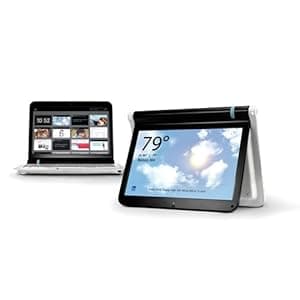 B002QALZ9W Availability: Currently unavailable Score: 4.695 Category: Electronics Rating: 3.3 Votes: 7 Find similar productsLitl Webbook |Internet Computer for the Home. The litl webbook gets you online and more. It's an internet computer that works great with your favorite websites. But, the litl also flips over to create a new view of the web. Our intuitive interface and no-maintenance approach make it simple and carefree. Easy to use The litl is made for everyone in the family. Just point and click. We've removed all the computery stuff between you and the web - no tabs, menus, icons, or folders. The litl maintains itself. It handles updates, patches, plug-ins, and fixes, automatically. You get maintenance-free computing and new features for the life of your computer at no additional cost. Big fun Photos The litl is designed to stream photos and display them on the kitchen counter, the bookshelf, the nightstand…you get the picture. When the litl is in easel mode it bends over backward like an easel and takes up little space. HDMI-equipped Here's a screen that everyone can view at once by connecting conveniently to the big TV screen in front of your couch. Enjoy larger than life photos and videos. Use the optional remote to flip through your favorite channels. Channels We take content from your favorite sites such as ESPN, Weather .com, and Facebook and deliver channels that watch like TV. Use the litl's convenient wheel design or remote control to quickly flip through your litl channels. Buzz about the litl webbook Litl rejects three decades of convention and makes the web, not the computer and all its software and operating-system encrustations, into the real show. - Xconomy The Litl netbook rethinks interface design, and boasts pitch-perfect design details. - Fast Company Makes computing easy for the whole family-including the grandparents. - Trendhunter. | 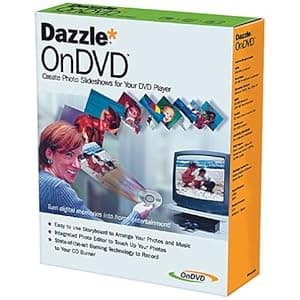 B000068D9G Availability: Currently unavailable Score: 4.630 Category: Electronics Rating: 2.3 Votes: 7 Find similar productsDAZZLE DM11000 OnDVD Software. Amazon.com With OnDVD you can take digital pictures and turn them into photo albums on CDs that play in your DVD player. Simply select and arrange your photos like an old-fashioned slide show and burn them to a CD. With OnDVD, you can arrange up to 200 digital pictures in simple storyboard format, then add an audio track. Should some of your photos require cropping, rotation, or even red-eye removal, you can use Dazzle Photo Editor to perfect them. Advanced algorithms tackle tough but common problems such as bad lighting and color imbalance. When you're done, preview the slide show in OnDVD to see how it will look and sound on your TV. OnDVD's state-of-the-art burning engine works with your CD-R or CD-RW burner to create Video CDs (VCDs) that play on DVD players. And just like saving the original negatives of your photographic prints, OnDVD keeps a copy of each original, high-quality digital photograph on the CD itself. Favorite photos can easily be turned into photographic prints ready to be framed. |