E-commerce Search Demo
AI Assisted Filters
Parameters
Query:
Category filters: All
AI Assist: ON
Page: 1
Products
Time taken: 3 Max score: 1000.000 Total hits: 100 Full time: 0.0 s
Showing 1-10 of 100 products
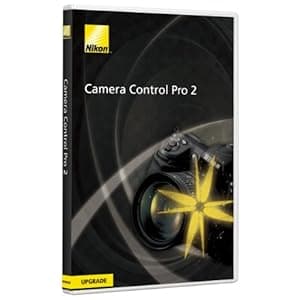 B000ZZX8MW Availability: Currently unavailable Score: 1000.000 Category: Electronics Rating: 4 Votes: 4 Find similar productsNikon Camera Control Pro 2 Software Upgrade for Nikon DSLR Cameras. Camera Control Pro 2 Upgrade is a discounted upgrade-only version and requires a valid serial number from Camera Control Pro version 1.0 - 1.3; users without this number will not be able to use this software and must purchase Camera Control Pro 2 Full (product number25366). Otherwise, this software is identical to Camera Control Pro 2 Full. This software remotely controls most functions of Nikon digital SLRs from a computer that is connected via USB cable or through wired or wireless LAN using a wireless transmitter. Advanced functions of the new Nikon D3 and D300 such as Viewer for preview and selection of images prior to transfer to a computer, Liveview function and Picture Control System are supported. It also supports workflows of Nikon's exclusive photofinishing software Capture NX (optional) and browser and viewer software ViewNX. Compatible with the new functions of the Nikon D3/D300 Images in a camera buffer can be confirmed with thumbnail or preview display on a computer prior to transferring, enabling deletion of unnecessary images. This remarkably increases efficiency. Supporting the Liveview mode (Hand-held mode and Tripod mode) of the D3 and D300, it permits adjustment of focus point and shutter release while confirming the image on a computer. In Tripod mode, focal-plane contrast AF on a desired point within a specific area is possible. It also supports Picture Control System of the cameras. Picture Cont. | 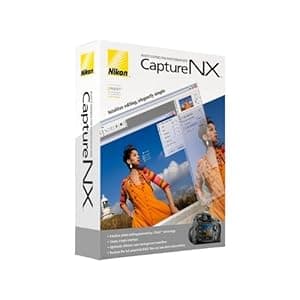 B000GEQ0HW Availability: Currently unavailable Score: 7.519 Category: Electronics Rating: 3.2 Votes: 64 Find similar productsNikon Capture NX Software for Windows and Mac. From the Manufacturer Supercharge your workflow with the next generation of high-quality image editing and processing. Utilizing U Point technology, Advanced Nikon Capture 4 delivers you powerful tools to help you fully realize the potential of your photographic imagination. The new Capture NX software releases not only the power of Nikon's Electronic Format (NEF) files; for the first time it makes JPEG and TIFF processing and editing elegant and easy enough for any photographer to implement. There are no complicated procedures - Nikon's new interface provides intuitive access to all of the tools you need. Make you photographic possibilities endless and realize the power of your imagination with Capture NX. U Point technology Capture NX image editing utilizes Nik Software's patented U Point technology. This new innovation in photo image processing and editing can be applied to Nikon's NEF files, as well as any camera's JPEG and TIFF files (some Capture NX functions apply to NEF files only). Capture NX features powerful tools that enhance images without complicated processes. Simply select a control point and adjust it's slider until you see the image as you like it. It's a highly visual, intuitive technique. Color Control Points Color Control Points let you directly select and isolate an entire image or an area within it for enhancement quickly. Within moments, you can choose and use any Color Control Point to modify any aspect of a selected area including: Size, Hue, Brightness, Saturation, Contrast, Red, Green, Blue, and Warmth. Capture NX also learns to distinguish multiple control points. This feature eliminates complexity and saves you time when you are making a series of enhancements to your photograph. This lets you create your professional quality image in a matter of seconds! Show Selection for accurate control Use the show selection feature for each Color Control Point to see which area of the image is affected by the Color Control Point. This process reverses the image into a black and white view and clearly shows the image areas under adjustment. Black, White, Neutral Control Points Black, White and Neutral Control Points can be used to set the dynamic range and correct color casts in your images. Neutral Control Points can also be used to set color balance in an image. Each Control Point appears on the image and can be easily dragged from point to point, for precise movement and positioning to achieve the desired effect. The Control Points' sliders let you adjust their effect for the respective Control Point areas. Neutral Control Points can be used to set a targeted color to any color available within the color picker. This is useful for removing color casts and toning, even without a neutral object in the scene. Use of multiple Neutral Control Points helps reduce multiple color casts and enhance selected colors in images. The drag, point and slider control is very easy to use, yet very powerful and creative in its effect! Red-eye reduction Thanks to U Point technology, red-eye can be easily removed. Just place a Red-Eye Reduction Control Point on each of the offending eyes, and away it goes! With just a few slider adjustments, you can use a color Control Point to make blue (or any other eye color) eyes brighter, darker or more radiant. With a mere Ctrl-D click, you can duplicate your Color Control Point, so you can rest assured that the effect to each eye will be the same. Photo Quality Non-destructive image editing Capture NX applies non-destructive image processing to NEF files, which means that you'll never compromise your original image. Every enhancement made is saved in an edit list with the original data and thumbnail. When changes are made to a JPEG or TIFF, however, it will affect the quality of the original image. To avoid compromising the quality of your images, Capture NX allows you to save the image under a different file name, or simply covert the file into Nikon's NEF format. No modifications made to NEF files Parameters set on any Nikon camera-produced NEF file (White Balance, Sharpening, Color Mode, Saturation, etc.) are applied to the image you transfer to Capture NX for editing. So your creative photographic decisions are preserved, and there's less to do later when you're finishing the photo on your computer. Versatility Enjoy the sheer power and convenience of intuitive photo editing. Selective tools With Capture NX, you get additional tools that allow you to apply over 25 enhancement styles. Batching By automatically applying one or more enhancements to a series of images, the new, improved batch processing of Capture NX is simple, and saves photographer's time. Edit List For easier, more intuitive photo editing, the Capture NX Edit List helps you to track, cancel or add new modifications. Browser The completely redesigned Capture NX Browser lets you sort, organize, compare, tag and improve images. Use it to select an image to enhance, rename a series of photographs, or quickly and easily apply a batch process to a group of images. |
 B000B7KYRG Availability: Currently unavailable Score: 7.092 Category: Electronics Rating: 4 Votes: 2 Find similar productsNik Software Color Efex Pro 2.0 Complete Edition for Nikon Capture 4, Plug-in Software, for Macintosh & Windows. . | 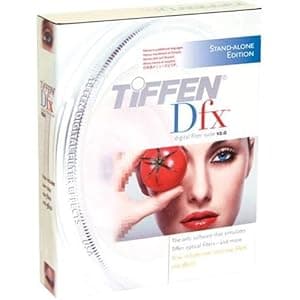 B001F50EHS Availability: Currently unavailable Score: 5.917 Category: Electronics Rating: 3.3 Votes: 20 Find similar productsTiffen DFXCMPV2 Dfx Complete Digital Filter Software V2 Stand-alone Version - Windows XP, VISTA or Macintosh v10.4.6 and higher. Product Description Tiffen Dfx Digital Filter Software V2 Stand-alone Version - Windows XP, VISTA or Macintosh v10.4.6 and higher. Requires no other software to use. More than 2000 filters and effects. Multiple language application menus From the Manufacturer Based on the success of its original award-winning Dfx Digital Filter software, Tiffen now introduces Dfx v2 that now features multiple masking and layering capabilities with its Photoshop and Aperture plug-ins and a host of other features including more than 2000 standard, exclusive and special effect filters. Creative control no one else can even come close to, and there's more! Tiffen Dfx Digital Filter Suite The Tiffen Dfx digital filter suite is the definitive set of digital optical filters. Up to 1000 filters, including simulations of many popular award-winning Tiffen glass filters, specialized lenses, optical lab processes, film grain, exacting color correction plus natural light and photographic effects--are now in a controlled digital environment with either 8 or 16 bits per channel processing. Available in 3 configurations: as a powerful but user-friendly standalone application for still images, or as separate plug-ins for either still imaging or video and film post production software, Tiffen Dfx filters, expands your creative experience. Dfx provides you with everything you will need to enhance your images using a staggering amount of filter presets. Using the Dfx Standalone version, any filter can be limited to a portion of the screen using sophisticated but simple to use masking controls. A layering system to apply multiple filters as well as a batch processing system rounds out Dfx’s set of tools. Whether you are an amateur or professional photographer, a video or film editor, or graphic designer, Dfx’s visual workflow and easy to use tools will help you create stunning images. Dfx is comprised of the following filters: Ambient Light, Auto Adjust, Black and White, Black/White Looks, Black Diffusion/FX®, Black Pro-Mist®, Bleach Bypass, Blur, Bronze Glimmerglass®, Center Spot, Chromatic Aberration, Close-Up Lens, Color Compensating, Color Conversion, Color Correct, Color-Grad®, Color Infrared, Color Looks, Color Spot, Cool Pro-Mist®, Cross Processing, Day for Night, Defog, Defringe, Depth of Field, Diffusion, Dot, Double Fog, Dual Grad, Edge Glow, Enhancing, Eye Light, Faux Film, Flag, Flashing, Fluorescent, Fog, F-Stop, GamColor Gels, Gels, Glimmerglass®, Glow, Gobo, Gold Diffusion/FX®, Gold Reflector, Grain, Halo, Haze, HDTV/FX®, High Contrast, HFX® Star, Ice Halos, Infrared, Kelvin, Lens Distortion, Light, Light Balancing, Low Contrast, Mono Tint, ND-Grad, Night Vision, Nude/FX®, Old Photo, Overexpose, Ozone, Paint, Pencil, Photographic, Polarizer, Printer Points, Pro-Mist®, Rack Focus, Radial Exposure, Rainbow, ReLight, Rosco Gels, Selective Color Correct, Selective Saturation, Sepia, Sharpen, Sky, Silver Reflector, Smoque®, Soft Contrast, Soft/FX®, Soft Light, Split Field, Split Tone, Star, Streaks, Strip Grad, Sunset/Twilight, Telecine, Temperature, Three Strip, Tint, Two Strip, Ultra Contrast, Vari-Star, Vignette, 812® Warming, Warm Black Pro-Mist®, Warm Center Spot, Warm Polarizer, Warm Pro-Mist®, Warm Soft/FX®, Water Droplets, Wide Angle Lens, and X-Ray. Dfx Complete Stand-alone Features 113 individual filters 113 individual filters Thousands of customizable presets Thousands of customizable presets Simulation of Tiffen glass camera filters, specialized lenses, optical lab processes, film grain, exacting color correction as well as natural light and photographic effects Simulation of Tiffen glass camera filters, specialized lenses, optical lab processes, film grain, exacting color correction as well as natural light and photographic effects Rosco and GamColor Gel libraries Rosco and GamColor Gel libraries Rosco and Gam Gobo libraries for lighting effects Rosco and Gam Gobo libraries for lighting effects Paint system that includes Color, Clone and Red-Eye Removal brushes Paint system that includes Color, Clone and Red-Eye Removal brushes Image effects including non-destructive Crop, Rotate and Scale Image effects including non-destructive Crop, Rotate and Scale Layering system for multiple filter application Layering system for multiple filter application Sophisticated but easy to use masking tools Sophisticated but easy to use masking tools Variation generator for effect parameters Variation generator for effect parameters Batch processing Batch processing Color management using ICC profiles Color management using ICC profiles 8 or 16 bit image processing 8 or 16 bit image processing Exchangeable Image File Format (Exif) Exchangeable Image File Format (Exif) Camera RAW, TIFF, JPEG as well as Kodak Cineon and DPX file formats Camera RAW, TIFF, JPEG as well as Kodak Cineon and DPX file formats Multi-processor acceleration Multi-processor acceleration Dfx Photoshop / Aperture Plug-in Features 110 individual filters 110 individual filters Thousands of customizable presets Thousands of customizable presets Simulation of Tiffen glass camera filters, specialized lenses, optical lab processes, film grain, exacting color correction as well as natural light and photographic effects Simulation of Tiffen glass camera filters, specialized lenses, optical lab processes, film grain, exacting color correction as well as natural light and photographic effects Rosco and GamColor Gel libraries Rosco and GamColor Gel libraries Rosco and Gam Gobo libraries for lighting effects Rosco and Gam Gobo libraries for lighting effects Layering system for multiple filter application Layering system for multiple filter application Sophisticated but easy to use masking tools Sophisticated but easy to use masking tools Variation generator for effect parameters Variation generator for effect parameters 8 or 16 bit image processing 8 or 16 bit image processing Multi-processor acceleration Multi-processor acceleration Dfx Post-Production Plug-in Features 110 individual filters 110 individual filters Thousands of customizable presets Thousands of customizable presets Simulation of Tiffen glass camera filters, specialized lenses, optical lab processes, film grain, exacting color correction as well as natural light and photographic effects Simulation of Tiffen glass camera filters, specialized lenses, optical lab processes, film grain, exacting color correction as well as natural light and photographic effects Rosco and GamColor Gel libraries Rosco and GamColor Gel libraries Rosco and Gam Gobo libraries for lighting effects Rosco and Gam Gobo libraries for lighting effects 8 or 16 bit image processing 8 or 16 bit image processing Multi-processor acceleration Multi-processor acceleration. |
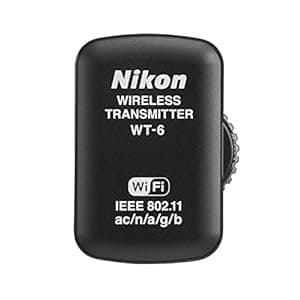 B01ANON0P4 Price: $629.95 Score: 5.376 Category: Electronics Rating: 3.1 Votes: 9 Find similar productsNikon WT-6 Wireless Transmitter. The WT-6A Wireless Transmitter is designed to transfer or view files and take control of the Nikon D5 camera functions using Wi-Fi technology. The D5 supports FTP and HTTP modes to transfer images or videos using an existing Wireless LAN network or directly to a computer or smart device. For maximum D5 control, optional Camera Control Pro 2 software can be purchased. When transmitting image data wirelessly using the WT-6A, the D5 has a blazing fast 130 Mbps speed. Faster communication means no more bottleneck of data transfer. The WT-6A supports the IEEE802.11ac standard for faster transmission speeds; with a distance of 656 ft. (200m). The WT-6A also supports IEEE802.11a/b/g/n. HTTP Server Mode: Use the web browser on your computer or iPhone, iPad or iPad mini or Android powered smart devices to remotely operate camera controls, take pictures and download images or videos. New features in the D5, allows users to edit image comments, copyright or IPTC information stored on the camera wirelessly with a smart device. Continuous shooting is also supported in HTTP Server Mode. PC Mode: Operate the D5 via the optional Camera Control Pro 2 software. Image Transfer Mode: Transfer images or video from the media card in the camera to a computer, or save photos to a computer as they are taken. The D5 and WT-6A is 1.5x faster than the WT-5. The D5 and WT-6A offer a wireless LAN speed of 130 Mbps vs. the D4S and WT-5 speed of only 30. | 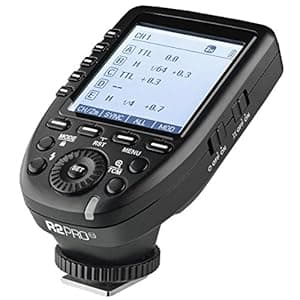 B077J56M14 Availability: Currently unavailable Score: 5.263 Category: Electronics Rating: 4.8 Votes: 60 Find similar productsFlashpoint R2 Pro 2.4GHz Transmitter for Nikon (XPro-N). The Flashpoint R2 Pro N wireless flash trigger is the ultimate dedicated light master for The R2 Family of Flash - The absolute command center for Nikon cameras to control all Flashpoint R2 wireless system devices. Now, R2 Nikon photographers can enjoy unparalleled flexibility and control over multiflash strobist setups, right from their DSLR. Touting features such as a large and brilliant backlit dot matrix LCD screen, displaying all 5 Groups simultaneously, with direct access buttons. The on-camera transmitter gives photographer, power to direct the entire R2 Family: Zoom and Streaklight speedlights, Lithium battery powered eVOLV strobes and XPLOR monolights, and AC Rapid studio monolights. ing innovations that make the art of photography easier than ever at the touch of a button. Like the essential TTL tool, TCM. TCM fusion Boasting sparkling innovations that make the art of photography easier than ever at the touch of a button. Like the essential TTL tool, TCM. TCM fusion takes TTL to a new level, overcoming the exposure fluctuations that may occur in TTL shooting by saving the successful exposure value to Manual settings for repeat capture accuracy. And, advantages like extended multiple Group triggering, selective transmission of exposure values, to conserve energy on the R2 Pro N while shooting, exceptionally stable signal broadcast,and direct Group access. Even the remote flash coverage of Zoom speedlights can be tweaked right from the tra. |
 B006BGV92U Availability: Currently unavailable Score: 5.236 Category: Electronics Rating: 4 Votes: 51 Find similar productsVello RS-N2 II Wired Remote Switch for Nikon DSLRs with DC-2 Connection. Whether you are shooting in the studio or outdoors, the Vello RS-N2 Wired Remote Switch for Nikon DSLRs with DC-2 Connection II provides you with a simple way to control exposures and an easy-to use-tool to create more keepers. The unit provides functionality such as: autofocusing, continuous shooting or single image capture and long time exposures. Since you can trigger exposures without touching the camera you will capture clear, blur-free images. The unit requires no batteries - it draws its power from the camera. The Wired Remote Switch is a huge asset to keep in your studio or gear bag. This particular wired switch uses a cable that's 2.8' ( 86 cm ) long, and is compatible with cameras that have a mini USB connection, i.e. Nikon D90 and D5000 DSLRs. Compatible Cameras Nikon: D90, D3100, D5000 and D7000Press the button half-way in to autofocusDepress the button fully to trigger the shutterPress the button and slide it forward to lock for long exposuresLarger, more comfortable form factor. | 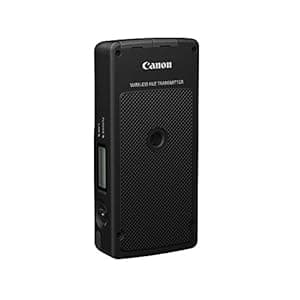 B00NI3CGO4 Price: $795 Score: 5.236 Category: Electronics Rating: 3.1 Votes: 3 Find similar productsCanon Wireless File Transmitter WFT-E7A (Version 2). The Canon WFT-E7A Wireless File Transmitter (Version 2) makes wired and wireless data transfer setups simple and easy. Compatible with the EOS 5D Mark III DSLR camera, it supports IEEE 802.11 a/b/g/n for fast and secure connections over a LAN connection and supports Gigabit Ethernet for wired connections, too. For even more versatile connectivity, the transmitter has a built-in Bluetooth function that allows it to handle high-volume data wireless transfers. Its lightweight design makes the WFT-E7A a great addition to the professional photographers wireless workflow.The WFT-E7A is compatible with the EOS 5D Mark III SLR and offers a wireless-only LAN function for enhanced versatility when transferring data. It supports IEEE 802.11 a/b/g/n network connections, providing safer and faster wireless LAN transfers. It has a new image resend feature that ensures all images get transferred, even if a wireless signal drop interrupts transmission.Wireless connectivity is gradually becoming an industry standard; many photographers are seeking convenient methods to transfer important image data securely and faster without the use of cables and wires. Canon developed the new WFT-E7A to support IEEE 802.11n, which provides seamless wireless transfers of large files at a speed roughly 3x faster than IEEE 802.11 a/g.Features: Wireless LAN support for IEEE802.11 a/b/g/n, delivering ultra-fast image transfer speedSupport for wired LAN Ethernet-1000BASE-T for high speed communicationEnhanced linked multi-camera shootingMedia server (DLNA) supportedWireless time synchingBluetooth-compatible GPS devices can be connected wirelesslyUSB terminal for easy connectivity. |
 B0002A9SK6 Availability: Currently unavailable Score: 5.181 Category: Electronics Rating: 1 Votes: 5 Find similar productsDazzle DVC120 Digital Video Capture and Authoring Device. Product Description Dazzle Digital Video Creator 120 (DVC120) is a complete home video editing solution and contains all the hardware and software you'll need to make amazing home movies with your camcorder and your PC. The Dazzle DVC120 video capture device connects easily to your PC's USB port and makes it fast and easy to begin capturing and editing DVD quality video. Simply connect your camcorder, import your video and use the included Pinnacle Studio QuickStart software to add incredible special effects, transitions, titles, background music and more. Once your movie is complete, Studio QuickStart will even let you burn your movies to Video CDs or DVD that will play in your home DVD player. Amazon.com From the Manufacturer The Dazzle DVC120 is an affordable external device that makes it fast and easy to connect any video device to any PC, allowing you to capture full-quality video from analog and digital camcorders or VCRs to almost any PC, even those that don't have the latest configuration. It comes with Pinnacle's Studio QuickStart software, which helps you quickly and easily edit videos and burn them to CDs and DVDs. Connects easily to your PC and external video device to pipe video directly to your PC. The Dazzle DVC120 is an easy-to-use external device that encodes DVD-quality video and transfers it to almost any PC through its standard USB port. Any camcorder, VCR, or DVD player equipped with analog outputs can be hooked to the DVC120 with ordinary video cables. Import DVD-Quality Videos via the Standard USB Port Thanks to low system requirements, the DVC120 works with almost any PC bought in the last few years preceding 2004. Works with Any Video Device All digital and analog camcorders and VCRs have audio and video output to connect to TV sets; just use the same connectors and cables to connect them to your DVC120. Store Hours of Video on Your Hard Disk The DVC120 has a real-time DVD encoder chip that automatically converts video into the MPEG-2 format. This shrinks the video file to a quarter of its original size, saving hard disk space. Key Features Import DVD-quality video from almost any video source via the standard USB port Import DVD-quality video from almost any video source via the standard USB port Store hours of high-quality video on your hard disk, thanks to MPEG-2 video compression Store hours of high-quality video on your hard disk, thanks to MPEG-2 video compression Works with any video device with analog outputs Works with any video device with analog outputs Restore damaged videos or edit them automatically in a few minutes with Pinnacle's Studio QuickStart Restore damaged videos or edit them automatically in a few minutes with Pinnacle's Studio QuickStart Preserve and share your movies on CDs and DVDs Preserve and share your movies on CDs and DVDs Share your videos over the Internet (in e-mails, on Web pages, etc.) Share your videos over the Internet (in e-mails, on Web pages, etc.) Input Formats Composite video input (RCA connector) S-Video input (mini-DIN connector) Stereo audio input (two RCA connectors) Import Formats Video: MPEG-1, MPEG-2, AVI Audio: WAV, MP3 Graphics: BMP, JPG, PCT, TGA, TIF, WMF Output Formats Video CD (VCD) or Super Video CD (SVCD) with optional CD-R or CD-RW drive DVD with optional DVD-R, DVD-RW, or DVD+RW drive MPEG-1, MPEG-2, AVI, RealVideo 8 Windows Media format, including Windows Media 9 Transfer videos to your PC from any camcorder, VCR, or DVD player with analog outputs Comes with Pinnacle's Studio QuickStart The Dazzle DVC150 comes with Pinnacle's Studio QuickStart moviemaking software, whose intuitive interface makes it the ideal application to create movies on your PC or laptop. The included Studio QuickStart software allows you to cut, edit, restore, and re-create new videos from your existing home movies. Enhance and Restore Your Old Videotapes Studio QuickStart lets you strenghten washed-out colours, restore old analog tapes, or stabilize shaky movies. Create Movies in Seconds Simply choose both a video and a music track, pick a preset movie style, and let Studio QuickStart instantly create an amazing movie that matches the beat of your favorite song. Preserve and Share Your Movies on CDs and DVDs With Studio QuickStart you can easily compile your best moments in one unique project, which can be burnt on CDs or DVDs, complete with custom menus and chapters for convenient and fast on-screen navigation. Discs burnt with Studio QuickStart can be watched on your PC or almost any home DVD player. Send Your Videos over the Internet Create short video clips that you can attach to your e-mails. See more. |  B08L6W9HY7 Price: $276.95 Score: 5.155 Category: Electronics Rating: 5 Votes: 20 Find similar productsNikon WR-R11a/WR-T10 Remote Controller Set. The WR-T10 is a Wireless Remote Controller (transmitter) that is designed to work with the WR-R10 and WR-R11a/WR-R11b Wireless Remote Controllers (transceiver) to wirelessly control the shutter release on Nikon cameras. The WR-T10 and WR-R11a/b and WR-R10 units use radio frequencies to communicate; by pairing together a WR-T10 and one or more of the WR-R11a/b or WR-R10 units. Photographers can use the WR-T10 to simultaneously release the shutter on multiple cameras that have a WR-R11a/b or WR-R10 unit attached and have been paired with the WR-T10. |