E-commerce Search Demo
AI Assisted Filters
Parameters
Query:
Category filters: All
AI Assist: ON
Page: 1
Products
Time taken: 3 Max score: 1000.000 Total hits: 100 Full time: 0.0 s
Showing 1-10 of 100 products
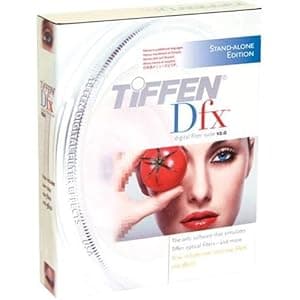 B001F50EHS Availability: Currently unavailable Score: 1000.000 Category: Electronics Rating: 3.3 Votes: 20 Find similar productsTiffen DFXCMPV2 Dfx Complete Digital Filter Software V2 Stand-alone Version - Windows XP, VISTA or Macintosh v10.4.6 and higher. Product Description Tiffen Dfx Digital Filter Software V2 Stand-alone Version - Windows XP, VISTA or Macintosh v10.4.6 and higher. Requires no other software to use. More than 2000 filters and effects. Multiple language application menus From the Manufacturer Based on the success of its original award-winning Dfx Digital Filter software, Tiffen now introduces Dfx v2 that now features multiple masking and layering capabilities with its Photoshop and Aperture plug-ins and a host of other features including more than 2000 standard, exclusive and special effect filters. Creative control no one else can even come close to, and there's more! Tiffen Dfx Digital Filter Suite The Tiffen Dfx digital filter suite is the definitive set of digital optical filters. Up to 1000 filters, including simulations of many popular award-winning Tiffen glass filters, specialized lenses, optical lab processes, film grain, exacting color correction plus natural light and photographic effects--are now in a controlled digital environment with either 8 or 16 bits per channel processing. Available in 3 configurations: as a powerful but user-friendly standalone application for still images, or as separate plug-ins for either still imaging or video and film post production software, Tiffen Dfx filters, expands your creative experience. Dfx provides you with everything you will need to enhance your images using a staggering amount of filter presets. Using the Dfx Standalone version, any filter can be limited to a portion of the screen using sophisticated but simple to use masking controls. A layering system to apply multiple filters as well as a batch processing system rounds out Dfx’s set of tools. Whether you are an amateur or professional photographer, a video or film editor, or graphic designer, Dfx’s visual workflow and easy to use tools will help you create stunning images. Dfx is comprised of the following filters: Ambient Light, Auto Adjust, Black and White, Black/White Looks, Black Diffusion/FX®, Black Pro-Mist®, Bleach Bypass, Blur, Bronze Glimmerglass®, Center Spot, Chromatic Aberration, Close-Up Lens, Color Compensating, Color Conversion, Color Correct, Color-Grad®, Color Infrared, Color Looks, Color Spot, Cool Pro-Mist®, Cross Processing, Day for Night, Defog, Defringe, Depth of Field, Diffusion, Dot, Double Fog, Dual Grad, Edge Glow, Enhancing, Eye Light, Faux Film, Flag, Flashing, Fluorescent, Fog, F-Stop, GamColor Gels, Gels, Glimmerglass®, Glow, Gobo, Gold Diffusion/FX®, Gold Reflector, Grain, Halo, Haze, HDTV/FX®, High Contrast, HFX® Star, Ice Halos, Infrared, Kelvin, Lens Distortion, Light, Light Balancing, Low Contrast, Mono Tint, ND-Grad, Night Vision, Nude/FX®, Old Photo, Overexpose, Ozone, Paint, Pencil, Photographic, Polarizer, Printer Points, Pro-Mist®, Rack Focus, Radial Exposure, Rainbow, ReLight, Rosco Gels, Selective Color Correct, Selective Saturation, Sepia, Sharpen, Sky, Silver Reflector, Smoque®, Soft Contrast, Soft/FX®, Soft Light, Split Field, Split Tone, Star, Streaks, Strip Grad, Sunset/Twilight, Telecine, Temperature, Three Strip, Tint, Two Strip, Ultra Contrast, Vari-Star, Vignette, 812® Warming, Warm Black Pro-Mist®, Warm Center Spot, Warm Polarizer, Warm Pro-Mist®, Warm Soft/FX®, Water Droplets, Wide Angle Lens, and X-Ray. Dfx Complete Stand-alone Features 113 individual filters 113 individual filters Thousands of customizable presets Thousands of customizable presets Simulation of Tiffen glass camera filters, specialized lenses, optical lab processes, film grain, exacting color correction as well as natural light and photographic effects Simulation of Tiffen glass camera filters, specialized lenses, optical lab processes, film grain, exacting color correction as well as natural light and photographic effects Rosco and GamColor Gel libraries Rosco and GamColor Gel libraries Rosco and Gam Gobo libraries for lighting effects Rosco and Gam Gobo libraries for lighting effects Paint system that includes Color, Clone and Red-Eye Removal brushes Paint system that includes Color, Clone and Red-Eye Removal brushes Image effects including non-destructive Crop, Rotate and Scale Image effects including non-destructive Crop, Rotate and Scale Layering system for multiple filter application Layering system for multiple filter application Sophisticated but easy to use masking tools Sophisticated but easy to use masking tools Variation generator for effect parameters Variation generator for effect parameters Batch processing Batch processing Color management using ICC profiles Color management using ICC profiles 8 or 16 bit image processing 8 or 16 bit image processing Exchangeable Image File Format (Exif) Exchangeable Image File Format (Exif) Camera RAW, TIFF, JPEG as well as Kodak Cineon and DPX file formats Camera RAW, TIFF, JPEG as well as Kodak Cineon and DPX file formats Multi-processor acceleration Multi-processor acceleration Dfx Photoshop / Aperture Plug-in Features 110 individual filters 110 individual filters Thousands of customizable presets Thousands of customizable presets Simulation of Tiffen glass camera filters, specialized lenses, optical lab processes, film grain, exacting color correction as well as natural light and photographic effects Simulation of Tiffen glass camera filters, specialized lenses, optical lab processes, film grain, exacting color correction as well as natural light and photographic effects Rosco and GamColor Gel libraries Rosco and GamColor Gel libraries Rosco and Gam Gobo libraries for lighting effects Rosco and Gam Gobo libraries for lighting effects Layering system for multiple filter application Layering system for multiple filter application Sophisticated but easy to use masking tools Sophisticated but easy to use masking tools Variation generator for effect parameters Variation generator for effect parameters 8 or 16 bit image processing 8 or 16 bit image processing Multi-processor acceleration Multi-processor acceleration Dfx Post-Production Plug-in Features 110 individual filters 110 individual filters Thousands of customizable presets Thousands of customizable presets Simulation of Tiffen glass camera filters, specialized lenses, optical lab processes, film grain, exacting color correction as well as natural light and photographic effects Simulation of Tiffen glass camera filters, specialized lenses, optical lab processes, film grain, exacting color correction as well as natural light and photographic effects Rosco and GamColor Gel libraries Rosco and GamColor Gel libraries Rosco and Gam Gobo libraries for lighting effects Rosco and Gam Gobo libraries for lighting effects 8 or 16 bit image processing 8 or 16 bit image processing Multi-processor acceleration Multi-processor acceleration. | 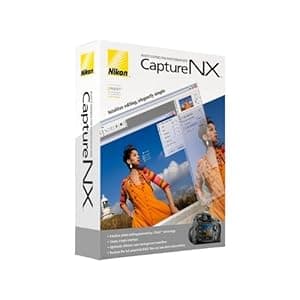 B000GEQ0HW Availability: Currently unavailable Score: 6.803 Category: Electronics Rating: 3.2 Votes: 64 Find similar productsNikon Capture NX Software for Windows and Mac. From the Manufacturer Supercharge your workflow with the next generation of high-quality image editing and processing. Utilizing U Point technology, Advanced Nikon Capture 4 delivers you powerful tools to help you fully realize the potential of your photographic imagination. The new Capture NX software releases not only the power of Nikon's Electronic Format (NEF) files; for the first time it makes JPEG and TIFF processing and editing elegant and easy enough for any photographer to implement. There are no complicated procedures - Nikon's new interface provides intuitive access to all of the tools you need. Make you photographic possibilities endless and realize the power of your imagination with Capture NX. U Point technology Capture NX image editing utilizes Nik Software's patented U Point technology. This new innovation in photo image processing and editing can be applied to Nikon's NEF files, as well as any camera's JPEG and TIFF files (some Capture NX functions apply to NEF files only). Capture NX features powerful tools that enhance images without complicated processes. Simply select a control point and adjust it's slider until you see the image as you like it. It's a highly visual, intuitive technique. Color Control Points Color Control Points let you directly select and isolate an entire image or an area within it for enhancement quickly. Within moments, you can choose and use any Color Control Point to modify any aspect of a selected area including: Size, Hue, Brightness, Saturation, Contrast, Red, Green, Blue, and Warmth. Capture NX also learns to distinguish multiple control points. This feature eliminates complexity and saves you time when you are making a series of enhancements to your photograph. This lets you create your professional quality image in a matter of seconds! Show Selection for accurate control Use the show selection feature for each Color Control Point to see which area of the image is affected by the Color Control Point. This process reverses the image into a black and white view and clearly shows the image areas under adjustment. Black, White, Neutral Control Points Black, White and Neutral Control Points can be used to set the dynamic range and correct color casts in your images. Neutral Control Points can also be used to set color balance in an image. Each Control Point appears on the image and can be easily dragged from point to point, for precise movement and positioning to achieve the desired effect. The Control Points' sliders let you adjust their effect for the respective Control Point areas. Neutral Control Points can be used to set a targeted color to any color available within the color picker. This is useful for removing color casts and toning, even without a neutral object in the scene. Use of multiple Neutral Control Points helps reduce multiple color casts and enhance selected colors in images. The drag, point and slider control is very easy to use, yet very powerful and creative in its effect! Red-eye reduction Thanks to U Point technology, red-eye can be easily removed. Just place a Red-Eye Reduction Control Point on each of the offending eyes, and away it goes! With just a few slider adjustments, you can use a color Control Point to make blue (or any other eye color) eyes brighter, darker or more radiant. With a mere Ctrl-D click, you can duplicate your Color Control Point, so you can rest assured that the effect to each eye will be the same. Photo Quality Non-destructive image editing Capture NX applies non-destructive image processing to NEF files, which means that you'll never compromise your original image. Every enhancement made is saved in an edit list with the original data and thumbnail. When changes are made to a JPEG or TIFF, however, it will affect the quality of the original image. To avoid compromising the quality of your images, Capture NX allows you to save the image under a different file name, or simply covert the file into Nikon's NEF format. No modifications made to NEF files Parameters set on any Nikon camera-produced NEF file (White Balance, Sharpening, Color Mode, Saturation, etc.) are applied to the image you transfer to Capture NX for editing. So your creative photographic decisions are preserved, and there's less to do later when you're finishing the photo on your computer. Versatility Enjoy the sheer power and convenience of intuitive photo editing. Selective tools With Capture NX, you get additional tools that allow you to apply over 25 enhancement styles. Batching By automatically applying one or more enhancements to a series of images, the new, improved batch processing of Capture NX is simple, and saves photographer's time. Edit List For easier, more intuitive photo editing, the Capture NX Edit List helps you to track, cancel or add new modifications. Browser The completely redesigned Capture NX Browser lets you sort, organize, compare, tag and improve images. Use it to select an image to enhance, rename a series of photographs, or quickly and easily apply a batch process to a group of images. |
 B007OWXC5W Availability: Currently unavailable Score: 6.289 Category: Electronics Rating: 4.6 Votes: 5 Find similar productsCORELDRAW GRAPHICS SUITE X6 EN MB (WIN XPVISTAWIN 7). Whether you re an aspiring or experienced designer CorelDRAW Graphics Suite X6 is your trusted graphic design software solution. With its content-rich environment and professional graphic design photo editing and website design software you have everything you need to express your style and creativity with endless possibilities. Quickly feel at home with built-in help training videos and professionally designed templates. Then create with confidence everything from distinctive logos and signs to custom websites web graphics billboards car wraps and flyers! This latest version offers a powerful new typography engine intuitive website design software advanced OpenType support new document styles and much more. Show your true design style!Key Features and Benefits: Set up and start smoothly - Easily find all the learning tools you need to start smoothly and design with confidence. Sharpen your design knowledge with valuable video tutorials a hints docker with videos and tips insights from experts and an inspiring guidebook. Corel CONNECTTM now features multiple trays to help you sort and organize your design assets more efficiently. Instantly find content on your puter or local work and selected websites using Corel CONNECT. Choose from a wealth of professional digital content that gives you a head start on all types of creative deliverables from business cards to flyers. Work faster and more efficiently - Quickly identify available formatting options or remove unwanted areas in photos utilizing several workflow innovations that help you bee more efficient and productive. Take advantage of the new 64-bit and multi-core support to quickly process larger files and images and enjoy a more responsive puter system. Use Styles to give a consistent appearance to your drawings documents and text. Edit your Styles once and have changes automatically applied throughout your document. The new Object Styles docker centralizes style creation and management putting all. |  B000B7KYRG Availability: Currently unavailable Score: 6.211 Category: Electronics Rating: 4 Votes: 2 Find similar productsNik Software Color Efex Pro 2.0 Complete Edition for Nikon Capture 4, Plug-in Software, for Macintosh & Windows. . |
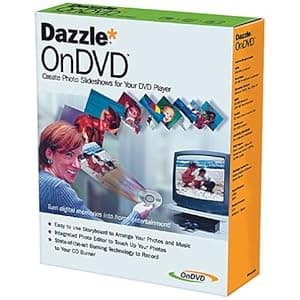 B000068D9G Availability: Currently unavailable Score: 6.061 Category: Electronics Rating: 2.3 Votes: 7 Find similar productsDAZZLE DM11000 OnDVD Software. Amazon.com With OnDVD you can take digital pictures and turn them into photo albums on CDs that play in your DVD player. Simply select and arrange your photos like an old-fashioned slide show and burn them to a CD. With OnDVD, you can arrange up to 200 digital pictures in simple storyboard format, then add an audio track. Should some of your photos require cropping, rotation, or even red-eye removal, you can use Dazzle Photo Editor to perfect them. Advanced algorithms tackle tough but common problems such as bad lighting and color imbalance. When you're done, preview the slide show in OnDVD to see how it will look and sound on your TV. OnDVD's state-of-the-art burning engine works with your CD-R or CD-RW burner to create Video CDs (VCDs) that play on DVD players. And just like saving the original negatives of your photographic prints, OnDVD keeps a copy of each original, high-quality digital photograph on the CD itself. Favorite photos can easily be turned into photographic prints ready to be framed. |  B000ZZX8MW Availability: Currently unavailable Score: 5.917 Category: Electronics Rating: 4 Votes: 4 Find similar productsNikon Camera Control Pro 2 Software Upgrade for Nikon DSLR Cameras. Camera Control Pro 2 Upgrade is a discounted upgrade-only version and requires a valid serial number from Camera Control Pro version 1.0 - 1.3; users without this number will not be able to use this software and must purchase Camera Control Pro 2 Full (product number25366). Otherwise, this software is identical to Camera Control Pro 2 Full. This software remotely controls most functions of Nikon digital SLRs from a computer that is connected via USB cable or through wired or wireless LAN using a wireless transmitter. Advanced functions of the new Nikon D3 and D300 such as Viewer for preview and selection of images prior to transfer to a computer, Liveview function and Picture Control System are supported. It also supports workflows of Nikon's exclusive photofinishing software Capture NX (optional) and browser and viewer software ViewNX. Compatible with the new functions of the Nikon D3/D300 Images in a camera buffer can be confirmed with thumbnail or preview display on a computer prior to transferring, enabling deletion of unnecessary images. This remarkably increases efficiency. Supporting the Liveview mode (Hand-held mode and Tripod mode) of the D3 and D300, it permits adjustment of focus point and shutter release while confirming the image on a computer. In Tripod mode, focal-plane contrast AF on a desired point within a specific area is possible. It also supports Picture Control System of the cameras. Picture Cont. |
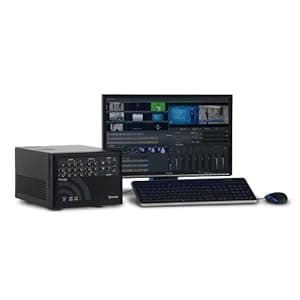 B00DMNWR2Q Availability: Currently unavailable Score: 5.917 Category: Electronics Rating: 4.5 Votes: 3 Find similar productsNewTek TriCaster 40 version 2. Animation Store Creator (new in version 2). Create and customize transitions and effects, using the now included Animation Store Creator to produce full color full motion overlays, audio for both directions, and even warped video mapped against any 3D surface for the highest-impact presentations possible. Customized Graphics (new in version 2). TriCaster 40 v2 now includes the LiveText title station inside the TriCaster, with the included LiveText application onboard for creating unique HD titles and graphics with hundreds of pre-loaded templates, displaying real-time data, and using vector-based drawing tools and extensive text options for designing custom graphics. More recording options (new in version 2). Now includes some of the most requested record formats, such as QuickTime, MPEG-2 (high or normal), H.264 (high or web quality), AVI, MP3. These new recording options and session resolutions will help reach more viewers on the platforms they watch. New Professional Formats. 1080/30p, 1080/24p, 1080/60i, 720/60p, 720/30p, 720/24p, 480/60i (16:9), 480/60i (4x3). Fast Setup. Easy to Use. Enjoy professional results with do-it-yourself simplicity. Just plug in, power on, and you're up and running with your very own show-in no time. Make life and live production easier, with all the tools you need to produce a show, in a single system. Connect up to 4 cameras. Share the screen from your laptop, desktop or wireless iOS device. All-in-one Live Production. Mix in video clips, graphics and audio. And do it all from a live virtual set. No additional system hardware or assembly required. Travel-size. Forget about lugging case after case of equipment wherever you go. Whether you're heading cross campus, to the top floor or the next town, the compact design means instant master control anywhere you can free up a tabletop, spare shelf space, or roll up with a small cart. |  B004A98ASG Availability: Currently unavailable Score: 5.682 Category: Electronics Rating: 5 Votes: 1 Find similar productsClass on Demand Complete Training With Adobe Premiere Pro CS5 Educational Training Tutorial DVD-ROM with Tim Kolb 99904. Lessons Include: 1) Adobe OnLocation 1.1) Monitor Window 1.2) Preferences 1.3) Scopes 1.4) Story Workflow 2) Launching Adobe Premiere Pro 2.1) Starting a New Project 2.2) Importing Media 2.3) Organizing Your Media 3) Editing 3.1) Sequences 3.2) Moving Media to the Sequence 3.3) Working on the Timeline 3.4) Sequence Clip Menu 3.5) Multicam Editing 3.6) Transitions 3.7) Effects 4) Audio 4.1) Audio Fundamentals 4.2) The Mixer 4.3) Audio in the Timeline 4.4) Audio Effects 4.5) Clip Audio and Effect Controls 5) Creating Titles 5.1) The Title Designer Interface 5.2) Fonts, Styles and Attributes 5.3) Tools and Functions 5.4) Style Library 5.5) Roll and Crawl Creation 5.6) Templates 6) Output 6.1) Project Manager 6.2) Adobe Media Encoder 6.3) Export to Another NLE 6.4) Export to Tape 7) Adobe Premiere Pro Preferences 8) New Features 8.1) Mercury Playback Engine 8.2) Editing in Native Formats 8.3) Red R3D Workflow 8.4) Ultra Keyer 9) Adobe Encore 9.1) Project Settings 9.2) Importing Assets 9.3) Creating a Menu 9.4) Structure Setup 9.5) Output Format: DVD 9.6) Output Format: Blu-ray Disc 9.7) Output Format: Flash 10) Adobe Bridge. |
 B0039L6FO2 Availability: Currently unavailable Score: 5.464 Category: Electronics Rating: 3.2 Votes: 9 Find similar productsMicrosoft PowerPoint Home and Student 2010 3PC. Product description PowerPoint Home and Stud 2010 Amazon.com Microsoft PowerPoint 2010 gives you more ways to create and share dynamic presentations with your audience than ever before. Exciting new audio and visual capabilities help you tell a crisp, cinematic story that's as easy to create as it is powerful to watch. In addition, PowerPoint 2010 enables you to work simultaneously with other people or post your presentation online and access it from virtually anywhere using the Web or your smartphone. 1 Create extraordinary presentations PowerPoint 2010 delivers new and improved tools to add power to your presentations. Embed and edit video from within PowerPoint. Now you can add fades, formatting effects, bookmark scenes, and trim videos to give your presentations a professional multimedia experience. And since the embedded videos become part of your PowerPoint presentation, you don't have to manage additional files when sharing with others. Use new and improved picture editing tools--including versatile artistic effects and advanced correction, color, and cropping tools--to fine-tune every picture in your presentation to look its absolute best. Add dynamic 3-D slide transitions and more realistic animation effects to grab your audience's attention. Manage presentations with tools that save time and simplify your work It's much easier to create and manage presentations when you can work the way you want. Compress video and audio in your presentation to reduce file size for easy sharing and improved playback performance. The option to compress media is just one of many new features available from the new Microsoft Office Backstage view. Backstage view replaces the traditional File menu in all Office 2010 applications to provide a centralized, organized space for all of your presentation management tasks. Easily customize the improved Ribbon to make the commands you need most accessible. Create custom tabs or even customize built-in tabs. With PowerPoint 2010, you're in control. Work together more successfully If you are one of the many people who work with others on presentations and projects, PowerPoint 2010 is the perfect tool for you. Broadcast your slide show to people in other locations, whether or not they have PowerPoint installed.2 Create a video of your presentation--including your transitions, animations, narration, and timings--to share with virtually anyone, any time after your live broadcast. Use new co-authoring capabilities to edit the same presentation, at the same time, with people in different locations. You can even communicate as you work, directly from PowerPoint.3,4If you work in a company running Microsoft SharePoint Foundation 2010, this functionality can be used within the firewall. With Office Communicator now integrated throughout several Office 2010 applications, you can view presence information to see the availability of other authors and initiate instant message or voice calls directly within PowerPoint. If you're in a small company or using PowerPoint for home or school work, you can take advantage of co-authoring features through Windows Live. All you need is a free Windows Live account to simultaneously edit presentations with others. An instant messenger account (such as the free Windows Live Messenger) is required to view presence of authors and start an instant messaging conversation. Access and share your content from more places Your ideas, deadlines, projects, and work emergencies don't always occur conveniently when you are at your desk. Fortunately, you now have the power to get things done when and where you need to, from the Web or even from your smartphone.1Microsoft PowerPoint Web App is an online companion to Microsoft PowerPoint which enables you to extend your PowerPoint experience to the browser. View a high fidelity version of your presentations, make light edits, or view your presentation slide show. Use the familiar PowerPoint interface and some of the same formatting and editing tools, from almost any computer with a Web browser.3Microsoft PowerPoint Mobile 2010 enables you to do light editing for your presentations and is especially designed for easy use on your Windows phone. You can even run your slide show right on your phone.5 Whether you're creating the pitch of your career, working with a team on an important presentation, or getting work done on the run, PowerPoint 2010 gives you the power to work more easily and with more flexibility to accomplish your goals. 1 Web and smartphone access require an appropriate device and some functionality requires an Internet connection. Web functionality uses Office Web Apps, which require a supported Internet Explorer, Firefox, or Safari browser and either SharePoint Foundation 2010 or a Windows Live ID. Some mobile functionality requires Office Mobile 2010 which is not included in Office 2010 applications, suites, or Office Web Apps. There are some differences between the features of the Office Web Apps, Office Mobile 2010 and the Office 2010 applications. 2 Requires Microsoft SharePoint Foundation 2010 or a Windows Live ID. To broadcast via SharePoint 2010, Office Web Apps must be installed. 3 Requires Microsoft SharePoint Foundation 2010 or a Windows Live ID. 4 Instant messaging and presence requires one of the following: Microsoft Office Communications Server 2007 R2 with Microsoft Office Communicator 2007 R2; Windows Live Messenger, or another instant messaging application that supports IMessenger. Voice calls require Office Communications Server 2007 R2 with Office Communicator 2007 R2 or later or an instant messaging application that supports IMessengerAdvanced. 5 PowerPoint Mobile 2010 is not included in the Office 2010 applications or suites. Embed and edit video from within PowerPoint. Now you can add fades, formatting effects, bookmark scenes, and trim videos to give your presentations a professional multimedia experience. And since the embedded videos become part of your PowerPoint presentation, you don't have to manage additional files when sharing with others. Use new and improved picture editing tools--including versatile artistic effects and advanced correction, color, and cropping tools--to fine-tune every picture in your presentation to look its absolute best. Use new and improved picture editing tools--including versatile artistic effects and advanced correction, color, and cropping tools--to fine-tune every picture in your presentation to look its absolute best. Add dynamic 3-D slide transitions and more realistic animation effects to grab your audience's attention. Manage presentations with tools that save time and simplify your work It's much easier to create and manage presentations when you can work the way you want. Compress video and audio in your presentation to reduce file size for easy sharing and improved playback performance. The option to compress media is just one of many new features available from the new Microsoft Office Backstage view. Backstage view replaces the traditional File menu in all Office 2010 applications to provide a centralized, organized space for all of your presentation management tasks. Easily customize the improved Ribbon to make the commands you need most accessible. Create custom tabs or even customize built-in tabs. With PowerPoint 2010, you're in control. Work together more successfully If you are one of the many people who work with others on presentations and projects, PowerPoint 2010 is the perfect tool for you. Broadcast your slide show to people in other locations, whether or not they have PowerPoint installed.2 Create a video of your presentation--including your transitions, animations, narration, and timings--to share with virtually anyone, any time after your live broadcast. Use new co-authoring capabilities to edit the same presentation, at the same time, with people in different locations. You can even communicate as you work, directly from PowerPoint.3,4If you work in a company running Microsoft SharePoint Foundation 2010, this functionality can be used within the firewall. With Office Communicator now integrated throughout several Office 2010 applications, you can view presence information to see the availability of other authors and initiate instant message or voice calls directly within PowerPoint. If you're in a small company or using PowerPoint for home or school work, you can take advantage of co-authoring features through Windows Live. All you need is a free Windows Live account to simultaneously edit presentations with others. An instant messenger account (such as the free Windows Live Messenger) is required to view presence of authors and start an instant messaging conversation. Access and share your content from more places Your ideas, deadlines, projects, and work emergencies don't always occur conveniently when you are at your desk. Fortunately, you now have the power to get things done when and where you need to, from the Web or even from your smartphone.1Microsoft PowerPoint Web App is an online companion to Microsoft PowerPoint which enables you to extend your PowerPoint experience to the browser. View a high fidelity version of your presentations, make light edits, or view your presentation slide show. Use the familiar PowerPoint interface and some of the same formatting and editing tools, from almost any computer with a Web browser.3Microsoft PowerPoint Mobile 2010 enables you to do light editing for your presentations and is especially designed for easy use on your Windows phone. You can even run your slide show right on your phone.5 Whether you're creating the pitch of your career, working with a team on an important presentation, or getting work done on the run, PowerPoint 2010 gives you the power to work more easily and with more flexibility to accomplish your goals. 1 Web and smartphone access require an appropriate device and some functionality requires an Internet connection. Web functionality uses Office Web Apps, which require a supported Internet Explorer, Firefox, or Safari browser and either SharePoint Foundation 2010 or a Windows Live ID. Some mobile functionality requires Office Mobile 2010 which is not included in Office 2010 applications, suites, or Office Web Apps. There are some differences between the features of the Office Web Apps, Office Mobile 2010 and the Office 2010 applications. 2 Requires Microsoft SharePoint Foundation 2010 or a Windows Live ID. To broadcast via SharePoint 2010, Office Web Apps must be installed. 3 Requires Microsoft SharePoint Foundation 2010 or a Windows Live ID. 4 Instant messaging and presence requires one of the following: Microsoft Office Communications Server 2007 R2 with Microsoft Office Communicator 2007 R2; Windows Live Messenger, or another instant messaging application that supports IMessenger. Voice calls require Office Communications Server 2007 R2 with Office Communicator 2007 R2 or later or an instant messaging application that supports IMessengerAdvanced. 5 PowerPoint Mobile 2010 is not included in the Office 2010 applications or suites. Add dynamic 3-D slide transitions and more realistic animation effects to grab your audience's attention. Manage presentations with tools that save time and simplify your work It's much easier to create and manage presentations when you can work the way you want. Compress video and audio in your presentation to reduce file size for easy sharing and improved playback performance. The option to compress media is just one of many new features available from the new Microsoft Office Backstage view. Backstage view replaces the traditional File menu in all Office 2010 applications to provide a centralized, organized space for all of your presentation management tasks. Easily customize the improved Ribbon to make the commands you need most accessible. Create custom tabs or even customize built-in tabs. With PowerPoint 2010, you're in control. Work together more successfully If you are one of the many people who work with others on presentations and projects, PowerPoint 2010 is the perfect tool for you. Broadcast your slide show to people in other locations, whether or not they have PowerPoint installed.2 Create a video of your presentation--including your transitions, animations, narration, and timings--to share with virtually anyone, any time after your live broadcast. Use new co-authoring capabilities to edit the same presentation, at the same time, with people in different locations. You can even communicate as you work, directly from PowerPoint.3,4If you work in a company running Microsoft SharePoint Foundation 2010, this functionality can be used within the firewall. With Office Communicator now integrated throughout several Office 2010 applications, you can view presence information to see the availability of other authors and initiate instant message or voice calls directly within PowerPoint. If you're in a small company or using PowerPoint for home or school work, you can take advantage of co-authoring features through Windows Live. All you need is a free Windows Live account to simultaneously edit presentations with others. An instant messenger account (such as the free Windows Live Messenger) is required to view presence of authors and start an instant messaging conversation. Access and share your content from more places Your ideas, deadlines, projects, and work emergencies don't always occur conveniently when you are at your desk. Fortunately, you now have the power to get things done when and where you need to, from the Web or even from your smartphone.1Microsoft PowerPoint Web App is an online companion to Microsoft PowerPoint which enables you to extend your PowerPoint experience to the browser. View a high fidelity version of your presentations, make light edits, or view your presentation slide show. Use the familiar PowerPoint interface and some of the same formatting and editing tools, from almost any computer with a Web browser.3Microsoft PowerPoint Mobile 2010 enables you to do light editing for your presentations and is especially designed for easy use on your Windows phone. You can even run your slide show right on your phone.5 Whether you're creating the pitch of your career, working with a team on an important presentation, or getting work done on the run, PowerPoint 2010 gives you the power to work more easily and with more flexibility to accomplish your goals. 1 Web and smartphone access require an appropriate device and some functionality requires an Internet connection. Web functionality uses Office Web Apps, which require a supported Internet Explorer, Firefox, or Safari browser and either SharePoint Foundation 2010 or a Windows Live ID. Some mobile functionality requires Office Mobile 2010 which is not included in Office 2010 applications, suites, or Office Web Apps. There are some differences between the features of the Office Web Apps, Office Mobile 2010 and the Office 2010 applications. 2 Requires Microsoft SharePoint Foundation 2010 or a Windows Live ID. To broadcast via SharePoint 2010, Office Web Apps must be installed. 3 Requires Microsoft SharePoint Foundation 2010 or a Windows Live ID. 4 Instant messaging and presence requires one of the following: Microsoft Office Communications Server 2007 R2 with Microsoft Office Communicator 2007 R2; Windows Live Messenger, or another instant messaging application that supports IMessenger. Voice calls require Office Communications Server 2007 R2 with Office Communicator 2007 R2 or later or an instant messaging application that supports IMessengerAdvanced. 5 PowerPoint Mobile 2010 is not included in the Office 2010 applications or suites. Compress video and audio in your presentation to reduce file size for easy sharing and improved playback performance. The option to compress media is just one of many new features available from the new Microsoft Office Backstage view. Backstage view replaces the traditional File menu in all Office 2010 applications to provide a centralized, organized space for all of your presentation management tasks. Easily customize the improved Ribbon to make the commands you need most accessible. Create custom tabs or even customize built-in tabs. With PowerPoint 2010, you're in control. Work together more successfully If you are one of the many people who work with others on presentations and projects, PowerPoint 2010 is the perfect tool for you. Broadcast your slide show to people in other locations, whether or not they have PowerPoint installed.2 Create a video of your presentation--including your transitions, animations, narration, and timings--to share with virtually anyone, any time after your live broadcast. Use new co-authoring capabilities to edit the same presentation, at the same time, with people in different locations. You can even communicate as you work, directly from PowerPoint.3,4If you work in a company running Microsoft SharePoint Foundation 2010, this functionality can be used within the firewall. With Office Communicator now integrated throughout several Office 2010 applications, you can view presence information to see the availability of other authors and initiate instant message or voice calls directly within PowerPoint. If you're in a small company or using PowerPoint for home or school work, you can take advantage of co-authoring features through Windows Live. All you need is a free Windows Live account to simultaneously edit presentations with others. An instant messenger account (such as the free Windows Live Messenger) is required to view presence of authors and start an instant messaging conversation. Access and share your content from more places Your ideas, deadlines, projects, and work emergencies don't always occur conveniently when you are at your desk. Fortunately, you now have the power to get things done when and where you need to, from the Web or even from your smartphone.1Microsoft PowerPoint Web App is an online companion to Microsoft PowerPoint which enables you to extend your PowerPoint experience to the browser. View a high fidelity version of your presentations, make light edits, or view your presentation slide show. Use the familiar PowerPoint interface and some of the same formatting and editing tools, from almost any computer with a Web browser.3Microsoft PowerPoint Mobile 2010 enables you to do light editing for your presentations and is especially designed for easy use on your Windows phone. You can even run your slide show right on your phone.5 Whether you're creating the pitch of your career, working with a team on an important presentation, or getting work done on the run, PowerPoint 2010 gives you the power to work more easily and with more flexibility to accomplish your goals. 1 Web and smartphone access require an appropriate device and some functionality requires an Internet connection. Web functionality uses Office Web Apps, which require a supported Internet Explorer, Firefox, or Safari browser and either SharePoint Foundation 2010 or a Windows Live ID. Some mobile functionality requires Office Mobile 2010 which is not included in Office 2010 applications, suites, or Office Web Apps. There are some differences between the features of the Office Web Apps, Office Mobile 2010 and the Office 2010 applications. 2 Requires Microsoft SharePoint Foundation 2010 or a Windows Live ID. To broadcast via SharePoint 2010, Office Web Apps must be installed. 3 Requires Microsoft SharePoint Foundation 2010 or a Windows Live ID. 4 Instant messaging and presence requires one of the following: Microsoft Office Communications Server 2007 R2 with Microsoft Office Communicator 2007 R2; Windows Live Messenger, or another instant messaging application that supports IMessenger. Voice calls require Office Communications Server 2007 R2 with Office Communicator 2007 R2 or later or an instant messaging application that supports IMessengerAdvanced. 5 PowerPoint Mobile 2010 is not included in the Office 2010 applications or suites. Easily customize the improved Ribbon to make the commands you need most accessible. Create custom tabs or even customize built-in tabs. With PowerPoint 2010, you're in control. Work together more successfully If you are one of the many people who work with others on presentations and projects, PowerPoint 2010 is the perfect tool for you. Broadcast your slide show to people in other locations, whether or not they have PowerPoint installed.2 Create a video of your presentation--including your transitions, animations, narration, and timings--to share with virtually anyone, any time after your live broadcast. Use new co-authoring capabilities to edit the same presentation, at the same time, with people in different locations. You can even communicate as you work, directly from PowerPoint.3,4If you work in a company running Microsoft SharePoint Foundation 2010, this functionality can be used within the firewall. With Office Communicator now integrated throughout several Office 2010 applications, you can view presence information to see the availability of other authors and initiate instant message or voice calls directly within PowerPoint. If you're in a small company or using PowerPoint for home or school work, you can take advantage of co-authoring features through Windows Live. All you need is a free Windows Live account to simultaneously edit presentations with others. An instant messenger account (such as the free Windows Live Messenger) is required to view presence of authors and start an instant messaging conversation. Access and share your content from more places Your ideas, deadlines, projects, and work emergencies don't always occur conveniently when you are at your desk. Fortunately, you now have the power to get things done when and where you need to, from the Web or even from your smartphone.1Microsoft PowerPoint Web App is an online companion to Microsoft PowerPoint which enables you to extend your PowerPoint experience to the browser. View a high fidelity version of your presentations, make light edits, or view your presentation slide show. Use the familiar PowerPoint interface and some of the same formatting and editing tools, from almost any computer with a Web browser.3Microsoft PowerPoint Mobile 2010 enables you to do light editing for your presentations and is especially designed for easy use on your Windows phone. You can even run your slide show right on your phone.5 Whether you're creating the pitch of your career, working with a team on an important presentation, or getting work done on the run, PowerPoint 2010 gives you the power to work more easily and with more flexibility to accomplish your goals. 1 Web and smartphone access require an appropriate device and some functionality requires an Internet connection. Web functionality uses Office Web Apps, which require a supported Internet Explorer, Firefox, or Safari browser and either SharePoint Foundation 2010 or a Windows Live ID. Some mobile functionality requires Office Mobile 2010 which is not included in Office 2010 applications, suites, or Office Web Apps. There are some differences between the features of the Office Web Apps, Office Mobile 2010 and the Office 2010 applications. 2 Requires Microsoft SharePoint Foundation 2010 or a Windows Live ID. To broadcast via SharePoint 2010, Office Web Apps must be installed. 3 Requires Microsoft SharePoint Foundation 2010 or a Windows Live ID. 4 Instant messaging and presence requires one of the following: Microsoft Office Communications Server 2007 R2 with Microsoft Office Communicator 2007 R2; Windows Live Messenger, or another instant messaging application that supports IMessenger. Voice calls require Office Communications Server 2007 R2 with Office Communicator 2007 R2 or later or an instant messaging application that supports IMessengerAdvanced. 5 PowerPoint Mobile 2010 is not included in the Office 2010 applications or suites. Broadcast your slide show to people in other locations, whether or not they have PowerPoint installed. 2 Create a video of your presentation--including your transitions, animations, narration, and timings--to share with virtually anyone, any time after your live broadcast. Use new co-authoring capabilities to edit the same presentation, at the same time, with people in different locations. You can even communicate as you work, directly from PowerPoint.3,4 Use new co-authoring capabilities to edit the same presentation, at the same time, with people in different locations. You can even communicate as you work, directly from PowerPoint. 3,4 If you work in a company running Microsoft SharePoint Foundation 2010, this functionality can be used within the firewall. With Office Communicator now integrated throughout several Office 2010 applications, you can view presence information to see the availability of other authors and initiate instant message or voice calls directly within PowerPoint. If you work in a company running Microsoft SharePoint Foundation 2010, this functionality can be used within the firewall. With Office Communicator now integrated throughout several Office 2010 applications, you can view presence information to see the availability of other authors and initiate instant message or voice calls directly within PowerPoint. If you're in a small company or using PowerPoint for home or school work, you can take advantage of co-authoring features through Windows Live. All you need is a free Windows Live account to simultaneously edit presentations with others. An instant messenger account (such as the free Windows Live Messenger) is required to view presence of authors and start an instant messaging conversation. Access and share your content from more places Your ideas, deadlines, projects, and work emergencies don't always occur conveniently when you are at your desk. Fortunately, you now have the power to get things done when and where you need to, from the Web or even from your smartphone.1Microsoft PowerPoint Web App is an online companion to Microsoft PowerPoint which enables you to extend your PowerPoint experience to the browser. View a high fidelity version of your presentations, make light edits, or view your presentation slide show. Use the familiar PowerPoint interface and some of the same formatting and editing tools, from almost any computer with a Web browser.3Microsoft PowerPoint Mobile 2010 enables you to do light editing for your presentations and is especially designed for easy use on your Windows phone. You can even run your slide show right on your phone.5 Whether you're creating the pitch of your career, working with a team on an important presentation, or getting work done on the run, PowerPoint 2010 gives you the power to work more easily and with more flexibility to accomplish your goals. 1 Web and smartphone access require an appropriate device and some functionality requires an Internet connection. Web functionality uses Office Web Apps, which require a supported Internet Explorer, Firefox, or Safari browser and either SharePoint Foundation 2010 or a Windows Live ID. Some mobile functionality requires Office Mobile 2010 which is not included in Office 2010 applications, suites, or Office Web Apps. There are some differences between the features of the Office Web Apps, Office Mobile 2010 and the Office 2010 applications. 2 Requires Microsoft SharePoint Foundation 2010 or a Windows Live ID. To broadcast via SharePoint 2010, Office Web Apps must be installed. 3 Requires Microsoft SharePoint Foundation 2010 or a Windows Live ID. 4 Instant messaging and presence requires one of the following: Microsoft Office Communications Server 2007 R2 with Microsoft Office Communicator 2007 R2; Windows Live Messenger, or another instant messaging application that supports IMessenger. Voice calls require Office Communications Server 2007 R2 with Office Communicator 2007 R2 or later or an instant messaging application that supports IMessengerAdvanced. 5 PowerPoint Mobile 2010 is not included in the Office 2010 applications or suites. If you're in a small company or using PowerPoint for home or school work, you can take advantage of co-authoring features through Windows Live. All you need is a free Windows Live account to simultaneously edit presentations with others. An instant messenger account (such as the free Windows Live Messenger) is required to view presence of authors and start an instant messaging conversation. Access and share your content from more places Your ideas, deadlines, projects, and work emergencies don't always occur conveniently when you are at your desk. Fortunately, you now have the power to get things done when and where you need to, from the Web or even from your smartphone. 1 Microsoft PowerPoint Web App is an online companion to Microsoft PowerPoint which enables you to extend your PowerPoint experience to the browser. View a high fidelity version of your presentations, make light edits, or view your presentation slide show. Use the familiar PowerPoint interface and some of the same formatting and editing tools, from almost any computer with a Web browser.3 Microsoft PowerPoint Web App is an online companion to Microsoft PowerPoint which enables you to extend your PowerPoint experience to the browser. View a high fidelity version of your presentations, make light edits, or view your presentation slide show. Use the familiar PowerPoint interface and some of the same formatting and editing tools, from almost any computer with a Web browser. 3 Microsoft PowerPoint Mobile 2010 enables you to do light editing for your presentations and is especially designed for easy use on your Windows phone. You can even run your slide show right on your phone.5 Whether you're creating the pitch of your career, working with a team on an important presentation, or getting work done on the run, PowerPoint 2010 gives you the power to work more easily and with more flexibility to accomplish your goals. 1 Web and smartphone access require an appropriate device and some functionality requires an Internet connection. Web functionality uses Office Web Apps, which require a supported Internet Explorer, Firefox, or Safari browser and either SharePoint Foundation 2010 or a Windows Live ID. Some mobile functionality requires Office Mobile 2010 which is not included in Office 2010 applications, suites, or Office Web Apps. There are some differences between the features of the Office Web Apps, Office Mobile 2010 and the Office 2010 applications. 2 Requires Microsoft SharePoint Foundation 2010 or a Windows Live ID. To broadcast via SharePoint 2010, Office Web Apps must be installed. 3 Requires Microsoft SharePoint Foundation 2010 or a Windows Live ID. 4 Instant messaging and presence requires one of the following: Microsoft Office Communications Server 2007 R2 with Microsoft Office Communicator 2007 R2; Windows Live Messenger, or another instant messaging application that supports IMessenger. Voice calls require Office Communications Server 2007 R2 with Office Communicator 2007 R2 or later or an instant messaging application that supports IMessengerAdvanced. 5 PowerPoint Mobile 2010 is not included in the Office 2010 applications or suites. Microsoft PowerPoint Mobile 2010 enables you to do light editing for your presentations and is especially designed for easy use on your Windows phone. You can even run your slide show right on your phone. 5 Whether you're creating the pitch of your career, working with a team on an important presentation, or getting work done on the run, PowerPoint 2010 gives you the power to work more easily and with more flexibility to accomplish your goals. 1 Web and smartphone access require an appropriate device and some functionality requires an Internet connection. Web functionality uses Office Web Apps, which require a supported Internet Explorer, Firefox, or Safari browser and either SharePoint Foundation 2010 or a Windows Live ID. Some mobile functionality requires Office Mobile 2010 which is not included in Office 2010 applications, suites, or Office Web Apps. There are some differences between the features of the Office Web Apps, Office Mobile 2010 and the Office 2010 applications. 2 Requires Microsoft SharePoint Foundation 2010 or a Windows Live ID. To broadcast via SharePoint 2010, Office Web Apps must be installed. 3 Requires Microsoft SharePoint Foundation 2010 or a Windows Live ID. 4 Instant messaging and presence requires one of the following: Microsoft Office Communications Server 2007 R2 with Microsoft Office Communicator 2007 R2; Windows Live Messenger, or another instant messaging application that supports IMessenger. Voice calls require Office Communications Server 2007 R2 with Office Communicator 2007 R2 or later or an instant messaging application that supports IMessengerAdvanced. 5 PowerPoint Mobile 2010 is not included in the Office 2010 applications or suites. |  B0063B242M Availability: Currently unavailable Score: 5.263 Category: Electronics Rating: 4 Votes: 123 Find similar productsDazzle DVD Recorder HD V14.0 (Old Version). Product Description Featuring a high-quality video capture device plus powerful Pinnacle Studio HD v.14 editing software, Dazzle DVD Recorder HD makes it easy to create movies like a pro. Quickly import videos and photos, then edit scenes and add professional polish with an extensive library of effects, transitions, and soundtrack options From the Manufacturer View larger . Dazzle DVD Recorder HD Save, Enhance, and Share Video Dazzle DVD Recorder HD makes it easy to create movies like a pro. Featuring a high-quality video capture device, plus powerful Pinnacle Studio HD v.14 editing software, you can quickly import videos and photos, then edit scenes and add professional polish with an extensive library of effects, transitions, and soundtrack options. Share your masterpiece directly on the web with one-click uploading to YouTube, or easily transfer your video to an Apple iPod, Sony PSP, or other device. View larger . Key Features Quickly Import Photos and Videos The included high-quality video capture device makes it easy to import standard-definition video from a variety of analog sources. You can also edit HD video from an HD camcorder. Turn Home Movies Into DVDs Protect your priceless home video memories by transferring them to DVD — then share them with friends and family. Be the Director The included Pinnacle Studio HD v.14 software helps you bring your creative vision to life — complete with Hollywood-style animations, effects, sounds, and music. Make Your Movies Stand Out — Instantly Easily create distinctive looks with over 130 included Montage templates, animations, multi-layer effects, transitions, and titles designed by professional producers and artists. Sharing Options as Limitless as Your Creativity Save your masterpiece straight to DVD, upload directly to YouTube, or output to Flash, QuickTime, PS3, Nintendo Wii, Xbox, and more. System Requirements Windows 7, Windows Vista (SP2), Windows XP (SP3) Windows 7, Windows Vista (SP2), Windows XP (SP3) Intel Pentium or AMD Athlon 1.8 GHz (2.4 GHz or higher recommended) - Intel Core 2 Duo 2.4 GHz required for AVCHD* - Intel Core 2 Quad 2.66 GHz or Intel Core i7 required for AVCHD* 1920 Intel Pentium or AMD Athlon 1.8 GHz (2.4 GHz or higher recommended) - Intel Core 2 Duo 2.4 GHz required for AVCHD* - Intel Core 2 Quad 2.66 GHz or Intel Core i7 required for AVCHD* 1920 1 GB system memory recommended, 2 GB required for AVCHD* 1 GB system memory recommended, 2 GB required for AVCHD* DirectX 9 or 10 compatible graphics card with 64 MB (128 MB or higher recommended) - 256 MB required for HD and AVCHD* DirectX 9 or 10 compatible graphics card with 64 MB (128 MB or higher recommended) - 256 MB required for HD and AVCHD* DirectX 9 or higher compatible sound card DirectX 9 or higher compatible sound card 3.2 GB of disk space 3.2 GB of disk space DVD-ROM drive to install software DVD-ROM drive to install software CD burner for creating Video CDs or Super Video CDs (S-VCDs) CD burner for creating Video CDs or Super Video CDs (S-VCDs) DVD burner for creating DVD and AVCHD* discs DVD burner for creating DVD and AVCHD* discs Hardware Specifications Video inputs: Composite video (RCA), S-Video (mini-DIN) Video inputs: Composite video (RCA), S-Video (mini-DIN) Audio inputs: Stereo audio (RCA x2) Audio inputs: Stereo audio (RCA x2) PC connection: Hi-Speed USB 2.0 PC connection: Hi-Speed USB 2.0 Software Specifications Capture from any video source with composite (RCA) or S-Video output Capture from any video source with composite (RCA) or S-Video output Output Format AVCHD*, DVD (DVD-R, DVD-RW, DVD+Ror DVD+RW, dual layer), S-VCD, Video CD (VCD) AVCHD*, DVD (DVD-R, DVD-RW, DVD+Ror DVD+RW, dual layer), S-VCD, Video CD (VCD) Apple iPod, Sony PSP/PS3, Nintendo Wii, Microsoft Xbox compatible formats* Apple iPod, Sony PSP/PS3, Nintendo Wii, Microsoft Xbox compatible formats* DV, HDV, AVI, DivX*, RealVideo 8, WMV, MPEG-1, MPEG-2, MPEG-4*, Flash, 3GP*, WAV, MP3*, QuickTime (SD format) files DV, HDV, AVI, DivX*, RealVideo 8, WMV, MPEG-1, MPEG-2, MPEG-4*, Flash, 3GP*, WAV, MP3*, QuickTime (SD format) files Dolby Digital 2 channel audio Dolby Digital 2 channel audio * Requires free online product activation. |