E-commerce Search Demo
AI Assisted Filters
Parameters
Query:
Category filters: All
AI Assist: ON
Page: 1
Products
Time taken: 7 Max score: 1000.000 Total hits: 100 Full time: 0.0 s
Showing 1-10 of 100 products
 B0130K4H5A Price: $18.61 Score: 1000.000 Category: Electronics Rating: 4.1 Votes: 24 Find similar productsSparkFun WiFi Shield - ESP8266. . | 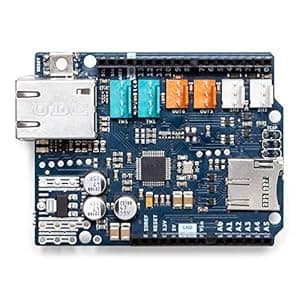 B011PCMMM0 Price: $31 Score: 5.291 Category: Electronics Rating: 4.5 Votes: 107 Find similar productsArduino Ethernet Shield 2 [A000024]. . |
 B00HSDNO1O Availability: Currently unavailable Score: 5.051 Category: Electronics Rating: 2.8 Votes: 2 Find similar productsBIRUGEAR 3-Pack Premium HD Crystal Clear LCD Screen Protector for Visual Land Prestige Pro 7D - 7 inch Android Tablet. OptiCover WiFi Extender the Best solution to date extending Wi-Fi to devices like Echo/Alexa devices, iPhone, iPad, Android, TV’s, PC's & SO MUCH MORE. NO MORE DEAD ZONES! Eliminate dead spots in rooms with weak Wi-Fi coverage with our Wifi range extender. Network extender delivers blazing-fast dual-band Wi-Fi across your home for 4K streaming and gaming in any room. Easy to install and move, the range extender enables you to expand your Wi-Fi and connect any wired device, such as your Xbox, PlayStation, PC or Mac, to powerful Wi-Fi with the available Gigabit Ethernet port for boosted speed and performance. SRONG and STABLE SIGNAL OptiCover WiFi Booster is compatible with any router or access point, making it easy to expand and strengthen your network in 2.4, even as it changes over time. Boost your existing network range, delivering WiFi up to 300 Mbps. This Wifi repeater is small and discreet, easily blending into your home decor. The OptiCover Wifi Booster Ethernet port allows it to act as a wireless adapter, letting you connect wired devices like game consoles, Blu-ray players and smart TVs to your Wi-Fi. | 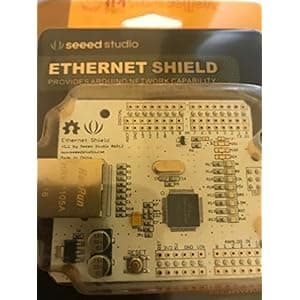 B00MG0XTNM Price: $11 Score: 5.051 Category: Electronics Rating: 4.5 Votes: 3 Find similar productsSEEED ARD124B2P Ethernet Shield. Design it yourself. The Ethernet Shield is an Arduino compatible shield. It is designed based on chip W5100. With this shield and the corresponding Arduino library, you can easily add the Internet accessibility to your project. Voltage: 4.5-5.5V, dimension:72.6x58.4x23.2mm, supporting connect: TCP/UDP Connection: 10/100MB and net weight: 24.2g. |
 B001IDVSVS Availability: Currently unavailable Score: 4.902 Category: Electronics Rating: 5 Votes: 2 Find similar productsVICTONYUS Wi-Fi Extender 360 Degree Covering with Ethernet Cable29. . | 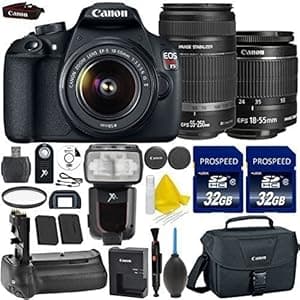 B016YUGWWO Availability: Currently unavailable Score: 4.878 Category: Electronics Rating: 5 Votes: 5 Find similar productsGALAWAY 1200Mbps WiFi Range Extender 2.4GHz and 5GHz Signal Extenders Internet Booster 360 Degree Wifi Booster Signal Amplifier with 4 Antennas. Color: white With the GALAWAY Dual-Band WiFi Range Extender (G1200), you can easily eliminate dead zones and expand the range of your existing wireless router and take advantage of Wireless-AC performance. Features: Complies with IEEE 802.11 ac/a/b/g/n standardsDual Band connections for lag-free HD vedio streaming and gaming Maximum WLAN security with WPA2, WPA Provides one 10/100Mbps Auto-Negotiation Ethernet LAN Port Provides one 10/100Mbps Auto-Negotiation Ethernet WAN/LAN port Frequently Asked Questions: Q1. How do I reset the device or restore the device to factory default setting? A. Put the power button to on and the Mode Selector in Repeater side, plug the extender into a socket. While the power LED and WiFi signal indicator comes up, use the sim card removable needle (including in the package) to press the reset button for 3-6 seconds, then wait for several seconds, all the LED lights turn on monetarily, then you can configure the extender again. Q2. Why is no internet of the extended network after the extender is successfully set up? A1. You may have entered your router WiFi password incorrectly as the WiFi key during the installation, please reset the extender and go through the configuration again. A2. Make sure that your router encryption algorithm is WPA at least. A3. The distance between the router and extender is too far, please adjust the extender to the ideal location. Q3. How can I change the encryption algorithm to WPA?A. Use a wireless device to connect to your router WiFi, then open a browser in this device, enter your router's ip address in the address bar of the browser Click Wireless Settings and Wireless Encryption Click Secure Mode and you will see WPA Package List: 1 x 1200Mbps WiFi Range Extender 1 x RJ-45 Networking Cable 1 x User Manual. |
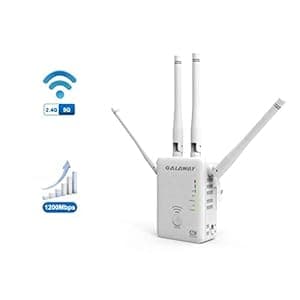 B01L91P68O Availability: Currently unavailable Score: 4.878 Category: Electronics Rating: 5 Votes: 3 Find similar productsGALAWAY 1200Mbps WiFi Range Extender 2.4GHz and 5GHz Signal Extenders Internet Booster 360 Degree WiFi Booster Signal Amplifier with 4 Antennas. Color: white With the GALAWAY Dual-Band WiFi Range Extender (G1200), you can easily eliminate dead zones and expand the range of your existing wireless router and take advantage of Wireless-AC performance. Features: Complies with IEEE 802.11 ac/a/b/g/n standardsDual Band connections for lag-free HD vedio streaming and gaming Maximum WLAN security with WPA2, WPA Provides one 10/100Mbps Auto-Negotiation Ethernet LAN Port Provides one 10/100Mbps Auto-Negotiation Ethernet WAN/LAN port Frequently Asked Questions: Q1. How do I reset the device or restore the device to factory default setting? A. Put the power button to on and the Mode Selector in Repeater side, plug the extender into a socket. While the power LED and WiFi signal indicator comes up, use the sim card removable needle (including in the package) to press the reset button for 3-6 seconds, then wait for several seconds, all the LED lights turn on monetarily, then you can configure the extender again. Q2. Why is no internet of the extended network after the extender is successfully set up? A1. You may have entered your router WiFi password incorrectly as the WiFi key during the installation, please reset the extender and go through the configuration again. A2. Make sure that your router encryption algorithm is WPA at least. A3. The distance between the router and extender is too far, please adjust the extender to the ideal location. Q3. How can I change the encryption algorithm to WPA?A. Use a wireless device to connect to your router WiFi, then open a browser in this device, enter your router's ip address in the address bar of the browser Click Wireless Settings and Wireless Encryption Click Secure Mode and you will see WPA Package List: 1 x 1200Mbps WiFi Range Extender 1 x RJ-45 Networking Cable 1 x User Manual. |  B00GA8WKK4 Availability: Currently unavailable Score: 4.854 Category: Electronics Rating: 5 Votes: 2 Find similar productsLoudmouth Golf Mens Shorts: Drop Cloth - Size 32. Color: white The GALAWAY G1200 is a universal high power AC1200 dual band range extender, designed to conveniently extend your existing WiFi coverage, creates stronger and farther-reaching dual band connections in hard-to-reach areas, allowing you enjoy blazing-fast wireless coverage throughout all your home. Features: Complies with IEEE 802.11 ac/a/b/g/n standardsDual Band connections for lag-free HD video streaming and gamingMaximum WLAN security with WPA2, WPAProvides one 10/100Mbps Auto-Negotiation Ethernet LAN PortProvides one 10/100Mbps Auto-Negotiation Ethernet WAN/LAN portDesigned with 3 x Wi-Fi Signal strength LED System Requirements: ① The WLAN client must support at least the WPA encryption standard② WLAN access point and the WLAN client with automatic IP address assignment (DHCP)③ Forwarding of IPv4-based protocols/Address Resolution Protocol④ The network name (SSID) of the WLAN access point must be set to “visible” How to find an Ideal location: ★ Smart LED signal indicatorWhile the extender is set up successfully, replug the extender in the middle between the router and the dead spot, wait to the WiFi signal indicator to come up. Please check the WiFi signal indicator on the extender. If it is weak and flashing, we suggest to relocate the extender closer to the router. If it is available, it would be better to adjust the distance between the extender and the router till two or three WiFi signal indicators to come up.★ Use the phoneIf you can get 3 bar or above in your phone when connecting to your home wireless network, then it is an ideal spot to place the extender.If it is less than 3 bar, we suggest you to relocate the extender closer to the router. Package List: 1 x 1200Mbps WiFi Range Extender1 x RJ-45 Networking Cable1 x User Manual. |
 B01I9UQHXQ Availability: Currently unavailable Score: 4.831 Category: Electronics Rating: 3 Votes: 35 Find similar productsINFLUX WiFi Maximizing Router Dock. Do you have an area in your home or office where your WiFi signal is slow or spotty? You don't need a new router – you simply need to MAXIMIZE your current one! The INFLUX WiFi Maximizing Router Dock will instantly boost your WiFi signal with zero hassle! Unlike WiFi range extenders or antennas that demand complicated installation and passwords, the INFLUX WiFi boosting router dock is simply placed under your router. It operates like a directional antenna by redirecting stronger signals to areas of your home or business that would otherwise be out-of-range. The INFLUX Router Dock boosts your router's performance to help fill the gaps where connections may be weak, lagging, or simply doesn’t exist. The patented seven-layer technology can increase your home or office WiFi signal up to 50%!Increase your wireless network's overall reception, reduce buffering time, and eliminate the halting hiccups of streaming content. With significant improvements in signal strength, you will be able to connect easier, download faster, and finally receive signals in those problem areas where your old network couldn't reach.It is the easiest WiFi solution yet – simply place under your router and go!. |  B01M6CKJXC Availability: Currently unavailable Score: 4.831 Category: Electronics Rating: 4.2 Votes: 568 Find similar productsAeotec Range Extender 6, Z-Wave Plus repeater. You use Z-Wave to manage your smart home. You use Range Extender 6 to keep Z-Wave reliable. Aeotec's Range Extender 6 works seamlessly to amplify and repeat weak Z-Wave and Z-Wave Plus signals. Simply plug it into a power socket, connect it to your Z-Wave network, and it automatically starts improving any poor Z-Wave signals that are in range. As it's custom desgined as a wireless signal booster, Range Extender 6 performs better than other Z-Wave devices that offer simply repeating; it amplifies the signal too. Designed to use Z-Wave Plus, unlike previous editions Range Extender 6 can work with advanced Z-Wave features such as encryption and security devices such as door locks while remaining compatible with older versions of Z-Wave. It repeats signals 250% faster than other signal repeaters and can repeat Z-Wave signals up to 492 feet away when unobstructed. Range Extender 6 is compatible with all certified Z-Wave gateways including Samsung SmartThings, Fibaro, and Mios Vera. |