E-commerce Search Demo
AI Assisted Filters
Parameters
Query:
Category filters: All
AI Assist: ON
Page: 1
Products
Time taken: 3 Max score: 1000.000 Total hits: 100 Full time: 0.0 s
Showing 1-10 of 100 products
 B07DWDQV73 Availability: Currently unavailable Score: 1000.000 Category: Electronics Rating: 4.2 Votes: 61 Find similar productsBlackweb 6-Button Wireless Bluetooth Mouse - Black. Blackweb 6- Button Wireless Bluetooth Mouse, Black:5 DPI switchable modesAA Battery included2.4 GHz wireless technologyWireless transmission link using RF encrypted technology and BluetoothOptical sensors with accuracy and precisionContoured and sweat-resistant for comfortNano receiver storage. |  B003FDIPYC Availability: Currently unavailable Score: 9.174 Category: Electronics Rating: 1 Votes: 1 Find similar productsSyba Bluetooth 2.1 EDR Wireless Optical Mouse. Take control of your desktop with the Syba Multimedia Connectland CL-MOU23014 Mouse. The wireless functionality of this Bluetooth wireless optical mouse allows you the freedom to work without getting tangled in cables, and Bluetooth technology lets you work without taking up a USB port. Syba Multimedia Connectland CL-MOU23014 Mouse has a working distance of 8 meters that gives you more flexibility. The scroll wheel mouse is convenient to use and is powered by 2AAA batteries. You can adjust the sensor sensitivity as per your convenience and make it more functional.Syba Multimedia Connectland CL-MOU23014 Mouse:Wireless functionality for cable-free operationBluetooth technology works without occupying a USB portWorking distance: up to 8mAdjustable sensor sensitivity (800/1000/1200 dpi)Powered by 2 AAA batteries (sold separately). |
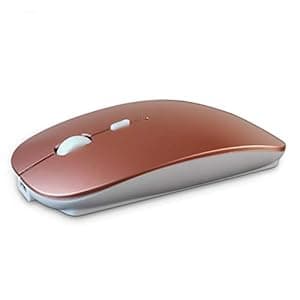 B091PLXZFR Availability: Currently unavailable Score: 8.130 Category: Electronics Rating: 4.1 Votes: 21 Find similar productsSUNGI Bluetooth Mouse,Rechargeable Wireless Mice for MacBook Pro/MacBook Air,Bluetooth Wireless Mouse for Laptop/PC/Mac/iPad pro/Computer. support system: Windows Vista, Windows XP, Windows 7 / 8 / 10, Linux, Android, Mac OS X (compatible with IMAC one machine / MacBook / MacBook Air / Mac Mini / macbook pro / ipad / iphone) * Bluetooth version: Bluetooth 4.0 * Photoelectric resolution: 3 adjustable DPI level (1000 / 1200 / 1600DPI) * Built in rechargeable battery: 1000mAh (lithium polymer battery, long cycle life) * Tracking system: optics * Number of keys: 4 (key) * Operating distance: 15 m * Size: 4.4 x 2.3 x 0.8 inches How to charge the mouse: 1.Set up the power before first charge,and then turn off the mouse.Charge it with USB cable. 2.When charging,the blue light is on.When fully charged,there is no light.It take 2-3hours to fully charge. | 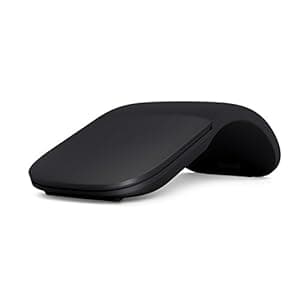 B083L4239G Price: $51.99 Score: 8.000 Category: Electronics Rating: 4.6 Votes: 17337 Find similar productsMicrosoft Arc Mouse - Black. Sleek,Ergonomic design, Ultra slim and lightweight, Bluetooth Mouse for PC/Laptop,Desktop works with Windows/Mac computers. Slim, Light and Ready to Travel: Ultra-slim and lightweight, Microsoft Arc Mouse goes anywhere without the weight or bulk of traditional mice. What’s more, you can snap it flat and easily slip it in your back pocket or bag for travel. The Microsoft Arc Mouse connects wirelessly to your device via Bluetooth. One of our most Innovative Design, Refined: The Microsoft Arc Mouse features an audible, satisfying snap. Simply snap the Arc Mouse into its curved position to power up. Snap again to flatten and power down. The overall design is optimized for the most comfortable, natural interaction. Intuitive Interactions: Microsoft Arc Mouse lets you scroll both vertically and horizontally for easier, more intuitive navigation. Plus, enjoy precise tracking, with optimized left and right click. Beautifully Crafted: Microsoft Arc Mouse features a slim, smooth, unobtrusive design that’s easy on the eyes and fits beautifully within your workspace. From scroll plane to tail, the Arc Mouse is soft to the touch and meticulously crafted to sit comfortably in your hand. Choose from 4 rich colors to complement your device and your personal style. Compatibility - Microsoft Windows 10 / 8.1 / 8. Must be Bluetooth 4.0 enabled. |
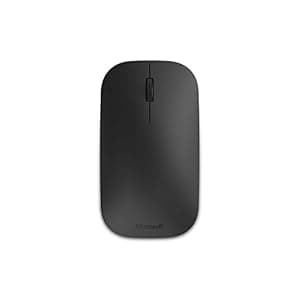 B00S0CTU2Y Availability: Currently unavailable Score: 7.752 Category: Electronics Rating: 4.2 Votes: 1508 Find similar productsMicrosoft Designer Bluetooth Mouse. The contoured and modern Designer Bluetooth Mouse pairs wirelessly to your laptop or tablet with the latest Bluetooth Smart technology to instantly connect without wires or dongles. | 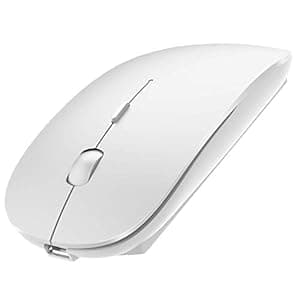 B07SNBYDQ8 Availability: Currently unavailable Score: 7.692 Category: Electronics Rating: 4 Votes: 66 Find similar products2.4GHz Wireless Bluetooth Mouse, Dual Mode Slim Rechargeable Wireless Mouse Silent USB Mice, 3 Adjustable DPI,Compatible for Laptop Windows Mac Android MAC PC Computer (White). One Mouse, Two Devices Have you ever wished that you can control your two computers with only one mouse? Now this dream comes true with a 2.4GHz wireless Bluetooth mouse, just toggle the Bluetooth / 2.4GHz switching, you can switch free to control the devices respectively. Bluetooth Connection & 2.4GHz Wireless Connections Bluetooth 4.0 connectivity & no USB interface required,greatly simplify your life. For devices without Bluetooth function, this mouse also solves your problem with a Nano USB receiver. How to use it: A. 2.4Ghz Mode ① Switch to ON/OFF button to right. The green light is on. ② Plug the receiver into the USB port of your computer, Then you can use the mouse in 2.4GHz Mode. B. Bluetooth Mode ① Turn on the device's Bluetooth function. ② Switch to ON/OFF button to left. The blue light is on. ③ Press and hold the “Bluetooth Pairing” button for 3 seconds. ④ Start matching your device and the Bluetooth mouse when the blue light flashes. ⑤ Search the product of Bluetooth, the name is (Bluetooth Mouse 4.0). ⑥ Find “Bluetooth Mouse 4.0” and pair. Then you can use the mouse in Bluetooth Mode. Note: 1. It's out of power if the mouse cursor moves slowly or stop moving. Please recharge it. 2. Please charge the mouse for 2 hours before the first time to use it. The blue light beside the scroll wheel will be on while charging, and then goes off when the mouse is fully charged. 3. Not all computers support both modes at the same time. Please choose the appropriate mode according to your needs. Package Included: 1 x Rechargeable wireless mouse. 1 x USB receiver(at the bottom of the mouse.) 1 x USB charging cable(Use only when charging) 1 x Instructions. |
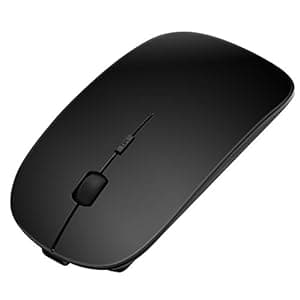 B079BC61CP Availability: Currently unavailable Score: 7.634 Category: Electronics Rating: 3 Votes: 11 Find similar productsSanhoton Slim Rechargeable Bluetooth Mouse, Noiseless Wireless Mice, Compatible with PC, Windows, Mac and Android Tablet. Sanhoton Bluetooth Mouse(W013) Characteristics: Silent mouse clicks will not affect others.No wires and compact appearance make a more smart and tidy desktop. Long time of inactivity will automatically enter the sleep mode, click mouse to wake up.It has a built-in rechargeable battery and you can recharge the mouse by using the USB connection line.Connect directly to desktop, laptop, android tablet or other devices with a Bluetooth receiver. Charge the mouse: Run out battery before first charge.①Turn off the power switch at bottom of the mouse.②Connect with USB cable for charging, charge for 1-2 hours.③Red light will turn on to indicates charging. After fully charge, light should turn to green. NOTE: If your device doesn't have Bluetooth function, you need to install a Bluetooth dongle first. You need to turn off and turn on the power switch to wake the mouse if your computer restarts after a long time sleep. Can't the computer search for mouse Bluetooth? Remove the battery and turn off the power switch. After a few seconds, reinstall the battery and turn on the power switch. Then press the Bluetooth connection button on the back of the mouse. Bluetooth connection is unstable during use, often dropped? Please follow the steps below to easily solve the Bluetooth disconnection problem. Open:Console→Device/Hardware and Sound→Device Manager→Bluetooth→Find Bluetooth Driver.Right click on Properties→Properties in Power Management.Click √ to cancel Allow the computer to turn off this device to save power→OK. | 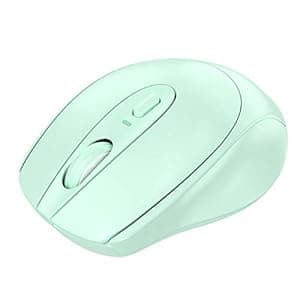 B08KY3M2F9 Availability: Currently unavailable Score: 7.576 Category: Electronics Rating: 4.3 Votes: 6 Find similar productsBluetooth Mouse, Dual Mode (Bluetooth 4.0 + USB) 2.4GHz Rechargeable Wireless Bluetooth Mouse, Suitable for Laptop, iPad, MacBook, PC (Green). Bluetooth connection and 2.4GHz wireless connection Bluetooth 4.0 connection, no USB interface, fast and stable connection. For devices without Bluetooth function, you can use USB receiver, plug and play, no other drivers or software are needed. How to use: 2.4Ghz mode 1. Locate and remove the wireless adapter on the back of the mouse (USB is on the back of the mouse) 2. Insert the computer USB 3. Wait 3 seconds, and then turn the switch on the back of the mouse to ON. Bluetooth mode 1. Turn the mouse switch to ON, press the green Bluetooth connection button, and then press it until the blue light appears, that is, turn on the Bluetooth mode, and then continue to press the green code matching key until the blue light flashes (2 -3 seconds), and then Put the mouse in Bluetooth mode (the mouse needs to flash blue and be in pairing state, then turn on the computer's Bluetooth). 2. Turn on the Bluetooth function of the device (when using the Bluetooth mode, there is no need to plug the wireless adapter into the computer.) 3. Search for Bluetooth products, the name is (BLUETOOTH MOUSE 4.0) 4. Click Pair to establish a Bluetooth connection. To successfully connect, you can use the Bluetooth mode of this product. [Note] System requirements: Windows 7.0 / MacOS 10.10 / iPad OS 13 / Android 4.3 or higher. You can use this wireless mouse for laptops, PC notebooks, tablets, computers and Macbooks. Product List: Wireless mouse USB receiver (located on the bottom of the mouse) USB charging cable User manual. |
 B00MGPE4F4 Availability: Currently unavailable Score: 7.519 Category: Electronics Rating: 2 Votes: 1 Find similar productsAuawak Rapoo T6 2.4G Ultra-Thin Ergonomic Wireless Mouse With Intelligent Multi-Touch Touch Control for Laptops Desktops and PC - Black. Product Feature RAPOO 2.4G wireless transmission technology brings you 10-meter working range wireless connection without any interference and enables you to enjoy the freedom and comfort of wirelessness. The ultra-thin stylish design, combines smooth lines, a clear touch surface, and seamless integration of left and right keys. Enjoy accurate and smooth cursor control with the 1000 DPI high-definition invisible tracking engine. So small and unobtrusive, you can plug it into a USB-port and forget about it. No more worries about lost receivers. You can update the firmware program in the driver to optimise your mouse performance (the firmware program can be downloaded from the our Rapoo website). Multi-Touch Control Smart Touch:Yes Ergonomic:Yes Programming:Yes Thickness:Only 24mm Resolution:Max.1000 DPI Power Supply:1*AA alkaline batteries Size:113(L)*57(W)*24(H) mm + / - 0.5 mm System Requirements Windows 8,Windows 7,Windows Vista,Windows XP Mac OS computer with USB port Package Contents Wireless Multi-Touch Mouse,Nano receiver 1*AA alkaline batteries(pre-installed) Quick start guide. | 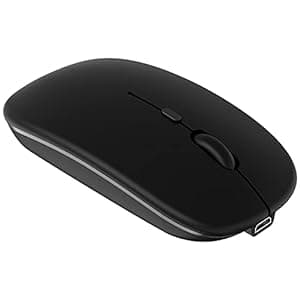 B098QL5NTT Price: $8.48 Score: 7.353 Category: Electronics Rating: 4.3 Votes: 486 Find similar productsBluetooth Mouse Rechargeable Wireless Mouse for iPad Tablet Cell Phone Smartphone iPhone MacBook Pro Air Laptop PC Computer Mac iMac Desktop Windows Android Portable Silent 2.4G Cordless Mice (Black). Specifications: Bluetooth Mouse Version: Bluetooth 5.2 Mouse Dimensions: 4.33 x 2.36 x 0.98 inch Weight: 2.13 ounce Mouse Buttons: 4 keys Charging port: Micro USB Working Range: Up to 8 meters Note: The Bluetooth mouse only compatible with Mac OS 10.8 or above, iPadOS 13 or later, iOS 13 or later. So update your system to iPad OS 13 or later, iOS 13 or later, Turn on the “Assistive Touch” on the iPad or iPhone: Setting - Accessibility - Assistive Touch. Broad Compatibility: The mouse perfect for Android Windows notebook PC desktop computer smartphone tablet laptop, Mac OS Mac iMac, Samsung galaxy tab s7 plus a7 s6 lite, surface book pro x go 4 5 6 7, MacBook Air, MacBook Pro, iOS iPhone, iPad mini 6 5 generation 7.9, iPad 5th 6th 7th 8th 9th 10th gen 9.7in 10.2 in 10.9 inch, iPad Air 3rd 4th 5th generation 10.5 10.9 inch, iPad Pro 2nd 3rd 4th 5th 6th 2021 2022 generation 11 12.9 inch. Package Include: 1* Dual Mode Mouse 1* Charging Cable 1* USB Receiver 1* User Manual. |